Hackaday Links: July 17, 2016

There’s going to be a new Nintendo console for Christmas! It’s the NES Classic Edition. It looks like a minified NES, with weird connectors that look like the connector for the Wii Nunchuck. There are no other details.

A site called “Motherboard” reports assembling a computer is too hard and a ‘nerve-wrecking [sic]’ process. Tip of the stovepipe to the Totalbiscuit.

When I was in elementary school, the playground had a twenty foot tall metal slide that faced South. During my time there, at least three of my classmates fell off it, and I distinctly remember the school nurse’s aid running past me on the playground with a wheelchair. There wasn’t soft mulch or the weird rubber granules under this slide – just hard, compacted dirt. This slide was awesome, even if it was torn down when I was in third grade. [Brandon Hart]’s kid’s won’t look back fondly on their youth with experiences like these; he built a water-cooled slide in his backyard. He’s getting an 80°F ΔT with a trip to Ace Hardware, probably $20 in fittings, and a drill. Neat.

This is probably better suited for an ‘Ask Hackaday’ column, but [Arsenijs] has run into a bit of a problem with his Raspberry Pi Project. He’s trying to use a planarized kernel module to obfuscate the SPI bus, but he can’t do that because of a oblivated drumble pin. He could, of course, deenumerate several of the GISP modules, but this would cause a buffer underflow and eventually wreck the entire cloudstack. I told him he should use Corrosion, but he seems dead set on his Hokey implementation. If anyone has any ideas, get the glamphs and put it on the grumbo.

The Owon SDS7102 oscilloscope is a small, cheap, two-channel scope that is impressive for its price but noisier than you would expect. This scope has been thoroughly reverse engineered, and now Linux is running on this scope. This Linux scope has a working VGA display, USB host, USB device, Flash, and working Ethernet. The entire analog front end has been reversed engineered, and somehow this is now the most open oscilloscope you can buy.

The ESP32 is Espressif’s followup to their very popular ESP8266 WiFi module. The ESP32 will be much more powerful and include Bluetooth when it’s released in August. Until then, [Pighixxx] has the complete pinout for the ESP32.

Planespotter Spots Planes, Tracks Destinations

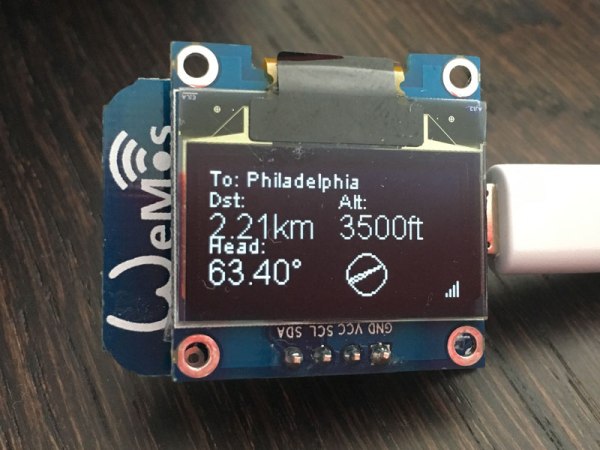
Ever looked up in the sky and wondered where all of those planes above you were going? [squix] no longer has to, thanks to his ESP8266-based Planespotter.

He built this nifty device to grab the details of the flights he sees taking off from Zurich airport. It’s a neat build, running on an ESP8266 that receives ADS-B data from ADS-B Exchange. This service allows you to query the ADS-B data with a specific location.

[squix]’s plane tracker sends a query to ADS-B exchange for flights in his location and below a certain height (so he sees ones that are just taking off), then displays the received information on the OLED screen. He says a display-only version will run you around $20, while the full version that also receives and shares data with the ADS-B Exchange will cost you about $50. That’s a lot cheaper than a plane ticket…

Your ESP8266 Needs More Memory

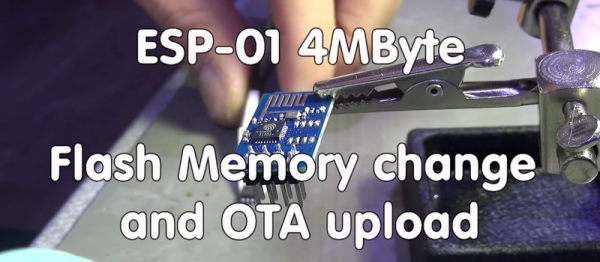
We just got through reviewing MicroPython on the ESP8266, and one of the main takehomes is that our ESP modules need more flash memory. You may be in the same boat — the earliest (and cheapest) modules on the market only had 512 kB of flash. For over-the-air programming, or to give you some more space for fancier programs, you’re going to want 1 MB or even 4 MB.

The solution? Just buy a new flash chip and solder it on. This is especially easy if you’ve got an ESP-01, ESP-03, or ESP-11 modules where the flash chip is exposed. Desolder, resolder, done. It can be a little trickier for those modules with a tin can around chips, but that’s nothing that a little hot air can’t fix. See the video embedded below for a good walk-through.

Continue reading “Your ESP8266 Needs More Memory”

Baby Monitor Rebuild Is Also ESP8266 Audio Streaming How-To

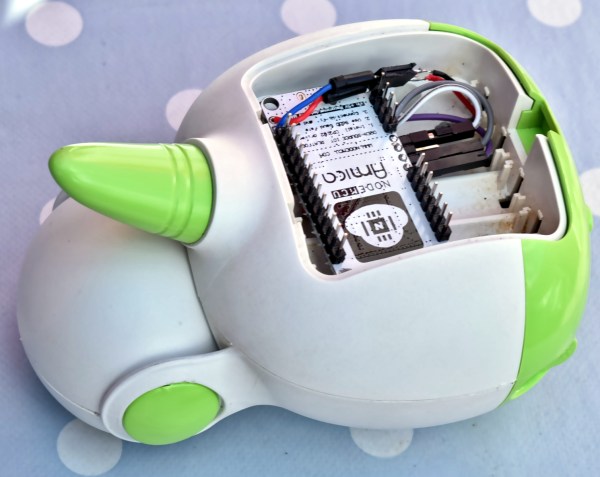
[Sven337]’s rebuild of a cheap and terrible baby monitor isn’t super visual, but it has so much more going on than it first seems. It’s also a how-to for streaming audio via UDP over WiFi with a pair of ESP8266 units, and includes a frank sharing of things that went wrong in the process and how they were addressed. [Sven337] even experimented with a couple of different methods for real-time compression of the transmitted audio data, for no other reason than the sake of doing things as well as they can reasonably be done without adding parts or spending extra money.

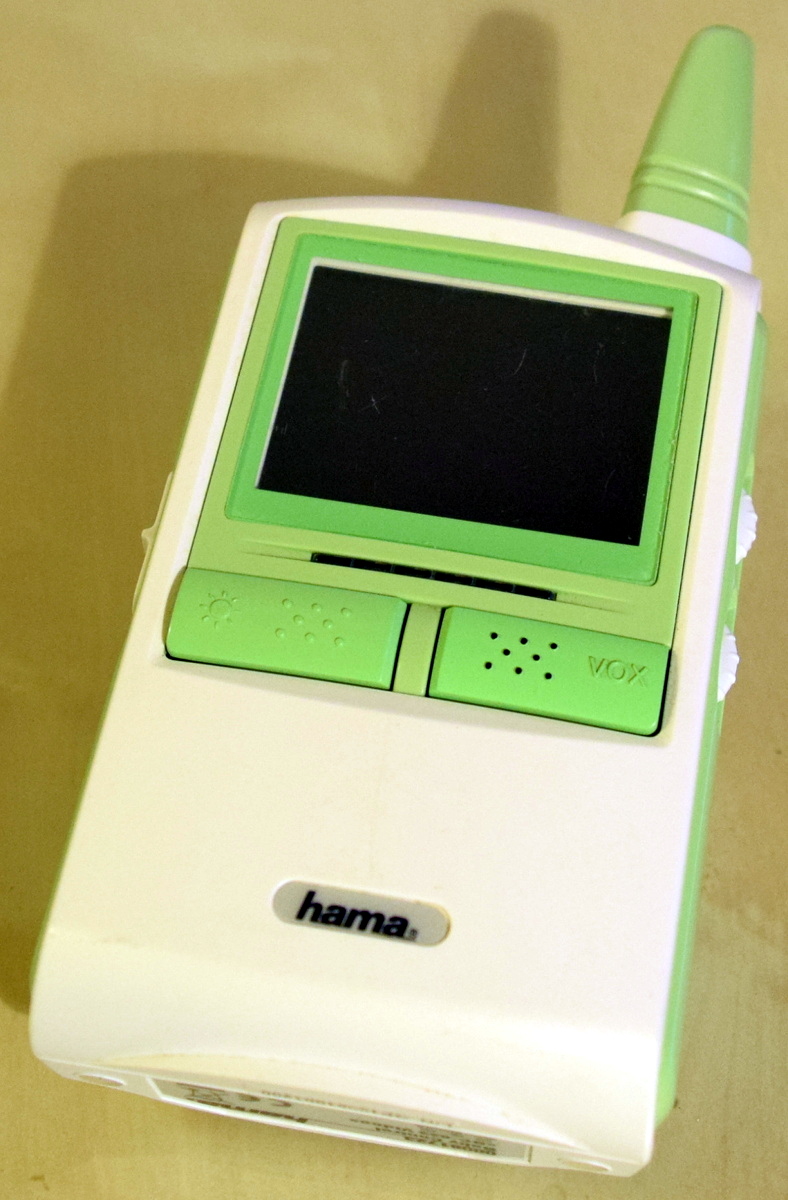
receiverThe original baby monitor had audio and video but was utterly useless for a number of reasons (French).  The range and quality were terrible, and the audio was full of static and interference that was just as loud as anything the microphone actually picked up from the room. The user is left with two choices: either have white noise constantly coming through the receiver, or be unable to hear your child because you turned the volume down to get rid of the constant static. Our favorite part is the VOX “feature”: if the baby is quiet, it turns off the receiver’s screen; it has no effect whatsoever on the audio! As icing on the cake, the analog 2.4GHz transmitter interferes with the household WiFi when it transmits – which is all the time, because it’s always-on.

Small wonder [Sven337] decided to go the DIY route. Instead of getting dumped in the trash, the unit got rebuilt almost from the ground-up.

Continue reading “Baby Monitor Rebuild Is Also ESP8266 Audio Streaming How-To”

Two Great Radios Taste Great Together

[Johan Kanflo] sent us his latest recipe: a blend of one part RFM69 sub-gigahertz radio transceiver with one part ESP8266 module. The resulting dish looks absolutely delicious!

We’re all charmed with the ease of use that the ESP8266 brings to the table — plug it in and you’re talking to your existing WiFi network — but we hate the power consumption for battery-powered applications. WiFi is a power hog. And although ISM-band radio modules make point-to-point communications cheap and power-saving, getting them to talk with your computer takes an adapter.

So [Johan] combined the two radios and made a sweet ISM-radio-to-WiFi bridge. His demo application takes whatever data is sent over the ISM band and pushes it to an MQTT broker on his WiFi network. Hardware and firmware are up on GitHub.

We’ve been wanting a device like this for our home network for a while now. Kudos, [Johan] for making it so easy!

Avoiding Exercise With An ESP8266 And Blynk

[Mike Diamond] was tired of climbing down (and back up) 40 stairs to check his mailbox. He decided to create a mailbox alert using the ESP8266 to connect to his WiFi. The idea was simple: have the ESP8266 monitor when the mailbox flap opened using a magnet and a reed switch. As always, though, the devil is in the details. [Mike] got things working with a little help and shares not only the finished design but how he got there.

To handle the sending of e-mail, [Mike] used the Blynk app. You often think of Blynk as a way to build user interfaces on an Android or iOS device that can control an Arduino. In this case, though, [Mike] used the library with the ESP8266 and had it send e-mail on his behalf.

Continue reading “Avoiding Exercise With An ESP8266 And Blynk”

Micropython Binaries For The ESP8266 To Be Released

MicroPython is a Kickstarted project that brings Python to small, embeddable devices. As part of the terms of the Kickstarter, supporters were to get exclusive access to binary builds, with a few exceptions. Now it looks like the ESP8266-version is going to be added to the binary list. This is awesome news for anyone who enjoys playing around with the popular WiFi chip.

But even more heartwarming is the overwhelming response of the Kickstarter’s backers for making the binary builds public. Basically everyone was in favor of opening the binaries up to the general public, and many wrote that they wanted public binaries all along. People can be so giving.

But there’s also something in it for them! The more people get behind MicroPython, the more (free and paid) development support it will warrant, and the more bug reports it will garner. Wins all around. So keep clicking refresh on the binary list until you see it live. Or better yet, if you’re interested, head over to the forum. (Or just wait for us to cover it here. You know we will.)