Handmade Keyboards For Hands

There were some truly bizarre computer keyboards in the 1980s and 90s. The Maltron keyboard was a mass of injection-molded plastic with two deep dishes for all the keys. The Kinesis Advantage keyboard was likewise weird, placing the keys on the inside of a hemisphere. This was a magical time for experimentations on human-computer physical interaction, the likes of which we haven’t seen since.

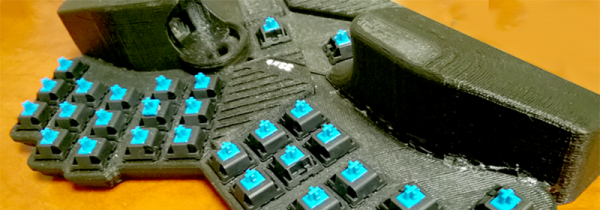
Now, though, we have 3D printers, easy to use microcontrollers, and Digikey. We can make our own keyboards, and make them in any shape we want. That’s what [Andrey]’s doing. The 32XE is an ergonomic keyboard and trackball combo made for both hands.

The keyboard has curved palm rests, a trackball under the right thumb, and is powered by the ever popular DIY mechanical keyboard microcontroller, the Teensy 2.0. This keyboard is equipped with a trackball, and that means [Andrey] needed a bit of extra electronics to handle that. The mouse/trackball sensor is built around the ADNS-9800 laser motion sensor conveniently available on Tindie. This laser mouse breakout board is built into the bottom of the keyboard, with enough space above it to hold a trackball… ball.

Since this is a very strange and completely custom keyboard, normal mechanical keyboard keycaps are out of the question. Instead, [Andrey] 3D printed his own keycaps on an FDM printer. Printing keyboard keycaps on a filament-based printer is extremely difficult — the tolerances for the connector between the switch and cap are tiny, and nearly at the limit of the resolution of a desktop filament printer. [Andrey] is taking it even further with inlaid keyboard legends. He’s created a keycap set with two color legends on two sides of the keycaps. If you’ve ever wanted to print keycaps on a 3D printer, this is a project to study.
A Personal Fight Against The Modern Laptop

If you haven’t gone laptop shopping recently, you’re in for a big shock when you do. While the current generation of MacBook Pros is rightly torn to shreds for being an overpriced machine with a stupid gimmick of a Touch Bar, there are issues with laptops across the industry. No one has figured out how to take a high-res iPad screen and add a keyboard, most laptops with a display smaller than 13 inches are capped at 720 resolution, new features are introduced at the expense of old ones, binary blobs are cast into a web of BIOS whitelists and missing drivers, No, the Microsoft Surface doesn’t count, because while it’s a nice machine it’s a tablet with a keyboard, not a laptop.

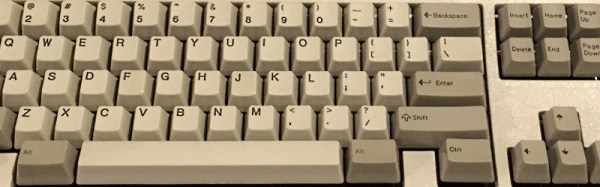
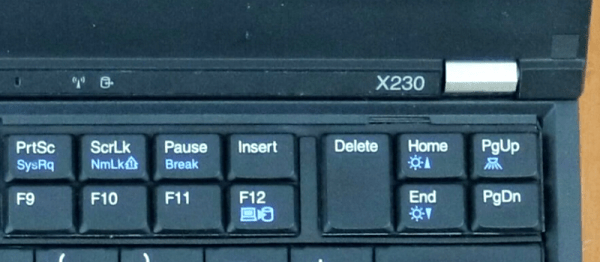
After months of searching, [Hamish Coleman] found the closest thing to a perfect laptop. It’s a Thinkpad X230 from the ancient days of yore, or 2012 depending on how you’re counting. It’s close to perfect, though: aside from an old CPU and GPU, the only real show stopper is the keyboard. Replacing that keyboard was [Hamish]’s personal fight against the modern laptop (YouTube, embedded below), and he’s making it easier for us to fight against the current crop of craptops, too.

Continue reading “A Personal Fight Against The Modern Laptop” →

AT To XT Keyboard Adapter

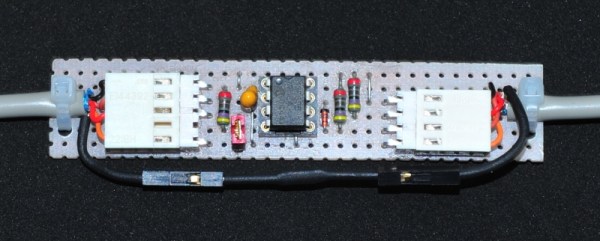
If you got an old PC/XT stored somewhere in basement and want to use a newer keyboard, here’s a little project you might like. [Matt] built an AT2XT keyboard adapter on a prototype board using an AT to PS/2 keyboard cable. An AT2XT keyboard adapter basically allows users to attach AT keyboards to XT class computers, since the XT port is electronically incompatible with PC/AT keyboard types. For those retro computing fans with a lot of old PCs, this trick will be great to connect the XT machines to a KVM (keyboard/Video/Mouse) switch.

[Matt] found schematics for the project on the Vintage Computer Federation Forum, but used a PIC12F675 instead of the specified PIC12F629. He does provide the .hex file for his version but unfortunately no code. You could just burn the .hex file or head up to the original forum and grab all files to make your own version. The forum has the schematics, bill of materials, PCB board layout and firmware (source code and .hex), so you just need to shop/scavenge for parts and get busy.

And if you are felling really 31337, you can make a PS/2 version of the binary keyboard to justify the use of your new adapter.

[via DangerousPrototypes]

C64 Keyboard Emulation Over Serial

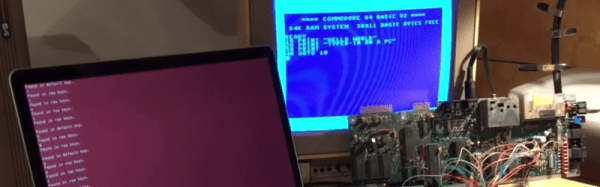
There’s a lot of reasons you might want to emulate the keyboard on your Commodore 64. The ravages of time and dust may have put the original keyboard out of order, or perhaps you need to type in a long program and don’t fancy pecking away with the less-than-stellar feedback of the standard keys. [podstawek] has come up with the solution: a Commodore 64 keyboard emulator that works over serial.

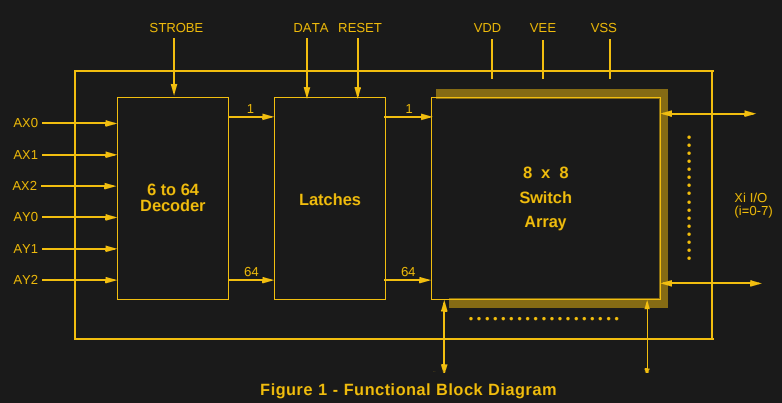
It’s a simple concept, but one that works well. A Python script accepts incoming keypresses or pre-typed text, then converts them into a 6-bit binary code, which is sent to an Arduino over the serial connection. The Arduino uses the 6-bit code as addresses for an MT8808 crosspoint switch.

MT8808 Functional Diagram from Datasheet

The MT8808 is essentially an 8×8 matrix of controllable switches, which acts as the perfect tool to interface with the C64’s 8×8 keyboard matrix. Hardware wise, this behaves as if someone were actually pressing the keys on the real keyboard. It’s just replacing the original key switches with an electronic version controlled by the Arduino.

[podstawek] already has the setup working on Mac, and it should work on Linux and Windows too. There’s a little more to do yet – modifying the script to allow complex macros and to enable keys to be held – so check out the Github if you want to poke around in the source. Overall it’s a tidy, useful hack to replace the stock keyboard.

The C64 remains a popular platform for hacking — it’s even had a Twitter client since 2009.

Adding MIDI Out To The Casio PX410R

Since the 1980s, MIDI has been a great way to send data between electronic musical instruments. Beginning as a modified serial interface running through optoisolaters and DIN sockets, these days, your hardware is more likely to carry its MIDI data over USB instead. This is great if you want to hook up to a computer without a cumbersome interface, but not so great when you want to connect a bunch of instruments to each other.

The Roland Integra 7 is a rack mount synthesizer with classic MIDI ports. [adriangin] wanted to control the synthesizer over MIDI, but their Casio keyboard only had MIDI over USB available. To get around this, [adriangin] set out to add a standard MIDI Out port to the Casio PX410R.

Continue reading “Adding MIDI Out To The Casio PX410R” →

Do You Miss The Sound Of Your Model M?

There is one aspect of desktop computing in which there has been surprisingly little progress over the years. The keyboard you type on today will not be significantly different to the one in front of your predecessor from the 1970s. It may weigh less, its controller may be less power-hungry, and its interface will be different, but the typing experience is substantially identical. Or at least, in theory it will be identical. In fact it might be worse than the older peripheral, because its switches are likely to be more cheaply made.

The famous buckled springs in operation. Shaddim [CC BY-SA 3.0], via Wikimedia Commons.
The famous buckled spring in operation. Shaddim [CC BY-SA 3.0], via Wikimedia Commons.
Thus among keyboard aficionados the prized possessions are not necessarily the latest and greatest, but can often be the input devices of yesteryear. And one of the more famous of these old keyboards is the IBM Model M, a 1984 introduction from the computer behemoth that remains in production to this day. Its famous buckled-spring switches have a very positive action and a unique sound that once heard can never be forgotten.
Continue reading “Do You Miss The Sound Of Your Model M?” →

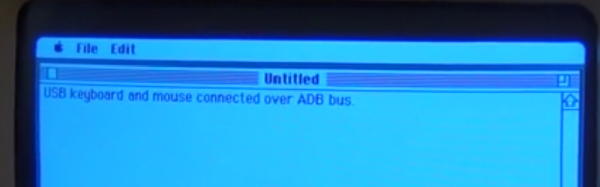
Bringing USB Devices To The Apple Desktop Bus

During the development of the greatest member of the Apple II family, the Apple IIgs, someone suggested to [Woz] that a sort of universal serial bus was needed for keyboards, mice, trackballs, and other desktop peripherals. [Woz] disappeared for a time and came back with something wonderful: a protocol that could be daisy-chained from keyboard to a graphics tablet to a mouse. This protocol was easily implemented on a cheap microcontroller, provided 500mA to the entire bus, and was used for everything from license dongles to modems.

The Apple Desktop Bus, or ADB, was a decade ahead of its time, and was a mainstay of the Mac platform until Apple had the courage to kill it off with the iMac. At that time, an industry popped up overnight for ADB to USB converters. Even today, there’s a few mechanical keyboard aficionados installing Teensies in their favorite input devices to give them a USB port.

While plugging an old Apple keyboard into a modern computer is a noble pursuit — this post was written on an Apple M0116 keyboard with salmon Alps switches — sometimes you want to go the other way. Wouldn’t it be cool to use a modern USB mouse and keyboard with an old Mac? That’s what [anthon] thought, so he developed the ADB Busboy.

Continue reading “Bringing USB Devices To The Apple Desktop Bus” →