Cheap LCD Uses USB Serial

Browsing the Asian marketplaces online is always an experience. Sometimes, you see things at ridiculously low prices. Other times, you see things and wonder who is buying them and why — a shrimp pillow? But sometimes, you see something that probably could have a more useful purpose than the proposed use case.

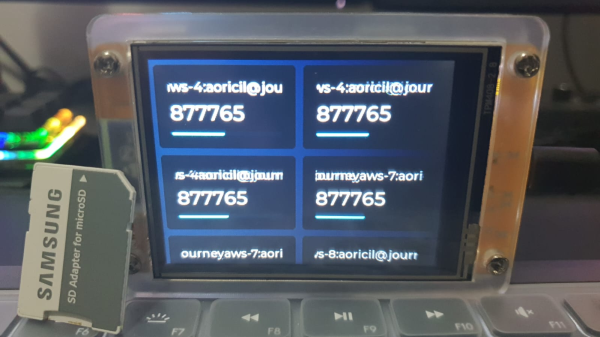
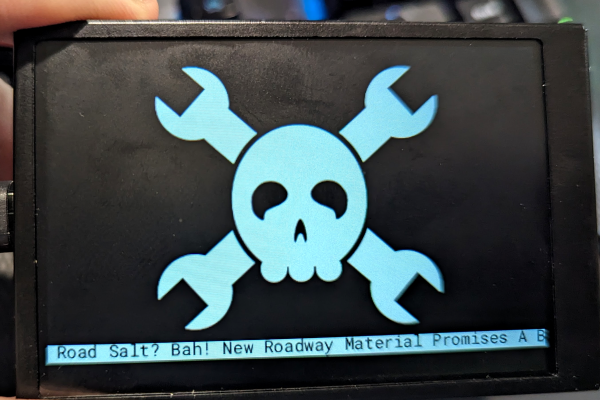
That’s the case with the glut of “smart displays” you can find at very low prices. Ostensibly, these are being sold as system monitors. A business-card-sized LCD hooks up via USB and shows your CPU speed, temperature, and so on. Of course, this requires sketchy Windows software. I don’t run Windows, and if I did, I wouldn’t be keen to put some strange service on just so I could see tiny displays of my system information. But a 3.5-inch IPS LCD screen for $15 or less probably has some other uses. But how to drive it? Turns out, it is easier than you think and the hardware looks reasonably hackable, too.

Like a lot of this cheap stuff, these screens are sold under a variety of names, and apparently, there are some subtle differences. Two of the main makers of these screens are Turing and XuanFang, although you rarely see those names in the online listings. As you might expect, though, someone has reverse-engineered the protocol, and there is Python software that will replace the stock Windows software the devices use. Even better, there is an example of using the library for your own purposes.

Continue reading “Cheap LCD Uses USB Serial”

Raspi-Powered Typewriter Is A Real MUSE

Thanks to parenting and life in general, [Brendan] had fallen out of the habit of writing and wasn’t happy about it. If you write anything ever, you already know there are endless distractions when it comes to doing so on a computer. Sure, there always typewriters, but it’s difficult to do anything with the fruits of a typewriter other than scan it in or make copies, and it’s basically un-editable except by hand.

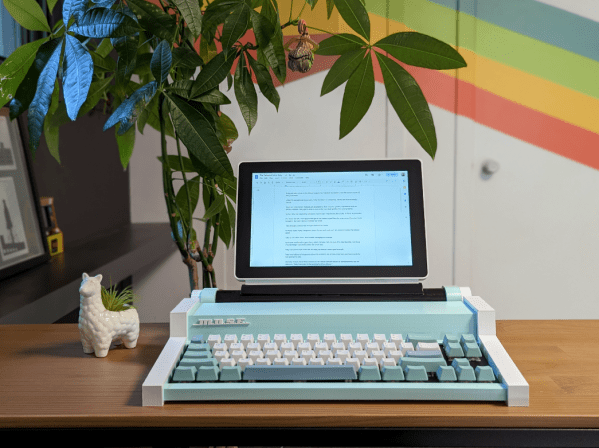
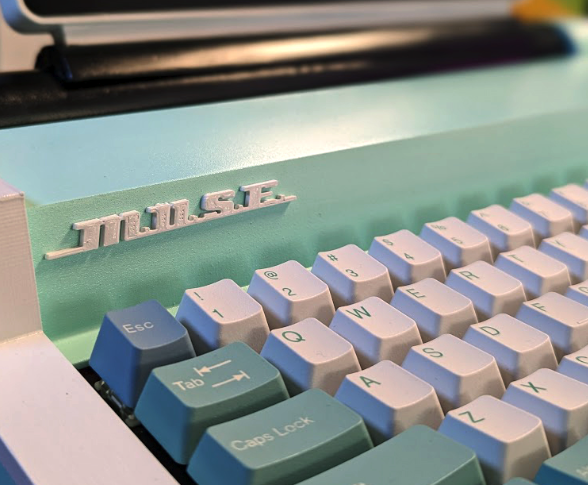
Instead of just sitting down and writing, [Brendan] did what any of us would do — took the time to create an elegant solution. The Most Unusual Sentence Extractor, or MUSE, is a Raspberry Pi-based typewriter with the best of both worlds. It’s essentially a word processor, but it can save to the cloud.

[Brendan] found beautiful inspiration in the Olympia Traveller de Luxe typewriter, a delightfully boxy affair made in the 1960s and 70s with lovely keys. Starting with a 68Keys.io board, [Brendan] set about re-creating the lines of the Traveller de Luxe in Tinkercad.

Since it doesn’t really need a platen, this was the perfect place to mount a screen using black PVC. At first, [Brendan] was going to use an e-ink screen, but a mishap led to a better solution — an LCD touchscreen that makes document navigation a breeze.

We absolutely love the look of this machine, which was obviously a labor of love. And yeah, it does the trick:[Brendan] is writing again. Though it maybe be inconvenient, we agree that it really is nice to have a dedicated workstation for certain things.

Looking for the complete opposite of this project? How about a Chat GPT-assisted daisywheel typewriter?

Tiny Spheres Hiding In Your Display

Liquid crystal and Organic LED displays have revolutionized portable computing. They’re also made of glass. Which presents a problem: How do we get electrical signals from fiberglass circuit boards to the glass displays? The answer is double-sided adhesive tape. But we’re not talking about packing tape here. As [Breakingtaps] explains,  this tape has a trick up its sleeve.

The magic is that the tape conducts only in the vertical plane. Even more so, any two conducting sections of the tape are insulated from each other. How does it do that? Magic beans balls, of course!

The tape and adhesive are insulators. Embedded in the adhesive are tiny spheres. The spheres are made of plastic and coated with metal. When the tape (also known as ACF or Anisotropic Conductive Film) is pressed between a PCB with conductors and glass, a few spheres are squished down between the layers. Electrical signals pass between the squished spheres, allowing an image to be displayed on the glass screen. The final step uses heat and pressure to bond the adhesive and cure it. You can also get the material in paste form if you don’t like the tape.

The system works so well that it can be used for connections from a silicon chip directly to the glass.  This is how many display controllers are mounted right to the module — definitely an improvement on the rubber strips used on LCDs of the past.

Continue reading “Tiny Spheres Hiding In Your Display”

A Look At Sega’s 8-Bit 3D Glasses

From around 2012 onwards, there was a 3D viewing and VR renaissance in the entertainment industry. That hardware has grown in popularity, even if it’s not yet mainstream. However, 3D tech goes back much further, as [Nicole] shows us with a look at Sega’s ancient 8-bit 3D glasses [via Adafruit].

[Nicole]’s pair of Sega shutter glasses are battered and bruised, but she notes more modern versions are available using the same basic idea. The technology is based on liquid-crystal shutters, one for each eye. By showing the left and right eyes different images, it’s possible to create a 3D-vision effect even with very limited display hardware.

The glasses can be plugged directly into a Japanese Sega Master System, which hails from the mid-1980s. It sends out AC signals to trigger the liquid-crystal shutters via a humble 3.5mm TRS jack. Games like Space Harrier 3D, which were written to use the glasses, effectively run at a half-speed refresh rate. This is because of the 60 Hz NTSC or 50 Hz PAL screen refresh rate is split in half to serve each eye.  Unfortunately, though, the glasses don’t work on modern LCD screens, as their inherent display lag throws off the timing of the pulses the console sends to the glasses.

It’s a neat look at an ancient bit of display tech that had a small resurgence with 3DTVs in the 2010s. By and large, it seems like humans just aren’t that into 3D, at least beneath a full-VR experience. Meanwhile, if you’re wondering what 8-bit 3D looked like, we’ve got a 3D video (!) after the break.

Continue reading “A Look At Sega’s 8-Bit 3D Glasses”

Spice Up The Humble 16×2 LCD With Big Digits

The 16×2 LCD display is a classic in the microcontroller world, and for good reason. Add a couple of wires, download a library, mash out a few lines of code, and your project has a user interface. A utilitarian and somewhat boring UI, though, and one that can be hard to read at a distance. So why not spice it up with these large-type custom fonts?

As [upir] explains, the trick to getting large fonts on a display that’s normally limited to two rows of 16 characters each lies in the eight custom characters the display allows to be added to its preprogrammed character set. These can store carefully crafted patterns that can then be assembled to make reasonable facsimiles of the ten numerals. Each custom pattern forms one-quarter of the finished numeral, which spans what would normally be a two-by-two character matrix on the display. Yes, there’s a one-pixel wide blank space running horizontally and vertically through each big character, but it’s not that distracting.

Composing the custom patterns, and making sure they’re usable across multiple characters, is the real hack here, and [upir] put a lot of work into that. He started out in Illustrator, but quickly switched to a spreadsheet because it allowed him to easily generate the correct binary numbers to pass to the display for each pattern. It seems to have really let his creative juices flow, too — he came up with 24 different fonts! Our favorite is the one he calls “Tron,” which looks a bit like the magnetic character recognition font on the bottom of bank checks. Everyone remembers checks, right?

Hats off to [upir] for a creative and fun way to spice up the humble 16×2 display. We’d love to see someone pick this up and try a complete alphanumeric character set, although that might be a tall order with only eight custom characters to work with. Then again, if Bad Apple on a 16×2 is possible…

Continue reading “Spice Up The Humble 16×2 LCD With Big Digits”

A solar-powered device with a small LCD screen

Low Power Challenge: LCD Solar Creatures Live On Sunlight, Sleep At Night

With all those e-paper based projects doing the rounds these days, including in our Low Power Challenge, you’d almost forget that monochrome LCDs were the original ultra-low-power display. Without them, we wouldn’t have had watches, calculators and handheld games operating off button cell batteries or tiny solar panels back in the ’80s and ’90s. [Gabor] decided to build a set of gadgets with a 1990s LCD aesthetic, called LCD Solar Creatures. These cute little beasts live on nothing but solar power and provide some amusing animations on a classic seven-segment LCD screen.

The Creatures’ activity depends entirely on the amount of power that’s available to them. If their supercapacitors dip below 3.3 V, their micros enter a deep sleep state and do nothing except briefly flash an LED every now and then as a sign of life. When light hits the solar panel, the supercaps are charged up and the Creatures come to life and display a few basic stats. Once the caps hit 4.1 V, they really start their day and run a few programs, including a Game of Life-style simulation and an animation of Euclidean rhythms. Continue reading “Low Power Challenge: LCD Solar Creatures Live On Sunlight, Sleep At Night”

Reliving A Bitmapped Past With A Veritable Hoard Of Bitmap Fonts

The fonts seen with old computer systems such as those from Apple and Commodore, as well as Microsoft Windows 3.1 and older, form an integral part of our interaction with these systems. These days such bitmap fonts are a rarity, with scalable vector-based fonts having taken their place on modern-day systems. This unfortunately also means that these fonts are at major risk of being lost to the sands of time. This is where [Rob Hagemans] seeks to maintain an archive of such bitmap fonts, ranging from Acorn to MSX to Windows.

Many of these fonts are extracted from character ROMs, with a preview of some of these fonts available via the Monobit viewer. The fonts themselves are made available in YAFF format, which is a text-based format that can be converted back to a binary format using the Monobit tool. If you ever wanted to use one of these old bitmap fonts in a project, this would seem to offer a treasure trove of options. The hoard of bitmap fonts might be the perfect fit for your next graphic LCD project.

(Via [SuperIlu] on Mastodon)