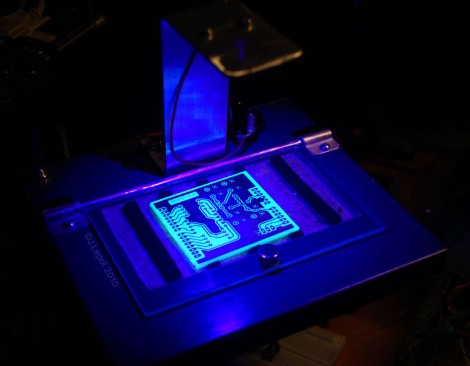
Single LED Ultraviolet Exposure Box

[Jacques Lebrac] built a UV exposure box for printed circuit boards using just one LED. He usually makes boards that are just a few square inches and didn’t think building a box that had upwards of 80 LEDs was worth his time. He passed by the low power LEDs for a single 5W unit. Pumping 1.5A through this LED makes for some quick exposures, but causes heat issues. To solve this, an aluminum arm was used to mount the LED, acting as mechanical support and heat sink at the same time. The voltage regulator was glued directly to the chassis, providing at least some heat dissipation.

[Jacques] came up with an eloquent solution for holding the transparency and copper clad in place. A piece of acrylic is hinged on the back using a piece of aluminum tubing. The front has a magnet glued to it, with another one in the base to hold the cover tight to the work surface during operation.
DIY OLEDs

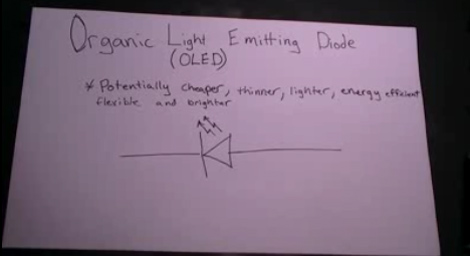
[Jeri Ellsworth] has put together a couple of videos that cover how she made her own organic light emitting diodes, or OLEDs. In the first video, after the break, it discusses the difference between regular, rigid semiconductor LEDs and organic LEDs. The video then goes on to show how to make an OLED as successive layers of materials. Indium tin oxide (ITO) on glass forms a transparent anode. That is then coated with PEDOT:PSS, a conductive polymer mix that is used as a hole transport layer. Then a red diamond ruthenium complex is added to create the emissive layer. The cathode layer is a low work function metal, initially, gallium indium eutectic alloy then later other metals were shown to work. The second video, shows how to juice a glowstick and make OLEDs with the liquid. The dye in blue glowsticks, 9,10-Diphenylanthracene, is an organic semiconductor and will emit light as an electric current is passed through it. The glow stick method seems to have some problems as the ITO coated glass plate is degraded by the glowstick chemicals. It would be interesting to see if using the porous aluminum or similar technique from [Jeri]’s flexible electroluminescent displays could be used as an electrode.

Continue reading “DIY OLEDs”

Warm Tube Clock

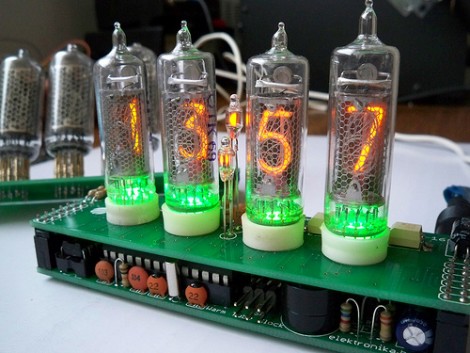
The Warm Tube Clock is the new kid on the block of Nixie Tube clocks. It takes inspiration from, and uses the same voltage driver circuit as the Ice Tube Clock. But this one uses four tubes instead of that hard-to-find single tube. It has a few other tricks up its sleeve. The shield that hosts the tubes has been designed for two different types. It also hosts an RGB LED for each tube, which adds the green glow seen above, and has a couple of small neon indicator bulbs which serve as the colon between hours and minutes.

The driver board centers around an ATmega328 running about three thousand lines of code. The firmware offers a lot of options including sound feedback, and a setting for every clock, calendar, alarm, and LED color toggle imaginable. See for yourself as the settings video, embedded after the break, walks you through each stage of the menu. We can’t help but think you need an instruction manual to set this thing up.

Continue reading “Warm Tube Clock”

Communicating With An LED Matrix

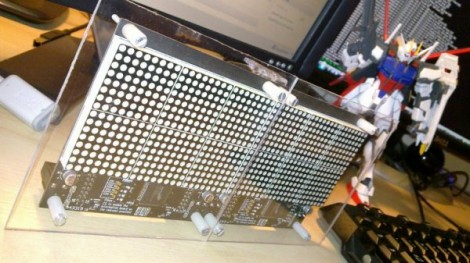
Most of the LED matrix posts we run delve into the hardware design. This time around [J Bremnant] used prefab modules and focused on writing code to address the display. The hardware combines two 24×16 LED boards from Sure Electronics with a Teensy 2.0 to drive the display and provide a USB connection. The firmware comes in just under 8k, leaving graphic manipulation up to a PC.

[J Bremnant’s] Python script offers a lot of flexibility when working with the display. There are three modes selectable through a terminal interface. One just tests the display and then drops into Conway’s Game of Life. The second mode lets you send commands via serial interface so it can be used as a message ticker. The final feature is frame addressing that allows graphics to be dropped into the display. See each of these featured in the video after the break.

Continue reading “Communicating With An LED Matrix”

Gear Indicator For Suzuki Motorcycle

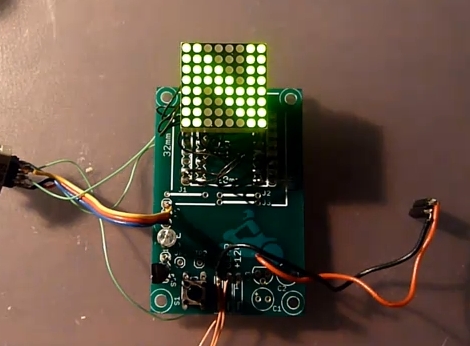
This little board serves as a current gear indicator for a motorcycle. It was designed with the Suzuki V-Storm motorcycles in mind as they have a sensor built into the gearbox. Other gear indicators rely on sensors on the shifters themselves, but reading the voltage level from a gearbox sensor gives much more reliable information.

The voltage measurement is handled by an ATmega88 microcontroller which in turn drives the 8×8 LED display. Also built into the system is a temperature sensor and photoresistor. The firmware takes advantage of both of these inputs, displaying temperature when in sixth gear or at the push of a button, and dimming the display based on ambient light. There are also settings for screen rotation, and user preferences.

We didn’t find schematics or software but this should be pretty easy to replicate. If you need a primer for AVR programming we’ve got you covered.

[Thanks Michal]

Help Me Reverse Engineer An LED Light Bulb

hack LED bulb

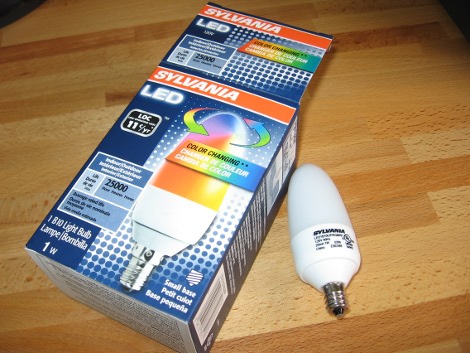
I went to the last monthly meeting of Sector 67, a hackerspace in Madison, WI. One of the things shown off was a color changing LED light bulb that Menards was clearing out for $1.99. Inside there’s two RGB LEDs controlled by an ATtiny13 and powered by an AC/DC buck converter. An ATtiny13 will run you around $1.25 by itself so this price is quite amazing. I grabbed a couple of these bulbs and set to work on them. Join me after the break to see what I’ve got so far.

Update: read a follow-up to this post.

Continue reading “Help Me Reverse Engineer An LED Light Bulb”

Under-desk RGB Keyboard Lighting

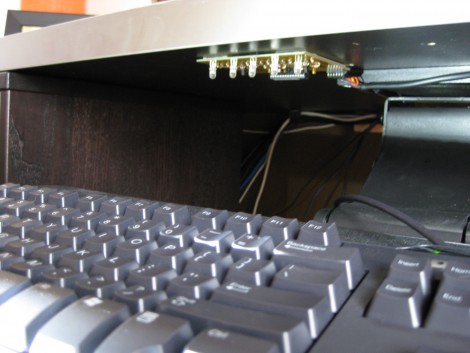
[Jay Collett] was having trouble seeing his keyboard when the room was dim. But throwing a light under the desk just didn’t seem cool enough. Instead he built an RGB light board that is controlled by his desktop. The board is based around an ATmega328 with the Arduino booloader. He etched a single-sided PCB to connect it to a group of five RGB LEDs, with a programming header for an FTDI cable. The board communicates with a PC via serial connection, with a C# control application that [Jay] coded to control the color. We’ve embedded a couple of videos after the break but check his page for a package of code and hi-res pictures.

If you want something cool that’s a little bit less work to build check out the EL-wire keyboard from this links post.

Continue reading “Under-desk RGB Keyboard Lighting”