Woot Lights And Mice Transplants

[Nathan Long] sent in two fairly simple mods he’s been working on. The first is the control of Woot-off Lights via LPT port. A computer checks Woot for the Woot-off logo, and if the logo is spotted, on go the lights. It’s really just a twist on the LED/Arduino email message system, but the creativity is nice.

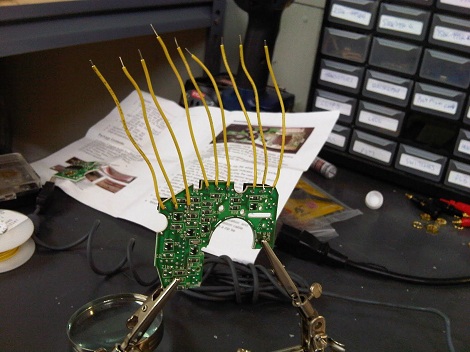
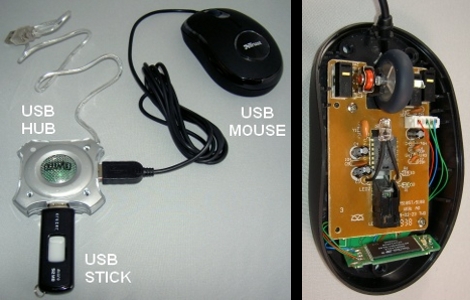
His other modification is the stuffing of a Microsoft Intellimouse inside of a Logitech Wingman. With the goal of giving the old PS/2 mouse USB capabilities and removing the terrible ball. For those that are asking themselves “why bother? Terrible ergonomics, no scroll wheel, etc.” [Nathan] claims it’s for Quake 2 nostalgia, to each their own we suppose.

Input Device Using LED And Four Photoresistors

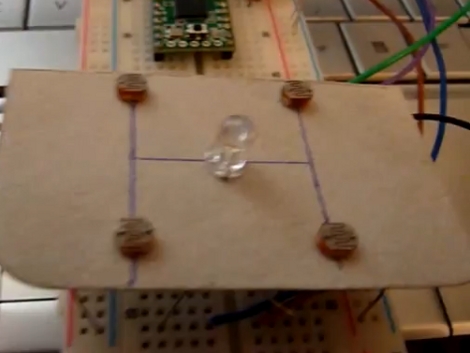
[Julien] built an input device that uses reflected light detected by some photoresistors. Placing your hand above the device will reflect light from the LED back down onto the cadmium-sulfide sensors. The resistance of those sensors is read by four ADC pins on a Teensy microcontroller and translated to mouse movements. In the video after the break you can see that this works rather well in controlling the cursor. The source code is available on pastebin but we’re also going to host the code for posterity.

Continue reading “Input Device Using LED And Four Photoresistors”

Texas Instruments Watch Claims It’s A Computer Mouse

[youtube http://www.youtube.com/watch?v=TDL3JRG_zrs%5D

[Jack Toole] and his team [Aaron King] and [Libo He] sent in their computer interface dubbed the Chronos Flying Mouse. The video above explains the concept very thoroughly, but we’ll reiterate some of the highlights here. The project uses a Chronos EZ430 with its accelerometers to wirelessly transmit delta positions of the user’s wrist. Add a little open source software and you have a regular PC mouse, a video game joystick, a game wheel, and a few other different devices in one. We just love the suave feeling of snapping to click.

Mouse Controlled Manipulator Arm

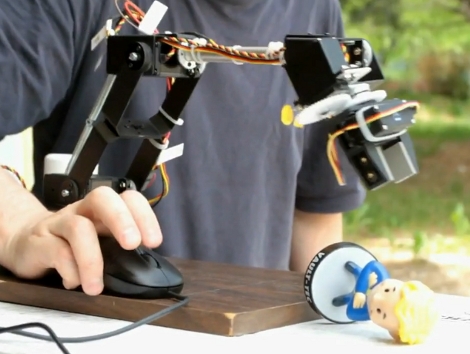
[Oleg] worked out a way to use his USB mouse to control this manipulator arm. Using a Lynxmotion AL5D (we’ve seen the AL5A previously) he drives the six servos with an Arduino servo shield. A USB host shield handles the HID end for connecting the mouse. The video after the break says it all, [Oleg] has no problem picking up that figurine quickly and accurately. Sliding the mouse controls horizontal movement in all directions. The scroll wheel moves the claw up and down. And holding the left or right buttons what using the control wheel closes or rotates the claw. All we can say is: Bigger, BIGGER!

Continue reading “Mouse Controlled Manipulator Arm”

Hands-free Input

This is a concept input device that [Tech B] built for disabled users. The device uses an accelerometer along with a piezo sensor (right click) and a push button (left click) to function as a mouse. The Arduino that resides in a breadboard on the side of the hat communicates with the computer over a serial connection, using PySerial to translate the microcontroller data into cursor commands with the power and ease of the Python programming language.

During development [Tech B] made a proof-of-concept video using a Basic Stamp which you can watch after the break. He found that this input device was less complicated, more accurate, and much less resource intensive than his webcam IR tracking system.

Super Quick And Cheap Trackball

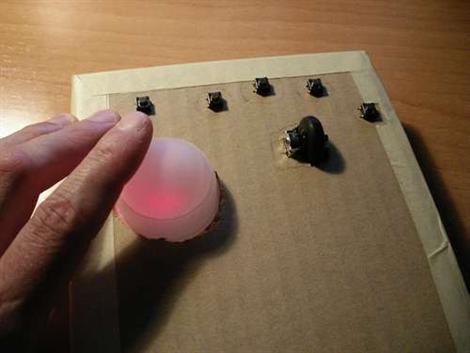
[Elgatoandaluz] has posted this guide on how to tear apart a standard optical mouse and build a custom trackball. He’s using a ping pong ball , mounted above the laser as the trackball itself, which seems like it would be a little lite, but functional. The case is scrap cardboard. We really like that you could toss this together relatively quickly and have a custom layout. He recommends using Sakasa Mouse for inverting the axes and X-control for mapping the buttons(direct download).

Custom Controllers For PlayStation 3

[Matlo] worked out a way to use a PS/2 Keyboard and USB mouse with a PlayStation3. The hard work is handled by a Teensy board, which is becoming a popular choice with controller hacks. It interfaces with the keyboard and mouse, translates their input, and sends joystick button commands to the PS3. He is limited to mapping the inputs from a PS3 controller but that is still enough options to work beautifully with first person shooters, especially if you’re used to gaming on a PC instead of a console. If you want to give this one a try, head over to the google code page to download the source code.