Automation For The NES

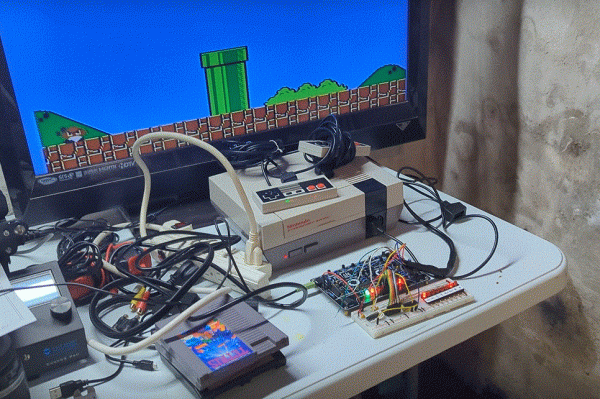
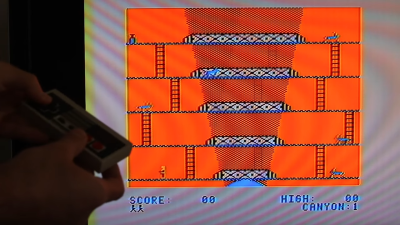
Old hardware might not be anywhere close to as powerful as modern technology, but it does have a few perks. Aesthetics can of course drive the popularity of things like retro gaming systems, but the ease of understanding the underpinnings of their inner workings is also critical. The Nintendo Entertainment System, now nearly four decades old, is a relatively simple machine by modern standards and this lends the system to plenty of modifications, like this controller that allows the system to be somewhat automated.

The original NES controller used a fairly simple shift register to send button presses to the system. The system outputted a latch signal to the controller, the shift register would take as input the current state of the buttons, and then would send them one-by-one to the system at a rate of around 1000 times per second. These signals can be sent without a controller easily enough, too. This build uses a CD4021 shift register, which is the same as the original controller, but instead of reading button states it accepts its inputs from a separate computer via a latching circuit. In this case, the separate computer is a custom design that came about through adapting cassette storage for a 6502-based computer, but it could come from anything else just as easily.

With this system in place, it’s possible to automate gameplay to some extent. Since the system can’t get feedback about the game in its current state, it requires some precise timing to get it to play the game well, and a lot of tuning needs to go into it. This isn’t just a one-off, either. Similar methods are how we get tool-assisted speedruns of games and although these are often done in emulators instead of on real hardware, they can result in some interesting exploits.

Continue reading “Automation For The NES”

Super Mario In Sed, Sort Of

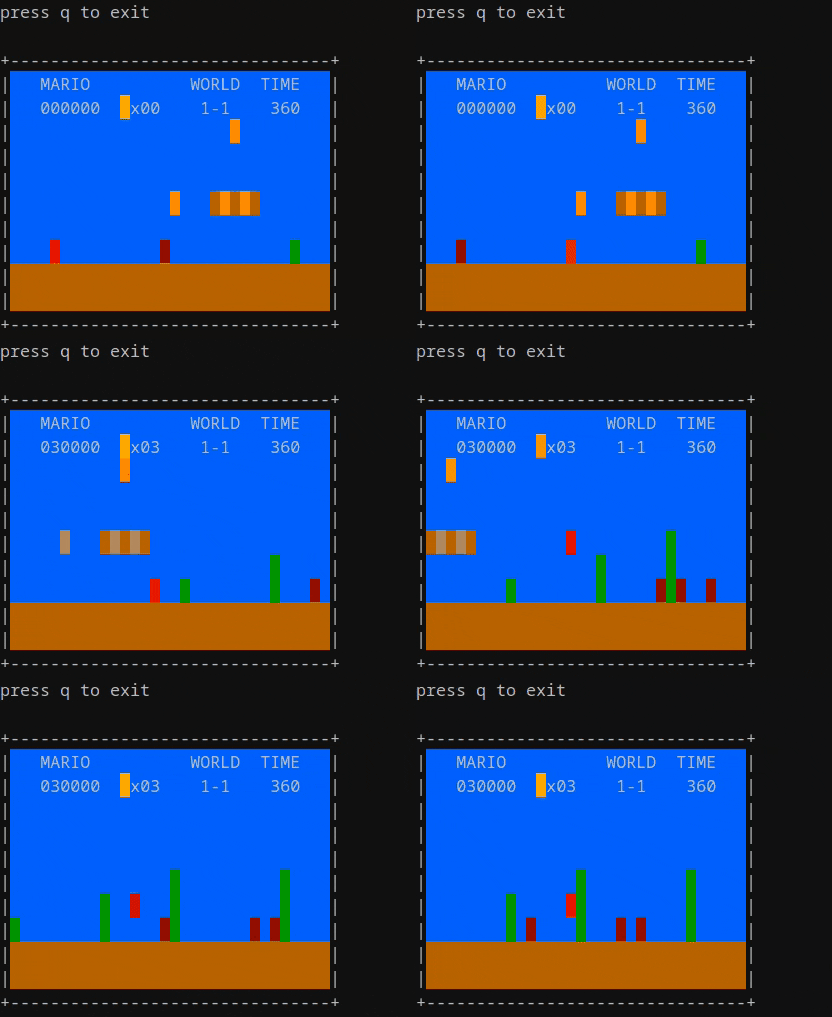
We definitely needed to reach for a sed reference guide for this one, but looking at the animated GIF of the script running, it is recognizably Super Mario Bros. albeit with minimal gameplay beyond jumping obstacles and avoiding or destroying koopas et al. Creator [Ivan Chebykin] is for certain a master of the dark arts.

Digging in a bit deeper, it’s not strictly speaking 100% sed. A wrapper shell script is required to interface to the shell and grab the keyboard input to pass along. This is simply because sed is a stream processor, and as such it requires text to be fed into it, and it produces a text output. It has no way of reading the terminal input directly, hence the wrapper script. However, all the game logic and ‘graphics’ rendering is pure sed, so that’s perfectly reasonable.

Such programming demos are a great way to hone the finer points of various tools we use every day, whilst not being serious enough to matter if we fail. Pushing the boundaries of what can be done with these basic nuts and bolts we take for granted, is for us the very essence of software hacking, and bravo we say.

Reckon you could top this? Show us! In the meantime, here’s a guide to hacking the recently released Game and Watch, and then doing the decent thing and running DOOM on it. Finally, sed is notoriously tricky to work with, so to help here’s a graphical debugger to make things a little clearer.

Adapter Lets Digital Gamepads Work On The Tandy Color Computer

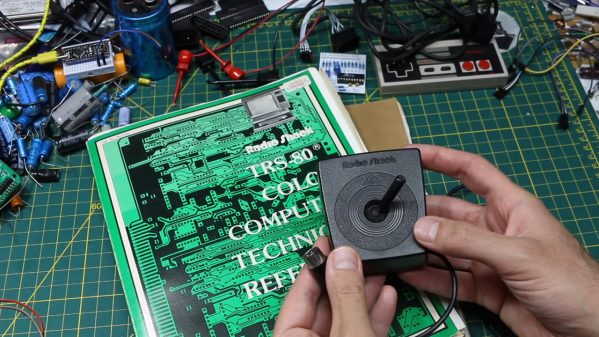
The Tandy Color Computer came with analog joysticks, quite unlike most computers and consoles of the early 1980s. Many games of the era actually worked best with digital input, so [Gadget Reboot] whipped up a converter board to allow Nintendo gamepads to work with the computer.

The build relies on an earlier breakout board that [Gadget Reboot] built in order to read early Nintendo gamepads and output a digital 5 V signal. Meanwhile, the Tandy Color Computer is expecting variable o-5 V signals from the X and Y axis pots in its standard joysticks. To convert the gamepad button presses into voltages for the CoCo, the build uses a CD4066 analogue switch IC. When no controller buttons are pressed, the 4066 is set up to output 2.5 V on both the X and Y axes. Pressing up or down, or left or right on the D-pad, outputs 0 V or 5 V respectively as required. This essentially lets the controller’s D-pad act as a digital joystick for a computer that never actually had one.

It’s a neat hack that might make playing certain games on the Color Computer significantly easier. It’s also just neat to interface a different controller to the old hardware. In the early 80s, computers were simple enough that this could all be achieved with a minimum of dumb circuitry.

Continue reading “Adapter Lets Digital Gamepads Work On The Tandy Color Computer”

Zelda Guardian Sculpture Tracks Humans And Pets Via Camera

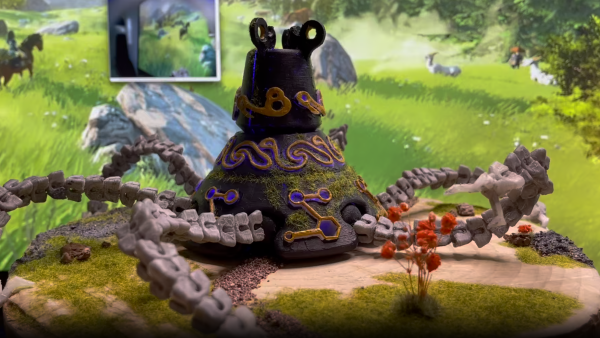
In The Legend of Zelda: Breath of the Wild Guardians are a primitive form of sentry turret that tracks the player with a watchful eye. Inspired by this, [npentrel] decided to whip up one of her own in the real world.

The build relies on a Raspberry Pi kitted out with its usual camera for machine vision purposes. It uses the Viam robot toolkit, which runs a machine learning model to detect pets and humans on the camera feed. The guardian then tracks any pets or humans that show up by turning its head, and thus the camera, with a servo controlled by a PWM signal via the Raspberry Pi’s GPIO pins. It’s all wrapped up in a nicely-decorated 3D printed model that really does look like something straight out of Breath of the Wild.

Sentry projects are a great way to learn about electronics, mechanics, and image processing techniques. It’s funny to see how advanced and complicated these projects were fifteen years ago, compared to how easy they are today with modern machine learning libraries. How times change!

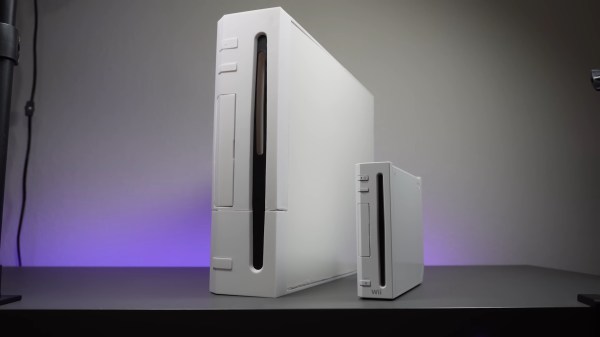
A white Wii console sits on a grey table in the vertical orientation with its front facing the camera and its back away from the camera at a slight angle to the right. Next to it is a 2x sized replica which dwarfs the diminutive console. A purple light runs across the back edge of the table.

Wii XL Is Twice As Nice

The Wii was a relatively small console when it released, but it packed a big punch when it came to its game library and the impact it had on the industry. [Bringus Studios] wanted a Wii that physically matched the grandeur of one of Nintendo’s greatest successes, and built the Wii XL.

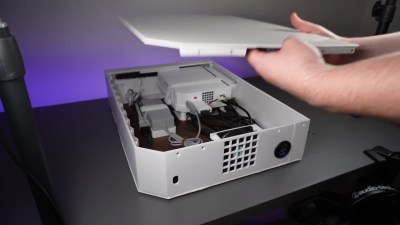
Basing the scale of this console around an 80 mm case fan, the final product has twelve times the volume of the original Wii. This leaves plenty of room for an unmodified original Wii, its power brick, and all the various cables and adapters necessary to bring the ports to the exterior of the case. To power the fan, [Bringus Studios] designed his first PCB to leach power off one of the USB connectors while still allowing data to pass through.The inside of a 3D printed and melamine case designed as a 2x copy of a Wii console. It is sitting flat on a grey table with the side removed so you can see the actual Wii console and power adapter mounted inside the case.

Given the size constraints of his 3D printers, he used melamine MDF for the sides and had to print the other panels in multiple pieces, resulting in some gapping in the front panel where the prints peeled off the print bed. We really love the use of a modular design that leaves room for future improvements, since no project is ever truly done.

Power is routed through a figure eight power connector on the outside to a female two prong plug on the inside while USB and HDMI are routed out the back via a combination panel connector intended for RV and boat use. If you don’t remember the Wii having HDMI out, that’s because it didn’t, but HDMI adapters are easy to come by for the machine.

In case you want to see more supersized projects checkout this giant XBox Series X or ponder if it would’ve been better with an enormous 555.

Continue reading “Wii XL Is Twice As Nice”

TinyTendo Is A Miniscule Yet Real NES

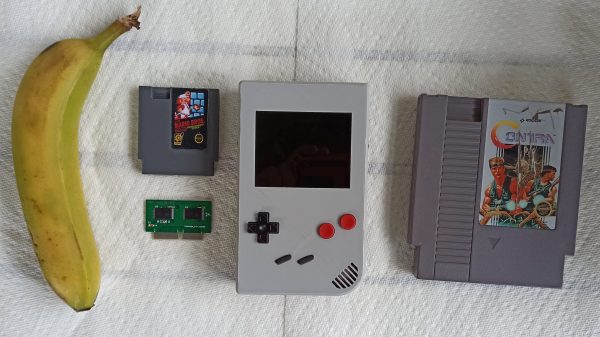
These days, it’s possible to get a single-board computer the size of a stick of gum. This will give you the power to emulate thousands of games and you can run one off batteries inside a handheld of your own devising. [Redherring32] took an altogether more creative and old-school approach with the TinyTendo, however. This is one pocket-sized NES that actually runs on genuine hardware. (Nitter)

The feat was achieved by drastically reducing the size of the original NES hardware to make it fit into a Game Boy style form factor. Key to this work was creating a custom cut-sized motherboard which uses original Nintendo DIP chips that have been machined down to become more like QFN-style surface mount packages. With that done, the chips can be assembled onto the TinyTendo PCB which is even smaller than a contemporary Raspberry Pi 3. It’s all assembled in a custom case, with USB C for charging and a bright and colorful LCD screen.

The TinyTendo is designed to use mini-cartridges created by [Bucket Mouse], a hacker who’s no stranger to impressive custom Game Boy hardware. By virtue of running genuine NES hardware, there’s also the possibility that the TinyTendo could play full-sized NES carts with a simple adapter.

This project has been a long time in the making; we first looked at [Redherring32]’s efforts back in 2021. It begs the question why the original NES was so big when Nintendo clearly had plenty of space to spare in those hefty DIP packages! It’s amazing what can be done with some creativity and perseverance. Continue reading “TinyTendo Is A Miniscule Yet Real NES”

Building The World’s Largest Nintendo 3DS

While the Nintendo 3DS was capable of fairly impressive graphics (at least for a portable system) back in its heyday, there’s little challenge in emulating the now discontinued handheld on a modern computer or even smartphone. One thing that’s still difficult to replicate though is the stereoscopic 3D display the system was named for. But this didn’t stop [BigRig Creates] from creating this giant 3DS with almost all of the features of an original console present.

The main hurdle here is that the stereoscopic effect that Nintendo used to allow the 3DS to display 3D graphics without special glasses doesn’t work well at long distances, and doesn’t work at all if there is more than one player. To get around those limitations, this build uses a 3D TV with active glasses. This TV is mounted to a bar stool with the help of some counterweights, and a second touch-sensitive screen courtesy of McDonalds makes up the other display.

The computer driving this massive handheld console runs Citra, and also handles the scaled-up controls as well. To recreate the system’s analog touch pad, a custom joystick tipped with conductive filament is used to interact with a smartphone hidden inside the case. Opposing rubber bands are used to pull the stick back into the center when it’s not being pushed.

Plenty of 3DS games are faithfully replicated with this arcade-sized replica, and as Citra supports various 3D displays, upscaling of the graphics, and the touchscreen interface, almost everything from the original console is produced here. There are a few games that don’t work exactly right, but all in all it’s a remarkable build and, as far as we can tell, the largest 3DS in the world. Don’t forget that even though this console is out of production now, there’s still a healthy homebrew scene to take part in.

Continue reading “Building The World’s Largest Nintendo 3DS”