Don’t Tempt The Demo Gods

Including a live technical demonstration as part of a presentation is a lot like walking a tightrope without a net. Which isn’t to say that we don’t do it — we just keep our fingers crossed and bring our lucky horseshoe. The demo gods have smote [Quinn] a mighty blow, in front of a class at Stanford, no less.

IMG_1873-600x448

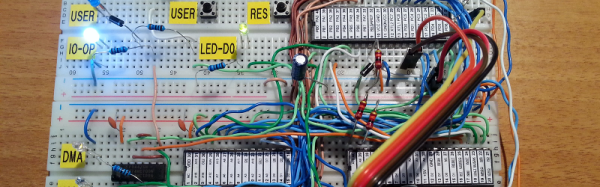
[Quinn]’s scratch-built computer, Veronica, failed to boot in front of a hall of eager students. When the pressure was off, in the comfort of her own lab, [Quinn] got to debugging. You should read her blog post if you’re at all interested in retrocomputing or troubleshooting of low-level hardware bugs. But if you just can’t spare the five minutes for a pleasant read, here’s a spoiler: watch out for flaky card-edge connectors. All’s well that ends well, with a game of pong.

We’ve been following Veronica from her very first clock cycles, so we’re happy to see her back on her feet again. Good job, [Quinn]!

Dump Your (Old) Computer’s ROM Using Audacity

If you’ve got an old calculator, Commodore 64, or any other device that used a tape recorder to store and retrieve data, you’ve probably also got a bunch of cassettes lying around, right? Well, you can get rid of them now (or sell them to nostalgic collectors for outrageous prices) because you can just as easily dump them to Audacity, decode them and archive them on a more sane medium.

In [Kai]’s case, the computer was a Sharp Pocket Computer system, and in his post there’s a lot of detail that’s specific to that particular system. If that’s applicable to you, go read up. In particular, you’ll be glad to find that the Pocket-Tools is a software suite that will encode and decode files between the Sharp binary formats and audio. Along the way, we found similar tools for Casio pocket computers too.

For a more general-purpose approach, like if you’re trying to dump and load data from a more standard computer that uses 1200/2400 Hz FSK encoding, this Python library may be useful, or you can implement the Goerzel algorithm yourself on your platform of choice. If you’ve got a particular binary format in mind, though, you’ll have to do the grunt work yourself.

Anyone out there still using these audio data encodings? We know that ham radio’s APRS system runs on two tones. What else? Why and when would you ever transfer data this way these days?

via the Adafruit blog!

Hackaday Teams With Vintage Computer Festival For Retro Hackathon

For the last few years, we’ve been going to the Vintage Computer Festival East in New Jersey. This is one of the best cons we go to every year; there are dozens of interesting exhibitors, awesome talks, a great venue, and a small consignment area filled with the weirdest stuff you can imagine. This year proves to be no different, and we’ll be there cataloging the weirdness and spectacular hacks of computer systems old enough to vote, plus something new.

Hackaday’s 8-bit game programming contest is happening for the first time at VCF East, April 15-17 in Wall, New Jersey. Competitors are given two and a half hours and an old 8-bit system (Apple II, C64, Atari 800, etc.). The goal is to create a game using only what is currently in memory, be that in the ROM or between the ears. There are two sessions on the Friday of the event, starting at 10am and 2:30pm.

You can call the 8-bit game programming contest a hackathon. That’s basically what it is; getting a small team together to whip up an application quickly with a number of constraints. The term ‘hackathon’ has been bastardized as of late, with companies requiring the use of a particular API or other nonsense. The 8-bit programming contest doesn’t have these limitations. All you need to do is create the coolest game in two and a half hours, and get the most applause from the audience. The best game wins a prize.

Of course, we’re not going to VCF East just to promote a retro hackathon. We’re only obliged to mention that first because we’re sponsoring it. VCF East is a fantastic event, with more retro goodies to satiate even the most curmudgeonly retro aficionado. The show is enormous with keynotes from [John Blankenbaker], inventor of the Kenbak-1 personal computer and [Stewart Cheifet], host of Computer Chronicles. Dr. Dr. Ted Nelson, author of Computer Lib and creator of Xanadu, the underlying software for computers that won’t be built for 100 years, will also be there. The weekend is, as always, packed with great exhibits of ancient tech, classes, and workshops.

Each Vintage Computer Festival is different, but if you’d like a sample of what it’s all about, check out these posts:

Apart from an announcement for the festival in New Jersey, there are a lot of changes in the organization of the various vintage computer festivals held around the country. The Vintage Computer Festival East was formerly organized by MARCH, the Mid-Atlantic Retro Computing Hobbyists. Late last year, MARCH was dissolved, and reformed as a 501(c)3 called the Vintage Computer Federation. The VCF (see what they did there?) also has the rights to hold VCF West, which last happened in 2007. The VCF Midwest, Southwest, Europe, and UK will remain independent.

If it isn’t already extremely obvious, this is one of the top-tier events we go to every year. No, it’s not DEF CON, it’s not HOPE, and it’s certainly not a big con. It’s just a bunch of nerds nerding out, which is the critical ingredient for the best events we attend all year.

Breadboard Colecovision

The Colecovision was a state-of-the-art game console back in 1983. Based around the Z-80, it was almost a personal computer (and, with the Adam add-on, it could serve that function, complete with a daisy wheel printer for output). [Kernelcrash] set out to recreate the Colecovision on a breadboard and kept notes of the process.

His earlier project was building a Funvision (a rebranded VTech Creativision) on a breadboard, so he started with the parts he had from that project. He did make some design changes (for example, generating separate clocks instead of using the original design’s method for producing the different frequencies needed).

Continue reading “Breadboard Colecovision”

My Payphone Runs Linux

For the 20th anniversary of the Movie “Hackers” [Jamie Zawinski], owner of DNA Lounge in San Francisco, threw an epic party – screening the movie, setting up skating ramps and all that jazz. One of the props he put up was an old payphone, but he didn’t have time to bring it alive. The one thing he didn’t want this phone to do was to be able to make calls. A couple of weeks later, he threw another party, this time screening “Tank Girl” instead. For this gathering he had enough time to put a Linux computer inside the old payphone. When the handset is picked up, it “dials” a number which brings up a voice mail system that announces the schedule of events and other interactive stuff. As usual, this project looked simple enough to start with, but turned out way more complicated than he anticipated. Thankfully for us, he broke down his build in to bite sized chunks to make it easy for us to follow what he did.

This build is a thing of beauty, so let’s drill down into what the project involved:

Continue reading “My Payphone Runs Linux”

First Edition Of German Computer Mag Is A Blast From The Past

Every once in a while we get nostalgic for the old days of computing. Here, we’re getting nostalgic for a past that wasn’t even our own, but will probably bring a smile to all the German hackers out there. c’t magazine has its first issue available on their website (PDF, via FTP), and it’s worth checking out even if you can’t read a word of German.

ct-adIt’s dated November/December 1983, and you’re definitely hopping in the WABAC machine here. The cover image is a terminal computer project that you’re encouraged to build for yourself, and the magazine is filled with those characteristic early-computer-era ads, many of them for the physical keyboards that you’d need to make such a device. Later on, c’t would provide plans for a complete DIY PC with plotter, one of which we saw still running at the 2015 Berlin Vintage Computer Festival.

The issue is chock-full of code for you to type out into your own computer at home. If you didn’t have a computer, there are of course reviews of all of the popular models of the day; the TRS-80 Model 100 gets good marks. And if you need to buy a BASIC interpreter, there’s an article comparing Microsoft’s MBASIC with CBM’s CBASIC. A battle royale!

ct_mag_computer_bandOther hot topics include modifications to make your ZX81’s video output sharper, the hassle of having to insert a coded dongle into your computer to run some software (an early anti-piracy method), and even a computer-music band that had (at least) a Commodore 64 and a CBM machine in their groovy arsenal.

It’s no secret that we like old computers, and their associated magazines. Whether you prefer your PDP-11’s physical or virtual, we’ve got you covered here. And if your nostalgia leans more Anglophone, check out this Byte magazine cover re-shoot.

Macintosh Hard Drive Repair

The Macintosh II was a popular computer in the era before Apple dominated the coffee shop user market, but for those of us still using our Mac II’s you may find that your SCSI hard drive isn’t performing the way that it should. Since this computer is somewhat of a relic and information on them is scarce, [TheKhakinator] posted his own hard drive repair procedure for these classic computers.

The root of the problem is that the Quantum SCSI hard drives that came with these computers use a rubber-style bump stop for the head, which becomes “gloopy” after some time. These computers are in the range of 28 years old, so “some time” is relative. The fix involves removing the magnets in the hard drive, which in [TheKhakinator]’s case was difficult because of an uncooperative screw, and removing the rubber bump stops. In this video, they were replaced with PVC, but [TheKhakinator] is open to suggestions if anyone knows of a better material choice.

This video is very informative and, if you’ve never seen the inside of a hard drive, is a pretty good instructional video about the internals. If you own one of these machines and are having the same problems, hopefully you can get your System 6 computer up and running now! Once you do, be sure to head over to the retro page and let us know how you did!

Continue reading “Macintosh Hard Drive Repair”