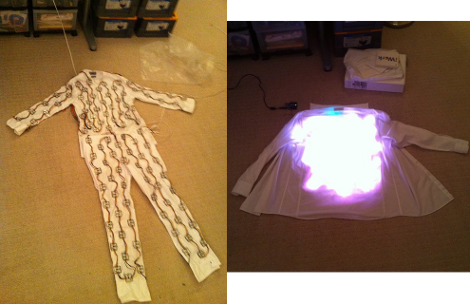
LED Goggles Make You Trip Out?

Who knows if this works and should you really want to try to induce hallucinations by flashing colors in front of your eyes? But we do love the zaniness of the project. [Everett’s] homemade hallucination goggles come in two flavors, the small swimming-goggle-type model and the heavy-duty trip visor made from welder’s goggles. Each brings together the same components; a half ping-pong ball for each eye to diffuse the light from an RGB LED. The system is controlled by an Arduino with some buttons and 7-segment displays for a user interface. Put this together with some homemade EL wire and you’re ready for Burning Man.
[Thanks Evan]

DMX Keyboard Display

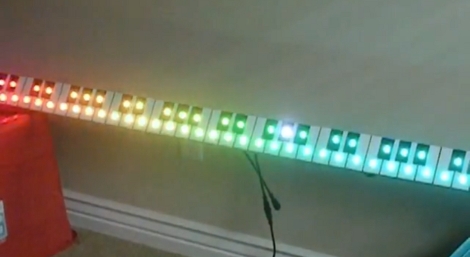
This keyboard display has an RGB LED for each key that is addressable through the common stage lighting protocol, DMX. The project video, seen after the break, does a good job of walking us through the concept. By using a MIDI to DMX converter box [John] can show MIDI signals coming from a keyboard on the appropriate key of the display. By further monkeying with the firmware in the converter box he shows a plasma effect on the whole keyboard, making the corresponding light for each pressed key pop out in bright white. Jump to about 3:45 to hear and see “Sweet Child o’ Mine”.

This isn’t the first time [John’s] been caught with a slew of blinking lights. He helped create the giant LED Christmas tree that brightened up our holiday.

Continue reading “DMX Keyboard Display”

Color Clock Makes Telling Time Impossible

[Bogdan] set out to build the all-too-familiar binary clock. But, he didn’t want to be ordinary, and set the goal of making the clock as hard to read as possible. What he ended up with is a clock that is almost impossible to read correctly.
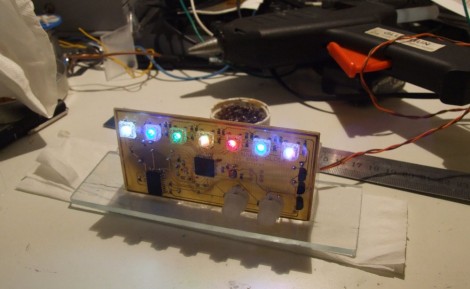
He’s using colors to tell the time. We immediately thought this might make use of resistor codes as the display but it doesn’t. Red shows the hours, green for minutes, and blue for seconds. Now stack all of them on top of each other in binary and you’ve got the time. That means you’ve got to know all of your color combinations, plus read the binary value correctly, to decipher the time. Add to that the display changing every second and we’re in trouble.
Aside from the user difficulty level, this is a really clean build. It uses an ATmega8535 in conjunction with our favorite DS3232 RTC chip. The etched board is nice and clean, making for an aesthetically pleasing clock.

Adding SCART To A Cheap CRT Television

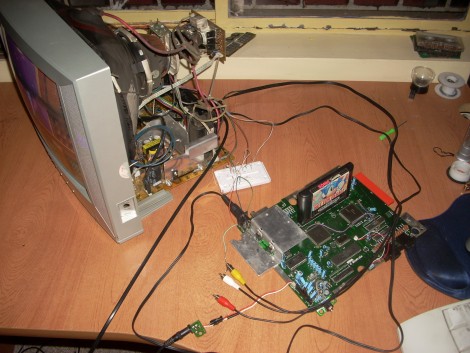
[133MHz] cracked open a cheap tube television to add a SCART connector. He knew he had a chance at success when he discovered all of the knock-outs on the back of the connector panel because one of them was exactly the right size for the connector. But it wasn’t quite as easy as soldering in one component. He ended up injecting his own RGB data from the SCART connector directly into the onscreen display, making an end run around the missing feature. [133MHz] removed some resistors in the circuit and used the empty lead holes to patch in his own circuit, feeding the RGB data from the SCART connector to the OSD chip in the format it needed.

This one takes you way down the rabbit hole. We’re glad he provided so much background about the hack but it’s going to take us a little while to fully wrap our heads around how he figured it out.

[Thanks Victor]

USB VU-meter

[youtube http://www.youtube.com/watch?v=jsg24MGNpRc&feature=player_embedded%5D

WaitingForFriday’s [Simon Inns] is quite possibly the USB interface and PIC master. This week he let us know about his VU-meter repurposed as a computer performance monitor using a PIC18F2550 and his open source USB Generic HID communication class. With PWM the meter’s needles and RGB LED can be accurately set and even dampened for CPU usage, network usage, HDD utilization, and even memory usage. Oddly enough, in his software we didn’t find the ability to use the device as a VU-meter – go figure.

Dr. Boardman’s Color Conundrum

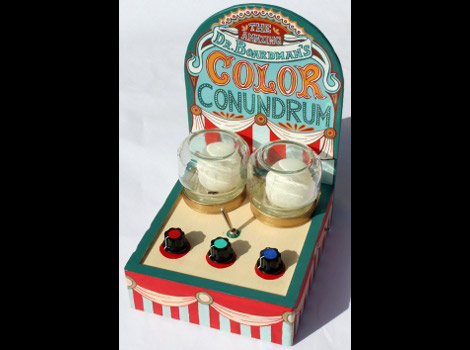
We feel like trumpets should be sounding. Someone took the overused project of connecting RGB LEDs to a microcontroller and produced something useful. [Paul] created Dr. Boardman’s Color Conundrum which works much like a simple mechanical coin-op game you might find at a carnival. When switched on, a random color is displayed by the ping-pong ball covered LED on the left. The player then manipulates three knobs to color-match the two lights.

Inside you’ll find a minimalist set of hardware. An ATmega8 polls the three potentiometers and uses them to mix the appropriate user color. Everything is wired-up using prototyping board and draws power from two AA batteries. He’s using a random seed stored in EEPROM and increments it every time the uC boots up. This keeps the input color different for every game.

Fun and simple, it’s not going to make your guests marvel at the complexity but [Paul’s] come up with a unique game that we think has marketing potential.

LED And Fan Controller

Needing a front fan to keep his hard drive cool, [CalcProgrammer1] found he was unhappy with a single LED color for the fan. He swapped them out for a set of four RGB LEDs and whipped up his own controller board for the unit. It is based around an ATmega168 and patches into the COM2 header on the motherboard, providing a serial interface. [CalcProgrammer1] wrote a GUI to control fan speed, and individual LED color settings. You can take a look at and enthralling, edge-of-your-seat demonstration of how slider controls work after the break. Wouldn’t it be great if the HDD LED clock could be adapted to use a fan so that the front panel had a colorful analog dial on it? Continue reading “LED And Fan Controller”