New Video Series: Raspberry Pi Pico And RP2040 Deep Dive With Uri Shaked

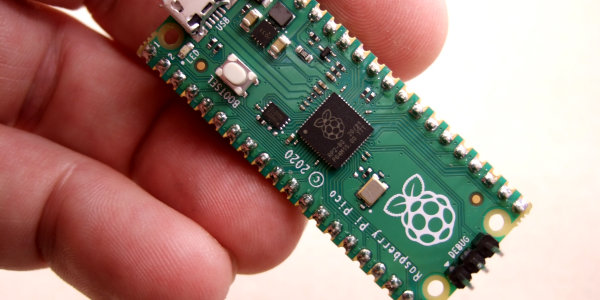
In case you’ve been living under a rock that doesn’t have internet access, the Raspberry Pi Foundation got into the silicon sales and microcontroller game all at once this year with the Raspberry Pi Pico. It’s small, it’s capable, and it costs a measly $4. Surely you have one or two of them by now, right? But how much do you know about what it can do?

Or maybe you don’t have one yet, but it’s on your list. In either case, you can get started learning about them right away because [Uri Shaked]’s Raspberry Pi Pico and RP2040 Deep Dive course has recently been freed from the hallowed halls of HackadayU. He even built an emulator to go with it. [Uri] is a great instructor, and we’re sure that goes double if you ever need a salsa dance teacher, which he has also mastered.

This class was held for five weeks beginning in May 2021, with each session being roughly an hour long. The only prerequisite is a basic understanding of bitwise math, but there are resources for that on the class IO page linked above.

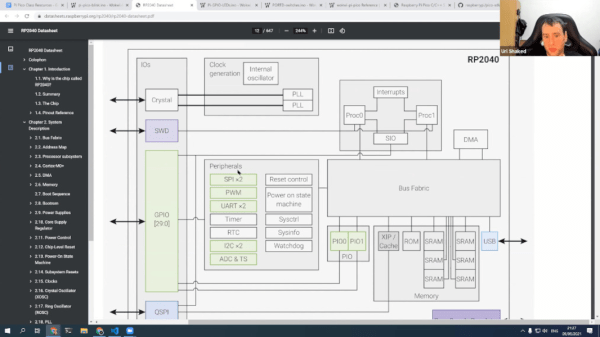
Each class is incredibly well-organized and informative. In the first class, [Uri] begins building a living document that includes the class agenda, links to all resources used and mentioned, code examples, and assembly instructions where applicable. It’s basically a syllabus plus a whole lot more. [Uri] also spends a lot of time in the incredibly thorough 649-page data sheet for the RP2040, and a little bit of time in the much shorter Getting Started guide. If you think the data sheet is inaccessible, you’ll likely change your tune by the end of the first class after you’ve seen [Uri] use and peruse it.

Continue reading “New Video Series: Raspberry Pi Pico And RP2040 Deep Dive With Uri Shaked”
Pi Pico Game Boy Flash Cart Gets Slim RP2040 Upgrade

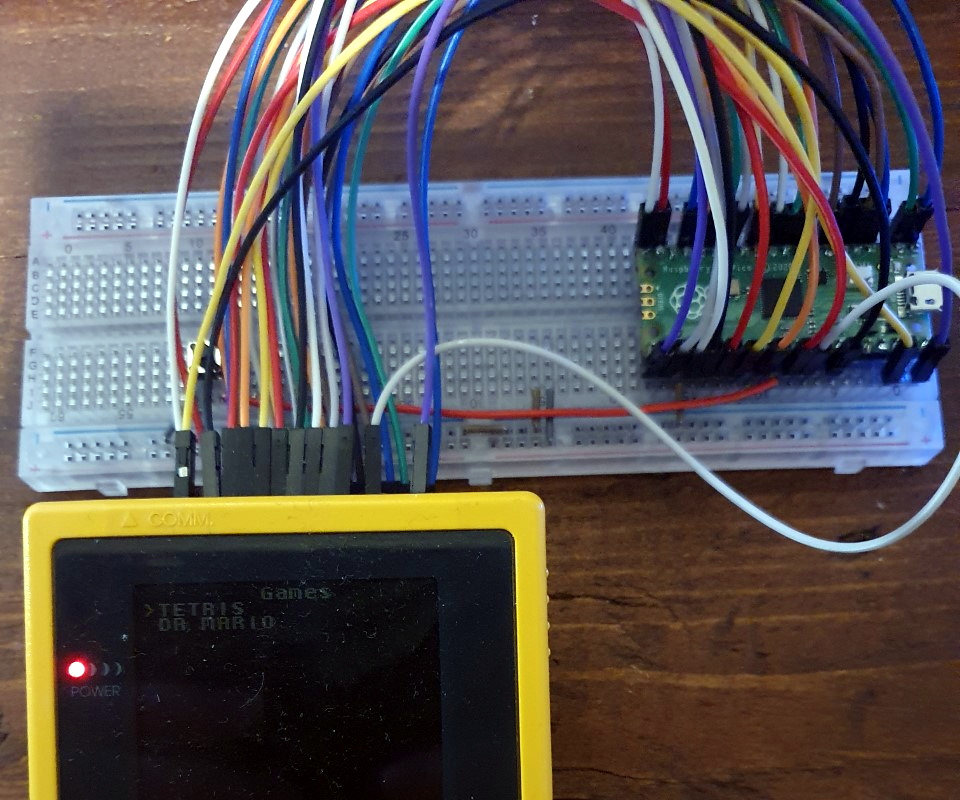
The story for this one starts a few months ago, when [John Green] released his PICO-GB project. His code allowed the Raspberry Pi Pico to stand in for a Game Boy cartridge, complete with a simple text menu that let the user select between ROMs that had been baked into the microcontroller’s firmware. The project was particularly notable for the fact that it was entirely a software solution; while a custom breakout cartridge made for a handy temporary solution, you could have permanently wired the Pico’s pins directly to the Game Boy’s cartridge connector if you wanted to.

PICO-GB running on the full-size Pi Pico

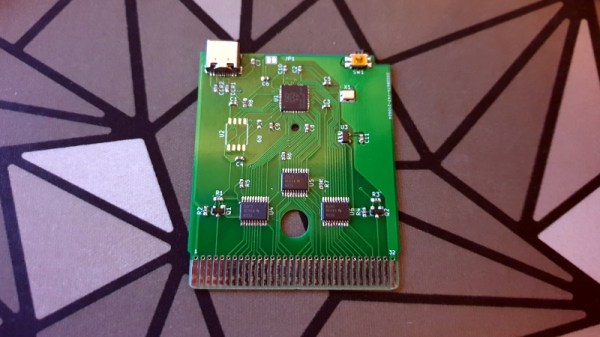
Then in early June, the RP2040 chip that powers the Pi Pico went up for sale in single unit quantities. That opened up the possibility of building the PICO-GB functionality into a cartridge small enough to actually fit inside the Game Boy. So [Martin “HDR” Refseth] got to work creating the slick cartridge PCB you’re seeing now.

The RP2040 is joined by a trio of Texas Instruments TXB0108 level shifters, and there’s a spot for adding a SPI flash chip. The RP2040 supports a maximum of 16 MB of external flash, but given the size of Game Boy games were generally measured in kilobytes, that shouldn’t pose much of a problem.

Looking ahead, the original PICO-GB documentation mentions enhancements like loading ROMs from SD card, as well as hardware additions like a real-time-clock for the more advanced games that supported it. We assume those concepts will become part of [Martin]’s PCB eventually, but these are still early days.

We’ve seen Game Boy cartridge emulation with a microcontroller in the past, but we’re exited to see how the unique capabilities of the Raspberry Pi Foundation’s custom silicon can improve the state-of-the-art.

[Thanks to Itay for the tip.]

Pi Pico-Powered ATX Motherboard

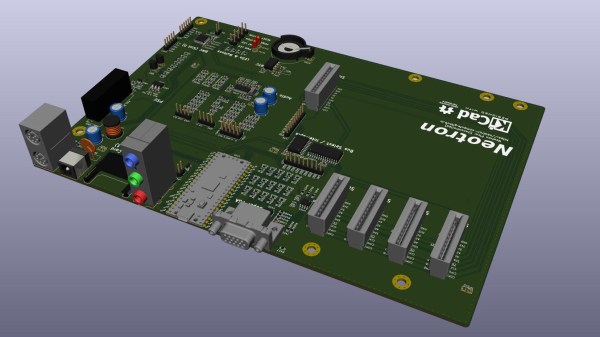
For a couple of years, embedded developer and Rust addict [Jonathan Pallant] aka [theJPster] has been working on a simple computer which he calls the Neotron. The idea is to make a computer that is not only easy to use but easy to understand as well. He describes it as a CP/M- or DOS-like operating system for small ARM microcontrollers. His most recent project is powered by a Raspberry Pi RP2040 Pico and built in the format of a microATX motherboard. This board packs a lot of features for a Pico-based design, including 12-bit color VGA and seven expansion slots. See his GitHub repository for a full list of specifications, and all the files needed to build your own — it is an Open Source project after all.

Besides the Neotron Pico itself, a couple of gems caught our eye in this well-documented project. [theJPster] was running out of I/O pins on the Pico, and didn’t have enough left over for all the peripherals’ chip selects. Check out how he uses an MCP23S17 SPI-bus I/O expander and a tri-state buffer to solve the problem.

On a more meta level, we are intrigued by his use of GitHub Actions. Per the standard concept of repositories, they shouldn’t contain the results of a build, be that an executable binary or Gerber files. Distribution of the build products is typically handled outside of GitHub, using something like GitHub’s Large File Storage service, or just ignoring convention altogether and putting them in the repo anyway. [theJPster] uses another method, employing GitHub Actions to generate the files needed for PCB fabrication, for example.

The Neotron Pico is the latest in a series of boards made to run Neotron OS. Previous boards include:

  • Neotron 9x — Microchip SAM9X
  • Neotron 1000 — STM32H7 + Lattice Semi iCE40 FPGA
  • Neotron 600 — Teensy 4.1
  • Neotron 340ST — ST 32F746G-DISCOVERY

Gdbdiff: Diff-ing A Real RP2040 MCU Against An Emulated MCU

What to do when developing an RP2040 emulator but validating the emulator instruction by instruction is a slow and tedious process? Why, automatically compare it against the real hardware if you’re [Uri Shaked], of course. This is the purpose of gdbdiff. This project uses the GDB remote serial protocol via OpenOCD to run test firmware step by step.

During a livestream (video linked via the above link), this allowed [Uri] to find a number of instruction bugs in the emulator this way. These issues involved issues such as incorrect flags in the APSR register and an edge case in the LSRS register. This gdbdiff livestream is part of an entire series of live-coding sessions during which [Uri] writes an RP2040 emulator from scratch.

We applaud [Uri] for creative thinking here, and assume that this way the livestream was probably more entertaining to watch than when doing instruction-level debugging purely by hand :)

New Part Day: RP2040 Chips In Single Unit Quantities

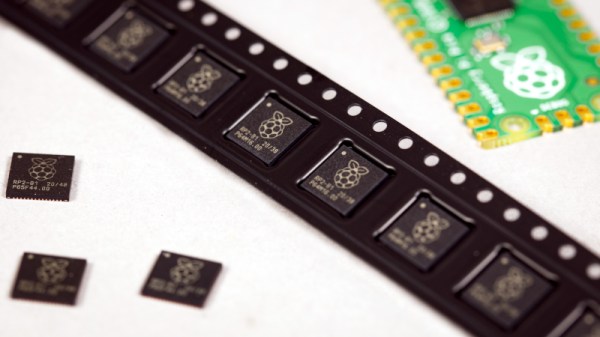
Since the launch of the Raspberry Pi Pico back in January the little board with its newly-designed RP2040 microcontroller has really caught the imagination of makers everywhere, and we have seen an extremely impressive array of projects using it. So far the RP2040 has only been available on a ready-made PCB module, but we have news today direct from Eben Upton himself that with around 600k units already shipped, single-unit sales of the chip are commencing via the network of Raspberry Pi Approved Resellers.

This news will doubtless result in a fresh explosion of clever projects using the chip, but perhaps more intriguingly it will inevitably result in its appearance at the heart of a new crop of niche products that go beyond simple clones of the Pico in different form factors. The special ingredient of those two PIO programmable state machines to take the load of repetitive tasks away from the cores raises it above being merely yet another microcontroller chip, and we look forward to that feature being at their heart.

The Broadcom systems-on-chip that power Raspberry Pi’s existing range of Linux-capable boards have famously remained unavailable on their own, meaning that this move to being a chip vendor breaks further new ground for the Cambridge-based company. It’s best not to think of it in terms of their entering into competition with the giants of the microcontroller market though, because a relative minnow such as the RP2040 will be of little immediate concern to the likes of Microchip, ST, or TI. A better comparison when evaluating the RP2040’s chances in the market is probably Parallax with their Propeller chip, in that here is a company with a very solid existing presence in the education and maker markets seeking to capitalise on that experience by providing a microcontroller with that niche in mind. We look forward to seeing where this will take them, and we’d hope to eventually see a family of RP2040-like chips with different package and on-board peripheral options.

World’s First RP2040 QWERTY Computer

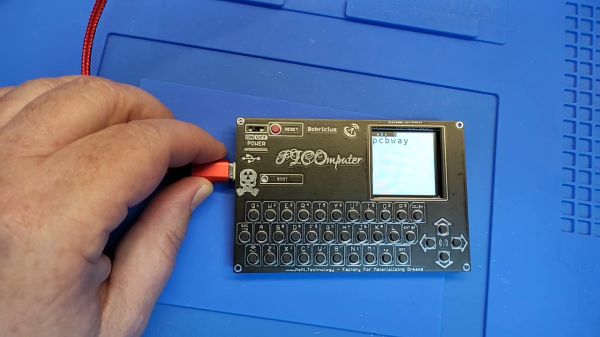
Independent hardware developer [bobricius] is at it again, making what he claims is the world’s first Pico RP2040 QWERTY + IPS development kit — the PICOmputer. This is a palm-sized computer of sorts. It integrates a keyboard made from tactile push button switches, a TFT IPS display, and a RP2040 Pico computer module. At 100 x 65 mm size, it is slightly bigger than your typical ISO-7810-ID-1-sized credit card, and slightly smaller than an A7 piece of paper.

One of [Bobricius]’s goals for this project was to minimize the number of external components, thus maximizing the use of the RP2040’s internal features. And if you peruse the schematic posted on his GitHub repository, you can agree he’s met this goal for sure. There’s a filter capacitor for the optional LoRa module, and two MOSFETs and three resistors to drive a speaker and the TFT backlight. Aside from connectors, the switches, and the submodules themselves, that’s all of the external circuitry.

The arrangement of two USB connectors, type C for power and micro-USB for data, is an interesting aspect of the connector / module placement. He plans to add an Ethernet module in the future, and issue some more revisions to fix small errors and to make the front panel fit more sizes of displays. We wonder if a battery module add-on is in the works, as well.

If you recognize [bobricius], that’s because his previous ARMACHAT handheld LoRa messenger project was among the Hackaday Prize Community Vote (Bootstrap) winners last year. We think tiny keyboards may be an obsession for him — indeed, he freely admits to being blinded by his own enthusiasm. Check out his mini (Pi)QWERTY USB keyboard from 2018, for example. Thanks to [Itay] for bringing this project to our attention via the Hackaday tip line.

Continue reading “World’s First RP2040 QWERTY Computer”

Raspberry Pi RP2040: Hands-On Experiences From An STM32 Perspective

The release of the Raspberry Pi Foundation’s Raspberry Pi Pico board with RP2040 microcontroller has made big waves these past months in the maker community. Many have demonstrated how especially the two Programmable I/O (PIO) state machine peripherals can be used to create DVI video generators and other digital peripherals.

Alongside this excitement, it raises the question of whether any of this will cause any major upheaval for those of us using STM32, SAM and other Cortex-M based MCUs. Would the RP2040 perhaps be a valid option for some of our projects? With the RP2040 being a dual Cortex-M0+ processor MCU, it seems only fair to put it toe to toe with the offerings from one of the current heavyweights in the 32-bit ARM MCU space: ST Microelectronics.

Did the Raspberry Pi Foundation pipsqueak manage to show ST’s engineers how it’s done, or should the former revisit some of their assumptions? And just how hard is it going to be to port low-level code from STM32 to RP2040? Continue reading “Raspberry Pi RP2040: Hands-On Experiences From An STM32 Perspective”