Repairs You Can Print: Fixing A Chewed Up Remote

What is it about remote controls? They’re like some vortex of household chaos, burrowing into couch cushions while accusations fly about who used it last. Or they land in just the right spot on the floor to be stepped on during a trip to the bathroom. And don’t get us started about the fragility of their battery case covers; it’s a rare remote in a house with kids whose batteries aren’t held in by strips of packing tape.

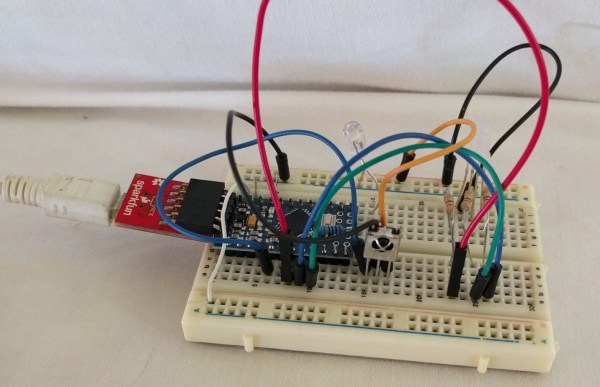
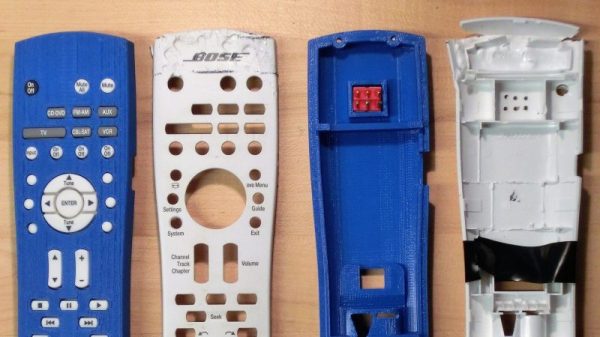
But [Alex Rich]’s Bose radio remote discovered another failure mode: imitating a dog chew toy. Rather than fork out $90 for a replacement, [Alex] undertook a 3D-printed case to repair the chewed remote. He put an impressive amount of reverse engineering into the replacement case, probably expending much more than $90 worth of effort. But it’s the principle of the thing, plus he wanted to support some special modifications to the stock remote. One was a hardware power switch to disconnect the batteries entirely, hidden in the bottom shell of the case. The second was the addition of a link to his thermostat to adjust the volume automatically when the AC comes on. That required a Trinket inside the remote and a few mods to make room for it.

Yes, this project dates from a few years back, but [Alex] only just brought it to our attention for the Repairs You Can Print contest. Got some special unobtanium part that you were able to print to get out of a jam? Enter and win prizes to add to the glory of fixing something yourself.

Know Your Video Waveform

When you acquired your first oscilloscope, what were the first waveforms you had a look at with it? The calibration output, and maybe your signal generator. Then if you are like me, you probably went hunting round your bench to find a more interesting waveform or two. In my case that led me to a TV tuner and IF strip, and my first glimpse of a video signal.

An analogue video signal may be something that is a little less ubiquitous in these days of LCD screens and HDMI connectors, but it remains a fascinating subject and one whose intricacies are still worthwhile knowing. Perhaps your desktop computer no longer drives a composite monitor, but a video signal is still a handy way to add a display to many low-powered microcontroller boards. When you see Arduinos and ESP8266s producing colour composite video on hardware never intended for the purpose you may begin to understand why an in-depth knowledge of a video waveform can be useful to have.

The purpose of a video signal is to both convey the picture information in the form of luminiance and chrominance (light & dark, and colour), and all the information required to keep the display in complete synchronisation with the source. It must do this with accurate and consistent timing, and because it is a technology with roots in the early 20th century all the information it contains must be retrievable with the consumer electronic components of that time.

We’ll now take a look at the waveform and in particular its timing in detail, and try to convey some of its ways. You will be aware that there are different TV systems such as PAL and NTSC which each have their own tightly-defined timings, however for most of this article we will be treating all systems as more-or-less identical because they work in a sufficiently similar manner.

Continue reading “Know Your Video Waveform”

Why Sony’s Trinitron Tubes Were The Best

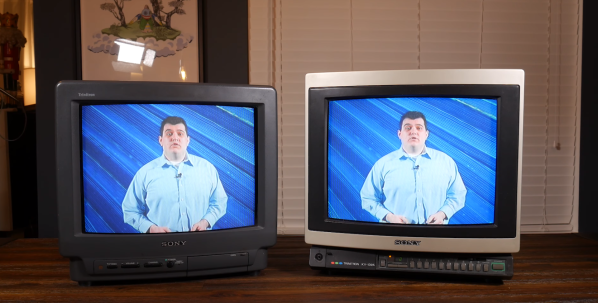
If you’re old enough to remember Cathode Ray Tube (CRT) Televisions, you probably remember that Sony sold the top products. Their Trinitron tubes always made the best TVs and Computer Monitors. [Alec Watson] dives into the history of the Sony Trinitron tube.

Sony Color TVs didn’t start with Trinitron — for several years, Sony sold Chromatron tubes. Chromatron tubes used individually charged wires placed just behind the phosphor screen. The tubes worked, but they were expensive and didn’t offer any advantage over common shadow mask tubes. It was clear the company had to innovate, and thanks to some creative engineering, the Trinitron was born.

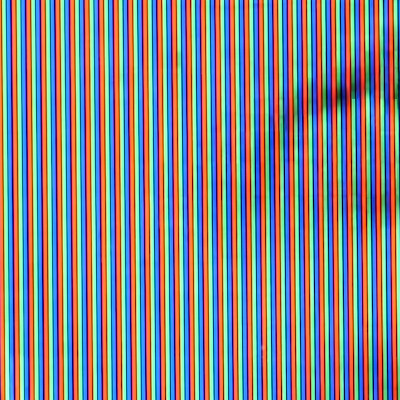
Closeup of a Trinitron tube shows unbroken vertical stripes which led to a brighter picture.

All color TV’s shoot three electron guns at a phosphor screen. Typical color TVs use a shadow mask — a metal sheet with tiny holes cut out. The holes ensure that the electron guns hit only the red, green and blue dots of phosphor. Trinitrons use vertical bars of single phosphor color and a picket fence like aperture grille. The aperture grill blocks less of the electron beam than a shadow mask, which results in a much brighter image. Trinitrons also use a single electron gun, with three separate cathodes.

[Alec] is doing some amazing work describing early TV systems and retro consumer electronics over on his YouTube channel, Technology Connections. We’ve added him to our Must watch subscription list.

Interested in retro CRTs? Check out Dan’s article on cleaning up the fogged plastic safety screen on the front of many CRTs.

Continue reading “Why Sony’s Trinitron Tubes Were The Best”

Retrotechtacular: 1950s Televisions Were Beasts

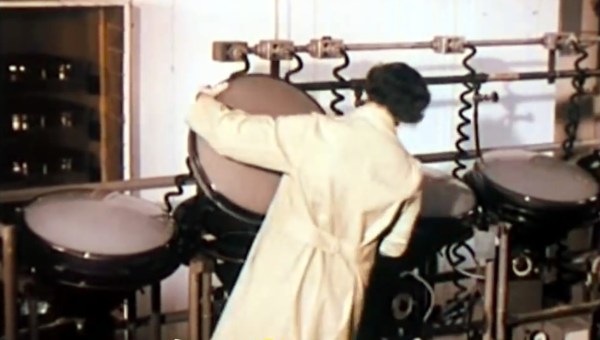
Television has been around for a long time, but what we point to and call a TV these days is a completely different object from what consumers first fell in love with. This video of RCA factory tours from the 1950s drives home how foreign the old designs are to modern eyes.

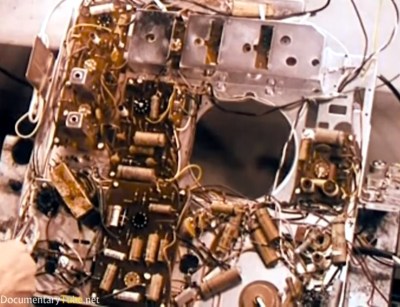
Right from the start the apparent chaos of the circuitry is mindboggling, with some components on circuit boards but many being wired point-to-point. The narrator even makes comments on the “new technique for making electrical connections” that uses a wire wrapping gun. The claim is that this is cleaner, faster, and neater than soldering. ([Bil Herd] might agree.) Not all of the methods are lost in today’s manufacturing though. The hand-stuffing and wave soldering of PCBs is still used on lower-cost goods, and frequently with power supplies (at least the ones where space isn’t at a premium).
It’s no surprise when talking about 60+ year-old-designs that these were tube televisions. But this goes beyond the Cathode Ray Tube (CRT) that generates the picture. They are using vacuum tubes, and a good portion of the video delves into the manufacture and testing of them. You’ll get a glimpse of this at 3:20, but what you really want to see is the automated testing machine at 4:30. Each tube travels along a specialized conveyor where the testing goes so far as to give a  few automated whacks from corks on the ends of actuators. As the tube gauntlet progresses, we see the “aging” process (around 6:00) when each tube is run at 3-4 times the rated filament voltages. Wild!

There’s a segment detailing the manufacture of the CRT tubes as well, although these color tubes don’t seem to be for the model of TV being followed during the rest of the films. At about 7:07 they call them “Color Kinescopes”, an early name for RCA’s CRT technology.

During the factory tours we get the overwhelming feeling that this manufacturing is more related to automotive than modern electronic. These were the days when televisions (and radios) were more like pieces of furniture, and seeing the hulking chassis transported by hanging conveyors is just one part of it. The enclosure plant is churning out legions of identical wooden consoles. This begins at 11:55 and the automation shown is very similar to what we’d expect to see today. It seems woodworking efficiency was already a solved problem in the ’50s.

Continue reading “Retrotechtacular: 1950s Televisions Were Beasts”

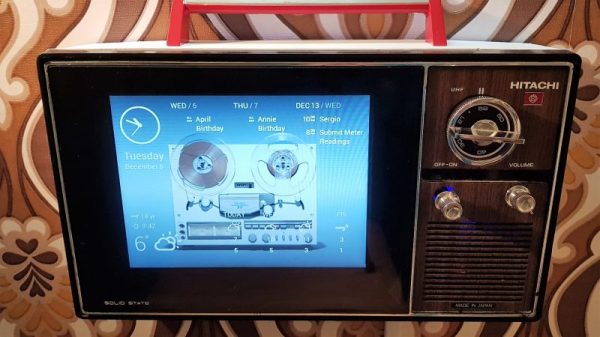
Old TV Lends Case To Retro Magic Mirror

Remember the days when the television was the most important appliance in the house? On at dawn for the morning news and weather, and off when Johnny Carson said goodnight, it was the indispensable portal to the larger world. Broadcast TV may have relinquished its hold on the public mind in favor of smartphones, but an information portal built into an old TV might take you back to the old days.

It seems like [MisterM] has a little bit of a thing for the retro look. Witness the wallpaper in the video after the break for proof, as well as his Google-ized Radio Shack intercom project from a few months back. His current project should fit right in, based on an 8″ black-and-white TV from the 70s as it is. TVs were bulky back then to allow for the long neck of the CRT, so he decided to lop off the majority of the case and use just the bezel for his build. An 8″ Pimoroni display sits where the old tube once lived, and replicates the original 4:3 aspect ratio. With Chromium set up in kiosk mode, the family can quickly select from a variety of news and information “channels” using the original tuning knob, while parts from a salvaged mouse turns the volume control into a scroll wheel.

It’s a nice twist on the magic mirror concept, and a little different from the other retro-TV projects we’ve seen, like a retro gaming console or an old-time case for a smart TV.

Continue reading “Old TV Lends Case To Retro Magic Mirror”

Retrotechtacular: Information From The Days When Colour TV Was New

By the time colour TV came to the United Kingdom, it was old news to Americans. Most of the viewing public on the Western side of the Atlantic had had the opportunity to see more than black-and-white images for years when in 1967 the BBC started transmitting its first colour channel, BBC2.

For Americans and continental Europeans, the arrival of colour TV had been an incremental process, in which the colour subcarrier had been added to their existing transmission standard. Marketed as “compatible color” to Americans, this ensured that their existing black-and-white TV sets had no need for replacement as the new transmissions started.

The United Kingdom by contrast had been one of the first countries in the world to adopt a television standard in the 1930s, so its VHF 405-line positive-modulation black-and-white services stood alone and looked extremely dated three decades later. The BBC had performed experiments using modified round-CRT American sets to test the feasibility of inserting an NTSC colour subcarrier into a 405-line signal, but had eventually admitted defeat and opted for the Continental 625-line system with the German PAL colour encoding. This delivered colour TV at visibly better quality than the American NTSC system, but at the expense of a 15-year process of switching off all 405-line transmitters, replacing all 405-line sets, and installing new antennas for all viewers for the new UHF transmissions.

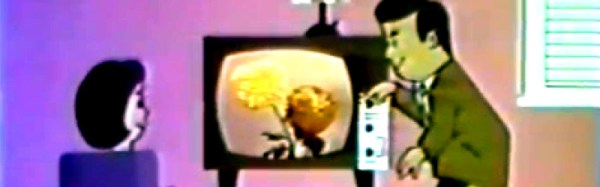
Such a significant upgrade must have placed a burden upon the TV repair and maintenance trade, because as part of the roll-out of the new standard the BBC produced and transmitted a series of short instructional animated films about the unfamiliar technology, which we’ve placed below the break. The engineer is taken through the signal problems affecting UHF transmissions, during which we’re reminded just how narrow bandwidth those early UHF Yagis must have been, then we are introduced to the shadowmask tube and all its faults. The dreaded convergence is introduced, as these were the days before precision pre-aligned CRTs, and we briefly see an early version of the iconic Test Card F. Finally we are shown the basic procedure for achieving the correct white balance. There is a passing reference to dual-standard sets, as if convergence for colour transmissions wasn’t enough of a nightmare a lot of the early colour sets incorporated a bank of switches on their PCB to select 405-line or 625-line modes. The hapless engineer would have to set up the convergence for both signals, something that must have tried their patience.

The final sequence looks at the hand-over of the new set to the customer. In an era in which we are used to consumer electronics with fantastic reliability we would not be happy at all with a PAL set from 1967. They were as new to the manufacturers as they were to the consumers, so the first generation of appliances could hardly have been described as reliable. The smiling woman in the animated film would certainly have needed to call the engineer again more than once to fix her new status symbol.

Continue reading “Retrotechtacular: Information From The Days When Colour TV Was New”

Hackaday Prize Entry: Remote Control By Head Gestures

Some people may think they’re having a bad day when they can’t find the TV remote. Yet there are some people who can’t even hold a remote, let alone root around in the couch cushions where the remote inevitably winds up. This entry in the Assistive Technologies phase of the 2017 Hackaday Prize seeks to help such folks, with a universal remote triggered by head gestures.

Mobility impairments can range from fine motor control issues to quadriplegia, and people who suffer from them are often cut off from technology by the inability to operate devices. [Cassio Batista] concentrated on controlling a TV for his project, but it’s easy to see how his method could interface with other IR remotes to achieve control over everything from alarm systems to windows and drapes. His open-source project uses a web cam to watch a user’s head gestures, and OpenCV running on a CHIP SBC looks for motion in the pitch, yaw, and roll axes to control volume, channel, and power. An Arduino takes care the IR commands to the TV. The prototype works well in the video below; with the power of OpenCV we can imagine mouth gestures and even eye blinks adding to the controller’s repertoire.

The Assistive Tech phase wraps up tomorrow, so be sure to get your entries in. You’ll have some stiff competition, like this robotic exoskeleton. But don’t let that discourage you.

Continue reading “Hackaday Prize Entry: Remote Control By Head Gestures”