Kaleidoscopico Shows Off Pi Pico’s Capabilities

In the early days of computing, and well into the era where home computers were common but not particularly powerful, programming these machines was a delicate balance of managing hardware with getting the most out of the software. Memory had to be monitored closely, clock cycles taken into account, and even video outputs had to be careful not to overwhelm the processor. This can seem foreign in the modern world where double-digit gigabytes of memory is not only common, it’s expected, but if you want to hone your programming skills there’s no better way to do it than with the limitations imposed by something like a retro computer or a Raspberry Pi Pico.

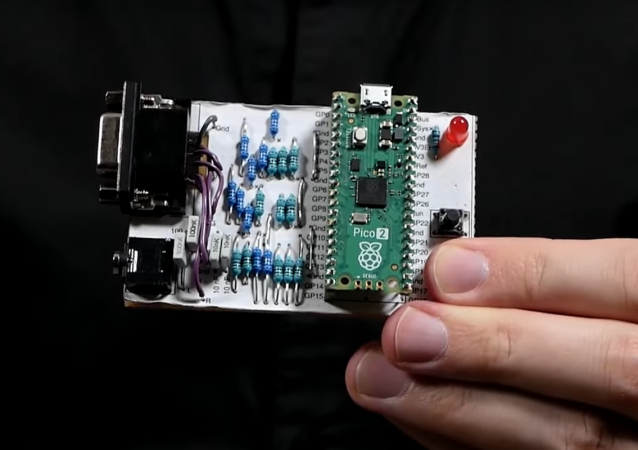
This project is called Kaleidoscopio, built by [Linus Åkesson] aka [lft] and goes deep into the hardware of the Pi Pico in order to squeeze as much out of the small, inexpensive platform as possible. The demo is written with 17,000 lines of assembly using the RISC-V instruction set. The microcontroller has two cores on it, with one core acting as the computer’s chipset and the other acts as the CPU, rendering the effects. The platform has no dedicated audio or video components, so everything here is done in software using this setup to act as a PC from the 80s might. In this case, [lft] is taking inspiration from the Amiga platform, his favorite of that era.

The only hardware involved in this project apart from the Pi Pico itself are a few resistors, an audio jack, and a VGA port, further demonstrating that the software is the workhorse in this build. It’s impressive not only for wringing out as much as possible from the platform but for using the arguably weaker RISC-V cores instead of the ARM cores, as the Pi Pico includes both. [lft] goes into every detail on the project’s page as well, for those who are still captivated by the era of computer programming where every bit mattered. For more computing demos like this, take a look at this one which is based on [lft]’s retrocomputer of choice, the Amiga.

Continue reading “Kaleidoscopico Shows Off Pi Pico’s Capabilities”
Old Chromebooks Get Second Life As Video Wall

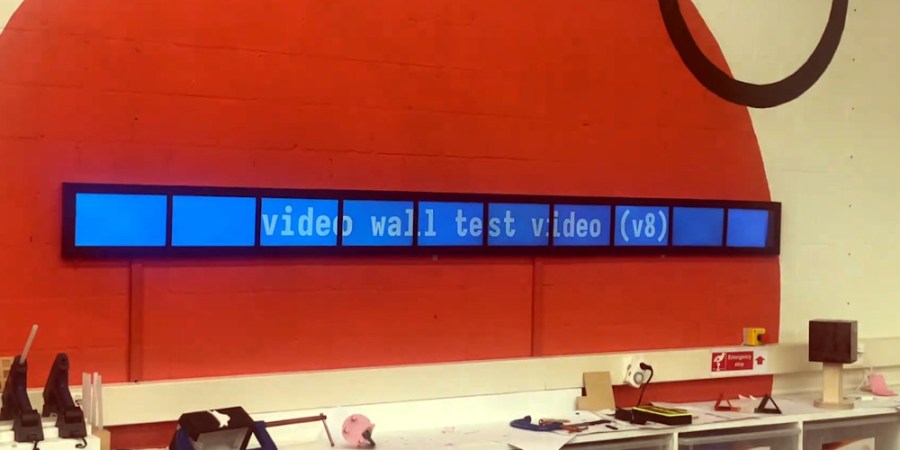
What would you do with dozens and dozens of outdated Chromebooks that are no longer getting updates from the Google Mothership? It’s a situation that plenty of schools will have to deal with in the near future, and we can only help that those institutions have students as clever as [Varun Biniwale] and his friend [Aksel Salmi] to lean on — as they managed to recycle ten of these outdated laptops into an impressive video display.

There’s actually two write-ups for this particular story, with [Varun] documenting the modification of the Chromebooks and the software developed to play the video between them, and [Aksel] covering how the hardware was ultimately attached to the wall via bespoke 3D printed mounting brackets.

Continue reading “Old Chromebooks Get Second Life As Video Wall”

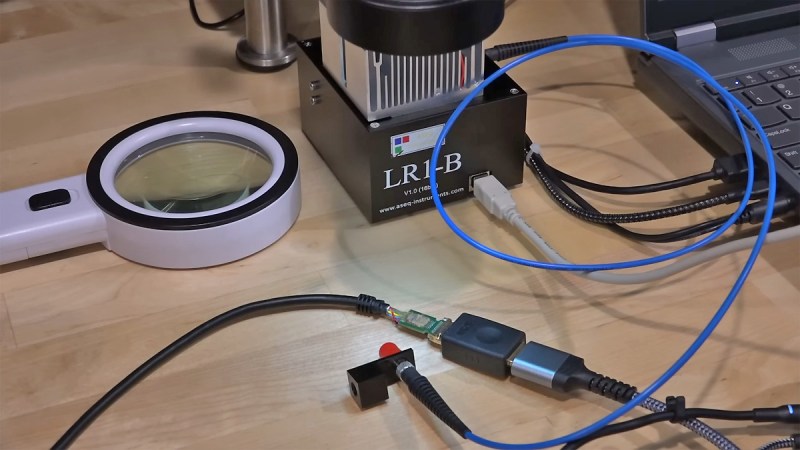
Close up of a custom optical HDMI cable on a desk

Let There Be Light: The Engineering Of Optical HDMI

In a recent video, [Shahriar] from The Signal Path has unveiled the intricate design and architecture of optical HDMI cables, offering a cost-effective solution to extend HDMI 2.0 connections beyond the limitations of traditional copper links. This exploration is particularly captivating for those passionate about innovative hardware hacks and signal transmission technologies.

[Shahriar] begins by dissecting the fundamentals of HDMI high-speed data transmission, focusing on the Transition Minimized Differential Signaling (TMDS) standard. He then transitions to the challenges of converting from twisted-pair copper to optical lanes, emphasizing the pivotal roles of Vertical-Cavity Surface-Emitting Lasers (VCSELs) and PIN photodiodes. These components are essential for transforming electrical signals into optical ones and vice versa, enabling data transmission over greater distances without significant signal degradation.

A standout aspect of this teardown is the detailed examination of the optical modules, highlighting the use of free-space optics and optical confinement techniques with lasers and detectors. [Shahriar] captures the eye diagram of the received high-speed lane and confirms the VCSELs’ optical wavelength at 850 nm. Additionally, he provides a microscopic inspection of the TX and RX chips, revealing the intricate VCSEL and photodetector arrays. His thorough analysis offers invaluable insights into the electronic architecture of optical HDMI cables, shedding light on the complexities of signal integrity and the innovative solutions employed to overcome them.

For enthusiasts eager to take a deeper look into the nuances of optical HDMI technology, [Shahriar]’s comprehensive teardown serves as an excellent resource. It not only gives an insight in the components and design choices involved, but also inspires further exploration into enhancing data transmission methods.

Continue reading “Let There Be Light: The Engineering Of Optical HDMI”

Shellcode Over MIDI? Bad Apple On A PSR-E433, Kinda

If hacking on consumer hardware is about figuring out what it can do, and pushing it in directions that the manufacturer never dared to dream, then this is a very fine hack indeed. [Portasynthica3] takes on the Yamaha PSR-E433, a cheap beginner keyboard, discovers a shell baked into it, and takes it from there.

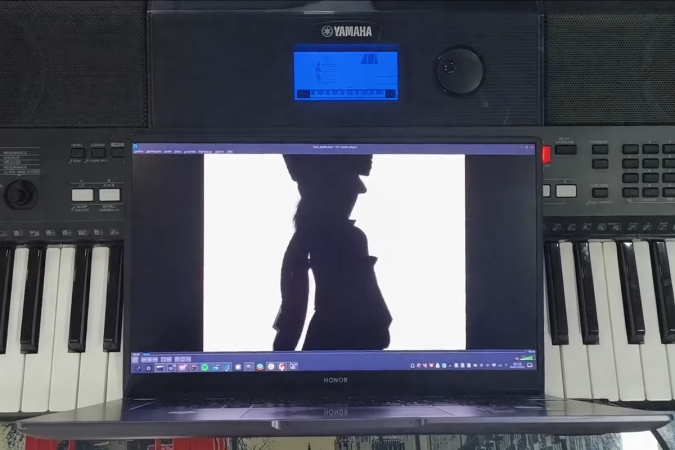
[Portasynthinca3] reverse engineered the firmware, wrote shellcode for the device, embedded the escape in a MIDI note stream, and even ended up writing some simple LCD driver software totally decent refresh rate on the dot-matrix display, all to support the lofty goal of displaying arbitrary graphics on the keyboard’s dot-matrix character display.

Now, we want you to be prepared for a low-res video extravaganza here. You might have to squint a bit to make out what’s going on in the video, but keep in mind that it’s being sent over a music data protocol from the 1980s, running at 31.25 kbps, displayed in the custom character RAM of an LCD.

As always, the hack starts with research. Identifying the microcontroller CPU lead to JTAG and OpenOCD. (We love the technique of looking at the draw on a bench power meter to determine if the chip is responding to pause commands.) Dumping the code and tossing it into Ghidra lead to the unexpected discovery that Yamaha had put a live shell in the device that communicates over MIDI, presumably for testing and development purposes. This shell had PEEK and POKE, which meant that OpenOCD could go sit back on the shelf. Poking “Hello World” into some free RAM space over MIDI sysex was the first proof-of-concept.

The final hack to get video up and running was to dig deep into the custom character-generation RAM, write some code to disable the normal character display, and then fool the CPU into calling this code instead of the shell, in order to increase the update rate. All of this for a thin slice of Bad Apple over MIDI, but more importantly, for the glory. And this hack is glorious! Go check it out in full.

MIDI is entirely hacker friendly, and it’s likely you can hack together a musical controller that would wow your audience just with stuff in your junk box. If you’re at all into music, and you’ve never built your own MIDI devices, you have your weekend project.

Continue reading “Shellcode Over MIDI? Bad Apple On A PSR-E433, Kinda”

Watch Any Video On Your Game Boy, Via Link Cable

Game Boys have a link cable that lets two of them play together. You know, to battle with a friend’s Pokemon and stuff like that. But who says that it should be limited to transmitting only what Big N wants you to?

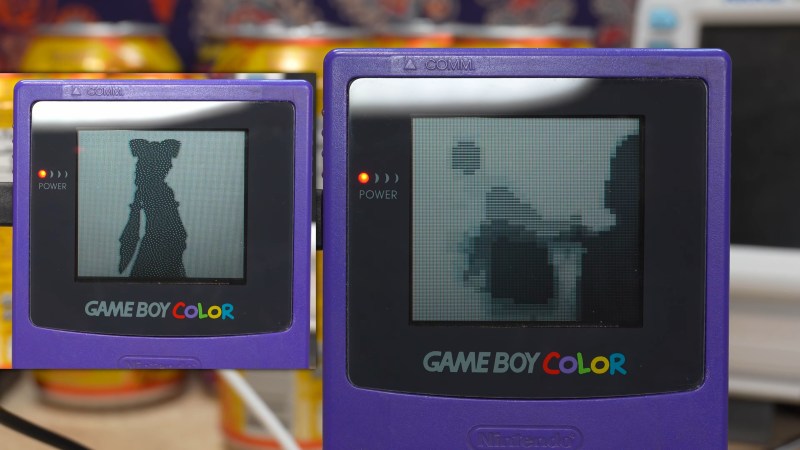
[Chromalock] wrote a custom GB program that takes in data over the link cable, and displays it on the screen as video, as fast as it can be sent. Add in a microcontroller, a level shifter, and software on the big computer side, and you can hook up your Game Boy Color as a normal video device and send it anything you want, from a webcam to any program that outputs video.

Well, almost. The biggest limitation is the data link cable, of course. On the older Game Boys, the link cable is apparently only good for 8 kHz, while the Color models can pull a not-quite-blistering 512 kHz. Still, that’s enough for 60 fps in a low-res black and white mode, or a slow, screen-tearing high-res color experience. You pick your poison.

There are gotchas that have to do with the way the GB displays palettes that get left as “to-do” on the software side. There is room for improvement in hardware too. (GB Link looks like SPI to us, and we’d bet you can push the speeds even higher with clever GB-side code.) In short, this is an awesome demo that just invites further hacking.

If you want to know more about the Game Boy to get started, and maybe even if you don’t, you absolutely must watch The Ultimate Game Boy Talk. Trust us on this one.

Continue reading “Watch Any Video On Your Game Boy, Via Link Cable”

Good Lighting On A Budget With Cordless Tool Batteries

It’s perhaps not fair, but even if you have the best idea for a compelling video, few things will make people switch off than poor lighting. Good light and plenty of it is the order of the day when it comes to video production, and luckily there are many affordable options out there. Affordable, that is, right up to the point where you need batteries for remote shoots, in which case you’d better be ready to open the purse strings.

When [Dane Kouttron] ran into the battery problem with his video lighting setup, he fought back with these cheap and clever cordless tool battery pack adapters. His lights were designed to use Sony NP-F mount batteries, which are pretty common in the photography trade but unforgivably expensive, at least for Sony-branded packs. Having access to 20 volt DeWalt battery packs, he combined an off-the-shelf battery adapter with a 3D printed mount that slips right onto the light. Luckily, the lights have a built-in DC-DC converter that accepts up to 40 volts, so connecting the battery through a protection diode was a pretty simple exercise. The battery pack just slots right in and keeps the lights running for portable shoots.

Of course, if you don’t already have DeWalt batteries on hand, it might just be cheaper to buy the Sony batteries and be done with it. Then again, there are battery adapters for pretty much every cordless tool brand out there, so you should be able to adapt the design. We’ve also seen cross-brand battery adapters which might prove useful, too.

The 1987 Videonics Editing System

Videonics: The Dawn Of Home Video Editing, Revisited

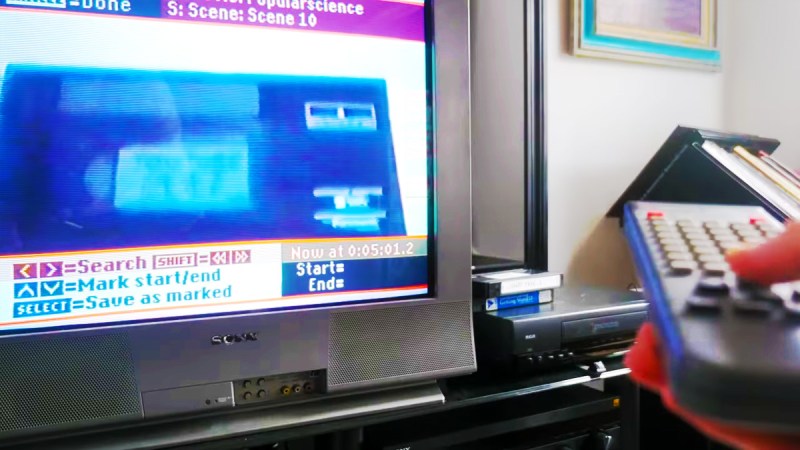
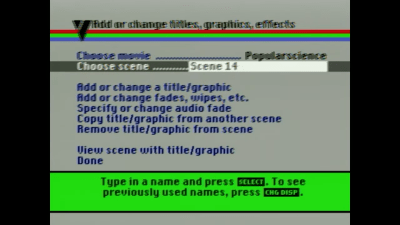
Here’s a slice of history that will make any retro-tech fan grin: before TikTok and iMovie, there was a beast called the Videonics DirectED Plus. This early attempt at democratizing video editing saved enthusiasts from six-figure pro setups—but only barely. Popular Science recently brought this retro marvel back to life in a video made using the very system that inspired it. Picture it: 1987, VHS at its peak, where editing your kid’s jazz recital video required not just love but the patience of a saint, eight VCRs, three Videonics units, two camcorders, and enough remotes to operate a space shuttle.

The Videonics DirectED Plus held promise with a twist. It offered a way to bypass monstrous editing rigs, yet mastering its panel of buttons felt like deciphering hieroglyphs. The ‘Getting Started’ tape was the analog era’s lifeline, often missing and leaving owners hunting through second-hand stores, forgotten basements, and enthusiast forums. Fast forward to today, and recreating this rig isn’t just retro fever—it’s a scavenger hunt.

The 1987 Videonics Editing SystemOnce assembled, the system resembled a spaghetti junction of cables and clunky commands. One wrong button press could erase precious minutes of hard-won footage. Still, the determination of DIY pioneers drove the machine’s success, setting the stage for the plug-and-play ease we now take for granted.



These adventures into retro tech remind us of the grit behind today’s seamless content creation. Curious for more? Watch the full journey by Popular Science here.

Continue reading “Videonics: The Dawn Of Home Video Editing, Revisited”