Software USB On The ESP8266

A while back, [cnlohr] needed a USB keyboard and mouse. His box ‘o junk didn’t hold this particular treasure, and instead of hopping on Amazon like a normal geek or venturing into the outside realm on a mid-level ‘store’ quest like a normal person, [cnlohr] decided to turn an ESP8266 into a USB keyboard and mouse. How hard could it be? The ESP doesn’t support USB, but bitbanging hasn’t stopped him before. The end result is a USB stack running on the ESP8266 WiFI module.

[cnlohr] has been working for about a month on this USB implementation for the ESP, beginning with a logic analyzer, Wireshark, Xtensa assembly, and a lot of iteration. The end result of this hardware hacking is a board based on the ESP8285 – an 8286 with integrated Flash – that fits snugly inside a USB socket.

This tiny board emulates low-speed USB (1.5 Mbps), and isn’t really fast enough for storage, serial, or any of the fancier things USB does, but it is good enough for a keyboard and mouse. Right now, [cnlohr]’s ESP USB device is hosting a webpage, and by loading this webpage on his phone, he has a virtual keyboard and mouse on a handheld touchscreen.

If you’re keeping track, [cnlohr] has now brought Ethernet and USB to a tiny microcontroller that can be bought for a few bucks through the usual online outlets. If you’d like to build your own ESP USB stick, all the files are over on the Gits.

Thanks [lageos] for the tip.

Continue reading “Software USB On The ESP8266”

Decoding Rediscovered Rope Memory From The Apollo Guidance Computer

On August 25th, 1966, an Apollo Command Module was launched aboard a Saturn IB rocket in mission AS-202. This mission was intended to immediately precede the ill-fated Apollo 1 mission, the AS-202 was unmanned, serving as a test of flight hardware, fuel cells, and the guidance and navigation control systems. This mission used the first Apollo Guidance Computer ever flown, and this mission was vital to testing the computer that would take men to the moon.

While the software from the later missions exists and is available on Github, the earlier Block I spacecraft, including the unmanned Apollo 4 and Apollo 6 missions, are poorly documented. [Francois Rautenbach] was lucky enough to get his hands on the rope memory modules from the AS-202 mission. Now he’s investigating these modules with oscilloscopes and x-rays to recreate some of the first software that was flown in space.

The procedure to extract the data from these rope memory modules is a bit harder than reading a bit of Flash off a chip. Rope memory is weird, but with a contraption made out of a lot of relays and an oscilloscope, [Francois] was able to capture data from these memory modules.

Of course, [Francois] first needed to figure out the pinout for the gigantic backplane connector on each of these memory modules. To do that, he checked out a Block II AGC, read the schematics very carefully, and reverse engineered a connector that isn’t made anymore. The next step was x-raying the rope memory modules to see how they were assembled. Even though these memory modules contain the only extant copy of the Block I AGC software, even reading one bit off of these modules is an amazing case of technological archeology.

The answer to the obvious question — where did these modules come from — is exactly what you would expect. These memory modules were picked up off a scrap heap forty years ago. The gentleman who found these modules was kind enough to give them to [Francois]. Check out the videos below for [Francois]’ video logs. If you’re into slightly more destructive testing of forgotten Apollo flight hardware, [Fran Blanche] tore down a few modules from the Apollo Launch Vehicle Digital Computer a few years ago.

Thanks to [Vincent], [Danie], and [Kent] for jumping on this one and sending it into the tip line.
Continue reading “Decoding Rediscovered Rope Memory From The Apollo Guidance Computer”

Inventables Releases Improved X-Carve CNC Router

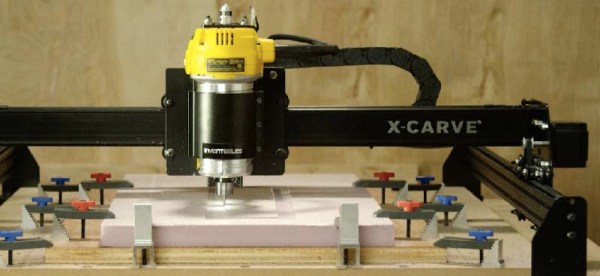
Introduced last year as an improvement on the very popular Shapeoko CNC router, the X-Carve by Inventables has grown to be a very well-respected machine in the community. It’s even better if you throw a DeWalt spindle on there, allowing you to cut almost everything that’s not steel. With a recent upgrade to the X-Carve, it’s even more capable, featuring the best mods and suggestions from the community that has grown up around this machine.

The newest iteration of the X-Carve features higher power drivers, better rigidity, and a heat sink for the spindle. That last item is an interesting bit of kit – routing takes time, and a 1¼HP motor will turn electricity into heat very effectively.

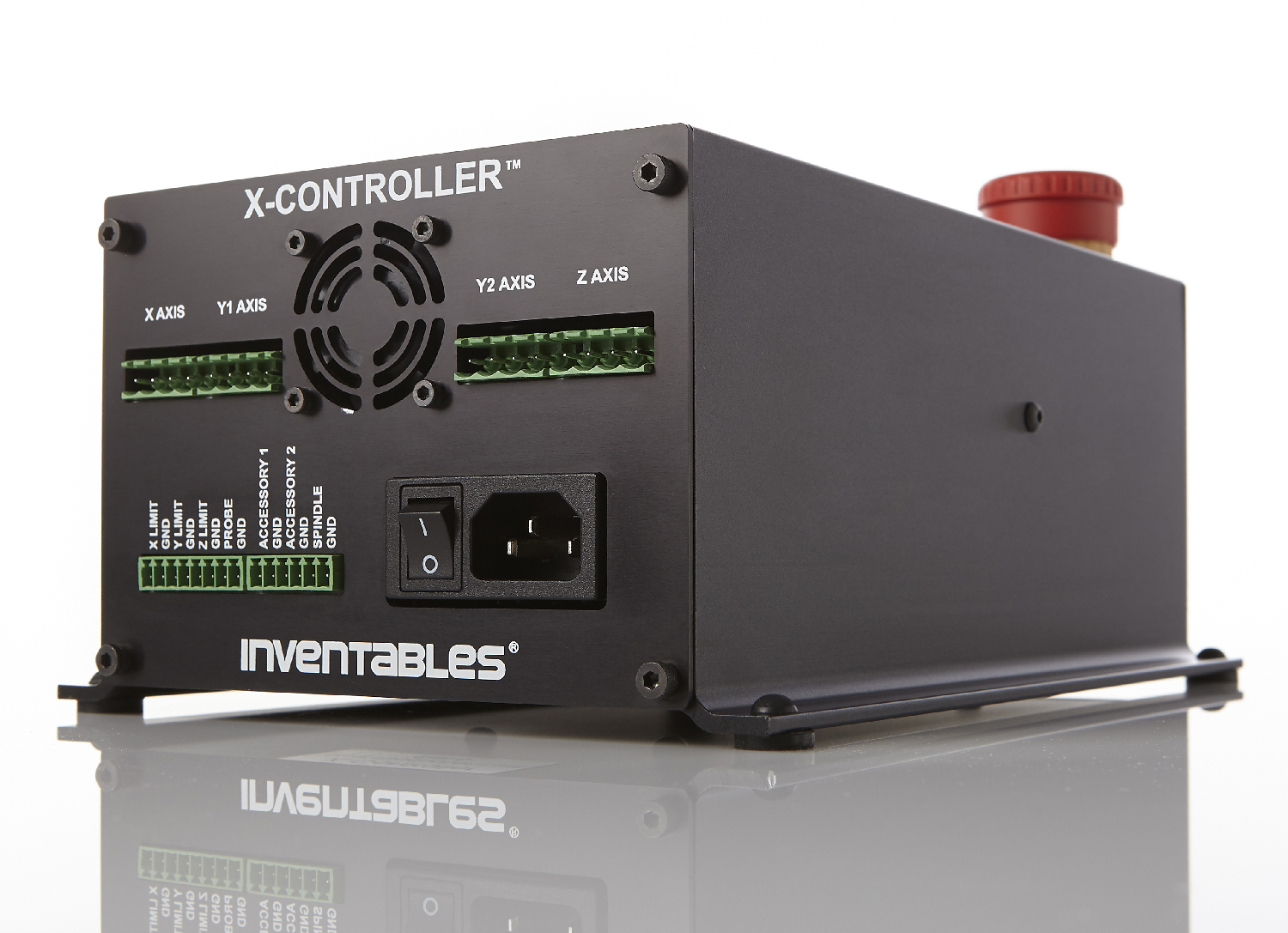
X-CarveIn addition to the 500mm square and 1000mmm square routers previously available, there’s a new, 750mm square machine available. All machines feature a new electronics box for the X-Carve, the X-Controller. This ‘brain box’ is a combined power supply, stepper driver, and motion controller built into a single box. The stepper drivers are able to supply 4A to a motor, is capable of 1/16 microstepping, and has connections for limit switches, spindle control speed, a Z probe, and outputs for vacuums or coolant systems. The underlying controller is based on grbl, making this brain box a very solid foundation for any 3-axis CNC build. The ‘brain box’ format seems to be the way the hobbyist CNC market is going, considering the whispers and rumors concerning Lulzbot selling their Taz6 brainbox independently from a 3D printer.

The new X-Carve is available now, with a fully-loaded 1000mm wide machine coming in at about $1400. That’s comparable to many other machines with the same volume, unlike the Chinese 3040 CNC machines, you don’t need to find an old laptop with a parallel port.

Hackaday Prize Entry: Open Sip And Puff

A sip-and-puff device is an assistive technology used by people who cannot use their hands. Being a quasi-medical device, you can imagine this technology is extremely expensive, incapable of being modified, and basically a black box that can’t do anything except what it was designed for. For his Hackaday Prize entry, [Jason] is building his own sip-and-puff interface that’s cheaper and more capable than the available commercial versions.

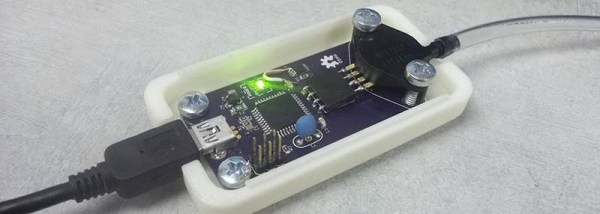
Sip-and-puff devices can be mapped to control a wheelchair, click a mouse, or press a key on a keyboard. You can do a lot with USB, so for this open sip-and-puff device, [Jason] is using the ever-popular ATmega32U4 microcontroller.

USB is only one part of the problem, and to measure the sips and puffs of air through a plastic hose, [Jason] is using a pressure sensor from Freescale/NXP. While this is very similar to what would be found in the off-the-shelf version of a sip-and-puff device, it’s rather hard to interface with. The current version of the board is using an instrument amplifier, and the mechanical connection between the pressure sensor and the board is slightly bizarre. [Jason] has a few ideas for a better sensor, and for the rest of the Hackaday Prize he’s going to work on redesigning this device with simplicity in mind.

Internet Of Things Woodworking

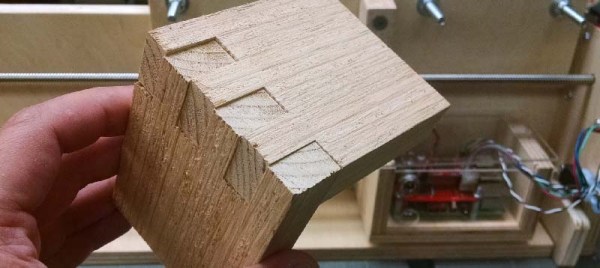
Woodworking is the fine art of building jigs. Even though we have Internet-connected toasters, thermostats, cars, and coffee makers, the Internet of Things hasn’t really appeared in the woodshop quite yet. That’s changing, though, and [Ben Brandt]’s Internet of Things box joint jig shows off exactly what cheap computers with a connection to the Internet can do. He’s fully automated the process of making box joints, all with the help of a stepper motor and a Raspberry Pi.

[Ben]’s electronic box joint jig is heavily inspired by [Matthias Wandel]’s fantastic screw advance box joint jig. [Matthias]’ build, which has become one of the ‘must build’ jigs in the modern woodshop, uses wooden gears to advance the carriage and stock across the kerf of a saw blade. It works fantastically, but to use this manual version correctly, you need to do a bit of math before hand, and in the worst-case scenario, cut another gear on the bandsaw.

[Ben]’s electronic box joint jig doesn’t use gears to move a piece of stock along a threaded rod. Stepper motors are cheap, after all, and with a Raspberry Pi, a stepper motor driver, a couple of limit switches, and a few LEDs, [Ben] built an Internet-enabled box joint jig that’s able to create perfect joints.

The build uses a Raspberry Pi 3 and Windows IoT Core to serve up a web page where different box joint profiles are stored. By lining the workpiece up with the blade and pressing start, this electronic box joint jig automatically advances the carriage to the next required cut. All [Ben] needs to do is watch the red and green LEDs and push the sled back and forth.

You can check out [Ben]’s video below. Thanks [Michael] for the tip.

Continue reading “Internet Of Things Woodworking”

Four Of Our Favorite Hardware Talks

The Hackaday SuperConference is the greatest gathering of hardware hackers on the planet. Last year at the SuperCon, we saw talks on building systems from scratch, creating new and interesting uses for technology, and bringing those electronic bits to market. What are we talking about? Here are four of the best talks from last year’s Hackaday SuperConference:

Continue reading “Four Of Our Favorite Hardware Talks”

Review: Monoprice Maker Ultimate 3D Printer

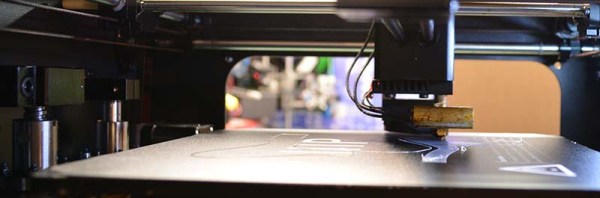
A few months ago, a very inexpensive 3D printer appeared on Monoprice. My curiosity for this printer was worth more than $200, so I picked one of these machines up. The Monoprice MP Select Mini is an awesome 3D printer. It’s the perfect printer to buy for a 13-year-old who might be going through a ‘3D printing phase’. It’s a great printer to print a better printer on. This printer is a sign the 3D printing industry is not collapsing, despite Makerbot, and foreshadows the coming age of consumer 3D printers.

The MP Select Mini isn’t Monoprice’s only 3D printer; the printer I bought was merely the ‘good’ printer in the good-better-best lineup. Since my review of the MP Select Mini, Monoprice has introduced their top of the line, the Maker Ultimate 3D printer. Monoprice asked if I would like to take a look at this offering, and I’m more than happy to oblige.

After a week of burn-in, I can safely say you’re not wasting your money on this $700 3D printer. It’s not a starter printer — it’s one that will last you a long time. 2016 is the beginning of the age of consumer 3D printers, and the Monoprice Maker Ultimate is more than proof of this.

Continue reading “Review: Monoprice Maker Ultimate 3D Printer”