Laser Projector Built From An Old Hard Drive

Spinning hard drives are being phased out of most consumer-grade computers in favor of faster technology like solid-state drives and their various interfaces. But there’s still millions of them in circulation that will eventually get pulled from service — so what do we do with them? If you’ve got one that would otherwise be going in the garbage, they can be turned into some other interesting devices like this laser text projector.

Even the slowest drives spin at around 5000 RPM, which is perfect for this type of application. The device works by mounting twelve mirrors, each at a slightly different angle, on a drum which is spun by the drive’s motor. Bouncing a laser off of the spinning drum results in a projection of twelve horizontal lines. By rapidly switching the laser on and off depending on which mirror it’s pointing at, the length of each line can be controlled.

Thanks to persistence of vision, that allows you to show text on the surface that the laser is projected on. At speeds this high, it took [Ben] of Ben Makes Everything quite a few iterations to get it to a usable space. From sensors that were too slow to lasers not bright enough to 3D prints that were not accurate enough, he goes through the design of his build and the process in excellent detail.

After solving all of the problems including building his own constant-current laser power supply, and burning up a few laser diodes in the process, [Ben] has a laser projector capable of displaying readable text at a great distance which is also portable, running on a 12 V power supply. There are some possible areas of improvement that he notes as well, such as an unbalanced 3D printed part causing a bit of a wobble and the Arduino controller not being fast enough for more text. But it’s an impressive project nonetheless, similar to a two-mirror version we saw some time ago but with the ability to display text as well.

Continue reading “Laser Projector Built From An Old Hard Drive”

Jump Like Mario With This Weighted Wearable

Virtual reality has come a long way in the past decade, with successful commercial offerings for gaming platforms still going strong as well as a number of semi-virtual, or augmented, reality tools that are proving their worth outside of a gaming environment as well. But with all this success they still haven’t quite figured out methods of locomotion that feel natural like walking or running. One research group is leaping to solve one of these issues with JumpMod: a wearable device that enhances the sensation of jumping.

The group, led by [Pedro Lopes] at the University of Chicago, uses a two-kilogram weight worn on the back to help provide the feeling of jumping or falling. By interfacing it with the virtual reality environment, the weight can quickly move up or down its rails when it detects that the wearer is about to commit to an action that it thinks it can enhance. Wearers report feeling like they are jumping much higher, or even smashing into the ground harder. The backpack offers a compact and affordable alternative to the bulky and expensive hardware traditionally used for this purpose.

With builds like these, we would hope the virtual reality worlds that are being created become even more immersive and believable. Of course that means a lot more work into making other methods of movement in the virtual space feel believable (like walking, to start with) but it’s an excellent piece of technology that shows some progress. Augmenting the virtual space doesn’t always need bulky hardware like this, though. Take a “look” at this device which can build a believable virtual reality space using nothing more than a webcam.

Continue reading “Jump Like Mario With This Weighted Wearable”

Exploring The Early Days Of QRP Radio

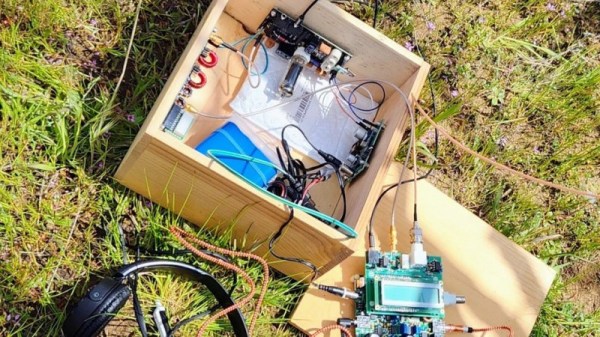
Morse code might seem obsolete but for situations with extremely limited bandwidth it’s often still the best communications option available. The code requires a fair amount of training to use effectively, though, and even proficient radio operators tend to send only around 20 words per minute. As a result of the reduced throughput, a type of language evolved around Morse code which, like any language, has evolved and changed over time. QRP initially meant something akin to “you are overloading my receiver, please reduce transmitter power” but now means “operating radios at extremely low power levels”. [MIKROWAVE1] explores some of the earlier options for QRP radios in this video.

There’s been some debate in the amateur radio community over the years over what power level constitutes a QRP operation, but it’s almost certainly somewhere below 100 watts, and while the radios in this video have varying power levels, they tend to be far below this upper threshold, with some operating on 1 watt or less. There are a few commercial offerings demonstrated here, produced from the 70s to the mid-80s, but a few are made from kits as well. Kits tended to be both accessible and easily repairable, with Heathkit being the more recognizable option among this category. To operate Morse code (or “continuous wave” as hams would call it) only requires a single transistor which is why kits were so popular, but there are a few other examples in this video with quite a few more transistors than that. In fact, there are all kinds of radios featured here with plenty of features we might even consider modern by today’s standards; at least when Morse code is concerned.

QRP radios in general are attractive because they tend to be smaller, simpler, and more affordable. Making QRP contacts over great distances also increases one’s ham radio street cred, especially when using Morse, although this benefit is more intangible. There’s a large trend going on in the radio world right now surrounding operating from parks and mountain peaks, which means QRP is often the only way to get that done especially when operating on battery power. Modern QRP radios often support digital and voice modes as well and can have surprisingly high prices, but taking some cues from this video about radios built in decades past could get you on the radio for a minimum or parts and cost, provided you can put in the time.

Continue reading “Exploring The Early Days Of QRP Radio”

Tiny Microcontroller Uses Real-Time Operating System

Most of the computers we interact with on a day-to-day basis use an operating system designed for flexibility. While these are great tools for getting work done or scrolling your favorite sites, they have a weakness when it comes to interacting quickly with a real-world environment. For these kinds of low-latency, high-reliability systems you may want to turn to something like freeRTOS which is optimized for this kind of application and which [Parikshit Pagare] has used to build his home automation system.

This build is based around an ESP32 for which freeRTOS, designed specifically for embedded systems, is uniquely suited. There are several channels built in capable of monitoring temperature, functioning as a smoke alarm, and sensing whether someone is at the front door. All of these are reported to a small OLED screen but are also updated on an Android app as well, which happens nearly instantaneously thanks to the real-time operating system. There are a number of user-controllable switches as well that are capable of turning lights or fans on and off.

For a home automation system, it’s one of the most low-cost and fully-featured we’ve seen and if you’re still having trouble coming across a Raspberry Pi as they sort out supply issues, something like this might make an excellent substitute at a fraction of the price. If you’re looking to expand even beyond this build, one of the gold standards for ESP32-based automation design is this build from [Marcus] which not only demonstrates how to build a system like this but goes into great detail on the ESPHome environment.

Continue reading “Tiny Microcontroller Uses Real-Time Operating System”

Soviet-Era Computer Is Both A Mystery And A Disaster

There are plenty of bizarre computers around from the 70s through the 90s before the world somewhat standardized around various duopolies of hardware vendors and operating systems. Commodore, Atari, and even Apple had some bizarre machines from this era but for our money, the most unusual systems come out of the Eastern Bloc. We’ve featured plenty of these before, and the latest is a Robotron CM1910 which comes to us from [Chernobyl Family] via YouTube.

Built in East Germany behind the wall, the Robotron factories had easier access to Soviet than western parts, but the latter were also available when necessary. Hence it’s built on an Intel 8086 processor, which seems common enough for the era, but after opening the case some non-standard construction becomes apparent.

The first is a densely-packed array of circuit boards and wiring, far beyond what a western PC might have included in this time. This also partially explains its massive 25 kg weight. It does include a hard drive, two floppy disk drives, a large dedicated graphics card, and a modem which all contribute as well. The overall design philosophy of the machine was a headscratcher too, which would have involved near-complete dismantling of the machine to access or repair some of the parts, as well as some hidden peripheral and drive controllers in questionable locations.

From the looks of it, we doubt this computer will see any uptime anytime soon, although they did at least restore the keyboard. With all of the chips accessible on PCBs, it might be possible to get this machine up and running again although it would take a massive effort thanks to its non-standard design and construction, and might also require help from builds like this to replace or emulate some of the hardware.

Thanks to [Stephen] for the tip!

Continue reading “Soviet-Era Computer Is Both A Mystery And A Disaster”

Inside A Pair Of Smart Sunglasses

If you’re willing to spend $200 USD on nothing more than 100 grams of plastic, there are a few trendy sunglasses brands that are ready to take your money before you have time to think twice. Sure, you can get a pair of sunglasses for an order of magnitude less money that do the exact same job, but the real value is in the brand stamped into the plastic and not necessarily the sunglasses themselves. Not so with this pair of Ray-Bans, though. Unlike most of their offerings, these contain a little bit more than a few bits of stylish plastic and [Becky Stern] is here to show us what’s hidden inside.

At first glance, the glasses don’t seem to be anything other than a normal pair of sunglasses, if a bit bulky But on closer inspection they hide a pair of cameras and a few other bits of electronics similar to the Google Glass, but much more subtle. The teardown demonstrates that these are not intended to be user-repairable devices, and might not be repairable at all, as even removing the hinges broke the flexible PCBs behind them. A rotary tool was needed to remove the circuit boards from the ear pieces, and a bench vice to remove the camera modules from the front frame. We can presume these glasses will not be put back together after this process.

Hidden away inside is a pair of cameras, a Snapdragon quad-core processor, capacitive touch sensors, an amplifier for a set of speakers. Mostly this is to support the recording of video and playback of audio, and not any sort of augmented reality system like Google Glass attempted to create. There are some concerning ties with Facebook associated with this product as well which will be a red flag for plenty of us around here, but besides the privacy issues, lack of repairability, and lack of features, we’d describe it as marginally less useful as an entry-level smartwatch. Of course, Google Glass had its own set of privacy-related issues too, which we saw some clever projects solve in unique ways.

Continue reading “Inside A Pair Of Smart Sunglasses”

A Dedicated GPU For Your Favorite SBC

The Raspberry Pi is famous for its low cost, versatile and open Linux environment, and plentiful I/O, making it a perfect device not only for its originally-intended educational purposes but for basically every hobbyist from gardeners to roboticists to amateur radio operators. Most builds tend to make use of the GPIO pins which allow easy connections to various peripherals and sensors, but the Pi also supports PCI devices which means that, in theory, it could use a GPU in much the same way that a modern computer would. After plenty of testing and development, [Jeff Geerling] brings us this custom graphics card interface for the Raspberry Pi.

The testing for all of these graphics cards has been done with a Pi Compute Module 4 and the end result is an interface device which looks much like a graphics card itself. It splits the PCI bus out onto a more familiar x16 slot connector and adds physical connections for power, USB, and Ethernet. When plugged into the carrier board, the Compute Module can be attached to any of a number of graphics cards, including the latest and highest-end of Nvidia and AMD offerings.

Perhaps unsurprisingly, though, the 4090 and 7900 cards don’t work with the Raspberry Pi. This is partially due to the 32-bit limitations of the Pi and other memory mapping issues, but even after attempting some workarounds Nvidia’s cards aren’t open-source enough to test properly (although the card is recognized by the Pi) and AMD’s drivers crash the system even after compiling a custom kernel. [Jeff] did find an Nvidia card that worked, although it requires using the USB interface and second-hand cards are selling for around $3000 USD. For a more economical choice there are some other graphics cards that he was eventually able to get working, albeit not with perfect performance, including some of the ones we’ve seen him test already.

Continue reading “A Dedicated GPU For Your Favorite SBC”