Motor-Driven Movement Modernizes POV Toy

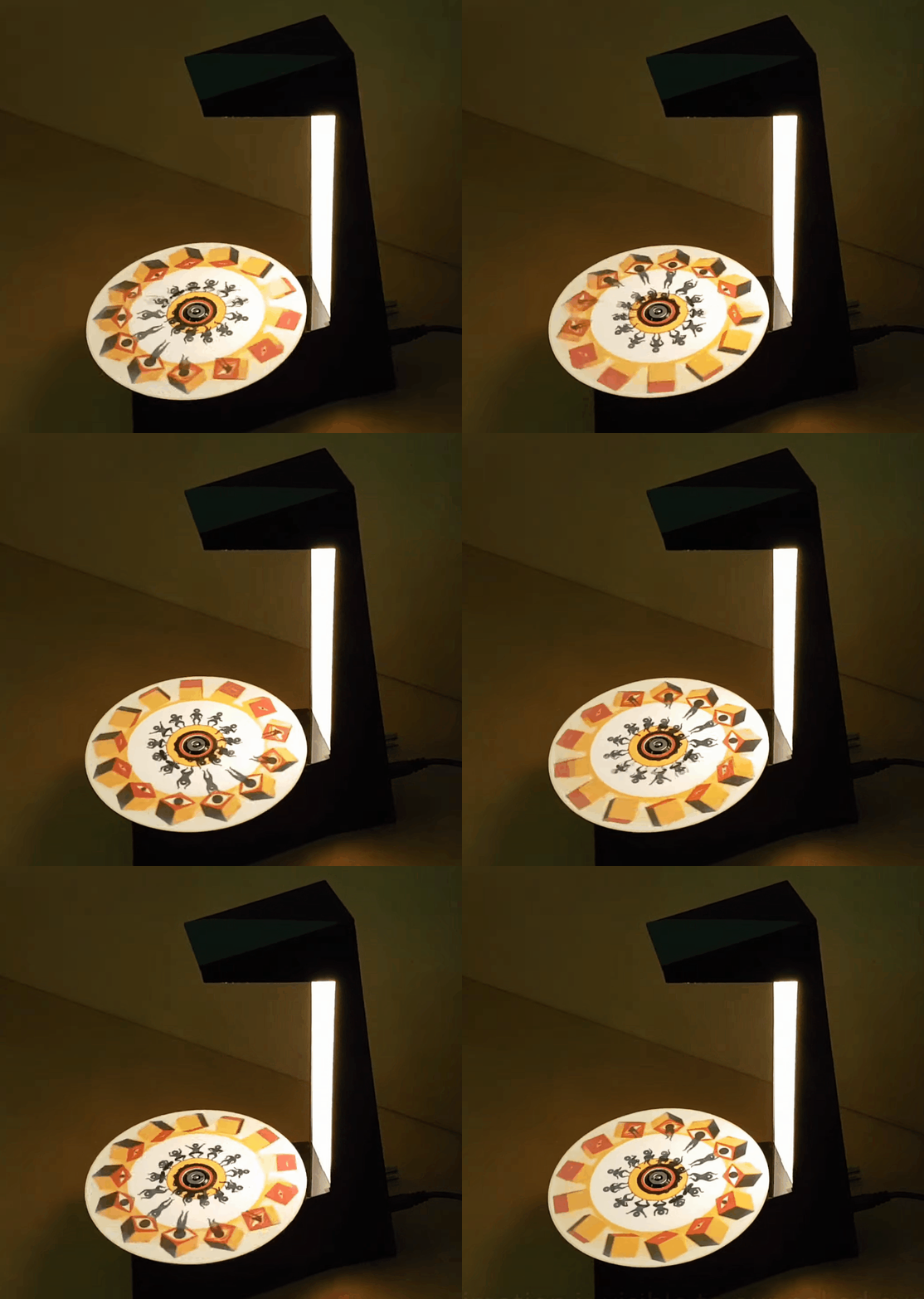
Just as we are driven today to watch gifs that get better with every loop, people 100+ years ago entertained themselves with various persistence of vision toys that used the power of optical illusions to make still images come to life. [jollifactory] recently recreated one of the first POV devices — the phenakistoscope — into a toy for our times.

The original phenakistoscopes were simple, but the effect they achieved was utterly amazing. Essentially a picture disk with a handle, the user would hold the handle with one hand and spin the disk with the other while looking in a mirror through slits in the disk. Unlike the phenakistoscopes of yore that could only be viewed by one person at a time, this one allows for group watching.

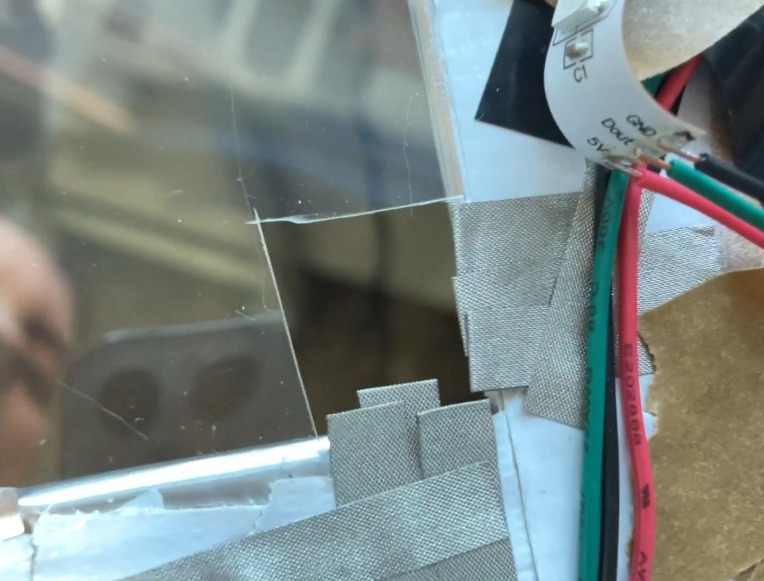
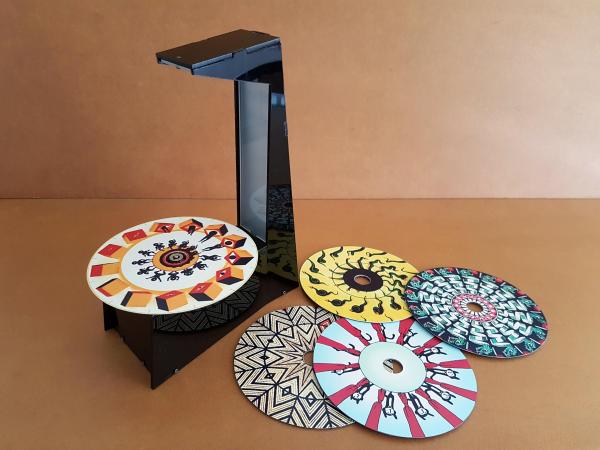
Here’s how it works: an Arduino Nano spins a BLDC motor from an old CD-ROM drive, and two strips of strobing LEDs provide the shutter effect needed to make the pictures look like a moving image.The motor speed is both variable and reversible so the animations can run in both directions.

To make the disks themselves, [jollifactory] printed some original phenakistiscopic artwork and adhered each one to a CD that conveniently snaps onto the motor spindle. Not all of the artwork looks good with a big hole in the middle, so [jollifactory] created a reusable base disk with an anti-slip mat on top to spin those.

If you just want to watch the thing in action, check out the first video below that is all demonstration. There be strobing lights ahead, so consider yourself warned. The second and third videos show [jollifactory] soldering up the custom PCB and building the acrylic stand.

There are plenty of modern ways to build old-fashioned POV toys, from all-digital to all-printable.

Continue reading “Motor-Driven Movement Modernizes POV Toy”

Paul Taylor Opened The Lines Of Telecommunication For The Hearing-Impaired

These days, nearly everyone communicates through some kind of keyboard, whether they are texting, emailing, or posting on various internet discussion forums. Talking over the phone is almost outmoded at this point. But only a few decades ago, the telephone was king of real-time communication. It was and still is a great invention, but unfortunately the technology left the hearing and speaking-impaired communities on an island of silence.

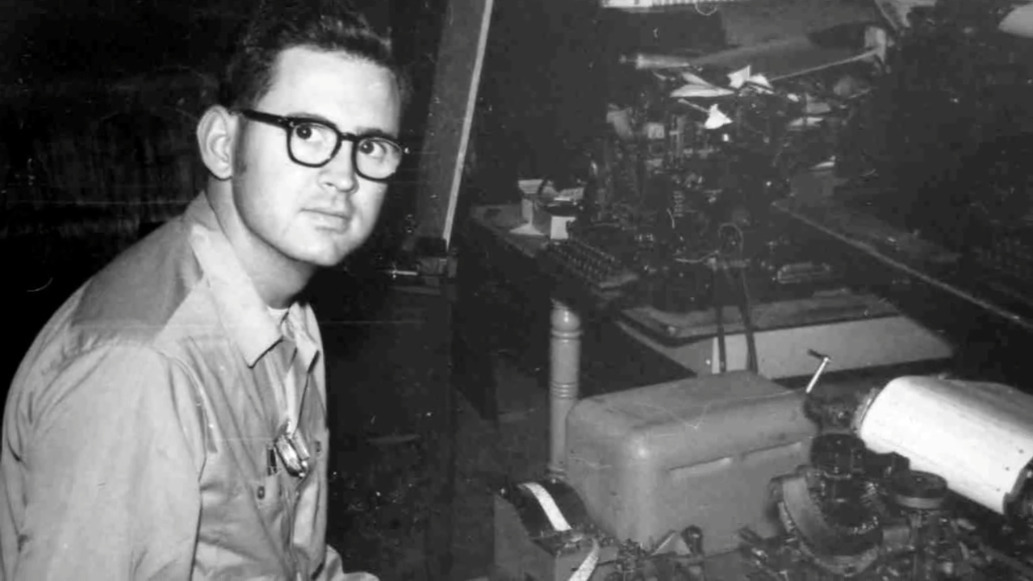
Paul and an early TDD. Image via Rochester Institute of Technology

Engineer and professor Paul Taylor was born deaf in 1939, long before cochlear implants or the existence of laws that called for testing and early identification of hearing impairment in infants. At the age of three, his mother sent him by train to St. Louis to live at a boarding school called the Central Institute for the Deaf (CID).

Here, he was outfitted with a primitive hearing aid and learned to read lips, speak, and use American sign language. At the time, this was the standard plan for deaf and hearing-impaired children — to attend such a school for a decade or so and graduate with the social and academic tools they needed to succeed in public high schools and universities.

After college, Paul became an engineer and in his free time, a champion for the deaf community. He was a pioneer of Telecommunications Devices for the Deaf, better known as TDD or TTY equipment in the US. Later in life, he helped write legislation that became part of the 1990 Americans with Disabilities Act.

Paul was diagnosed with Alzheimer’s in 2017 and died in January of 2021 at the age of 81. He always believed that the more access a deaf person had to technology, the better their life would be, and spent much of his life trying to use technology to improve the deaf experience.

Continue reading “Paul Taylor Opened The Lines Of Telecommunication For The Hearing-Impaired”

Lighted Raspberry Pico Stream Deck Is Easy As Pi

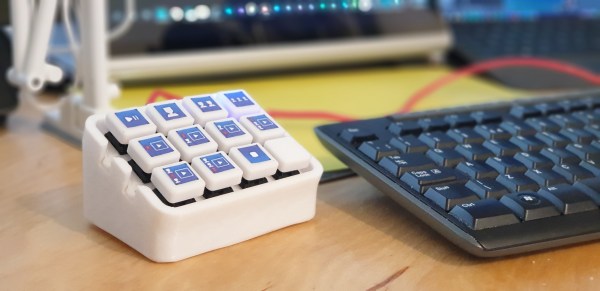
Whether it’s for work, school, fun, or profit, nearly everyone is a content-creating video producer these days. And while OBS has made it easier to run the show, commanding OBS itself takes some hotkey finesse. Fortunately, it just keeps getting easier to build macro keyboards that make presenting a breeze. That includes the newest player to the microcontroller game — the Raspberry Pi Pico, which [pete_codes] used to whip up a nice looking OBS stream deck.

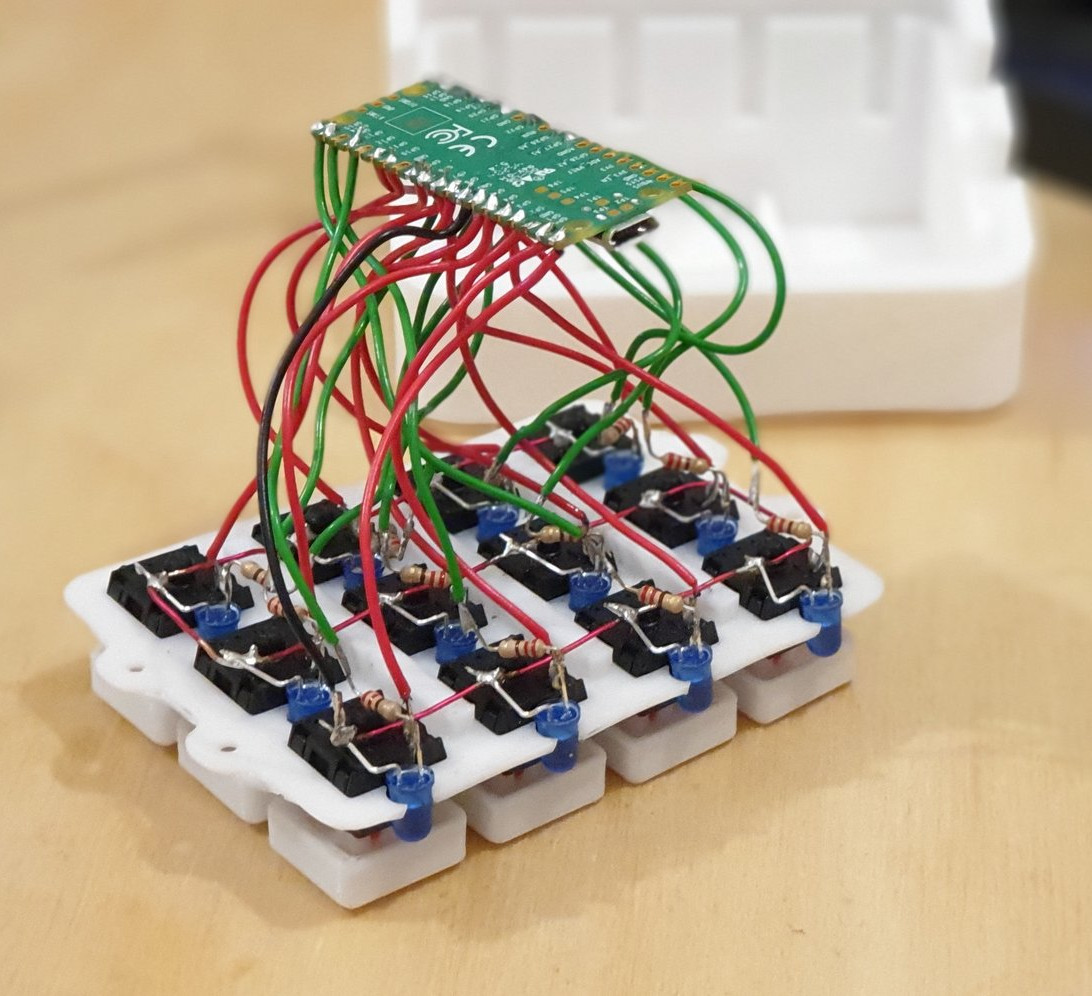
Sometimes you just need something that works without a lot of fuss — you can always save the fuss for version two. [pete_codes]’ Pico Producer takes advantage of all those I/O pins on the Pico and doesn’t use a matrix, though that is subject to change in the future. [pete_codes] likes the simplicity of this design and we do, too. You can see it in action after the break.

In reply to the Twitter thread, someone mentions re-legendable keycaps instead of the current 3D-printed-with-stickers keycaps, but laments the lack of them online. All we can offer is that re-legendable Cherry MX-compatible keycaps are definitely out there. Maybe not in white, but they’re out there.

If [pete_codes] wants to go wild in version two and make this macro keeb control much more than just OBS, he may want to leave the labeling to something dynamic, like an e-ink screen.

Continue reading “Lighted Raspberry Pico Stream Deck Is Easy As Pi”

PVC Pipes Play “Popcorn” Perfectly

There are all sorts of fun ways to make music with empty jugs and other things that resonate with a popping sound when poked with a finger. Should you ever get stuck on that proverbial desert island, you can entertain yourself by making cheerful, staccato music with nothing but a fingertip and the inside of your cheek. At the very least, it will keep your spirits up until you can fashion an ocarina from a coconut.

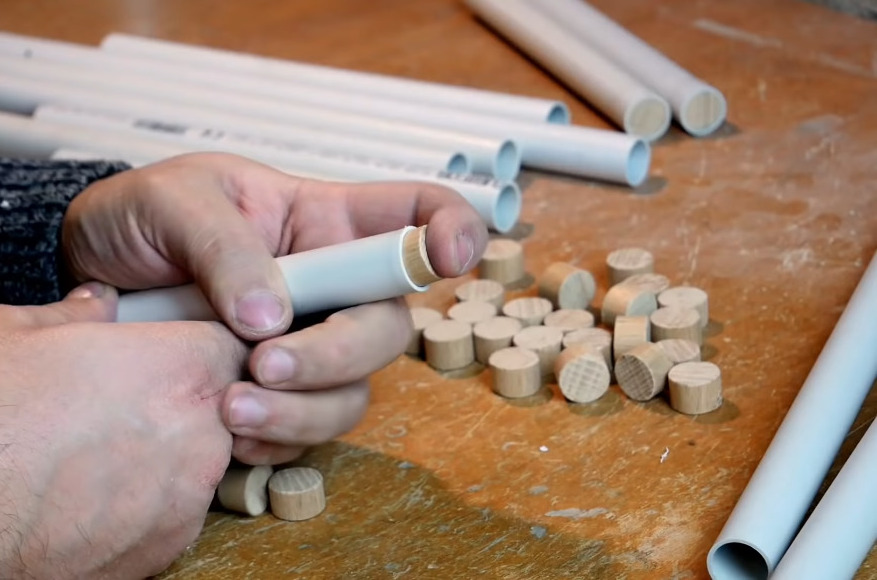
[Nicolas Bras] loves to make homemade instruments. When he saw all the scrap pieces of perfectly finger-sized PVC tubing piling up around the workshop, he decided to make an instrument specifically to play the effervescent synth tune “Popcorn”. (Video, embedded below.) He plays it by plugging and quickly unplugging wood-capped pipes with his fingers, and using another PVC tube to blow across the tops of them to fill out the orchestration.

[Nicolas] started by making a two-octave chromatic scale with 25 pipes ranging from C4 to C6. He kept building on it from there in both directions, ultimately ending up with a poppin’ 68-note pipe organ that sounds fantastic. If you’re interested in getting the sound samples, [Nicolas] has those and the instrument plans available through Patreon.

Be sure to check out the build and demo video below — it’s a joy to see it come together, and the whole thing clocks in under six minutes. Take our word for it and don’t jump to the “Popcorn” cover, because the build-up is necessary for maximum enjoyment.

Hungry for more “Popcorn”? Here’s a robotic glockenspiel busting out a striking cover.

Continue reading “PVC Pipes Play “Popcorn” Perfectly”

Beautiful And Bouncy RGB LED Skirt Reacts To Movement

Is there any garment so freeing to wear as a skirt, assuming it isn’t skin tight? (Well, unless that’s your thing — we won’t judge.) Skirts and dresses are pretty darn freeing compared to pants, so it’s too bad that most of them come without pockets. And it’s really too bad that pretty much all skirts and dresses come without RGB LEDs that can react to movement. Maybe someday.

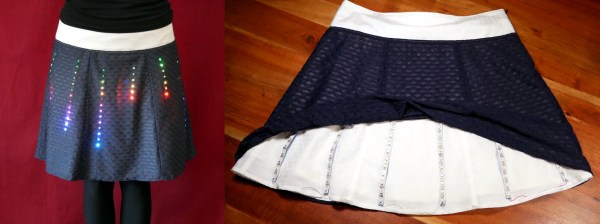
Until then, we’ll just have to design our own LED skirt like [makeTVee] and his girlfriend did, and hope that it looks half as good. This skirt has six RGB LED strips running down the front for a total of 120 LEDs. The strips are held in place with hook and loop tape and all the electronics — an Adafruit QT Py, a 6-DOF IMU, and a USB power bank — are tucked into the waistband and can be easily removed when it’s time to wash the skirt. Continuing with the practicality theme, there are no LEDs on the back, though they could easily be added in for getting down on the dance floor.

We really love the fabric choices here. The overlay fabric looks good on its own, but it also does a great job of showing and diffusing the light, while at the same time hiding the LED strips themselves. It’s clear that they took comfort and practicality into consideration and made a wearable that’s truly wearable. [makeTVee] calls this a work in progress, but has already got a few nice animations going, which you can see in the video after the break.

If you don’t care whether your wearables are practical, try this fiber optic jellyfish skirt on for size.

Continue reading “Beautiful And Bouncy RGB LED Skirt Reacts To Movement”

Custom Inlaid Retro Keycaps: Clay Is The Way

They say experience is the best teacher, and experience tells us they are right. When [Thomas Thiel] couldn’t find any resources about re-creating the groovy ‘caps of thocky old keebs like the Space Cadet and the C64 (or find any to buy), it was time for a little keycap experimentation.

These babies are printed in black resin and the inlay is made with white air-dry clay. After printing, they are sprayed with acrylic, and then [Thomas] works a generous amount of clay into the grooves and seals the whole thing with clear spray. [Thomas] soon figured out that the grooves had to be pretty deep for this to work right — at least 1 mm. And he had better luck thick fonts like Arial Black instead of thin fonts.

Of course, as [Thomas] mentions, you’re not restricted to white or even air-dry clay. You could go nuts with colored clay and make a retro-RGB clackable rainbow.

Still not tactile or custom enough for you? These hand-stitched keycaps are technically re-legendable, though it would take a considerable amount of time.

Dynamic Macro Keyboard Controls All The Things

Keyboard shortcuts are great. Even so, a person can only be expected to remember so many shortcuts and hit them accurately while giving a presentation over Zoom. [Sebastian] needed a good set of of shortcuts for OBS and decided to make a macro keyboard to help out. By the time he was finished, [Sebastian] had macro’d all the things and built a beautiful and smart peripheral that anyone with a pulse would likely love to have gracing their desk.

The design started with OBS, but this slick little keyboard turned into a system-wide assistant. It assigns the eight keys dynamically based on the program that has focus, and even updates the icon to show changes like the microphone status.

This is done with a Python script on the PC that monitors the running programs and updates the macro keeb accordingly using a serial protocol that [Sebastian] wrote. Thanks to the flexibility of this design, [Sebastian] can even use it to control the office light over MQTT and make the CO2 monitor send a color-coded warning to the jog wheel when there’s trouble in the air.

This project is wide open with fabulous documentation, and [Sebastian] is eager to see what improvements and alternative enclosure materials people come up with. Be sure to check out the walk-through/build video after the break.

Inspired to make your own, but want to start smaller? There are plenty to admire around here.

Continue reading “Dynamic Macro Keyboard Controls All The Things”