Awesome Animation Channel Is An Educational Rabbit Hole

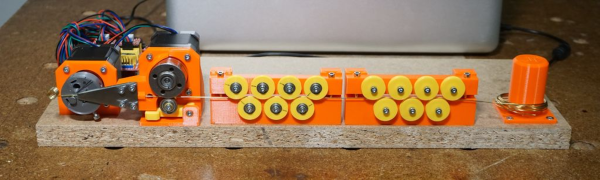
Once [Shabab] clued us in to the brilliant animations of [Jared Owen], we pretty much lost an afternoon exploring this incredible YouTube channel. Self-taught Blender wizard [Jared] combines fantastic animations with clear and concise explanations for the inner workings of everything from Nerf guns and Fisher-Price corn poppers to the International Space Station.

Space nerds and casuals alike should check out [Jared]’s crowning achievement: a three-video Apollo spacecraft series, which covers many details in a short amount of time. Want more Apollo? Here’s a deeper dive into the lunar module. [Jared] uses music to great effect in these videos, especially in the Apollo series.

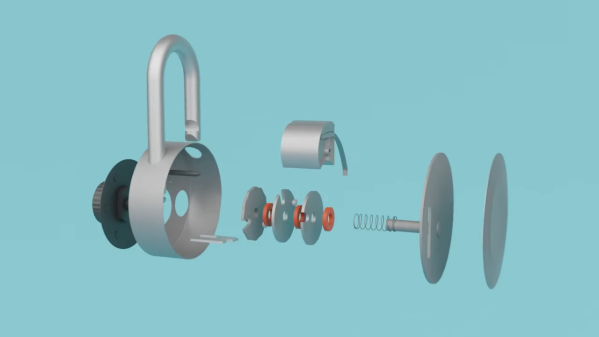
Several videos are devoted to mechanisms, like the humble gumball machine, the grand piano, and the combination lock. In addition to all the great how-it-works videos, [Jared] explores various noteworthy buildings. You know there’s a bowling alley in the White House, right? [Jared]’s tour shows you exactly where it is.

We love the diversity of the videos, all of which [Jared] researches in great detail. He enjoys working from user suggestions, so let him know what you’re dying to see dissected in detail.

Thanks for the tip, [Shabab].

Barcode Guitar Plays More Than Beep-Bop

One of our favorite things about the rise of hobbyist development ecosystems such as the Arduino is that it’s now possible to make a MIDI controller out of almost anything, as long as you have the the shields and the dedication. We’re glad that [James Bruton] takes the occasional break from making robots to detour into instrument making, because his latest creation turns it up to 11.

This awesome guitar uses a barcode scanner to play notes, and various arcade controls to manipulate those notes. The barcodes themselves scan as ASCII values, and their equivalent integers are sent to an external MIDI device. This futuristic axe is built on an Arduino Mega, with a USB shield for the barcode scanner, and a MIDI shield on top that [James] connects to various synths in the video after the break.

In between shooting barcodes, the right hand also controls octave shifting and changing MIDI channels with the joystick, and doing pitch-bends with the rotary encoder. The array of arcade buttons on the bottom neck let him switch between single player for monophonic synths, and multiplayer for polys. The other three buttons are press-and-scan programmable single-note sounders that assist in chord-making and noodling.

We particularly dig the construction, which is a combination of 20/20 and 3D printed boxes. [James] found some angled PVC to serve as fretboards for the four necks, and a nice backgrounds for bar codes.The only thing we would change is the native beep of the barcode scanner — either silence it forever or make it mutable, because it doesn’t jive with every note. It might be nice to get the gun to scan continuously so [James] doesn’t get trigger finger. Or better yet, build the scanner into a glove.

Want to do something more useful with that barcode scanner in your parts bin? Use it to manage your household inventory. But first, reacquaint yourself with the history of the humble barcode as presented by [Adam Fabio].

Continue reading “Barcode Guitar Plays More Than Beep-Bop”

Silicone Injector Gives Parts Production A Shot In The Arm

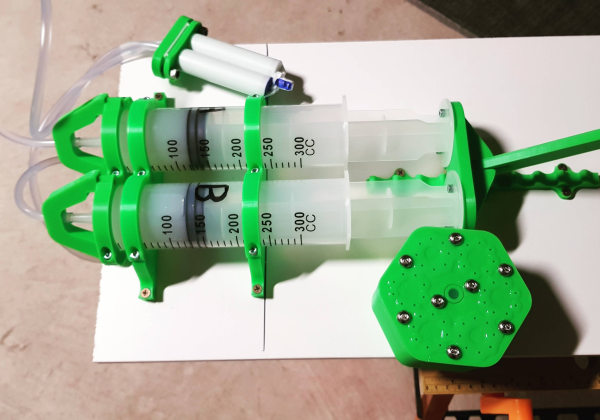
Many of us are happy to spend hours cooking up a solution that saves us seconds, if success means never having to do a hated task again. [frankensteinhadason] molds enough silicone parts that he grew tired of all the manual labor involved, so he built a silicone injector to do it for him. Now, all he has to do is push the handle in notch by notch, until silicone starts oozing from the vent holes in the mold.

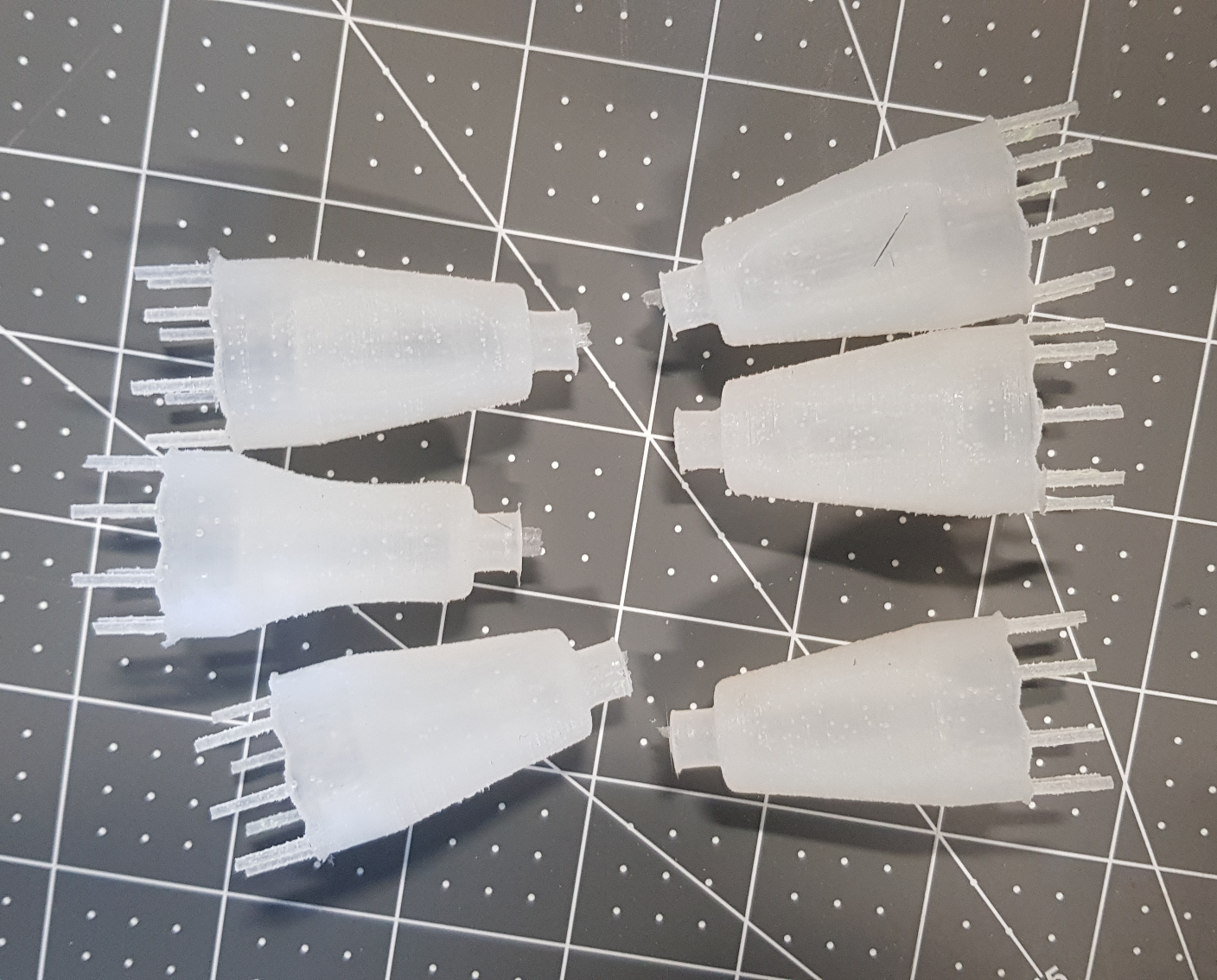
The mold pictured above is designed to make little shrouds for helicopter communications connections like this one. His friends in the industry like them so much that he decided to sell them, and needed to scale up production as a result. Now he can make six at once.

He designed brackets to hold a pair of syringes side by side against a backplane. There’s a lever that pushes both plungers simultaneously, and adapters that keep the tubing secured to the syringe nozzles. Ejected two-part silicone travels down to a double-barrel mixing nozzle, which extrudes silicone into the top of the mold.

Naturally, we were going to suggest automating the lever operation, but [frankensteinhadason] is already scheming to do that with steppers and an Arduino. Right now he’s working on increasing the hose diameter for faster flow, which will mean changes to the adapter. Once that is sorted, he plans to post the STLs and a video of it pumping silicone.

Ever thought about doing the reverse, and using silicone to mold hot plastic? Yeah, that’s a thing.

Via r/functionalprint

Finally, A Rotary Cell Phone With Speed Dial

If you’re reading this, chances are good that you’re the family IT department. We do what we can to help them, but there’s just no changing the fact that smartphones are difficult to operate with aging eyes and hands. When [sideburn’s] dad started complaining, he took a different approach. Instead of helping his dad adapt, [sideburn] stuffed modern cell phone guts into a 1970s rotary phone — if all you want to use it for is phone calls, why not reach for a battle-tested handset?

[sideburn] figured out the most important part first, which is getting the thing to ring. The bells in those old phones are driven by a huge relay that requires a lot of voltage, so he boosted a 3.2V rechargeable to 34V. Then it was just a matter of getting the GSM module to play nice with the microcontroller, and programming a MOSFET to trigger the boost module that makes the beast jingle.

The worst thing about rotary phones is that they were never meant to be dialed in a hurry. But [sideburn] took care of that. Once Rotocell was up and working, he added an SMS interface that makes the phone a lot more useful. Dad can add contacts to Rotocell by texting the name and number to it from a modern phone. Once it’s in there, he can dial by name, speeding up the process a tiny bit.

The SMS interface can also report back the signal strength and battery level, and will send battery low alerts when it’s under 20%. You can see Rotocell in action after the break.

Got an old rotary or two lying about? If modernizing the internals to make calls doesn’t light up your circuits, try turning it into a voice-controlled assistant instead.

Continue reading “Finally, A Rotary Cell Phone With Speed Dial”

IoT Safe Keeps Latchkey Kids’ Phones On Lockdown

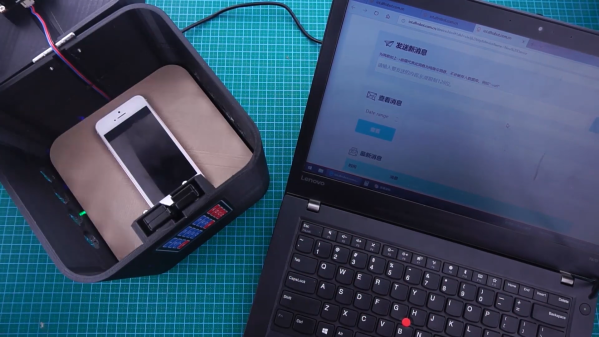
Phones are pretty great. Used as telephones, they can save us from bad situations and let us communicate while roaming freely, for the most part. Used as computers, they often become time-sucking black holes that can twist our sense of self and reality. Assuming they pick up when you call, phones are arguably a good thing for kids to have, especially since you can hardly find a payphone these days. But how do you teach kids to use them responsibly, so they can still become functioning adults and move out someday? [Jaychouu] believes the answer is inside of a specialized lockbox.

This slick-looking box has a solenoid lock inside that can be unlocked via a keypad, or remotely via the OBLOQ IoT module. [Jaychouu] added a few features that drive it out of Arduino lockbox territory. To prevent latchkey children from cheating the system and putting rocks (or nothing at all) in the box, there’s a digital weight sensor and an ultrasonic sensor that validate the credentials of the contents and compare them with known values.

Want a basic lockbox to keep your phone out of reach while you work? Here’s one with a countdown timer.

Continue reading “IoT Safe Keeps Latchkey Kids’ Phones On Lockdown”

Custom Game Pad Can Reprogram Itself

In the heat of the moment, gamers live and die by the speed and user-friendliness of their input mechanisms. If you’re team PC, you have two controllers to worry about. Lots of times, players will choose a separate gaming keyboard over the all-purpose 104-banger type.

When [John Silvia]’s beloved Fang game pad went to that LAN party in the sky, he saw the opportunity to create a custom replacement exactly as he wanted it. Also, he couldn’t find one with his desired layout. Mechanical switches were a must, and he went with those Cherry MX-like Gaterons we keep seeing lately.

This 37-key game pad, which [John] named Eyetooth in homage to the Fang, has a couple of standout features. For one, any key can be reprogrammed key directly from the keypad itself, thanks to built-in macro commands. It’s keyboard-ception!

One of the macros toggles an optional auto-repeat feature. [John] says this is not for cheating, though you could totally use it for that if you were so inclined. He is physically unable to spam keys fast enough to satisfy some single-player games, so he designed this as a workaround. The auto-repeat’s frequency is adjustable in 5-millisecond increments using the up /down macros. There’s a lot more information about the macros on the project’s GitHub.

Eyetooth runs on an Arduino Pro Micro, so you can either use [John]’s code or something like QMK firmware. This baby is so open source that [John] even has a hot tip for getting quality grippy feet on the cheap: go to the dollar store and look for rubber heel grippers meant to keep feet from sliding around inside shoes.

If [John] finds himself doing a lot of reprogramming, adding a screen with a layout map could help him keep track of the key assignments.

Smart Thermometer Probes First, Asks Questions Later

As flu season encroaches upon the northern hemisphere, doctor’s offices and walk-in clinics will be filled to capacity with phlegm-y people asking themselves that age-old question: is it the flu, or just a little cold? If only they all had smart thermometers at home that can tell the difference.

Typically, a fever under 101°F (38.5°C) in adults and 100.4°F (38°C) in children is considered low-grade, and thus is probably not the flu. But who can remember these things in times of suffering? [M. Bindhammer]’s iF°EVE is meant to be a lifesaving medical device that eliminates the guesswork. It takes readings via 3D printed ear probe mounted on the back, and then asks a series of yes/no questions like do you have chills, fatigue, cough, sore throat, etc. Then the Teensy 3.2 uses naive Bayes classification to give the probability of influenza vs. cold. The infrared thermometer [M.] chose has an accuracy of 0.02°C, so it should be a fairly reliable indicator.

Final determinations should of course be left up to a throat swab at the doctor’s office. But widespread use of this smart thermometer could be the first step toward fewer influenza deaths, and would probably boost the ratio of doctors to patients.