Make Your Own 1970s Magnetic Stripe Cards

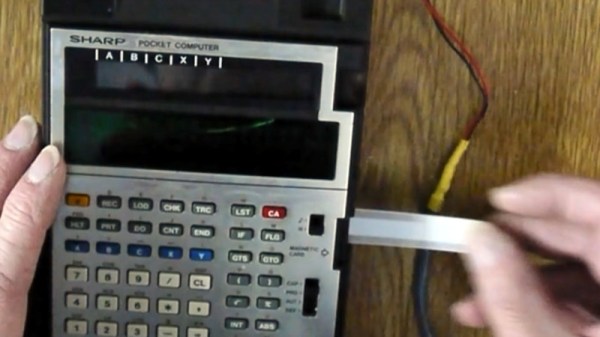
We’re now all used to near-limitless storage on flash and other semiconductor technologies, but there was a time when persistent storage was considerably less easy to achieve. A 1970s programmable calculator from Sharp approached the problem with magnetic strips on special cards, and since [Menadue] has one with no cards, he set about making his own.

These cards are a little different to the credit-card-style cards we might expect, instead they’re a narrow strip with a magnetic stripe down their centre. The unusual feature can be found at the edge, where a row of perforations provide the equivalent of a clock line.

The newly manufactured cards have the clock slots machined along their edges, and then the magnetic part formed from self-adhesive magnetic strip. This last thing is a product we were not aware existed, and can think of plenty of possible applications.

The result as you can see in the video below the break are some cards with variable reliability. There’s a suggestion that white cards might work less well with the infrared light used in the clock detector, also a suspicion the low batteries make reading less easy, but still he’s able to retrieve a stored program. An extinct medium is revived.

Longtime readers will know we’ve spent time in calculator country before.

Continue reading “Make Your Own 1970s Magnetic Stripe Cards”
Making Magnetic Tape From Scratch

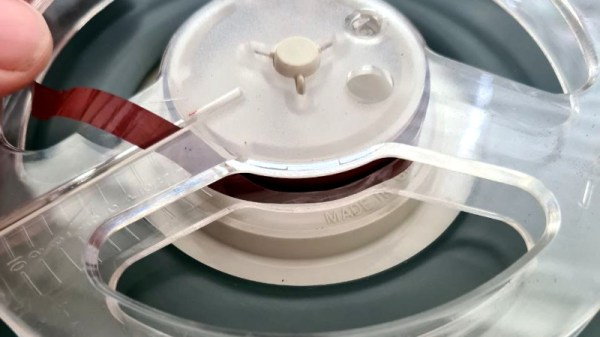
The use of magnetic tape and other removable magnetic media is now on the wane, leading to scarcity in some cases where manufacture has ceased. Is it possible to produce new magnetic tape if you don’t happen to own a tape factory? [Nina Kallnina] took the effort to find out.

It’s probably one of those pieces of common knowledge, that magnetic media use iron oxides on their surface, which is the same as rust. But the reality is somewhat more complex, as there is more than one iron oxide. We follow [Nina] through this voyage of discovery in a Mastodon thread, as she tries first iron filings, the rust, and finally pure samples of the two iron oxides Fe3O4 and Fe2O3. She eventually achieves a working tape with a mixture of Fe2O3 and iron powder, though its performance doesn’t match manufactured tape. It turns out that there are two allotropes of Fe2O3, and she leaves us as she’s trying to make the one with better magnetic properties.

These results look promising, and while there is evidently a very long way to go before a home-made magnetic coating could replicate the exacting demands of for example a hard drive platter it’s evident that there is something in pursuing this path.

This may be the first time we’ve seen tape manufacture, but we’ve certainly seen extreme measures taken to rejuvenate old tapes.

The IMac GPU Becomes Upgradeable, With PCIe

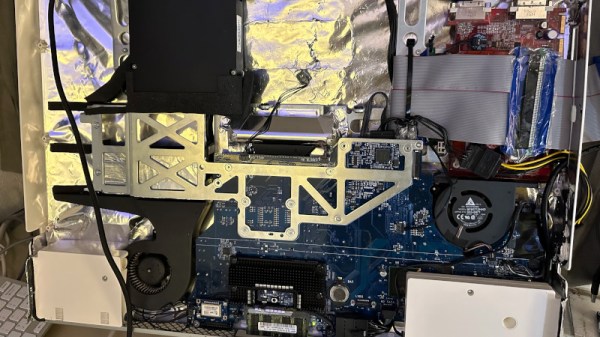
Over its long lifetime, the Apple iMac all-in-one computer has morphed from the early CRT models through those odd table-lamp machines into today’s beautiful sleek affairs. They look pretty, but is there anything that can be done to upgrade them? Maybe not today’s ones, but the models from the mid-2000s can be given some surprising new life. [LowEndMac] have featured a 2006 24″ model that’s received a much more powerful GPU, something we’d have thought to be impossible.

The iMacs from that era resemble a monitor with a slightly chunkier back, in which resides the guts of the computer. By then the company was producing machines with an x86 processor, and their internals share a lot of similarities with a laptop of the period. The card is a Mac Radeon model newer than the machine would ever be used with, and it sits in a chain of mini PCIe to PCIe adapters. Even then it can’t drive the original screen, so a replacement panel and power supply are taken from another monitor and grafted into the iMac case. This along with a RAM and SSD upgrade makes this about the most upgraded a 2006 iMac could be.

Of course, another approach is to simply replace the whole lot with an Intel NUC.

When Is Damascus Steel Not From Damascus?

If you grow up around a working blacksmith’s forge, there are a few subjects related to metalwork on which you’ll occasionally have a heated discussion. Probably the best known is the topic of wrought iron, a subject I’ve covered here in the past, and which comes from the name of a particular material being confused with a catch-all term of all blacksmith-made items. I’ve come to realise over recent years that there may be another term in general use which is a little jarring to metalwork pedants, so-called Damascus steel. Why the Syrian capital should pop up in this way is a fascinating story of medieval metalworking, which can easily consume many days of research.

Damascus? Where’s That?

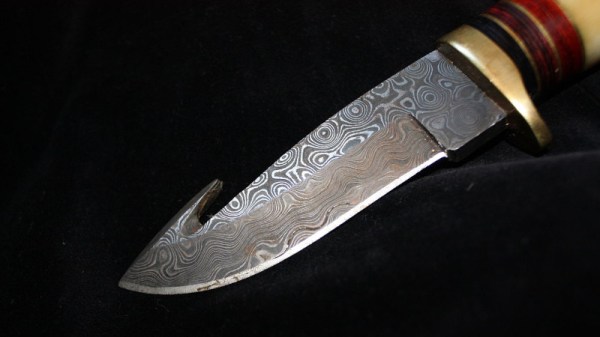
A section of a knife blade with various silver grey and black layered patterns in the metal.
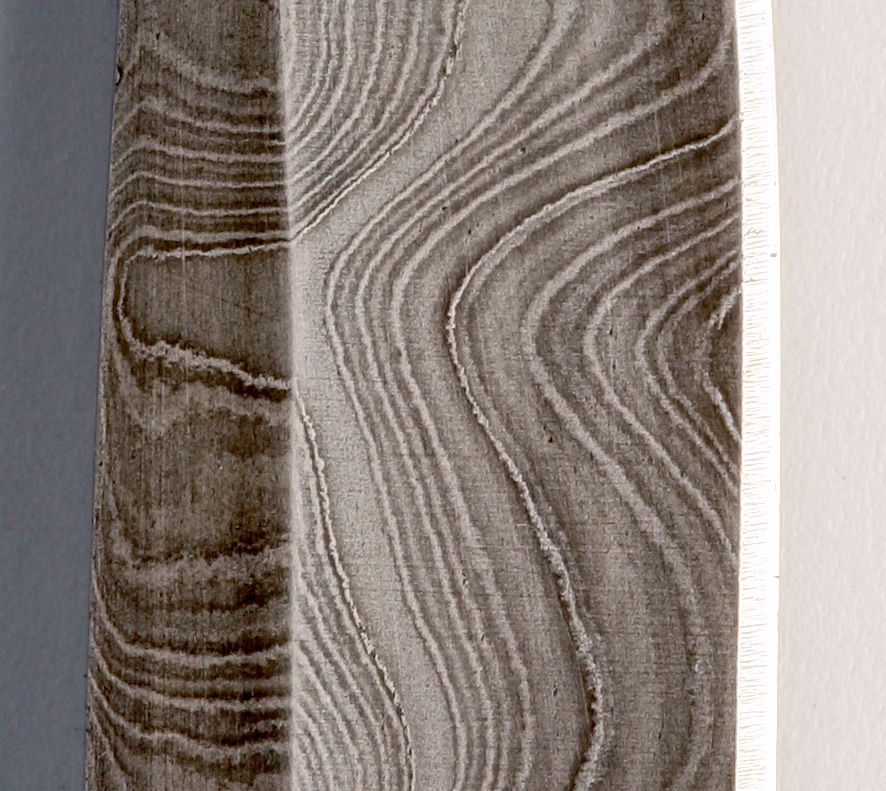
The banded pattern of the laminate formed from pattern welded layers of differing steels in a modern Damascus steel knife. “DamaszenerKlinge” by Soerfm

The Damascus steel you’ll see in YouTube videos, TV shows, and elsewhere is a steel with complex bands and striations on its surface. It’s often used in knife blades, and it will usually have been chemically treated to enhance the appearance of the patterns. It’s a laminate material made by pattern welding layers of different steels together, and it will usually have been worked and folded many times to produce a huge number of very thin layers of those steels. Sometimes it’s not made from sheets or ingots of steel but from manufactured steel products such as chains, in an attempt to produce a result with more unusual patterns. Continue reading “When Is Damascus Steel Not From Damascus?”

A Typewriter For The Paperless Age

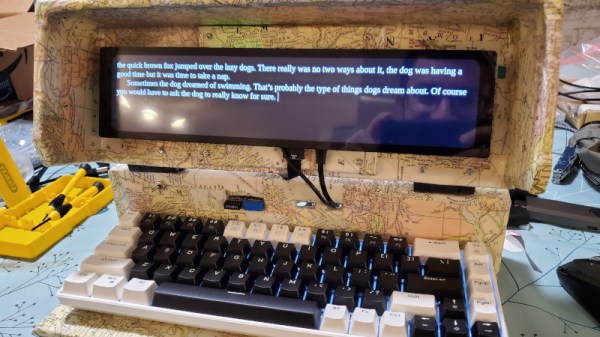
Writing is, as any of the Hackaday crew will tell you, a task which requires concentration. For your best work there’s a need to be in that elusive Zone, and for some that means making the experience as distraction free as possible. For them there’s an entire class of minimalist word-processors and text editors which reduce the UI to nothing more than the text. [Adam Blumenberg] has taken this a step beyond software with his digital typewriter, a single-purpose Raspberry Pi-based cyberdeck that serves only for distraction-free writing.

There’s not a lot in the way of descriptive text at the above link but in a way there doesn’t need to be as the photographs tell the story. A mechanical keyboard and a wide but not very tall display fit with the Pi in a fairly rudimentary wooden case, and running Focuswriter it leaves very little in the way of distraction. In that sense it’s not quite so much a cyberdeck in its application as something more like the smart digital typewriters from a few decades ago without the printer, but we can see that it makes for a very handy writing implement. Sadly the job of writing for Hackaday requires constant access to online sources on a larger screen, or we’d be tempted to try one ourselves.

The one-purpose writing computer is an idea we’ve seen before from time to time, for example in this one with an e-paper display.

A Casio Game Console With A Sticker Printer? Why Didn’t We Get It!

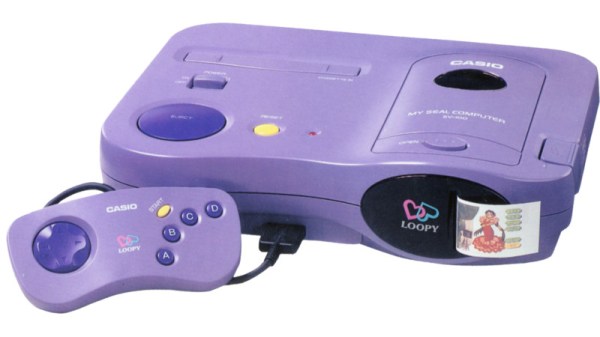
To work in the computer games business in the mid-1990s was to have a grandstand seat at a pivotal moment. 32-bit gaming was the order of the day and 3D acceleration was making its first appearance in high-end PC graphics cards, so perhaps the fastest changes ever seen in gaming happened across a few short years. It’s a shock then after spending that decade on the cutting edge, to find a ’90s console we’d never heard of from a major manufacturer. The Casio Loopy was a Japan-only machine which targeted a female gaming demographic, and featured a built-in sticker printer as its unique selling point.

On the face of it the Loopy was up there with the competition, featuring a similar 32-bit SuperH processor to the Sega Saturn paired with a megabyte of RAM, but staying with cartridges as the rest of the industry moved towards CDs led to its games being space-limited and expensive. At the same time the original PlayStation was winning developers from the cartridge model with a lower-cost barrier to entry, so the Loopy failed to capture a market and was off sale by 1996. We can see that its graphics may have been a little dated for the 32-bit era and that sticker printer would have driven parents crazy with requests for expensive cartridges, but we can’t help wishing it had made it out of Japan like their portable computers did.

Thanks [Stephen Walters] for the tip.

Header: Incog88, CC BY-SA 3.0.

Can An 8-Bit Light Gun Work On A Modern TV?

It’s an accepted part of retro gaming lore, that 8-bit consoles perform best when used with an original CRT TV. One of the reason for this is usually cited as being because the frame buffer and scaler circuit necessary for driving an LCD panel induces a delay not present on the original, and in particular this makes playing games which relied on a light gun impossible to play. It’s a subject [Nicole Branagan] takes a look at, and asks whether there are any ways to use a classic light gun with a modern TV.

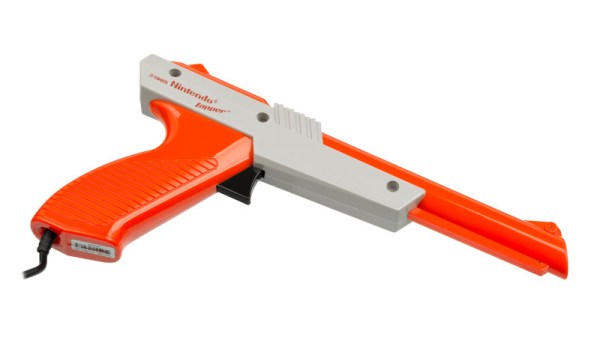
Along the way we’re treated to an in-depth look at the tech behind light gun games, how the gun contained a photodiode which on the NES was triggered by the brief showing of a frame with a white square where the target would sit, and on the Sega consoles by a white screen with an on-board timer counting the screen position at which the gun was aimed.

The conclusion is that the delay means you won’t be playing Duck Hunt or Hogan’s Alley on your 4K TV, but interestingly, all is not lost. There are modified versions of the games that take account of the delay, or an interesting lightgun emulator using a WiiMote. We’d be happy at playing either way, just as long as we can take pot-shots at the annoying Duck Hunt dog.

Light gun image: Evan-Amos, Public domain.