Jerry Lawson biography

Jerry Lawson And The Fairchild Channel F; Father Of The Video Game Cartridge

The video game console is now a home entertainment hub that pulls in all forms of entertainment via an internet connection, but probably for most readers it was first experienced as an offline device that hooked up to the TV and for which new game software had to be bought as cartridges or for later models, discs. Stepping back through the history of gaming is an unbroken line to the 1970s, but which manufacturer had the first machine whose games could be purchased separately from the console? The answer is not that which first comes to mind, and the story behind its creation doesn’t contain the names you are familiar with today.

The Fairchild Channel F never managed to beat its rival, the Atari 2600, in the hearts of American youngsters so its creator Jerry Lawson isn’t a well-known figure mentioned in the same breath as Atari’s Nolan Bushnell or Apple’s two Steves, but without this now-forgotten console the history of gaming would have been considerably different.

Continue reading “Jerry Lawson And The Fairchild Channel F; Father Of The Video Game Cartridge”
A Desk Calendar With A Difference

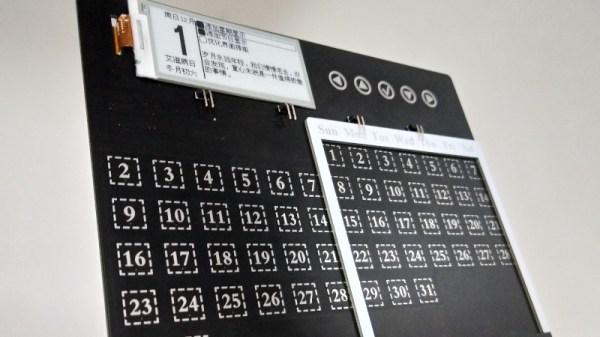
With the office computer revolution now many decades old, many of the items that once stood on a typical desk are now part of history. The typewriter, the Rolodex, and the desk calendar have all been subsumed by computers and mobile phones. This electronic desk calendar is perhaps an exception, created as a promotional device for the RT-Thread IoT OS. It features an interesting take on a perpetual calendar, with an array of days spanned by a sliding frame such that any month’s days of the week can be depicted. The days are touch buttons, and can be used to bring up the information on an e-ink display.

Behind it all is a WinnerMicro W600 WiFi-enabled system-on-chip, that runs the aforementioned RT-Thread IoT OS. This OS is a bit of a mystery, according to its Wikipedia page it’s an open-source project from China with ten years of development behind it, but this appears to be the first time we’ve seen it here at Hackaday. Anyone using it?

We like this project though, for its perpetual calendar, and for its re-imagining of a bygone desk accoutrement with an e-ink display to conserve battery. It’s not the first e-ink calendar we’ve seen, this previous one used a Raspberry Pi.

A ZX80 With A Proper Case

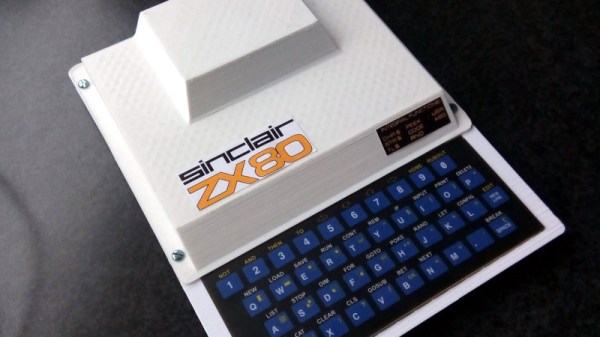
A popular project among Hackaday readers is to recreate a piece of home computing or gaming hardware from the past, and in that endeavour we’ve seen some truly amazing projects. Usually they take the form of bare PCBs or custom cases that look nothing like the original, but not [Cees Meijer]’s Sinclair ZX80 clone. It sports a 3D printed replica of the original computer’s vacuum-formed case, which from a distance you could be mistake for the real thing.

Internally it’s not a ZX80 at all, but a Raspberry Pi Zero running an emulator. But  with a case like this one that’s not the point. It doesn’t have the full-length PCB of the original but a modern ZX80 membrane keyboard, and the Pi appears to be hiding somewhere in the “hump” used by the Astec UHF modulator on the original. There is more information in a blog post, and the model can be downloaded via Thingiverse. Handily, the files also include the original CAD file from RS DesignSpark, should you wish to modify it to your own tastes. If somebody could mate it with Tynemouth Software’s ZX80 kit then our cup would run over.

Of course, this isn’t the only retrocomputer for which a replacement case can be found.

An NEC V20 For Two Processors In One SBC

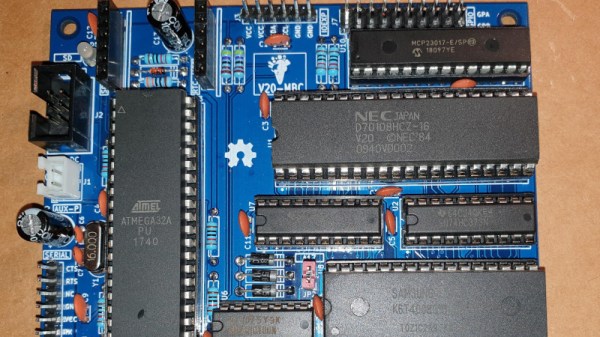
In the days when the best an impoverished student could hope to find in the way of computing was a cast-off 1980s PC clone, one upgrade was to fit an NEC V20 or V30 processor in place of the Intel 8088 or 8086. Whether it offered more than a marginal advantage is debatable, but it’s likely that one of the chip’s features would never have been used. These chips not only supported the 8086 instruction set, but also offered a compatibility mode with the older 8080 processor. It’s a feature that [Just4Fun] has taken advantage of, with V20-MBC, a single board computer that can run both CP/M-86 and CPM/80.

If this is starting to look a little familiar then it’s because we’ve featured a number of [Just4Fun]’s boards before. The Z80-MBC2 uses the same form factor, and like this V20 version, it has one of the larger ATMega chips taking place of the acres of 74 chips that would no doubt have performed all the glue logic tasks of the same machine had it been built in the early 1980s. There is a video of the board in action that we’ve placed below the break, showing CP/M in ’80, ’86, and even ’80 emulated in ’86 modes.

The only time a V20 has made it here before, it was in the much more conventional home of a home-made PC.

Continue reading “An NEC V20 For Two Processors In One SBC”

The Simplest TS100 Upgrade Leads Down A Cable Testing Rabbit Hole

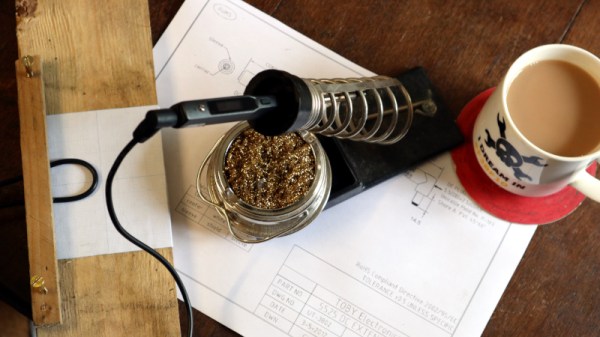
By now, I must have had my Miniware TS100 soldering iron for nearly three years. It redefined what could be expected from the decent end of the budget soldering iron spectrum when it came on the market, and it’s still the one to beat even after those years. Small, lightweight, powerful, and hackable, it has even spawned direct imitations.

If the TS100 has a fault, it comes not from the iron itself but from its cable. A high-grade iron will have an extra-flexible PVC or silicone cable, but the TS100 does not have a cable of its own. Instead it relies on whatever cable comes on its power supply, which is frequently a laptop unit built with portable computing rather than soldering in mind. So to use it is to be constantly battling against its noticable lack of flexibility, a minor worry but one that I find irksome. I determined to find a solution, making a DC extension cable more flexible than that on my power supply. Continue reading “The Simplest TS100 Upgrade Leads Down A Cable Testing Rabbit Hole”

The Latest Linux – On A Floppy In A 486!

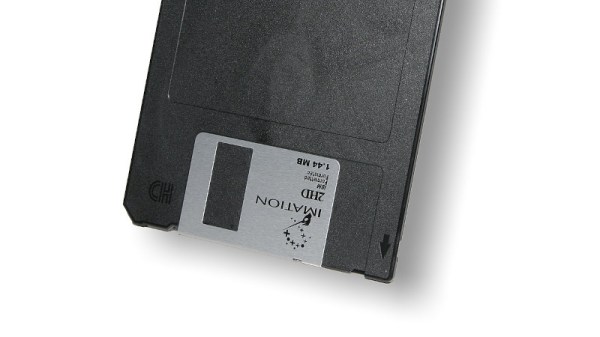
If you have ever studied the early history  of the GNU/Linux operating system in its many forms, you’ll have read that [Linus Torvalds] developed his first kernel for his Intel 386-based computer. Though the 386 architecture is now ancient, the current Linux kernel can still be compiled for it and many distributions still maintain an i386 branch to provide broad compatibility for later machines able to run i386 code. But what if you were to take a current Linux kernel and stick it on a floppy in a machine from the early 1990s, with meagre RAM? [Fozztex] did just that, with not a 386 but a 486, sporting what would have been an impressive for the time 36MB of RAM. You can watch it in action in the video below the break.

A recent Linux kernel is rarely if ever compiled for something as small as a floppy disk, so getting one to boot from such ancient media appeared to be a challenge. It was possible though with the tinyconfig make option, and after finding a small enough root filesystem courtesy of Aboriginal Linux, a bootable floppy was created. It’s not entirely useful and its sole purpose was to see whether Linux could see a large hard drive on the 486, but it’s still a version 5.6 Linux kernel booting from floppy on an ancient computer. Never complain that your Raspberry Pi Zero is slow again, we’ve come a long way!

Continue reading “The Latest Linux – On A Floppy In A 486!”

Your Microcontroller Is Your IDE

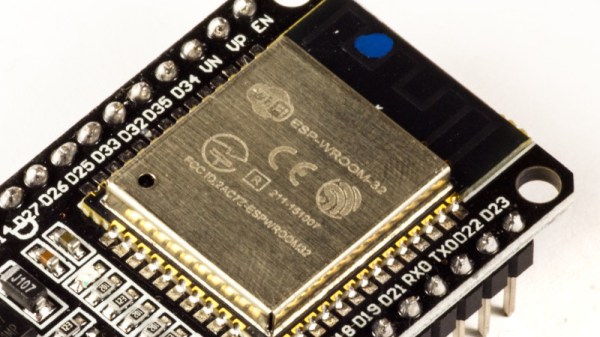
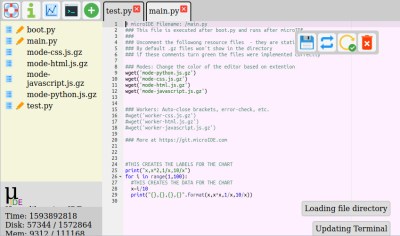
What if your microcontroller IDE was running on the microcontroller itself and not hosted on the computer you use to do the programming? The greatest legacy of Arduino in all its forms has arguably been a software one, in that it replaced annoying proprietary development environments with one that installed easily on a range of operating systems, was easy to use, and above all, worked. The next level of portability is to get rid of any specialize computer-side software. [Ronny Neufeld] wrote MicroIDE for ESP32 as an IDE accessible through a web browser, which interestingly is hosted on the target device itself.

Using the IDE is easy enough, install a binary, connect to the ESP with a web browser, start writing MicroPython code. There is a choice of connecting directly to the chip as a hotspot, or connecting via another WiFi network. The interface is looking pretty slick but he’s at pains to remind us that it’s a work in progress. Sadly there is no source code yet as it’s a binary distribution that is free for non-commercial use, we’d hope that an open-source release might one day happen. It’s not for everyone, but the convenience of accessing the same interface from almost any modern device should help attract a healthy community.


This appears to be the first web-based on-chip ESP IDE we’ve shown you. But it’s not the first on-chip coding example, as this BASIC interpreter shows.

[Main image source: Ubahnverleih / CC0]