Executing A Vehicle Keyless Entry Attack

You read about well-publicised security exploits, but they always seem to involve somebody with a deity’s grasp of whatever technology is being employed, as well as a pile of impossibly exotic equipment. Surely a mere mortal could never do that!

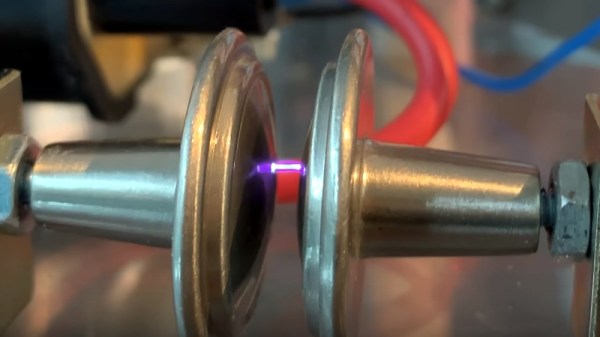
Happily, that’s not always the case, and to prove it [Gonçalo Nespral] replicated an attack against RF devices such as some garage doors and motor vehicle locks that use a rolling code. His inspiration came from a device from2015, that encouraged the owner of a key to keep transmitting fresh codes. It did this by swamping the receiver of the car, garage door, or whatever with a strong slightly off frequency signal. This would cause the lock to not work, so the user would try again and again. The attacker listens with a very narrow bandwidth receiver on-frequency that is good enough to reject the jamming signal, and can harvest a sequence of the rolling codes enough to compromise it.

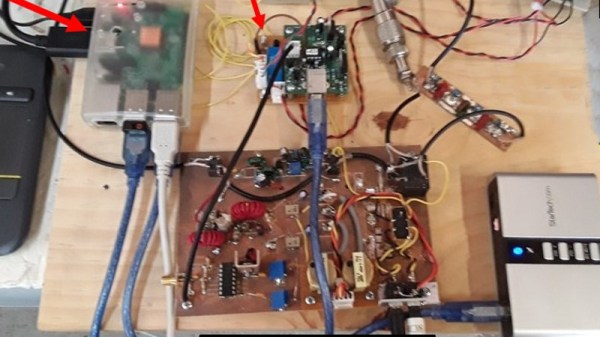
[Gonçalo]’s set-up uses a YARD stick One transceiver dongle as its transmitter, and an RTL-SDR for receive. A GNU Radio setup is used to retrieve the key data, and some custom Python code does the remaining work. We wouldn’t advocate using this in the wild and it could conceivably also gain you access to another car with a flashing light on top, but it’s an interesting exposé of the techniques involved.

Rolling code keyfob attacks are something we covered a few years ago, back when these attacks were all shiny and new.

How Much Apple Does A Hamburger Get You?

A while ago, [Skippy] bought a cheap knock-off of the Apple USB mains charger from an AliExpress seller, for the British low, low price of 89p. Normally we’d give you a dollar conversion, but since that’s coincidentally the price of the basic McDonalds hambuger in the UK we’ll go with the hamburger as a unit of conversion. And as any self-respecting hacker would, he subjected it to a teardown and gave it a few tests.

Surprisingly though its pins were a little long it was just within the BS1363 pin spacing specification, probably due to its external dimensions copying the Apple original. The emissions test he performed might surprise readers, as it gave the little device its first pass. Radiated RF emissions were well below the test threshold, a welcome sight for anyone who has had to test a device. Sadly the same could not be said for conducted emissions, and it was happily spraying RF to all and sundry from its connections.

Taking a look inside revealed the usual litany of frightening safety fails. There was no insulation between the mains pins and the circuit board, and a secondary capacitor was even touching one of the pins. Meanwhile another capacitor connecting both sides of the circuit was not of the required Y rating. These and a raft of others make the device illegal for sale in Europe without further tests, but to give some numbers to it all he subjected it to a screen test applying 600 VAC common mode to its pins and checking for leakage current through the device. This it failed, and indeed it did not recover from the test.

So in this case, the price of a hamburger definitely does not get you an Apple, nor even does it get you an equivalent. But of course, you knew that, because we’ve talked about fake Apple chargers and power supplies many times before.

Save An Old Drill From Landfill, With Some Lithium-Ion Magic

What do you do, when your trusty cordless drill starts to lose battery capacity? You bought it a decade ago and parts are a distant memory, so there’s no chance of buying a new pack. If you are [Danilo Larizza], you strip away the old NiMh cells, and replace them with a custom pack (Italian, Google Translate link) made from 18650 Li-ion cells.

The build is a straightforward one to anyone familiar with lithium-ion packs, but to a battery newbie it should serve as a handy step-by-step description. He starts by selecting a range of matched cells from discarded laptop batteries and adds an off-the-shelf battery management board to keep everything safe. Interestingly he appears to have soldered his wires to the cells rather than the more usual spot-welding, sadly for many of us a spot-welder is beyond our means. It would be interesting to know both the mechanical integrity of the resulting connection and whether the heat of soldering might in some way affect the cells.

Firing up the drill with the new pack is not the immediate success he hoped it would be, the start-up current is so high that the battery management board goes into a fault condition. This situation is resolved with a model that can take more current, and he can take his drill out once more.

If you are annoyed by the rise of cordless tools, you’re in good company. Meanwhile if you lack a spot-welder for batteries, have a look at one of the nicer ones we’ve seen.

Not All Raspberry Pi Laptops Have QWERTY Keyboards And Screens

Our recent coverage of a Raspberry Pi Zero inside the official Pi keyboard prompted a reader to point us to another far more unusual keyboard with a Pi Zero inside it. It may be a couple of years old, but [Mario Lang]’s Braille keyboard and display with built-in Pi is still an interesting project and one that should give sighted readers who have not encountered a Braille display an introduction to the technology.

The model in question is a Handy Tech Active Star 40, which seems to have been designed to have a laptop sit on top of it. A laptop was not the limit of its capabilities, because it also has a compartment with a handy USB connector that was intended to take a smartphone and thus makes a perfect receptacle for a Pi Zero. Sadly the larger boards are a little tall with their connectors.

If this hack were preformed today he would undoubtedly have used a Pi Zero W, but since the Zero he had did not possess WiFi he relied upon a Bluetooth dongle for connectivity to the outside world. The BRLTTY screen reader provides a Braille interface to the Linux console, resulting in an all-in-one Braille computer in a very compact form factor.

This is one portable Braille computer, but it’s by no means the only one we’ve seen. Thanks [Simon Kainz] for the tip, and here’s a nod to the Pi keyboard that inspired him.

How The Gigatron TTL Microcomputer Works

About a year ago when Hackaday and Tindie were at Maker Faire UK in Newcastle, we were shown an interesting retrocomputer by a member of York Hackspace. The Gigatron is a fully functional home computer of the type you might have owned in the early 1980s, but its special trick is that it does not contain a microprocessor. Instead of a 6502, Z80, or other integrated CPU it only has simple TTL chips, it doesn’t even contain the 74181 ALU-in-a-chip. You might thus expect it to have a PCB the size of a football pitch studded with countless chips, but it only occupies a modest footprint with 36 TTL chips, a RAM, and a ROM. Its RISC architecture provides the explanation, and its originator [Marcel van Kervinck] was recently good enough to point us to a video explaining its operation.

It was recorded at last year’s Hacker Hotel hacker camp in the Netherlands, and is delivered by the other half of the Gigatron team [Walter Belgers]. In it he provides a fascinating rundown of how a RISC computer works, and whether or not you have any interest in the Gigatron it is still worth a watch just for that. We hear about the design philosophy and the choice of a Harvard architecture, explained the difference between CISC and RISC, and we then settle down for a piece-by-piece disassembly of how the machine works. The format of an instruction is explained, then the detail of their 10-chip ALU.

The display differs from a typical home computer of the 1980s in that it has a full-color VGA output rather than the more usual NTSC or PAL. The hardware is simple enough as a set of 2-bit resistor DACs, but the tricks to leave enough processing time to run programs while also running the display are straight from the era. The sync interval is used to drive another DAC for audio, for example.

The result is one of those what-might-have-been moments, a glimpse into a world in which RISC architectures arrived at the consumer level years earlier than [Sophie Wilson]’s first ARM design for an Acorn Archimedes. There’s no reason that a machine like this one could not have been built in the late 1970s, but as we know the industry took an entirely different turn. It remains then the machine we wish we’d had in the early 1980s, but of course that doesn’t stop any of us having one now. You can buy a Gigatron of your very own, and once you’ve soldered all those through-hole chips you can run the example games or get to grips with some of the barest bare-metal RISC programming we’ve seen. We have to admit, we’re tempted!

Continue reading “How The Gigatron TTL Microcomputer Works”

A Z80 Homebrew Console, With A Bit Of Modern Help

We see a lot of retrocomputing projects here at Hackaday that take devices from the 8-bit era and re-create them in the 21st century. Sometimes they remain period-accurate and stick to all contemporary devices, but in other cases they take full advantage of four decades of advancing technology. [Pkiller]’s Z80 console is one of this later category, creating peripherals for the classic CPU using microcontrollers in the place of the banks of 74 logic or ULA chips that might have graced a 1980s machine.

The video generation hardware produces a PAL signal using an interesting technique involving two RAM buffers. An ATmega644 microcontroller composites a single frame into one of the buffers while another ATmega644 is generating the previous frame of video from the other buffer. On each change of frame the buffers are switched between the two microcontrollers, requiring some extra 74 logic chips. Another AtMega chip provides the Z80 with I/O interfacing, and the sound comes via another dual-buffer microcontroller setup and a quick return to classic hardware with a YM3438 FM synthesis chip. The result can be seen in the video below, and would have not looked out of place in a late-’80s or even early-’90s living room.

Some people might ask why so much trouble should be gone to in the pursuit of a project like this one, but to do so is to miss the point. Sure, a Sega Master System can be had from the usual sources, but in creating  project such as this one the builder has to truly understand the technologies such as PAL generation or the internals of a Z80 in great detail. The result while it is undeniably impressive is almost secondary to the process of reaching it.

Continue reading “A Z80 Homebrew Console, With A Bit Of Modern Help”

A Ruined Saw Blade Becomes A Bowl

Every workshop generates waste, whether it be wood shavings, scrap metal, or fabric scraps, and sometimes that waste seems too good to throw away. [Igor Nikolic]’s hackerspace had a ruined circular saw blade in the trash, and rather than let it go to waste he took it to the forge and fashioned a bowl from it. Then because another blade came his way and he wasn’t quite happy with the first one, he made another.

The second of the two bowls, in its finished state.

Saw blades are not promising material for forge work, being made of a very high-quality hardened steel they do not take well to hammering even when hot. So his first task was to anneal his blade in a kiln, heating it up and then letting it cool slowly to soften it.

Working the blade into a bowl shape was done on a home-made ball anvil. The blade was marked to provide guide rings as an aid to forming, and the bowl shape was progressively built out from the center. The first bowl was a little irregular, in his second try he’d got into his stride. Both bowls were mounted, one on a cut acrylic base, the other on a set of feet.

A project such as this can only be done with a huge amount of work, for which owners of larger forges will typically use a power hammer. [Igor] admits that a swage block (a specialized anvil for forming such curved shapes) would have made his life easier, but we think he’s done a pretty good job.

If you’ve been paying attention to recent Hackaday articles you may have noticed the start of our series on blacksmithing. We’re indebted to [Igor] for the genesis of that piece, for he was operating the portable forge that features in it.