Another Gift To The World From CERN: Their Entire Set Of KiCad Libraries

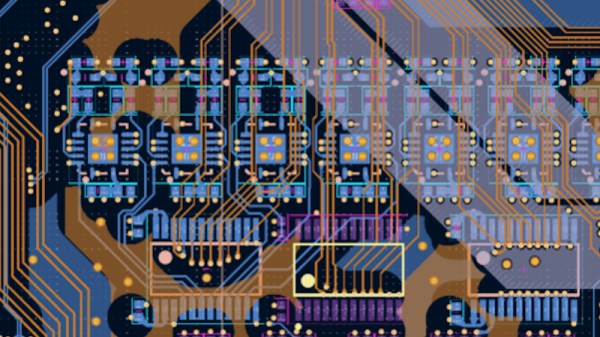
As the foremost boffins of Europe toil deep underneath the border between Switzerland and France in their never-ending quest to truly understand the fabric of the Universe, they rely on a vast amount of electronics. The PCB layout team at the particle accelerator thus work with a huge array of parts, for which of course they create KiCad libraries. Now the folks at CERN have made those libraries available as open source, so you can benefit from their work.

The libraries themselves can be found in a GitLab repository, and at the moment are offered only for KiCad version 9.x. We tried installing it in our KiCad 10.0 installation and it refused — complaining of a missing JSON file — but we’re assuming that with more time and effort we could have made it happen. We’re told official 10.x compatibility is on the way.

Browsing the repository shows what a multiplicity of parts are included, so we can see this becoming a standard install for many people and the CERN footprints turning up in many projects featured here.

Thanks [Daniel] for the tip!
This Credit Card Computer Follows All Dimensions

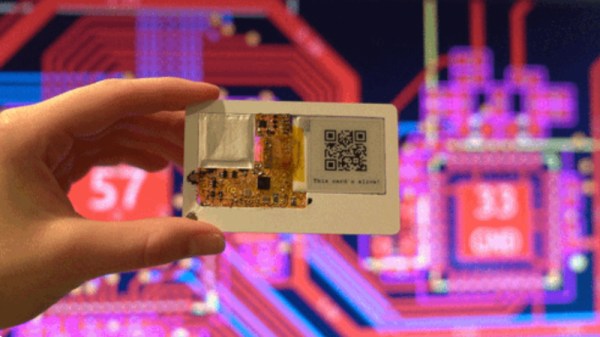
A computer the size of a credit card is nothing new. There have been many single-board computers following the familiar dimensions. [Krauseler]’s credit card computer is different, though. It packs an ESP32-C3, e-paper display, NFC reader, and, incredibly, a Li-Po battery into a credit card form factor in three dimensions rather than two. That’s right, this computer is only 1mm thick.

To ensure perfect compliance with the form factor, the enclosure, if that’s what it can be called, is a real NFC card with the middle cut out to take the electronics. The PCB is flexible, and the battery is the thinnest available. The e-paper display is an ultra-thin, flexible variant. A display connector would have been too thick, so a very fine wire-and-solder job was required.

Continue reading “This Credit Card Computer Follows All Dimensions”

Challenging The Way We Pedal

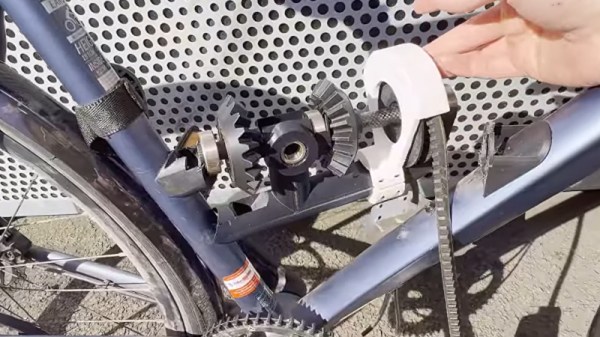
The bicycle is an invention that has not changed in its fundamentals since the first recognisably modern machines appeared in the closing years of the 19th century. Its frame uses a structure of two triangles, its wheels are equal in size, and it’s propelled by a pedal crank and (in most cases) a chain. Bicycles have improved vastly in materials and performance, but if you were to wheel a 2026 tourer into an 1886 bike shop, the Victorian proprietor would recognise it. Only a very brave engineer would try to fundamentally change such a formula, but here’s [Not programming] with a crankless bicycle.

The idea is to replace the crank’s circular motion with a linear one, thus providing a more constant propulsion. The build was inspired by another that used a sinusoidal track in a rotating cylinder to achieve the necessary conversion. This design takes a different tack, using an arrangement of gears and freewheels he describes as a mechanical rectifier to convert the back-and-forth motion of pedaling into rotation. The pedals themselves are stirrups mounted at each end of a V-belt.

This build is an exercise in pushing the limits of 3D print strength, as prototype after prototype shears under load. He does finally get the thing to work, though, and we admire his persistence. Oddly, this isn’t the first 3D-printed bicycle geartrain we’ve seen.

Continue reading “Challenging The Way We Pedal”

Remembering The BBC Computer Literacy Project

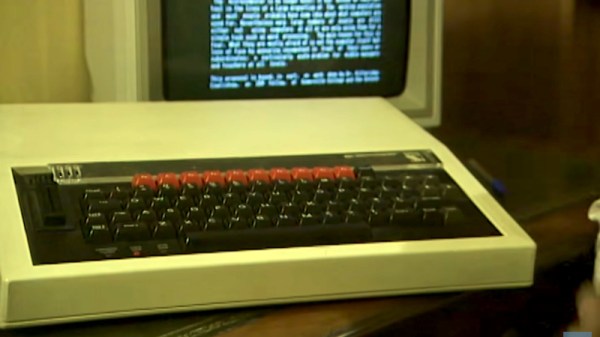
There comes a point in everybody’s life when things that they were a part of are presented as history, and for the 8-bit generation, that time is now. It’s interesting to see the early history of 8-bit home computers presented as history, not from a 2026 perspective but from the early 1990s. The BBC archive has recently posted a retrospective from 1992 looking at ten years of the Computer Literacy Project, a British government programme intended to equip the young people of the 1980s with the skills they would need to approach the information age. It’s a much more immediate history of something which was largely still in place at the time, making it a time capsule in which this past isn’t quite the other country we see it as today.

The Computer Literacy Project was run by the nation’s broadcaster and included a raft of TV programming about computers, as well as the commissioning of a machine specifically for the project. You know this machine as the Acorn BBC Micro, and aside from eventually providing the genesis of what would become ARM, it remains one of the most high-spec 8-bit machines in terms of built-in hardware. We hear from the luminaries of Acorn about the development of this machine, and then the film moves into some of the wider cultural effects.

If you were there, you’ll doubtless remember some of the TV programmes featured, and you might have used a BBC Micro at school. If you weren’t there, it’s an encapsulation of the promise on offer in that era, an optimism that seems sad when you reflect that educational computing descended into learning Microsoft Word during the following decade. It would be another two decades before the Raspberry Pi and BBC micro:bit picked up that fallen torch.

The Beeb, it seems, has long had an interest in home computers. Schools, too.

Continue reading “Remembering The BBC Computer Literacy Project”

It’s An Apple Lisa, On A FPGA

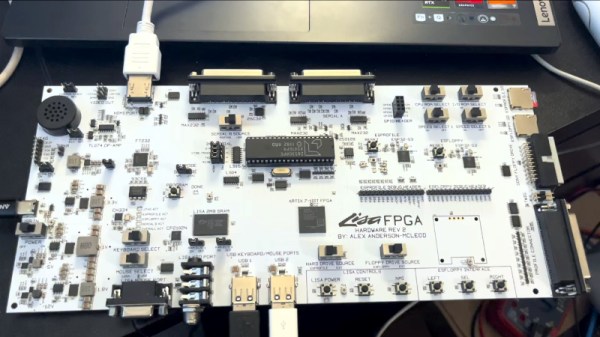
Most of us will know that Apple’s precursor to the Macintosh series of computers was a machine called the Lisa. Something of a behemoth compared to those early Macs, it had a price to match and wasn’t a commercial success. Working Lisas survive, but unlike a Mac you won’t find many at your local swapmeet. But what if you really must try this early Apple GUI? Never fear, because [AlexElectronics] is here with a much more accessible version on a FPGA.

This Lisa has a surprisingly large PCB compared to the size of the FPGA, because of the number of connectors. It takes the approach of mixing new and old in interfaces, for example as well as original Lisa keyboard and mouse support, you can also use modern USB versions. There’s also an HDMI output for a modern monitor, and an SD card. Unexpectedly alongside the FPGA there’s a 40-pin DIP, it’s a UART  chip because there’s no handy pre-built one for that particular chip. We’re told it will be up on GitHub when finalized.

Keeping old computers alive, especially rare ones, is hard. We like projects like this one, and we hope to see more developments. Meanwhile you can see the machine in the video below.

Continue reading “It’s An Apple Lisa, On A FPGA”

How Commodore Made A Sync Splitter

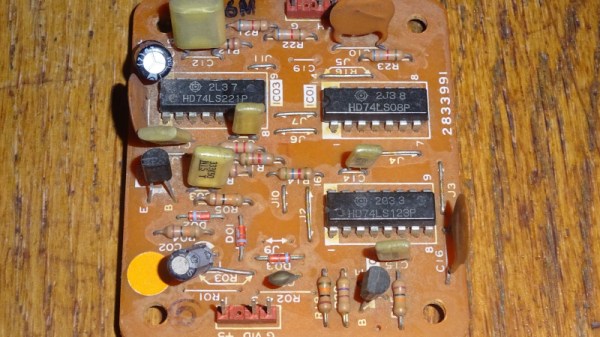
Recently we featured an unusual Commodore 8-bit computer on the bench of [Tynemouth Software] — a Commodore 64 in a PET case. One of the unique parts it had was a board which took the composite output from the mainboard and split out the sync pulses for the monitor, and now they’re back to give it a full reverse engineer.

Perhaps the first surprise is why this board is necessary at all, after all one might expect an 8-bit machine to have those signals already at hand. It seems that the VIC chip inside the 64 did the combination to composite internally, so no such luck for the Commodore engineers. The board they designed then is a complete and very well-engineered sync splitter.

The technology of a video signal has its origins in the 1930s, so it’s not hard to extract both vertical and horizontal sync pulses with little more than a few passive components and a couple of transistors. The trouble with such a simple approach is that the output will work, but it will be messy and crucially, not have quite the required timing. The Commodore board uses the same approach as a simple discrete circuit of having a pair of filters with a time constant selected to catch the relevant sync, but extends it with extra logic. There are one-shots designed to provide clean pulses of exactly the right length, and gates that provide blanking to remove the chance of pulses ending up where they shouldn’t. The video path is the only part which might differ from a conventional sync splitter, because as the output from the 64 is all-digital, it takes a TTL-level through a gate rather than a more conventional analogue path.

You can see the rest of the machine in our original write-up, and we’re reminded that the boards haven’t been cleaned at their owner’s request, to preserve their patina.

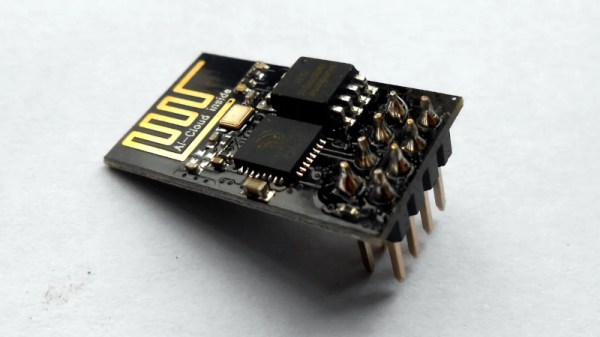
The ESP8266 Gets An OS, And It’s Familiar

A couple weeks back we brought you news of KernelUNO, a command line shell and very simple operating system for the Arduino Uno. It’s a neat idea, so it’s hardly surprising to see someone port it to another microcontroller and add more features.

Here’s [hery-torrado], with KernelESP for the ESP8266, which takes the original idea and adds a web console, scheduled jobs, sensor rules, scripting, NTP, and a JSON API. The networking using the ESP’s built-in WiFi takes the original and makes it significantly more useful.

It’s worth suggesting that the ability to call URLs with GET data to pass things to APIs would be useful on a networked processor too, but this is already so well featured it seems rude to ask for more. Yet again though, this project has given a new life to an old chip, and we think it has a way further to go. Perhaps a port to the ESP32 would allow it to reach its full potential, or maybe for a ridiculously cheap and powerful platform, the CH32 series of chips. We look forward to see what more will come from KernelUNO.

Our original coverage can be read here.