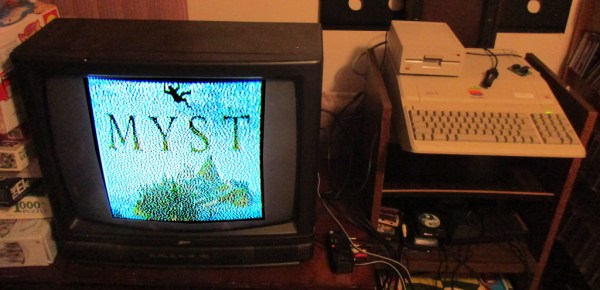
Myst ‘Demake’ For The Apple II

Making certain games run on systems which were never designed to run such games (or any games at all) is a favorite hobby of some, with [deater] being no exception. His latest creation involves porting Myst to the Apple II, or ‘demake’ in his own words. This means taking a game that was released in 1993 for MacOS and later for Windows 3.1 and the original PlayStation, and creating a version that works on an 8-bit system from 1977.

Obviously the graphical fidelity has been turned down some compared to the 1990s version, but at this stage much of the game’s levels have been implemented. For anyone who has ever played the game before, much of the visuals will be instantly recognizable. According to [deater], the game should run on any Apple II/II+/IIe, with at least 48 kB of RAM, but 64 kB needed for sound effects. If a Mockingboard sound card is installed, it will even play the intro theme.

On the project page the (currently) three floppy disks can be downloaded, with the source available on Github. While one is there, one can also check out [deater]’s ‘Another World’ port to the Apple II which we covered last year.
Continue reading “Myst ‘Demake’ For The Apple II”

Enjoying Some Exothermic Welding, With Thermite!

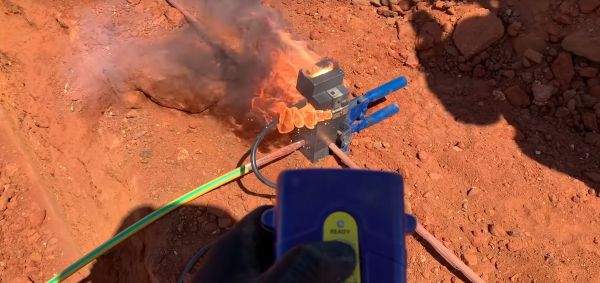
There probably aren’t many people out there who aren’t aware of what thermite is and how it demonstrates the power of runaway exothermic reactions. Practical applications that don’t involve destroying something are maybe less known. This is where the use of thermite for creating welds is rather interesting, as shown in this video by [Finn] that is also embedded after the break.

In the video, one can see how [Finn] uses thermite charges to weld massive copper conductors together in a matter of seconds inside a graphite mold. Straight joints, T-joints, and others are a matter of putting the conductors into the mold, pushing a button and watching the fireworks. After a bit of cleaning the slag off, a solid, durable weld is left behind.

The official name for this process is ‘exothermic welding‘, and it has been in use since the 19th century. Back then it was used primarily for rail welding. These days it sees a lot of use in high-voltage wiring and other applications, as in the linked video. The obvious advantage of exothermic welding is that the resulting joint is strong and durable, on account of the two surfaces having been permanently joined.

Continue reading “Enjoying Some Exothermic Welding, With Thermite!”

Hands-On: Wireless Login With The New Mooltipass Mini BLE Secure Password Keeper

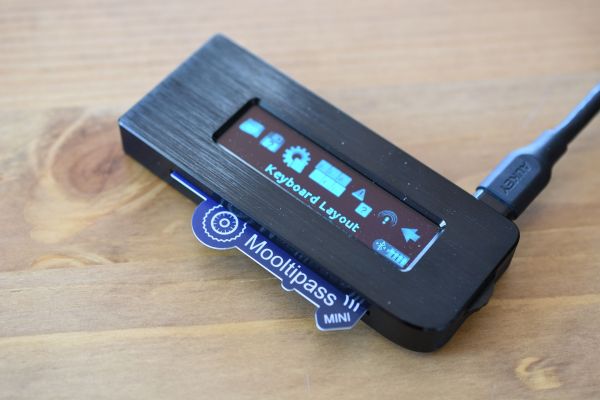
Remembering passwords is one of those things which one just cannot seem to escape. At the very least, we all need to remember a single password: namely the one for unlocking a password manager. These password managers come in a wide variety of forms and shapes, from software programs to little devices which one carries with them. The Mooltipass Mini BLE falls into the latter category: it is small enough to comfortably fit in a hand or pocket, yet capable of remembering all of your passwords.

Heading into its crowdfunding campaign, the Mooltipass Mini BLE is an evolution of the Mooltipass Mini device, which acts as a USB keyboard by default, entering log-in credentials for you. With the required browser extension installed, this process can also be automated when browsing to a known website. Any new credentials can also be saved automatically this way.

Where the Mooltipass Mini BLE differs from the original is in that it also adds a Bluetooth (BLE) mode, enabling it to be used easily with any BLE-capable device, including laptops and smartphones, without having to dig around for a USB cable and/or OTG adapter.

I have already been using the original Mooltipass Mini for a while, and the Mooltipass team was kind enough to send me a prototype Mooltipass Mini BLE for evaluation and comparison. Let’s take a look.

Continue reading “Hands-On: Wireless Login With The New Mooltipass Mini BLE Secure Password Keeper”

Beyond Printf(): Better Logging Practices For Faster Debugging

All of us who do some programming know that logging is a time-tested way to output messages about the internal state of our code. With varying degrees of adjustable granularity, these messages allow us to keep track of not only the state of the application, but also its overall health. When things do end up going FUBAR, these log messages are usually the first thing we look at as a software equivalent of a Flight Data Recorder in an airplane.

Spending some time and care in not only designing the logging system, but also in deciding what should be logged and at what level, can make our future self appreciate life a lot more. We’re all familiar with the practice of ‘printf-debugging’, where logging is added as part of the usual post-crash autopsy as one tries to figure out what exactly went wrong. It’s one way of doing it, and eventually it works, but we can do much better.

People are lazy, and you’re only going to stick to good logging practices if they are at least as easy if not easier than sprinkling printf() statement throughout the code. Yet at the same time we want to be able to handle things like log levels and newlines without too much extra typing. The most successful logging libraries are built with this

Continue reading “Beyond Printf(): Better Logging Practices For Faster Debugging”

Changing System Architectures And The Complexities Of Apple’s Butterfly Approach To ISAs

Apple computers will be moving away from Intel chips to its own ARM-based design. An interesting thing about Apple as a company is that it has never felt the need to tie itself to a particular system architecture or ISA. Whereas a company like Microsoft mostly tied its fortunes to Intel’s x86 architecture, and IBM, Sun, HP and other giants preferred vertical integration, Apple is currently moving towards its fifth system architecture for its computers since the company was formed.

What makes this latest change possibly unique, however, is that instead of Apple relying on an external supplier for CPUs and peripheral ICs, they are now targeting a vertical integration approach. Although the ARM ISA is licensed to Apple by Arm Holdings, the ‘Apple Silicon’ design that is used in Apple’s ARM processors is their own, produced by Apple’s own engineers and produced by foundries at the behest of Apple.

In this article I would like to take a look back at Apple’s architectural decisions over the decades and how they made Apple’s move towards vertical integration practically a certainty.

Continue reading “Changing System Architectures And The Complexities Of Apple’s Butterfly Approach To ISAs”

Adding PCIe To Your Raspberry Pi 4, The Easier Way

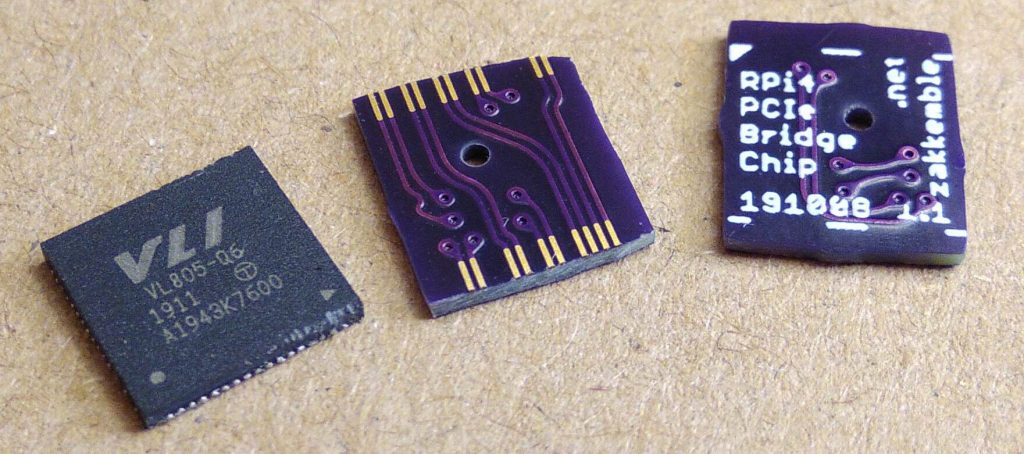
Ever since people figured out that the Raspberry Pi 4 has a PCIe bus, the race was on to be the first to connect a regular PCIe expansion card to a Raspberry Pi 4 SBC. Now [Zak Kemble] has created a new approach, using a bridge PCB that replaces the VL805 USB 3 controller IC. This was also how the original modification by [Tomasz Mloduchowski] worked, only now it comes in a handy (OSHPark) PCB format.

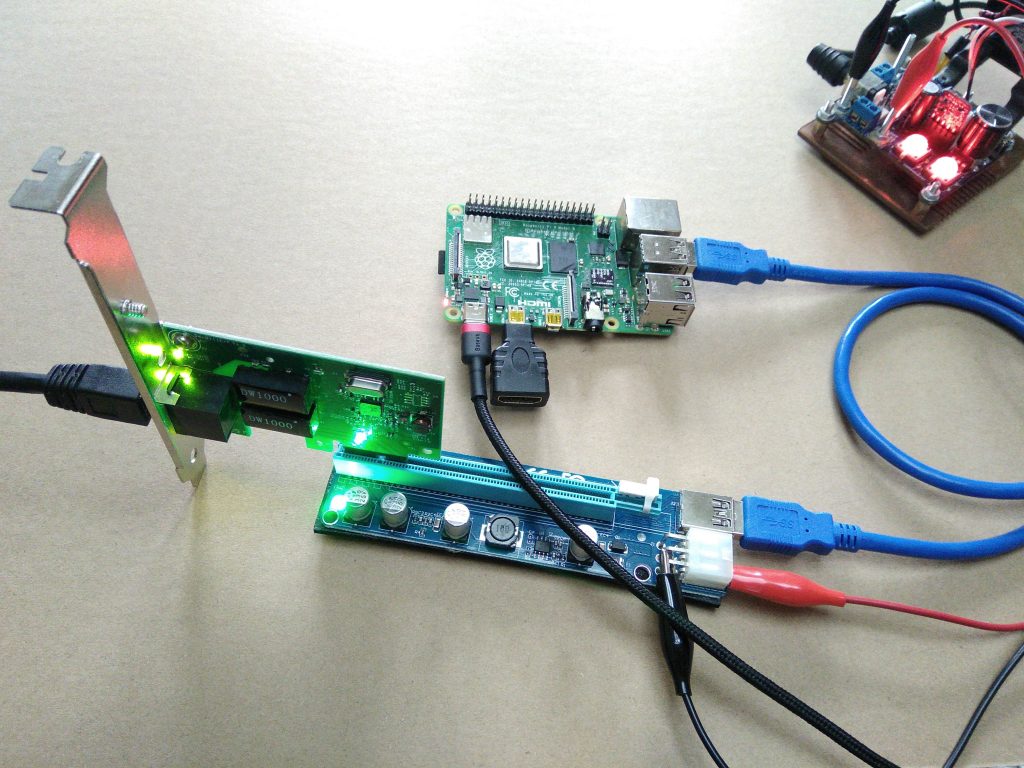
After removing the VL805 QFN package and soldering in the bridge PCB, [Zak] confirmed that everything was hooked up properly and attempted to use the Raspberry Pi 4 with a PCIe extender. This showed that the Raspberry Pi would happily talk with a VL805-based USB 3.0 PCIe expansion card, as well as a Realtek RTL8111-based Ethernet card, but not a number of other PCIe cards. Exactly why this is is still unclear at this point.

As a bonus, [Zak] also found that despite the removal of the VL805 IC from the Raspberry Pi rendering its USB 3 ports useless, one can still use the USB-C ‘power input’ on the SBC as a host controller. This way one can have both PCIe x1 and USB on a Raspberry Pi 4.

This is the third iteration we’ve seen for using PCIe with the Pi. If you’re building on the work of [Thomasz Mloduchowski], which inspired [Colin Riley] to add expanders, and now this excellent hack by [Zak], we want to hear about it!

(Thanks to Itay for the tip)

Automating The Disinfection Of Large Spaces With Robots

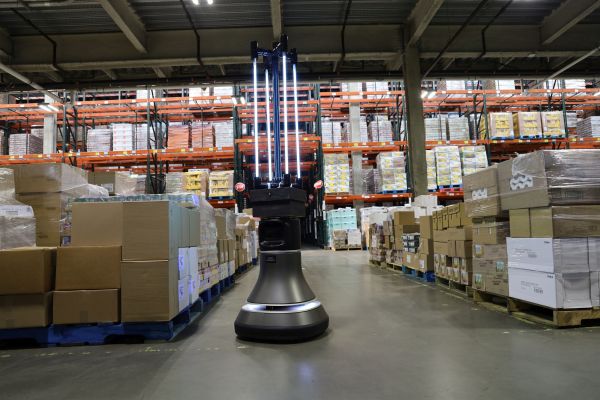
What do you do when you have to disinfect an entire warehouse? You could send a group of people through the place with UV-C lamps, but that would take a long time as said humans cannot be in the same area as the UV-C radiation, as much as they may like the smell of BBQ chicken. Constantly repositioning the lamps or installing countless lamps would get in the way during normal operation. The answer is to strap UV-C lights to a robot according to MIT’s CSAIL, and have it ride around the space.

As can be seen in the video (also embedded after the break), a CSAIL group has been working with telepresence robotics company Ava Robotics and the Greater Boston Food Bank (GBFB). Their goal was to create a robotic system that could autonomously disinfect a GBFB warehouse using UV-C without exposing any humans to the harmful radiation. While the robotics can be controlled remotely, they can also map the space and navigate between waypoints.

While testing the system, the team used a UV-C dosimeter to confirm the effectiveness of this setup. With the robot driving along at a leisurely 0.22 miles per hour (~0.35 kilometer per hour), it was able to cover approximately 4,000 square feet (~372 square meter) in about half an hour. They estimated that about 90% of viruses like SARS-CoV-2 could be neutralized this way.

During trial runs, they discovered the need to have the robot adapt to the constantly changing layout of the warehouse, including which aisles require which UV-C depending on how full they are. Having multiple of these robots in the same space coordinate with each other would also be a useful feature addition.

Continue reading “Automating The Disinfection Of Large Spaces With Robots”