BBC Master 128 Revealed

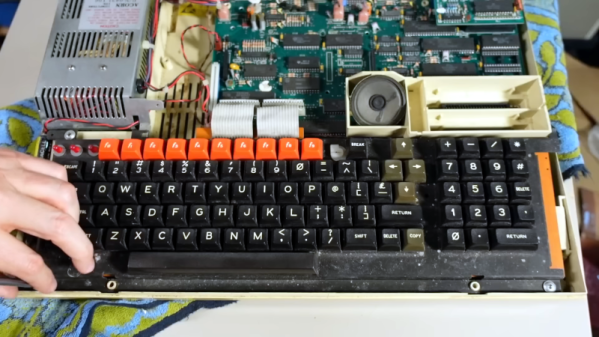
[Adrian] comments that the BBC Master 128 is a rare 8-bit computer, and we agree — we couldn’t remember hearing about that particular machine, although the BBC series is quite familiar. The machine has a whopping 128 K of RAM, quite a bit for those days. It also had a 6502 variant known as the 65C12, which has an extra pin compared to a 6502 and doesn’t use the same clock arrangement. A viewer sent him one of these machines, which apparently was used in the BBC studios. You can see this rare beauty in the video below.

The computer has a very nice-looking keyboard that includes a number pad. There are also expansion ports for printers and floppy disk drives. It has some similarities to a standard BBC computer but has a number of differences externally and internally.

Of course, we were waiting for the teardown about 15 minutes in. There were some corroded batteries but luckily, they didn’t do much damage. The power supply had a burned smell. Cracking it open for inspection was a good time to convert the power supply to run on 120 V, too.

After some power supply repair, it was time to power the machine up. The results were not half bad. It started up with a cryptic error message: “This is not a language.” Better than a dead screen. The keyboard wasn’t totally working, though. A bit of internet searching found that the error happens when the battery dies and the machine loses its configuration.

More walkthroughs will take a bit more work on the keyboard. But we were impressed it came up as far as it did, and we look forward to a future installment where the machine fully starts up.

[Adrian] mentioned the co-processor slot accepting a Raspberry Pi, something we’ve talked about before. Or, add an FPGA and make the plucky computer think it is a PDP/11.


Continue reading “BBC Master 128 Revealed”

AI Creates Killer Drug

Researchers in Canada and the United States have used deep learning to derive an antibiotic that can attack a resistant microbe, acinetobacter baumannii, which can infect wounds and cause pneumonia. According to the BBC, a paper in Nature Chemical Biology describes how the researchers used training data that measured known drugs’ action on the tough bacteria. The learning algorithm then projected the effect of 6,680 compounds with no data on their effectiveness against the germ.

In an hour and a half, the program reduced the list to 240 promising candidates. Testing in the lab found that nine of these were effective and that one, now called abaucin, was extremely potent. While doing lab tests on 240 compounds sounds like a lot of work, it is better than testing nearly 6,700.

Interestingly, the new antibiotic seems only to be effective against the target microbe, which is a plus. It isn’t available for people yet and may not be for some time — drug testing being what it is. However, this is still a great example of how machine learning can augment human brainpower, letting scientists and others focus on what’s really important.

WHO identified acinetobacter baumannii as one of the major superbugs threatening the world, so a weapon against it would be very welcome. You can hope that this technique will drastically cut the time involved in developing new drugs. It also makes you wonder if there are other fields where AI techniques could cull out alternatives quickly, allowing humans to focus on the more promising candidates.

Want to catch up on machine learning algorithms? Google can help. Or dive into an even longer course.

Where Exactly Did That Network Packet Come From?

Have you ever noticed that some websites can figure out, at least roughly, where you are? Sometimes they use it to find you a closer content provider. Or they might block you from seeing certain things while offering you other things specific to your location. This is possible because there are databases that map IPs to locations. [Mark Litwintschik] looks at using those databases from an API or downloading them into your own database. He also shows some very large database queries, which is interesting, too. He uses IPInfo, although there are other providers. Some only provide a limited number of lookups, but there are plenty of free tiers for low-volume usage.

The database changes every day. Of course, each provider has a different way of getting data, and so there are differences. [Mark] compares the IPInfo dataset against MaxMind’s also free database. That involved comparing over 3 billion records! Actually, the 3 billion are the number of IPs that matched up in both databases. There were an additional 118 million that didn’t match and 34 million that were not in the MaxMind database.

Continue reading “Where Exactly Did That Network Packet Come From?”

Hackaday Podcast 220: Transparent Ice, Fake Aliens, And Bendy Breadboards

You can join Elliot and Al as they get together to talk about their favorite hacks of the week. There’s news about current contests, fake alien messages, flexible breadboards, hoverboards, low-tech home automation, and even radioactive batteries that could be a device’s best friend.

We have a winner in the What’s that Sound competition last week, which was, apparently, a tough one. You’ll also hear about IC fabrication, FPGAs, and core memory. Lots to talk about, including core memory, hoverboards, and vacuum tubes.

Check out the links below if you want to follow along, and as always, tell us what you think about this episode in the comments!

Or download all the things!

Continue reading “Hackaday Podcast 220: Transparent Ice, Fake Aliens, And Bendy Breadboards”

Linux Fu: Making Progress

The computer world looks different from behind a TeleType or other hardcopy terminal. Things that tend to annoy people about Unix or Linux these days were perfectly great when you were printing everything the computer said to you. Consider the brevity of most basic commands. When you copy a file, for example, it doesn’t really tell you much other than it returns you to the prompt when it is done. If you are on a modern computer working with normal-sized files locally, not a big deal. But if you are over a slow network or with huge files, it would be nice to have a progress bar. Sure, you could write your own version of copy, but wouldn’t it be nice to have some more generic options?

One Way

The pv program can do some of the things you want. It monitors data through a pipe or, at least through its standard output. Think of it as cat with a meter. Suppose you want to write a diskimage to /dev/sdz:

cat diskz.img >/dev/sdz

But you could also do:

pv diskz.img >/dev/sdz

By default, pv will show a progress bar, an elapsed time, an estimated end time, a rate, and a total number of bytes. You can turn any of that off or add things using command line options. You can also specify things like the size of the terminal if it should count lines instead of bytes, and, in the case where the program doesn’t know what it is reading, the expected size of the transfer.

Continue reading “Linux Fu: Making Progress”

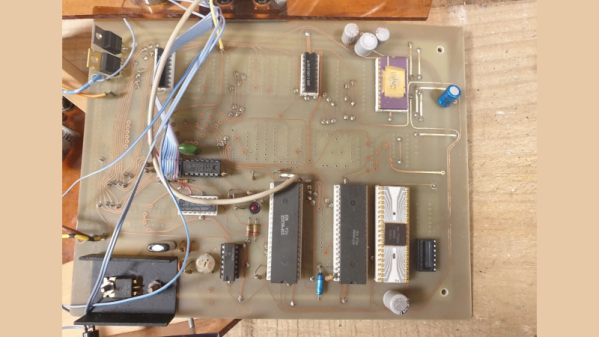
New Zealand’s First Microcomputer May Be This 1802

Hardware hackers of a certain age likely got started with microcontrollers via the RCA 1802 — a relatively easy-to-use processor that was the subject of several excellent articles in Popular Electronics magazine back in the late 1970s. [Al’s Geek Lab] has an interview with [Hugh Anderson], who saw the articles and eventually designed the HUG1802, which may be the first microcontroller kit designed and sold in New Zealand.

The 1802 was very attractive at the time since it was inexpensive, static, didn’t require exotic voltages, and had a DMA system that allowed you to load software without complex ROMs. He initially marketed a kit unsuccessfully until an Australian company convinced him to create a proper PC board — the resulting kit was sold to about 100 customers.

The HUG1802 reminded us somewhat of the Quest Super Elf since it had a keypad, a cassette interface, and even a TV output. The 1802 had a DMA-enabled chip that made crude memory-mapped video output. The computer eventually morphed into the ETI 660, which they talk about at the end of the interview.

A lot of people built 1802 computers back in those days. If you don’t have an 1802, but you have an Arduino… ell, there’s always emulation.

Continue reading “New Zealand’s First Microcomputer May Be This 1802”

Simulated ET To Phone Home From Mars This Afternoon

In science fiction movies, communicating with aliens is easy. In real life, though, we think it will be tough. Today, you’ll get your chance to see how tough when a SETI project uses the European Space Agency’s ExoMars Trace Gas Orbiter to send a simulated alien message to the Earth. The transmission is scheduled to happen at 1900 UTC and, of course, the signal will take about 16 minutes to arrive here on planet Earth. You can see a video about the project, A Sign in Space, below.

You don’t need to receive the message yourself. That will be the job of observatories at the SETI Institute, the Green Bank Observatory, and the Italian National Institute for Astrophysics. They’ll make the signal available to everyone, and you can join others on Discord or work solo and submit your interpretation of the message.

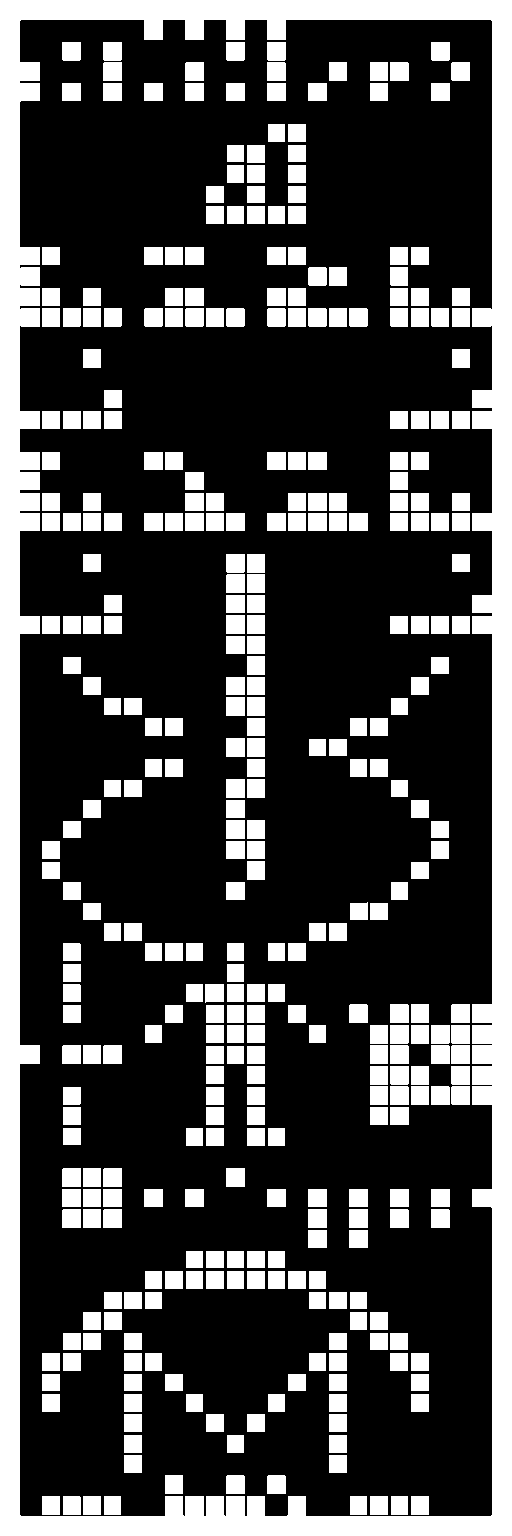
Drake’s message properly arranged

There are a host of issues involved in alien communication. What communication medium will they use? How will they encode their message? Will the message even make sense? Imagine an engineer from 1910 trying to find, decode, and understand an ad on FM radio station 107.9. First, they’d have to find the signal. Then figure out FM modulation. Then they’d probably wonder what the phrase “smartphone” could possibly mean.

When [Frank Drake] created a test message to send to aliens via the Arecibo dish, almost no one could decode it unless they already knew how it worked. But even looking at the message in the accompanying image, you probably can only puzzle out some of it. Don’t forget; this message was created by another human.

If you want a foreshadowing of how hard this is, you can try decoding the bitstream yourself. Of course, that page assumes you already figured out that the stream of bits is, in fact, a stream of bits and that it should be set in an image pattern. You also have the advantage of knowing what the right answer looks like. It could easily become an extraterrestrial Rorschach test where you find patterns and meaning in every permutation of bits.

Speaking of the Drake message, it saddens us to think that Arecibo is gone. The closest we think we’ve come to intercepting alien messages is the Wow signal.

Continue reading “Simulated ET To Phone Home From Mars This Afternoon”