Homebrew Curve Tracer Competes With The Big Guns

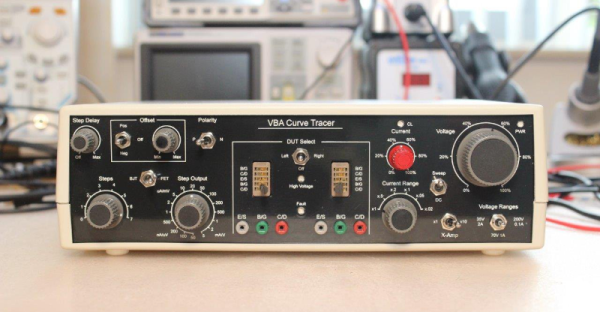
When we first saw the VBA curve tracer, we thought it might have something to do with Visual Basic for Applications. But it turns out it is a mash up of the names of the creators: [Paul Versteeg], [Bud Bennett], and [Mark Allie]. [Paul] designed an original prototype back in 2017. Since then, the project has grown and lessons were learned. The final curve tracer is pretty impressive in more ways than one.

If you’ve never used a curve tracer, they allow you to characterize components using their characteristic curve of voltage versus current. You use an oscilloscope as an output device. This instrument is often used by engineers trying to understand or match devices like diodes, transistors, or — in some cases — even tubes. So if you want to measure the collector-emitter breakdown voltage, for example, or the collector cutoff current, this is your go-to device. You can also match gains in circuits where that matters (for example, a push-pull circuit where two transistors amplify different parts of the same signal).

If you want to understand more about how it works, there are a series of blog posts covering the evolution of the device. You can also find the design files on GitHub. There is also a handy post showing many types of measurements you might want to make.

This is a good-looking project. We’ve seen it done on the cheap, but slowly. Or spend $15 and do better. We doubt any of these have high enough voltages to do most tubes, but they made the same basic instrument for tubes back in the 1950s.
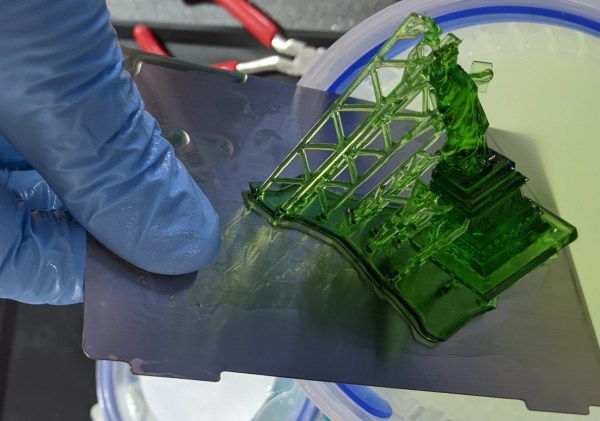
Ask Hackaday: Resin Printer Build Plates

The early days of FDM 3D printing were wild and wooly. Getting plastic to stick to your build plate was a challenge. Blue tape and hairspray-coated glass were kings for a long time. Over time, better coatings have appeared and many people use spring steel covered in some kind of PEI. There seem to be fewer choices when it comes to resin printers, though. We recently had a chance to try three different build surfaces on two different printers: a Nova3D Bene4 and an Anycubic Photon M3. We learned a lot.

Resin Printing Review

If you haven’t figuratively dipped your toe into resin yet — which would literally be quite messy — the printers are simple enough. There is a tank or vat of liquid resin with a clear film on the bottom. The vat rests on an LCD screen and there is a UV source beneath that.

Continue reading “Ask Hackaday: Resin Printer Build Plates”

Down The Intel Microcode Rabbit Hole

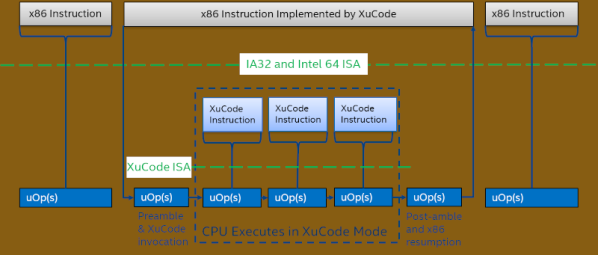
The aptly-named [chip-red-pill] team is offering you a chance to go down the Intel rabbit hole. If you learned how to build CPUs back in the 1970s, you would learn that your instruction decoder would, for example, note a register to register move and then light up one register to write to a common bus and another register to read from the common bus. These days, it isn’t that simple. In addition to compiling to an underlying instruction set, processors rarely encode instructions in hardware anymore. Instead, each instruction has microcode that causes the right things to happen at the right time. But Intel encrypts their microcode. Of course, what can be encrypted can also be decrypted.

Using vulnerabilities, you can activate an undocumented debugging mode called red unlock. This allows a microcode dump and the decryption keys are inside. The team did a paper for OffensiveCon22 on this technique and you can see a video about it, below.

Continue reading “Down The Intel Microcode Rabbit Hole”

Tech In Plain Sight: Fire Hydrants

You probably see them so often that you don’t even notice they are there. Fire hydrants are one of those things that aren’t interesting until you need them, but then they are of paramount importance. You sometimes hear them called fireplugs and it made us wonder what was a plug about it. Perhaps it was because that’s where you plug in your hose? Turns out, no. The real story is much stranger. Not to mention, did you know that there are even “dry” fire hydrants?

Apparently, in the 16th century, water mains were made of wood. When there was a fire, a team would dig the cobblestones out to expose the wooden mains and cut a hole to make an ad hoc well to fill buckets or to pump. Of course, after the fire, you had to repair the mains and that was done with a plug. The city would keep a record of plugs so that if a fire was nearby in the future, you could just “pull the plug” instead of making a new hole.

Continue reading “Tech In Plain Sight: Fire Hydrants”

Quick Hack: The Phone To Stream Deck Conversion

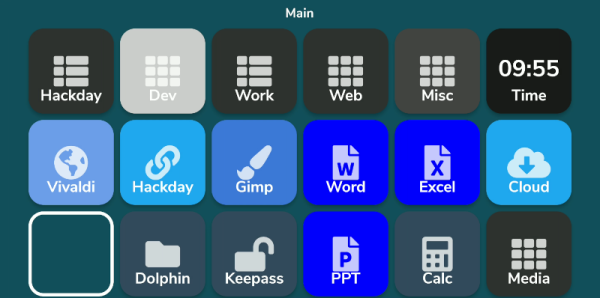
What do you do with those old Android or iPhone phones and tablets? You have plenty of options, but it is pretty easy to build your own stream deck with a little off-the-shelf software. What’s a stream deck, you ask? The name comes from its use as a controller for a live-streaming setup, but essentially, it’s an LCD touchscreen that can trigger things on your computer.

The software I’m using, Deckboard, is a server for Windows or Linux and, of course, an Android app. The app is free with some limitations, but for under $4 you can buy the full version. However, even the free version is pretty capable. You can use an Android phone or tablet and you can connect to the PC with a USB cable or WiFi. I’ve found that even with WiFi, it is handy to keep the phone charged, so realistically you are going to have a cable, but it doesn’t necessarily have to connect to the host computer.

Linux Setup

Setup is very easy. The biggest hurdle is you might need to set up your firewall to allow the server to listen on port 8500 with TCP.  There are a few small issues when installing with Linux that you might want to watch out for.  There are 32-bit and 64-bit versions in deb, tar.gz, and appimage format. There’s also a snap. The problem with the snap is it is sandboxed, so without effort you can’t easily launch programs, which is kinda the entire point. I finally removed it and installed the deb file which was fine.

There were still two other wrinkles. First, while Deckboard offers a way to launch programs, it must be a program from a list it reads from your system. That would be acceptable, but the list wasn’t complete. I never did figure out why some things show up on the list and others don’t. For example, GIMP which shows up on my application menu was absent. Yet other things that were fairly obscure did show up.

I thought this might be a dealbreaker until I found that Deckboard has a well-developed plugin system and one of those plugins lets you run an arbitrary command line. I guess it is a little less convenient, but it is much more flexible since you can launch any program you want and provide options to it as well.

The only other complaint I had is that when you run the program, it shows its configuration interface and puts itself in the system tray. That’s great the first time you run it, but on system startup, it would be nice to just have it quietly start. If there’s an option for that I haven’t found it. I’ll tell you how I solved that later, but, for now, just live with it.

Continue reading “Quick Hack: The Phone To Stream Deck Conversion”

Robot Arm Has The Touch

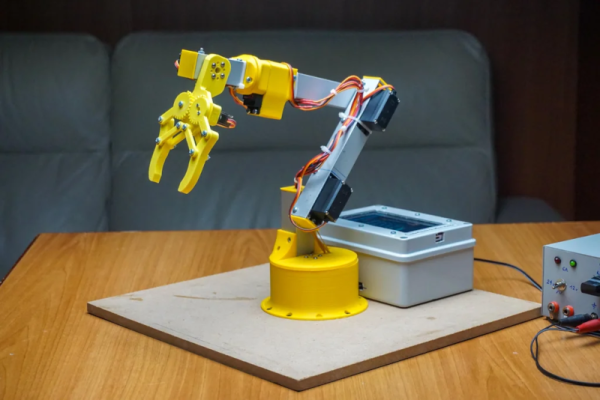
[Maurizio] built a robot arm, which is always a great accomplishment. But his project includes a very cool touch interface for an Android device that sets it apart from many other similar projects.You can see a very fast summary of the construction in the video below.

The design uses Fusion 360 and there are good explanations of each step in the process. The gripper is adapted from an existing design. Various 3D printed parts make up the wrist, shoulder, elbow, and rotating base.

Continue reading “Robot Arm Has The Touch”

A Look Back At The USSR Computer Industry

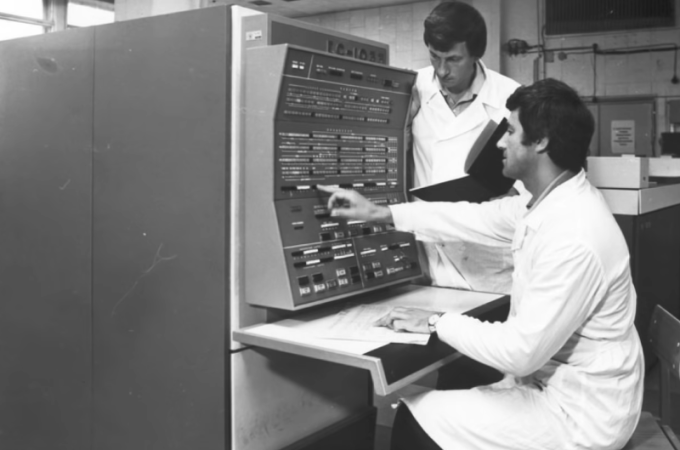
According to [Asianometry], in 1986 the Soviet Union had about 10,000 computers. At the same time, the United States had 1.3 million! The USSR was hardly a backward country — they’d launched Sputnik and made many advances in science and mathematics. Why didn’t they have more computers? The story is interesting and you can see it in the video below.

Apparently when news of ENIAC reached the USSR, many dismissed it as fanciful propaganda. However, there were some who thought computing would be the future. Sergey Lebedev in Ukraine built a “small” machine around 1951. Small, of course, is relative since the machine had 6,000 tubes in it. It performed 250,000 calculations for artillery tables in about 2 and half hours.

The success of this computer led to two teams being asked to build two different machines. Although one of the machines was less capable, the better machine needed a part they could only get from the other team which they withheld, forcing them to use outdated — even then — mercury delay lines for storage.

The more sophisticated machine, the BESM-1, didn’t perform well thanks to this substitution and so the competitor, STRELA, was selected. However, it broke down frequently and was unable to handle certain computations. Finally, the BESM-1 was completed and was the fastest computer in Europe for several years starting in 1955.

By 1959, the Soviets produced $59 million worth of computer parts compared to the US’s output of around $1 billion.  There are many reasons for the limited supply and limited demand that you’ll hear about in the video. In particular, there was little commercial demand for computers in the Soviet Union. Nearly all the computer usage was in the military and academia.

Eventually, the Russians wound up buying and copying the IBM 360. Not all of the engineers thought this was a good idea, but it did have the advantage of allowing for existing software to run. The US government tried to forbid IBM from exporting key items, so ICL — a UK company — offered up their IBM 360-compatible system.

The Soviets have been known to borrow tech before. Not that the west didn’t do some borrowing, too, at least temporarily.

Continue reading “A Look Back At The USSR Computer Industry”