Quick Hack: The Phone To Stream Deck Conversion

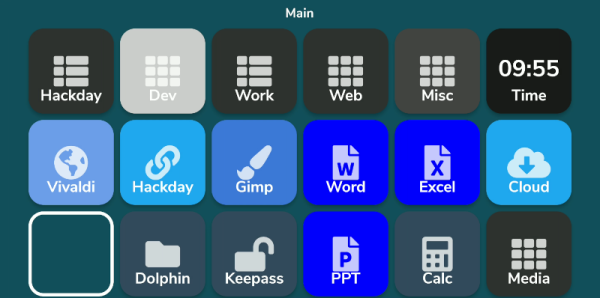
What do you do with those old Android or iPhone phones and tablets? You have plenty of options, but it is pretty easy to build your own stream deck with a little off-the-shelf software. What’s a stream deck, you ask? The name comes from its use as a controller for a live-streaming setup, but essentially, it’s an LCD touchscreen that can trigger things on your computer.

The software I’m using, Deckboard, is a server for Windows or Linux and, of course, an Android app. The app is free with some limitations, but for under $4 you can buy the full version. However, even the free version is pretty capable. You can use an Android phone or tablet and you can connect to the PC with a USB cable or WiFi. I’ve found that even with WiFi, it is handy to keep the phone charged, so realistically you are going to have a cable, but it doesn’t necessarily have to connect to the host computer.

Linux Setup

Setup is very easy. The biggest hurdle is you might need to set up your firewall to allow the server to listen on port 8500 with TCP.  There are a few small issues when installing with Linux that you might want to watch out for.  There are 32-bit and 64-bit versions in deb, tar.gz, and appimage format. There’s also a snap. The problem with the snap is it is sandboxed, so without effort you can’t easily launch programs, which is kinda the entire point. I finally removed it and installed the deb file which was fine.

There were still two other wrinkles. First, while Deckboard offers a way to launch programs, it must be a program from a list it reads from your system. That would be acceptable, but the list wasn’t complete. I never did figure out why some things show up on the list and others don’t. For example, GIMP which shows up on my application menu was absent. Yet other things that were fairly obscure did show up.

I thought this might be a dealbreaker until I found that Deckboard has a well-developed plugin system and one of those plugins lets you run an arbitrary command line. I guess it is a little less convenient, but it is much more flexible since you can launch any program you want and provide options to it as well.

The only other complaint I had is that when you run the program, it shows its configuration interface and puts itself in the system tray. That’s great the first time you run it, but on system startup, it would be nice to just have it quietly start. If there’s an option for that I haven’t found it. I’ll tell you how I solved that later, but, for now, just live with it.

Continue reading “Quick Hack: The Phone To Stream Deck Conversion”
Robot Arm Has The Touch

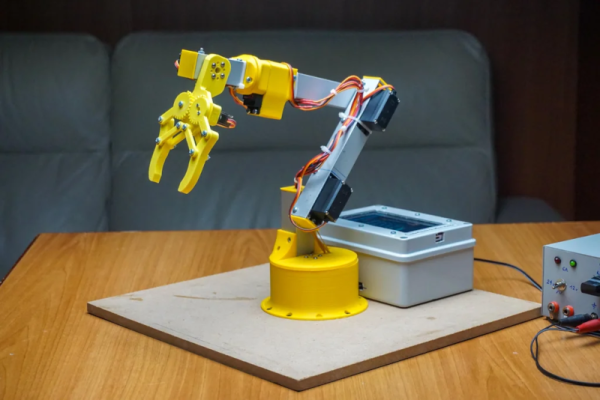
[Maurizio] built a robot arm, which is always a great accomplishment. But his project includes a very cool touch interface for an Android device that sets it apart from many other similar projects.You can see a very fast summary of the construction in the video below.

The design uses Fusion 360 and there are good explanations of each step in the process. The gripper is adapted from an existing design. Various 3D printed parts make up the wrist, shoulder, elbow, and rotating base.

Continue reading “Robot Arm Has The Touch”

A Look Back At The USSR Computer Industry

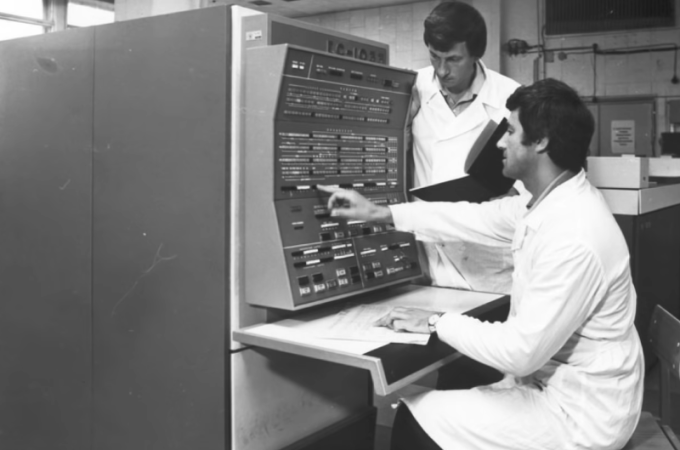
According to [Asianometry], in 1986 the Soviet Union had about 10,000 computers. At the same time, the United States had 1.3 million! The USSR was hardly a backward country — they’d launched Sputnik and made many advances in science and mathematics. Why didn’t they have more computers? The story is interesting and you can see it in the video below.

Apparently when news of ENIAC reached the USSR, many dismissed it as fanciful propaganda. However, there were some who thought computing would be the future. Sergey Lebedev in Ukraine built a “small” machine around 1951. Small, of course, is relative since the machine had 6,000 tubes in it. It performed 250,000 calculations for artillery tables in about 2 and half hours.

The success of this computer led to two teams being asked to build two different machines. Although one of the machines was less capable, the better machine needed a part they could only get from the other team which they withheld, forcing them to use outdated — even then — mercury delay lines for storage.

The more sophisticated machine, the BESM-1, didn’t perform well thanks to this substitution and so the competitor, STRELA, was selected. However, it broke down frequently and was unable to handle certain computations. Finally, the BESM-1 was completed and was the fastest computer in Europe for several years starting in 1955.

By 1959, the Soviets produced $59 million worth of computer parts compared to the US’s output of around $1 billion.  There are many reasons for the limited supply and limited demand that you’ll hear about in the video. In particular, there was little commercial demand for computers in the Soviet Union. Nearly all the computer usage was in the military and academia.

Eventually, the Russians wound up buying and copying the IBM 360. Not all of the engineers thought this was a good idea, but it did have the advantage of allowing for existing software to run. The US government tried to forbid IBM from exporting key items, so ICL — a UK company — offered up their IBM 360-compatible system.

The Soviets have been known to borrow tech before. Not that the west didn’t do some borrowing, too, at least temporarily.

Continue reading “A Look Back At The USSR Computer Industry”

Looking At Fortran In 100 Seconds

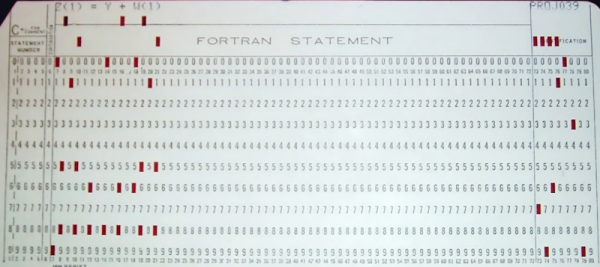
Usually, when we are talking about old computers, we are thinking of BASIC interpreters. But [Fireship] reminds us that it was originally Fortran and promises to give you the essentials in 100 seconds. We didn’t think you could do much in that short amount of time, but we have to admit that they did a pretty good job.

Of course, it doesn’t hurt that we know Fortran — you probably aren’t going to be able to put it on your resume after watching this video. On the other hand, we were impressed with how much they did squeeze in. If you haven’t touched Fortran since the 1960s and 1970s, you should know that it has changed. Pointers, dynamic memory allocation, and even objects are all possible. It is still a very capable language and very adept at crunching large sets of numbers. Besides, there are many sophisticated algorithms you can borrow from decades of Fortran development.

If you decide you want to have a go, there is, of course, GNU Fortran. Honestly, as much time as we spent writing Fortran in years past, we don’t recommend it for new job prospects. But if you have some period hardware and want an authentic experience, it might just be the way to go. Or, just fire up a browser if you want to play.

Not everyone agrees, though, that Fortran is on the wane. There are efforts to bring it even more up to date. You can even use it for web development.

Continue reading “Looking At Fortran In 100 Seconds”

Liquid Piston Engine Finally Works

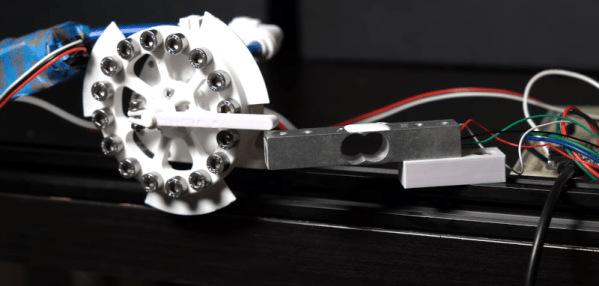
The first video from [3DPrintedLife] attempting to make a liquid piston engine was… well… the operative word is attempting. The latest video, though, which you can see below gets it right, at least eventually.. He has a good explanation of the changes that made the design better. Turns out, one change that made a difference was to turn a key part of the engine inside out. You can see the video below.

The first version would quickly break during operation and while the first new version didn’t work very well, it did stay in one piece which is a definite improvement.

Continue reading “Liquid Piston Engine Finally Works”

A Linux Business Card You Can Build

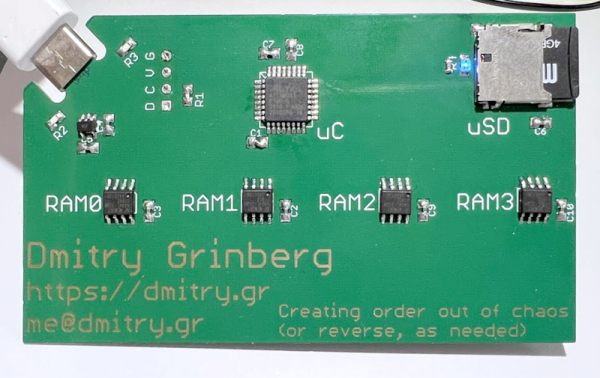
It is a sign of the times that one of [Dmitry’s] design criteria for his new Linux on a business card is to use parts you can actually find during the current component shortage. The resulting board uses a ATSAMD21 chip and emulates a MIPS machine in order to boot Linux.

We like that in addition to the build details, [Dmitry] outlines a lot of the reasons for his decisions. There’s also a a fair amount of detail about how the whole system actually works. For example, by using a 0.8 mm PCB, the board can accept a USB-C cable with no additional connector. There is also a great explanation of the MIPS MMU and don’t forget that MIPS begat RISC-V, so many of the MIPS core details will apply to RISC-V as well (but not the MMU).  You’ll also find some critiques of the ATSAMD21’s DMA system. It seems to save chip real estate, the DMA system stores configuration data in user memory which it has to load and unload every time you switch channels.

By the end of the post you get the feeling this may be [Dimitry]’s last ATSAMD21 project. But we have to admit, it seems to have come out great. This isn’t the first business card Linux build we’ve seen. This one sure reminded us of a MIDI controller card we once saw.

Tio Is A Serial Terminal For Us

With Linux and the serial port there is good news and there is bad news. The good news is that Linux has great support for serial hardware of all sorts and a host of tools for accessing the serial port. That’s important when you use a lot of serial-like devices like Arduinos with USB ports and the like. The bad news is that most of the terminal software is made to accommodate the days when a computer had real serial terminals and modems with people interacting with them. We bet that’s why [lundmar] developed tio, a serial device I/O tool for people like us.

Honestly, how many times have you needed Zmodem file transfers and recognition of the DCD signal to detect an incoming connection? Sure there are many other programs that will do the job, but tio brings a clean simplicity along with functionality that embedded developers need.

The software will support arbitrary devices, show statistics, and give you control of the RS232 lines. There’s support for delayed characters and lines, useful if you are dealing with a super simple device with no handshaking. There’s also hex support and many ways to log data and statistics. We especially like that it can automatically reconnect which is a great feature.

Of course, you want some terminal features and tio includes those. For example, you can elect to have local echo turned on or map characters so that, for example, a carriage return turns into a carriage return and a line feed. You can use command line options to set up most items including features like redirecting to a network socket. Other commands inside the program — by default, triggered by Control+T — let you do things like send a break, toggle handshaking lines, and more.

You might think the serial port is dead, but it really just transformed into a USB port.  Of course, like everything else these days, you can also get your terminal in the browser.