TinyFPGA Is A Tiny FPGA Board

We recently noticed an open source design for TinyFPGA A-Series boards from [Luke Valenty]. The tiny boards measure 18 mm by 30.5 mm and are breadboard friendly. You can choose a board that holds a Lattice Mach XO2-256 or an XO2-1200, if you need the additional capacity.

The boards have the JTAG interface on the side pins and also on a top header that would be handy to plug in a JTAG dongle for programming. The tiny chips are much easier to work with when they are entombed in a breakout board like this. Bigger boards with LEDs and other I/O devices are good for learning, but they aren’t always good for integrating into a larger project. The TinyFPGA boards would easily work in a device you were prototyping or doing a small production run.

Continue reading “TinyFPGA Is A Tiny FPGA Board”

Find Instructions Hidden In Your CPU


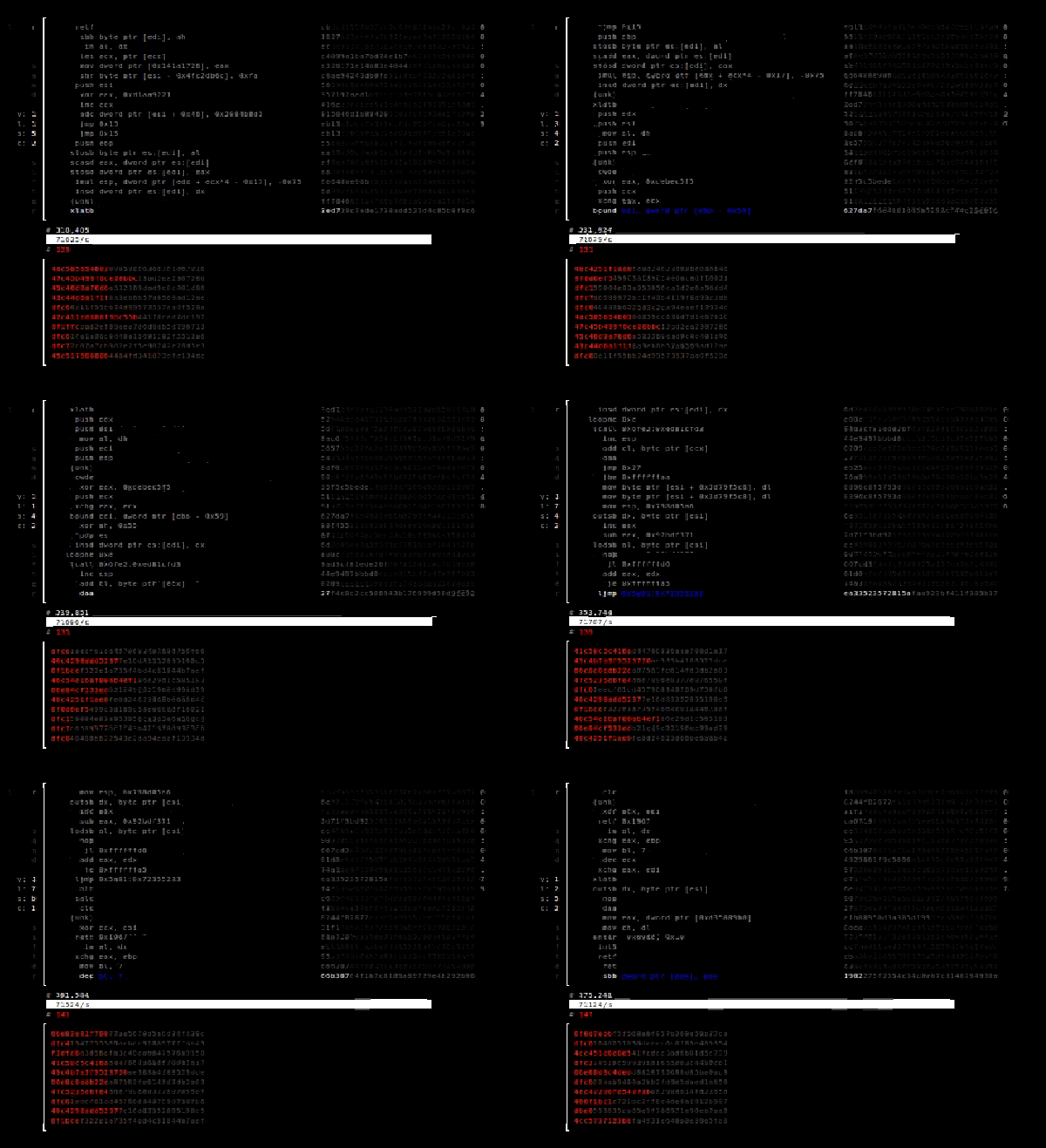
There was a time when owning a computer meant you probably knew most or all of the instructions it could execute. Your modern PC, though, has a lot of instructions, many of them meant for specialized operating system, encryption, or digital signal processing features.

There are known undocumented instructions in a lot of x86-class CPUs, too. What’s more, these days your x86 CPU might really be a virtual machine running on a different processor, or your CPU could have a defect or a bug. Maybe you want to run sandsifter–a program that searches for erroneous or undocumented instructions. Who knows what is lurking in your CPU?

Continue reading “Find Instructions Hidden In Your CPU”

OpenEMS Makes Electromagnetic Field Solving… Merely Difficult

To ordinary people electronics is electronics. However, we know that the guy you want wiring your industrial furnace isn’t the guy you want designing a CPU. Neither of those guys are likely to be the ones you want building an instrumentation amplifier. However, one of the darkest arts of the electronic sects is dealing with electromagnetic fields. Not only is it a rare specialty, but it requires a lot of high-powered math. Enter OpenEMS, a free and open electromagnetic field solver.

We would like to tell you that OpenEMS makes doing things like antenna analysis easy. But that’s like saying Microsoft Word makes it easy to write a novel. In one sense, yes, but you still need to know what you are doing. In fairness, though, the project does provide a good set of tutorials, ranging from a simple wave guide to a sophisticated phased array of patch antennas. Our advice? Start with the waveguide and work your way up from there.

The software uses Octave or MATLAB for scripting, plotting, and support. You can download it for Windows or Linux.

If you want to start with something more intuitive for electromagnetic field visualization, this might help. If you prefer your models more concrete and less abstract, perhaps you should work at Lincoln Lab.

Edit Hex In The Browser

If you can’t stand the thought of using an application in your browser, you might as well jump ahead to the comments and start flaming.

Still with us? Imagine this scenario. You are at the office, at a client’s site, at a school, or visiting your mom. Suddenly, for some strange reason, you need to edit a hex file. We don’t know why, but if you are reading Hackaday, it isn’t that big of a stretch to imagine it. What do you do? Download and install a hex editor? Maybe you can’t. Or, if it is mom’s computer, maybe you just don’t want to. Your next option is to navigate to HexEd.it.

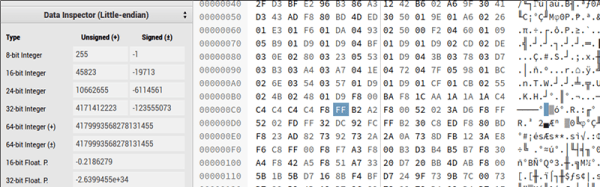
The application, by [Jens Duttke], uses HTML5 and JavaScript and is actually a nicely capable editor. It shows the data in hex and ASCII as you’d expect. It also shows the current cursor location in a number of formats like 8-bit integer, 32-bit integer, date and time, and more. It even shows all the representations as big endian and little endian.

Continue reading “Edit Hex In The Browser”

Eye Tube Tests Capacitors

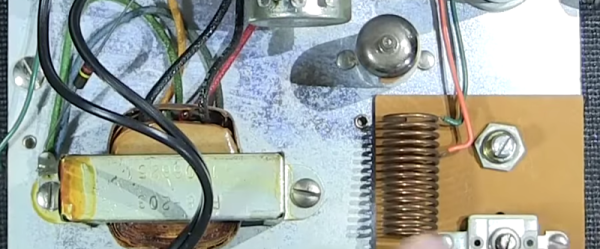
Most component testers require removal of a component to test it. [Mr Carlson] recently restored an old Paco C-25 in-circuit capacitor tester. He does a very complete video tearing it down and showing how it works and why.

The tester uses an eye tube (sometimes called a magic eye tube) as an indicator. A 40 MHz oscillator produces a signal that finds open and shorted capacitors. You can also measure resistance, although you have to wonder how accurate it would be in circuit. If you want to read the original manual, there are a few copies online.

Continue reading “Eye Tube Tests Capacitors”

Rotary Phones And The Birth Of A Network

I can’t help but wonder how long it will be before the movie title  “Dial M for Murder” becomes mysterious to most of the population. After all, who has seen a dial phone lately? Sure, there are a few retro phones, but they aren’t in widespread use. It may not be murder, but it turns out that the dial telephone has its roots in death — or at least the business of death. But to understand why that’s true, you need to go back to the early days of the telephone.

Did you ever make a tin can phone with a string when you were a kid? That dates back to at least 1667. Prior to the invention of what we think of as the telephone, these acoustic phones were actually used for specialized purposes.


We all know that [Alexander Graham Bell] made a working telephone over a wire, drawing inspiration from the telegraph system. However, there’s a lot of dispute and many others about the same time were working on similar devices. It is probably more accurate to say that [Bell] was the first to successfully patent the telephone (in 1876, to be exact).

Continue reading “Rotary Phones And The Birth Of A Network”

KIM-1 To COSMAC Elf Conversion — Sort Of

In the mid-1970s, if you had your own computer, you probably built it. If you had a lot of money and considerable building skill, you could make an Altair 8800 for about $395 — better than the $650 to have it built. However, cheaper alternatives were not far behind.

In 1976, Popular Electronics published plans for a computer called the COSMAC Elf which you could build for under $100, and much less if you had a good junk box. The design was simple enough that you could build it on a piece of perf board or using wire wrap. We featured the online archive of the entire Popular Electronics collection, but hit up page 33 of this PDF if you want to jump right to the article that started it all. The COSMAC Elf is a great little machine built around a 40-pin RCA 1802 processor, and for many was the first computer they owned. I lost my original 1802 computer in a storm and my recent rebuild in another completely different kind of storm. But there is a way to reclaim those glory days without starting from scratch.  I’m going to repurpose another retro-computing recreation; the KIM-1.

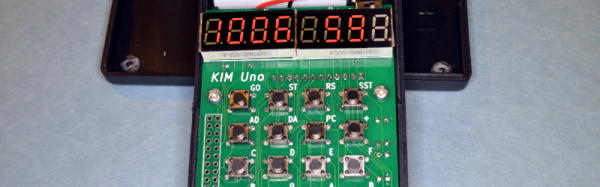
I’ll admit it, Rewiring a real KIM-1 to take an 1802 CPU would be difficult and unnecessary and that’s not what this article is about. However, I did have a KIM UNO — [Oscar’s] respin of the classic computer using an Arduino mini pro. Looking at the keyboard, it occurred to me that the Arduino could just as easily simulate an 1802 as it could a 6502. Heck, that’s only two digits different, right?

The result is pretty pleasing. A “real” Elf had 8 toggle switches, but there were several variations that did have keypads, so it isn’t that far off. Most Elf computers had 256 bytes of memory (without an upgrade) but the 1802 UNO (as I’m calling it) has 1K. There’s also a host of other features, including a ROM and a monitor for loading and debugging programs that doesn’t require any space in the emulated 1802.

Continue reading “KIM-1 To COSMAC Elf Conversion — Sort Of”