Cheap 360 Degree Camera

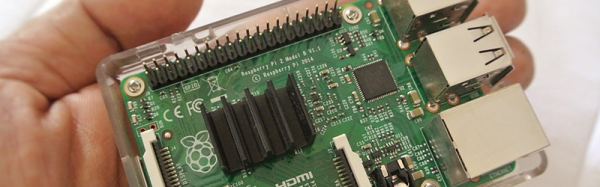
How much would you pay for a 360 degree camera? How about $15 if you already have a Raspberry Pi and a Pi camera hanging around? If you don’t, you’ll have to add that minimal cost into the build. [Gigafide] noticed how a spherical mirror, made to see around corners, showed an all-around view if you took a picture of it from below. He snagged a panoramic lens made for an iPhone and stripped it for its optics. Some custom software and a little work resulted in a usable 360 degree camera.

SimpleCV (a light version of OpenCV) provides the algorithms to unwrap the frames and you can take video with the setup (see the video below). Mounting the optics took some 3D printing and the Pi operates as a hot spot to send the video out.

Continue reading “Cheap 360 Degree Camera”

Party Drone Comes Up Roses

[Nicomedia] (a team of two) built a payload for their drone with two distinct purposes: to allow it to drop things like rose petals and to fire off fireworks. Honestly, while it is a cool idea, we are a little worried that dropping things from a height might not be a good idea (although rose petals are probably OK) and lighting off fireworks from a drone didn’t seem like a good idea at all. If you want to reproduce this, you probably need to make sure either of these things are legal in your part of the planet.

In the video below, you can see the effect. A servo tied to the drone’s controller opens the box to release the payload. In this case, the team didn’t have a spare channel so they used a separate controller, but if you had a spare channel on the flight controller, that would probably be better.

Continue reading “Party Drone Comes Up Roses”

Orka Controls The (Pi) World

If you deploy a lot of Raspberry Pi computers, you might find it inconvenient to log into each one to perform different tasks. Orka, an open source project by [Karthik K], is a server that runs on a desktop PC (Windows, Linux, or Mac) and can control multiple Orka clients (that can run on a Pi, or a desktop PC). We understand that [Karthik K] is looking for Mac testers, by the way.

From the server, you can execute commands and create tasks. You can also receive notification when a client PC reaches a threshold (for example, over temperature or too much CPU or RAM usage). You can open a shell on a client and do other operations.

Continue reading “Orka Controls The (Pi) World”

BuildTak, PEI, And Early Adopter Syndrome

I’m guessing most of the members of the Hackaday community are what most people would consider early adopters. Sure, there’s variation among us, but compared to the general population we probably all qualify. I’ve spent many years being an early adopter. I owned a computer, a TiVO, a digital camera, a 3D printer, a drone, and many other gadgets before they became well known. I’ve avoided the self-balancing conveyance craze (I’ll stick with my motorcycle).

Of course, you know if you are an early adopter, you will overpay. New has a premium, after all. But there is another price: you often have the first, but not the optimum. My first digital camera took 3.5 inch floppies. My TiVO has an analog tuner.

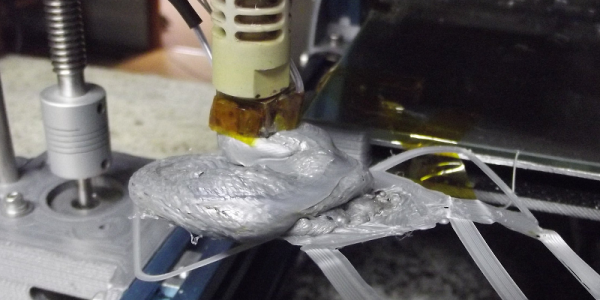
I was reminded of this last week. A number of years ago, I built a 3D printer. A lot of printers back then didn’t have heated build plates, so printing ABS required rafts and ABS juice and frustration. I made sure to get a heated bed and, like most people in those days, I had a glass print surface covered in Kapton.

That works pretty well with ABS, but it isn’t perfect. Aqua Net hair spray makes it stick better, but large flat prints still take a little work. With a little practice, it isn’t bad. I eventually switched to an aluminum bed and didn’t have to level the head quite as often, but it didn’t really make things any better, just more repeatable.

The years pass and other gadgets beckon. I use the printer about like I use a drill press. I don’t use it every day, but when you need it it is handy. I have to admit, I’ve been getting partial to PLA since it doesn’t warp. But PLA in the hot Houston sun isn’t always a good mix, so I still print a fair amount of ABS.

The other day I noticed a product called BuildTak. I also heard some people are printing on PEI sheets. I decided to try the BuildTak. Wow! What a difference.

Continue reading “BuildTak, PEI, And Early Adopter Syndrome”

Open Design Oscilloscope Could Be (Almost) Free

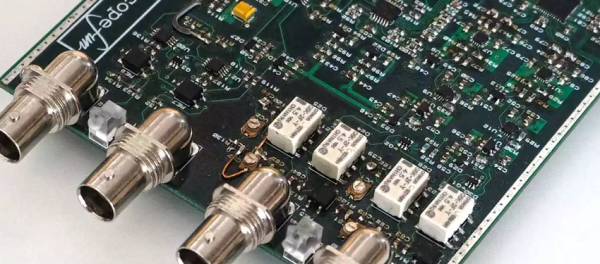
If you could only own one piece of test equipment, it should probably be an oscilloscope. Then again, modern scopes often have multiple functions, so maybe that’s not a fair assertion. A case in point is the Scopefun open hardware project. The device is a capable 2-channel scope, a logic analyzer and also a waveform and pattern generator. The control GUI can work with Windows, Linux, or the Mac (see the video, below).

The hardware uses a Xilinx Spartan-6 FPGA. A GUI uses a Cypress’s EZ-USB FX2LP chip to send configuration data to the FPGA.  Both oscilloscope channels are protected for overvoltage up to +/- 50 V. The FPGA samples at 100 Mhz through a 10-bit dual analog-to-digital converter ( ADC ). The FPGA handles triggering and buffers the input before sending the data to the host computer via the USB chip. Each channel has a 10,000 sample buffer.

There are also two generator outputs with short circuit and overvoltage protection ( +/- 50 V ). Generator channels have 50 Ohm internal impedance and also operates via the GUI using the same USB chip. The FPGA generates signals at 50 Mhz using counters, algorithms, or simple waveform data and feeds a DAC.

A 16-bit digital interface can be set as inputs or outputs. The FPGA samples inputs at 100 MHz. The output voltage can be set, but inputs are 5 V tolerant.

According to the developer, you can build the scope from the information provided by using free sample chips from the various vendors, only paying for the small components and the cost of the PCB.

We’ve looked at several low-cost scope options before. Labtool even boasts some similar features.

Hackaday Prize Entry: Head-up For High Voltage

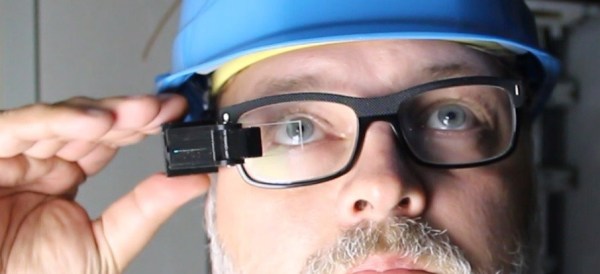
[Alain Mauer] wanted to build something like a Google Glass setup using a small OLED screen. A 0.96 inch display was too large, but a 0.66 inch one worked well. Combining an Arduino, a Bluetooth module, and battery, and some optics, he built glasses that will show the readout from a multimeter.

You’d think it was simple to pull this off, but it isn’t for a few reasons as [Alain] discovered. The device cost about 70 Euro and you can see a video of the result, below.

Continue reading “Hackaday Prize Entry: Head-up For High Voltage”

Hello 3D Printed Dolly

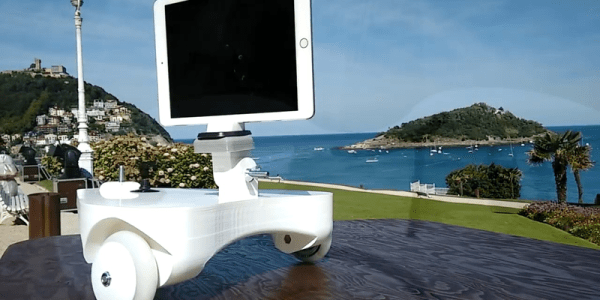
[Ivan] likes to take time lapse videos. Using his 3D printer and a stepper motor he fashioned a rig that allows him to control the camera moving any direction on a smooth floor.

The dolly has a tripod-compatible mounting plate and scooter wheels. An Arduino runs the thing and a cell phone battery provides power. A pot sets the speed and [Ivan] provides code for both a linear pot, which he suggests, and for a logarithmic pot, which he had on hand. You can see a video of the results below.

Continue reading “Hello 3D Printed Dolly”