Miss The Predictive Text From Your Old Nokia? Build Your Own T9 Keypad

Do you miss the mind-blowing typing speed of your old Nokia brick with predictive text turned on? Well, so did [Guy Dupont], so he created a USB keypad with T9 predictive text built-in to turn typing into a one-handed affair. Video after the break.

T9 was the first predictive text technology to gain widespread use in the late ’90s and early 2000s. The goal was to minimize the number of keypresses required for typing on multi-press keypads by matching key sequences to a dictionary of the possible words. It prioritizes words based on the frequency of use and can adapt to user preferences. [Guy] implemented T9 in Circuit Python, mainly for the RP2040 microcontroller used on the Raspberry Pi Pico, which will appear as a normal USB keyboard when plugged into any device. The dictionary is stored in the flash memory and can be updated using a tool also created by [Guy]. It can also change modes for old multi-press typing, numeric pad, or macro pad.

We would be interested to see just how fast it’s possible to type one handed with T9, and what application our readers can imagine. It doesn’t look like this implementation can learn the user’s preferences, which we think would be a worthy feature to add.

We’ve covered several unique custom keyboards recently, some more practical than others. On the silly side, these include a grenade-shaped function pad, a five-button chording keyboard, and a tiny two-key keyboard. Continue reading “Miss The Predictive Text From Your Old Nokia? Build Your Own T9 Keypad”

How To Get Into Cars: Ice Racing Mods

Typically, when it comes to inclement weather, ice is the worst of the worst of driving conditions. Regular tyres have little to no grip in such situations, and accidents are common. However, some choose to laugh at such challenges, and take to racing out on frozen lakes and rivers. The sport of ice racing can be a demanding one, though, so you’ll need to prep your car appropriately. Here’s how.

Ice, Ice, Baby

The highest tier of ice racing is the Andros Trophy, conducted in France each year. Competitors in the top class compete in mid-engined V6-powered cars with AWD and four-wheel steering.

Ice racing is largely limited to colder climates where lakes, rivers, or even actual racetracks freeze over in the winter. While some limited ice racing does occur indoors on skating rinks, it’s largely limited to motorcycles and ATVs because such facilities are just too small for cars.

The weather-dependent and esoteric nature of ice racing means that it exists at the fringes of organised motorsport, with most events being community-run at the grassroots level. Often, new competitors will start in a “run-what-you-brung” class, with unmodified street cars competing in limited or no-contact events, such as time trials or drag races. Higher tiers then generally necessitate more serious preparation and safety equipment, such as rollcages and fire extinguishers, and competitive door-to-door racing on larger tracks. However, some professional competitions do exist, running bespoke tube-framed cars built for purpose. The most notable of these is the Andros Trophy, held in the French Alps and run by the namesake jam company. Continue reading “How To Get Into Cars: Ice Racing Mods”

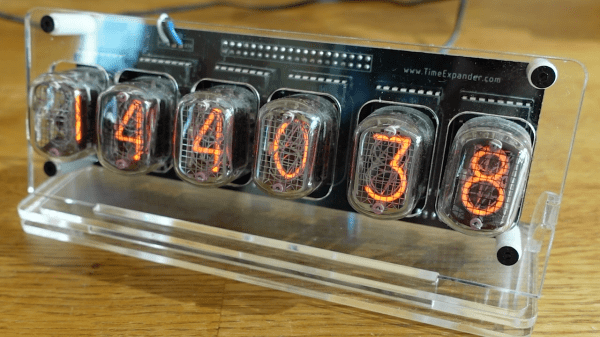
Retro Useless Clock Eventually Shows You The Time

It’s true; hackers like clocks. And hackers like useless machines. But would they like an intersection of the two? We’re thinking yes, probably, though we would argue that this QR clock was at no point fully useless. Yes, a QR clock as in, whip out your phone and, ignoring the conveniently-available phone time, open the bar code reader so you can check the time on this thing. So, it’s semi-useless. But at least it doesn’t detect cameras and then hide the QR code. That would be evil.

This project started life as a display piece for the hex wall down at [megardi]’s hackerspace, but, state of the world being what it is, [megardi] hasn’t made it down there yet. And meanwhile this little guy was looking cuter and cuter, so [megardi] decided to make him more useful and freestanding. The ESP32 inside gets the official time from NIST and displays it on the 1.5″ OLED screen. It also has a single alarm now, along with some other non-QR code clock faces that display the time in various ways.

We really like the look of this clock. Honestly, with those uniform tics around the edge, it sort of reminds us of the doomsday clock — you know, the ‘minutes to midnight’ quarter clock face that shows the current perceived threat level of how close we are to destroying the world with the technologies we’ve created. That clock is kind of cute, too, which is a little bit weird considering what it represents.

Speaking of our delicate planet, here’s a gorgeous little Earth clock that casts a shadow on whatever slice of the planet is currently shrouded in darkness.

Mariner 4: Our First Up-Close Look At Mars

In the grand scheme of things, it wasn’t all that long ago that the entire body of knowledge of our solar system was built solely with Earth-based observations. Turning first their naked eyes to the heavens, and then a succession of increasingly complex and sensitive optical and radio telescopes gathering light from all across the spectrum, our astronomically curious forbears did a commendable job working out the broad strokes of what’s going on in the neighborhood.

But there’s only so much information that can be gathered by instruments operating at the bottom of a roiling ocean of air, so when the opportunity to send instruments to our planetary neighbors began to be possible some 60 years ago, scientists started planning how to accomplish it. What resulted was the Mariner program, a series of interplanetary probes launched between 1962 and 1973 that performed flyby missions of the inner planets.

The list of accomplishments of the Mariner program is long indeed, and the number of firsts achieved by its ten spacecraft is impressive. But it is Mariner 4, the first flyby mission of Mars, which set the stage for a lot of the science being done on and around Mars today, and the first mission where NASA wisely took a “pics or it didn’t happen” approach to planetary science. It was the first time a TV camera had traveled to another world, and it was anything but a sure bet that it would pay dividends.

Continue reading “Mariner 4: Our First Up-Close Look At Mars”

Auto-Aiming Nerf Gun To Give You The Edge In Battle

Ever wished for some robotic enhancements for your next nerf war? Well, it’s time to dig through the parts bin and build yourself a nerf gun with aimbot built right in, courtesy of [3Dprintedlife]. (Video, embedded below.)

The gun started with a design borrowed from [Captain Slug]’s awesome catalog of open source nerf guns. [3Dprintedlife] modified the design to include a two-axis gimbal between the lower and the upper, driven by a pair of stepper motors via an Arduino. For auto-aim, a camera module attached to a Raspberry Pi running OpenCV was added. When the user half-pressed the trigger, OpenCV will start tracking whatever was at the center of the frame and actively adjust the gimbal to keep the gun aimed at the object until the user fires. The trigger mechanism consists of a pair of microswitches that activate a servo to release the sear. It is also capable of tracking a moving target or any face that comes into view.

We think this is a really fun project, with a lot of things that can be learned in the process. Mount it on a remote control tank and you’d be able to wage some intense battles in your backyard. All the files are available on GitHub.

You are never too old for a good old nerf battle. Whether you want to be a sniper, a machine gunner, or a heavy weapons specialist, there’s a weapon to build for every role.

Adding A Laser Blaster To Classic Atari 2600 Games With Machine Vision

Remember the pistol controller for the original Atari 2600? No? Perhaps that’s because it never existed. But now that we’re living in the future, adding a pistol to the classic games of the 2600 is actually possible.

Possible, but not exactly easy. [Nick Bild]’s approach to the problem is based on machine vision, using an NVIDIA Xavier NX to run an Atari 2600 emulator. The game is projected on a wall, while a camera watches the game field. A toy pistol with a laser pointer attached to it blasts away at targets, while OpenCV is used to find the spots that have been hit by the laser. A Python program matches up the coordinates of the laser blasts with coordinates within the game, and then fires off a sequence of keyboard commands to fire the blasters in the game. Basically, the game plays itself based on where it sees the laser shots. You can check out the system in the video below.

[Nick Bild] had a busy weekend of hacking. This was the third project write-up he sent us, after his big-screen Arduboy build and his C64 smartwatch.

Continue reading “Adding A Laser Blaster To Classic Atari 2600 Games With Machine Vision”

Commodore Inspired Watch Puts BASIC On Your Wrist

Ask a smart watch owner what their favorite wrist-mounted feature is, and they might say it’s having all their daily information available at a glance, or the ease with which they’re able to communicate with friends and family. If they don’t mention knocking out a few lines in their wearable BASIC interpreter, then you know you aren’t talking to [Nick Bild]. His “C64 Watch” firmware for the LILYGO T-Watch 2020 not only takes some visual inspiration from the Commodore 64, but also lets you relive those early computing glory days with a functional BASIC environment.

Originally [Nick] used a teeny tiny onscreen keyboard to tap out his BASIC programs, but finding the experience to be uncomfortably like torture, he switched over to using USB. Just plug the watch into your computer, open your favorite serial terminal, and you’ll have access to the customized version of TinyBasic Plus running on the watch. To make things  even easier, he’s looking at implementing a web-based terminal over WiFi so you don’t need to plug the watch in.

When you aren’t running BASIC you’ll be treated to a Commodore-themed watch face, complete with the classic READY. prompt. A small battery indicator is hidden up in the top-right corner, and tapping on the rainbow colored “C” will launch the menu. It’s pretty simplistic, but of course what else would you expect given the source material?

Looking ahead, [Nick] says he’d also like to implement a C64 emulator into the firmware so the watch could run original software. We’re a bit skeptical about how practical that would actually be, but we’ll reserve judgement until we see it in operation. He’s also hoping other Commodore aficionados will chime in with their own improvements and new features for the watch.

You might think that a Commodore 64 emulator on your wrist would be the most outlandish way to run your old games and software, but we’d say playing Turrican in a virtual reality microcosm of the 1980s takes the cake.

Continue reading “Commodore Inspired Watch Puts BASIC On Your Wrist”