Inside The Secret World Of Crimping

At some point in your electrical pursuits, you’ll need to make a connector. Maybe you’re designing something that will connect to another device, or maybe the spaghetti mess of wires coming out of your Raspberry Pi has become a pain to deal with. Whatever the reason, a proper connector can solve a lot of headaches in electronics projects.

Your first thought might be to run to your favorite component distributor and order the connectors, terminals, and crimping tool. Unfortunately, those tools can cost thousands of dollars. Maybe you’ll just solder the connectors instead? Don’t! It makes for easily damaged connections.

Fortunately, [Matt Millman] has a great guide on wire-to-board connectors. This guide will explain why you should never solder crimp terminals and then get into working with some of the most common wire-to-board connector families.

For example, the Mini-PV series (which often get called “Dupont”) are one of the most ubiquitous connectors in hobbyist electronics. They’re the connector on those rainbow colored jumper wire sets, and connect perfectly to 0.1″ pin headers. The connectors and terminals are cheap, but the official HT-0095 crimp tool costs over $1500. Most crimp tools make a mess of these terminals since they require a cylindrical jaw to crimp correctly. By using a combination of two unofficial tools, you can crimp these connectors properly for under $60.

If you want to learn more about the art of wiring, the NASA Workmanship Standards are an interesting read.

[Thanks to MarkMLl for the tip!]

Arduino Revives A Classic 1980s Minitel Terminal

Before there was the Internet, there were a lot of would-be Internets. Compuserve comes to mind, as do Prodigy, GEnie, Delphi, and the innumerable BBS systems that were once gateways to worlds beyond our CRT monitors and 300 baud Hayes Supermodems.

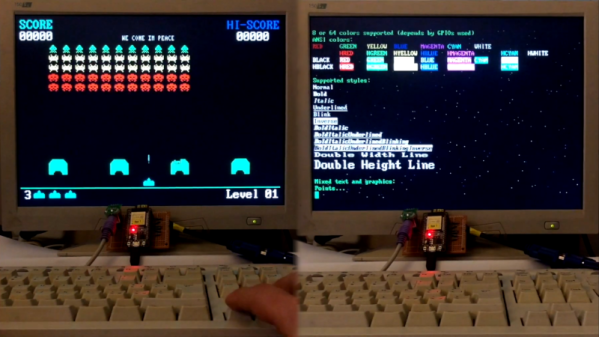
Service providers varied by region, of course. The French postal and telephone service rolled out their service, Médium interactif par numérisation d’information téléphonique, in 1978. Mercifully and memorably shortened to Minitel, the service was originally intended primarily as an online telephone directory, and later expanded to include other services. [Kevin Driscoll] and [Julien Mailland] recently resurrected a Minitel terminal, a Videotex terminal that was the gateway to the service. The terminal they used, a model 1B, is a stylish machine with a monochrome CRT display and compact “AZERTY” keyboard. [Kevin] and [Julien] built a Videotex server for it using an Uno and a logic-level converter to keep the two talking. Using the hardware, they’ve developed a Twitter client, a webcam display, and dumb Linux terminal.

[Julien] and  [Kevin] previously authored a great history of Minitel that’s worth a read. And we’ve seen a few Minitel hacks before, including converting one to USB for use as a Raspberry Pi terminal.

Ceramic Aerogel Meets Stretch Goals

Aerogels have changed how a lot of high tech equipment is insulated. Resembling frozen smoke, the gel is lightweight and has extremely low thermal conductivity. However there’s always a downside, traditional aerogel material is brittle. Any attempt to compress it beyond 20% of its original size will change the material. Researchers at UCLA and eight other universities around the world have found a new form of ceramic aerogel that can compress down to 5% of its original size and still recover. It is also lighter and able to withstand extreme temperature cycles compared to conventional material. The full paper is behind a paywall, but you can view the abstract.

Traditional aerogel is more likely to fracture when exposed to high temperatures or repeated temperature swings, but the new material is more robust. Made from boron nitride, the atoms have a hexagonal pattern which makes it stronger.

Continue reading “Ceramic Aerogel Meets Stretch Goals”

Flexible PCB Robot Flops Around To Get Around

In his continuing quest to reduce the parts count of a robot as far as possible, [Carl Bugeja] has hit upon an unusual design: robots built of almost nothing but PCBs.

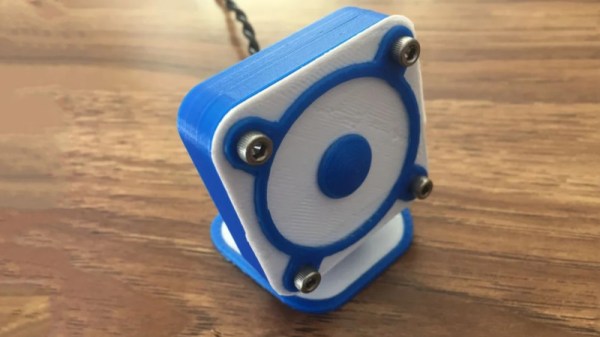
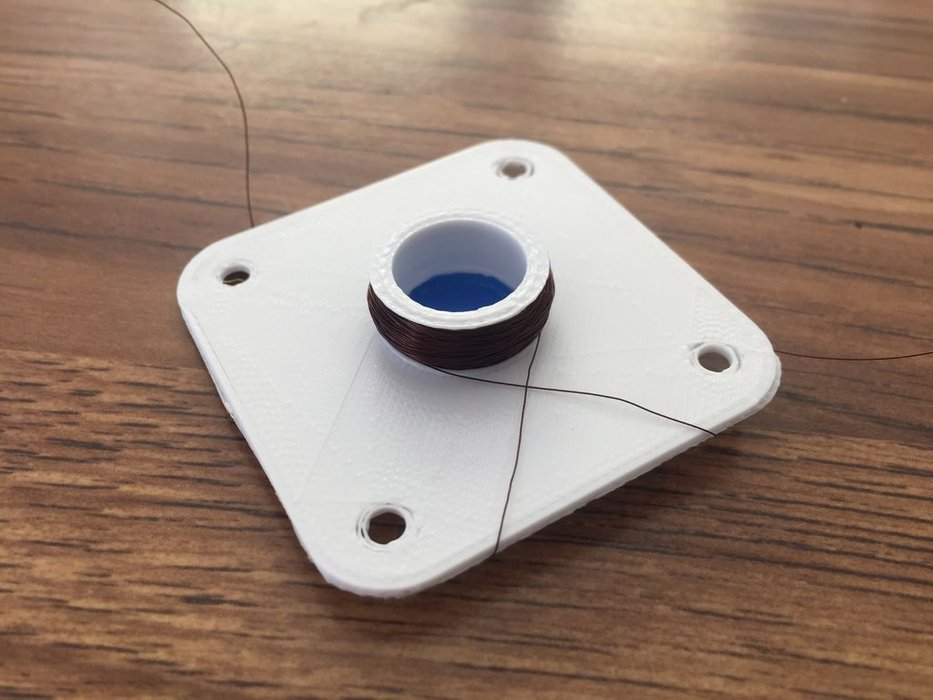
Admittedly, calling these floppy four-legged critters robots is still a bit of a stretch at this point. The video below shows that while they certainly move under their own power, there’s not a lot of control to the movement – yet. [Carl]’s design uses an incredibly fragile looking upper arm assembly made from FR4. Each arm holds a small neodymium magnet suspended over the center of a flexible PCB coil, quite like those we’ve seen him use before as actuators and speakers. The coils are controlled by a microcontroller living where the four legs intersect. After a few uninspiring tethered tests revealed some problems with the overly compliant FR4 magnet supports, [Carl] made a few changes and upped the frequency of the leg movements. This led to actual motion and eventually to untethered operation, with the bot buzzing around merrily.

There are still issues with the lack of stiffness of the magnet arms, but we’re optimistic that [Carl] can overcome them. We like this idea a lot, and can see all sort of neat applications for flapping and flopping locomotion.

Continue reading “Flexible PCB Robot Flops Around To Get Around”

New Part Day: The STM32 That Runs Linux

There are a lot of ARM microcontrollers out there, and the parts from ST are featured prominently is the high-power builds we’re seeing. The STM32F4 and ~F7 are powerhouses with great support, and the STM32F0 and the other younger children of the family make for very good, low-power microcontrollers. Now, the STM32 family is getting a big brother. It runs Linux. It’s two ARM Cortex-A7 cores and one M4 core on the same chip. The STM32MP1 is the chip you want if you still can’t figure out how to waste computing cycles by blinking LEDs.

Block diagram of the STM32MP157 Image: ST

First, that Linux support. The STM32MP157C was mainlined into Linux last summer, and there is support for Android. So yes, this chip can run Linux. There is an optional 3D GPU in this family, a MIPI-DSI controller, support for HDMI-CEC, USB 2.0, and 10/100M or Gigabit Ethernet. This brings us the inevitable question of whether you can build a Raspberry Pi clone with these parts. Maybe, champ, but if you’re asking that question it’s probably not you that’s going to build one. It looks as if this chip is designed for phones, set-top boxes, and smart TVs. That doesn’t preclude a single board computer, but the biggest problem there is maintaining software support anyway.

The chip family in question all come with dual ARM Cortex-A7 processors running at a nominal 650MHz. There’s also a Cortex-M4 running at 209MHz, and the ST literature suggests that engineers are already running Linux on the A7 and an RTOS on the M4. This chip will need external memory, but DDR3 / DDR3L / LPDDR2 / LPDDR3 are supported.

This chip is only announced right now, you can’t get it on Mouser or Digikey yet, and there’s no information on pricing. However, there are two development boards available, the Evaluation board, which features 1 GB of DDR3L, 128 MB of Flash, and an 8 GB eMMC. There’s a 5.5″ display, and enough connectors to make your heart flutter. The Discovery board is a bit more cut down, and comes with a 4″ 480×800 LCD, WiFi, Bluetooth LE, and of course it comes with GPIO expansion connectors for an Arduino and Raspberry Pi. The Discovery Board is not available at this time, but it will sell for $99 USD.

Mayak Turns WiFi Traffic Into Sound

Dial-up modems were well known for their screeching soundtrack during the connection process. Modern networking eschews audio based communication methods, so we no longer have to deal with such things. However, all is not lost. [::vtol::]’s Mayak installation brings us a new sound, all its own.

The installation consists of four WiFi routers, connected to four LTE modems. These are configured as open hotspots that anyone can connect to. [::vtol::] was careful to select routers that had highly responsive activity LEDs. The activity LEDs are wired to an Arduino, which processes the inputs, using them to trigger various sounds from an attached synthesizer.

As users connect to the routers and go about their business on the Internet, the activity LEDs flash and the synthesizer translates this into an otherworldly soundtrack. The hardware is all hung on a beautiful metal and acrylic frame, which stands as a striking form in the sparse gallery.

The piece creates a very electronic soundscape, but you may prefer your installations to have a more mechanical racket. Video after the break.

Continue reading “Mayak Turns WiFi Traffic Into Sound”

KiCon Gets Our KiCad Conference On

Oh, what’s KiCon you say? KiCon is the first dedicated conference on our favorite libre EDA tool: KiCad, organized by friend of Hackaday Chris Gammell and scheduled for April 26 and 27th in Chicago.

Having stuffed ourselves full of treats through the holidays, followed by sleeping through the calm winter months, we find ourselves once again facing the overwhelming tsunami of conference season. This year things are heating up early, and you’ll find a lot of Hackaday staff are headed to Chicago for KiCon.

Now that early selection of talks has been released, the end of April can’t come soon enough. Being user focused the conference is centered around what people make using the tool, and how it can be leveraged to improve your next project. Wayne Stambaugh, the project lead for KiCad itself, will be on hand to talk about the state of the tool and what the road map looks like from here. There will be a pair of talks on effective version control and applying the practice of continuous integration and deployment to the EDA world. We’ll hear about methods for working with distributed project members and tips for designing easy to learn beginner soldering kits. And there will be two talks on RF and microwave design, one of which we hope will teach us how to use that mysterious toolbar with the squiggly lines.

For an extra dash of flavor there will be a few Hackaday staff participating in the festivities. is making the flight over to present a talk about how to quickly generate and use 3D models in FreeCAD, something we’re very interested in applying to our messy part libraries. Kerry Scharfglass will be around to walk through how to lay out a manufacturing line and design the test tools that sit on it. And our illustrious Editor in Chief Mike Szczys will be roaming the halls in search of excellent hacks to explore and brains to pick.

Interested in attending or volunteering for the conference? Now is the time to buy your tickets and/or apply as a volunteer!

Of course there’s a ton of fun and games that surround KiCon. Hackaday will be hosting another edition of our always exciting bring-a-hack the evening of Saturday April 27th after official activities wrap up. Plan to stop by and enjoy a beverage at this gathering of like minded hackers who are showing off awesome toys. We’ll get more location details out soon, but for now, grab a ticket to the con and make your travel arrangements.