Raspberry Pi Laptop Uses The Official Touchscreen

We’ve seen a variety of home-made laptops using the Raspberry Pi and other single board computers over the years. Usually, they combine off-the-shelf USB keyboards and trackpads with HDMI monitor panels, and cases made from layered laser cut sheet, or 3D printed plastic.

[Surferboy]’s Raspberry Pi laptop is the latest effort to come before us, and its claim to fame is the use of the official Raspberry Pi 7″ touchscreen as a display. Full instructions and 3D printer files are available on Thingiverse so you can have a go at replicating it if a portable Pi is your thing.

He’s taken the bold step of not attempting to place all the Pi’s interfaces next to the outside of the case. Instead, he’s desoldered the Ethernet and USB ports. The USB connections were wired directly to the keyboard, display, and a couple of external ports on the right-hand side of his case. This leaves the finished laptop with no Ethernet. However, losing ethernet is a worthy tradeoff for the thinner package.

[Surferboy] also brought the GPIO header to a female socket on the rear of the unit. It’s unclear exactly what battery he uses except for a reference to the battery from his keyboard. Since a keyboard battery will be too small for Pi and display we are guessing a larger pack will be necessary.

Though the Ethernet port and battery issue would probably be a dealbreaker here this has the makings of a useful and compact laptop, it will be interesting to see if it is picked up and refined by the community.

Quite a few early Pi laptops used the Motorola Lapdock, a mobile-phone-into-netbook peripheral. Some others we’ve featured have been a bit chunky, but sometimes they can be objects of beauty.

Via Recantha.co.uk.

Tiny LED Earrings Are A Miniaturization Tour De Force

Light up jewelry is nothing new – we see wearables all the time here. But home brew, self-contained, programmable LED earrings that are barely larger than the watch batteries which power them? That’s something worth looking into.

assembly5Settle back and watch [mitxela]’s miniature wizardry in the video below, but be forewarned: it runs 36 minutes. Most of the video is necessarily shot through a microscope where giant fingers come perilously close to soldering iron and razor blade.

The heart of the project is an ATtiny9, a six-legged flea of a chip. The flexible PCB is fabricated from Pyralux, which is essentially copper-clad Kapton tape. [Mitxela] etched the board after removing spray-paint resist with a laser engraver – an interesting process in its own right.

After some ridiculously tedious soldering, the whole circuit wraps around a CR927 battery and goes into a custom aluminum and polypropylene case, which required some delicate turning. Hung from off-the-shelf ear hooks, the 12 multiplexed LEDs flash fetchingly and are sure to attract attention, especially of those who know Morse.

This isn’t exactly [mitxela]’s first tiny rodeo, of course. We’ve featured his work many times, including a Morse code USB keyboardthe world’s smallest MIDI synthesizer, and the world’s smallest MIDI synthesizer again.

Continue reading “Tiny LED Earrings Are A Miniaturization Tour De Force”

Treadmill Motor Belt Grinder

Turn Your New Years Resolution Into A Belt Grinder

We’re just over a month into the new year, and some people’s resolve on those exercise plans are already dwindling. There’s some good news though. That treadmill can be hacked into a nice belt grinder for your shop.

[Bob]’s treadmill belt grinder is based on a 2.5 horsepower motor he salvaged from a broken, donated treadmill. This motor needs 130 VDC to run, which is a bit of a challenge to generate. Fortunately, lots of treadmills seem to use the same MC-60 motor controller, which is compatible with this motor. Due to the widespread use of this controller, they can be found on eBay for about $30.

With the motor spinning, [Bob] built up a frame for the grinder, added rollers to hold the belt, and a spring based belt tensioner. The motor’s speed set point is controlled by a potentiometer, and the controller varies the power to keep a constant speed. Since the motor is capable of some serious RPM, a tachometer was added for feedback to prevent high-speed belt shredding.

The final result is a very professional looking tool for under $200. What would a grinder like this be used for? Knives of course! 2″ belt grinders are perfect for shaping and grinding knives and swords. In fact, you can see one in use in this sword hack.

Check out a video of the build after the break.

Continue reading “Turn Your New Years Resolution Into A Belt Grinder”

3D Printed Rockets Are A Gas

We’ve probably all made matchstick rockets as kids. And around here anything that even vaguely looks like a rocket will get some imaginary flight time. But [austiwawa] is making some really cool 3D printed rockets that use common CO2 cartridges as a propellant. You can see them in action in the video below.

You might think just sticking a CO2 cylinder in a 3D printed jacket isn’t such a big deal, but [austiwawa] really went the extra mile. He read up on how to make the rocket stable (by manipulating the center of gravity versus the center of pressure) and explains what he had to do to get the rockets flying like you’d expect.

In addition, the launch tube is pretty interesting. A 3D printed part holds a sharp point and a spring. You lock the spring and when released it punches a clean hole in the propellant casing. The actual tube is a long piece of PVC pipe. From the video, it looks like these little rockets fly pretty high.

Judging from the video, the rocket body and launcher came from TinkerCAD. The way [austiwawa] put the fins on was both simple and clever.

Of course, you could also use Coke and propane, if you like. We’ve also seen some pretty cool setups with compressed air. Check out the rockets in action after the break,

Continue reading “3D Printed Rockets Are A Gas”

Blade Runner’s Voight-Kampff Test Gets Real

You’re in a desert, walking along in the sand when all of a sudden you look down and see a tortoise. It’s crawling toward you.

Any Sci-Fi fan knows this is a question from the iconic Voight-Kampff test, as made famous by the movie Blade Runner. Humans pass the test. Replicants fail and are “retired”. We may not have replicants just yet, but  [Tom Meehan] is building his own version of the Voight-Kampff machine. He’s entered it in the 2017 Hackaday Sci-Fi Contest.

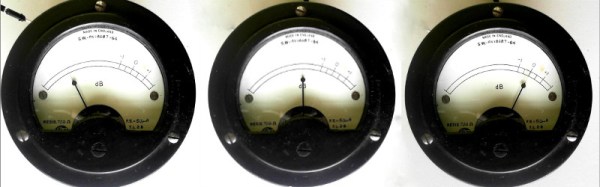
The machine itself is an odd mix of 70’s and 80’s electronics with older technology. Three mini CRT displays, a sensor arm, and a bellows are some of the machine’s best-known features. [Tom] is starting with the sensor arm, an odd mix of belts and telescoping rods. He’s already got a manually operated prototype built. Add a motor, and one part of the machine is ready for action.

[Tom’s] version of the Voight-Kampff test isn’t going to be a just movie prop. He plans to add a sensor suite which will turn his machine something of a modern polygraph. A Non-contact Temperature sensor will measure blush response. Iris images will be captured by a Raspberry Pi NoIR camera. Pulse oxygen and galvanic skin response will also be captured by a separate hand module. All this data will be processed by a Raspberry Pi computer.

There’s quite a lot of work to be completed. Let’s hope for humanity’s sake that [Tom] gets it done before the contest deadline of March 6.

Cheap LCD TV Gets Cheaper Fix

Most hacks need some fair bit of skill and knowledge if you want to come out successful at the other end. Others, you just plunge in blindly with a “heck, it’s already broken so I can’t make it any worse” attitude. Throwing caution to the wind, you dive in, rip things up, and see if you can manage to catch the bull by the horns.

[Jim]’s cheap LCD TV, barely a few years old, died. It was purchased from the store whose blue polo-shirted cashiers can drive you nuts with their incessant questions. [Jim] just rolled up his sleeves and rather haphazardly managed to fix his TV while adding an extra feature along the way.

His initial check confirmed that the LCD panel worked. Using a flashlight, he could see that the panel was displaying video which meant it was the backlight that wasn’t working. Opening up the TV, he located the LED driver board whose output turned out to be zero volts. [Jim] happened to have a lot of WS2812B strips lying around, along with their power supplies and RGB color controllers. The obvious solution was to ditch the existing LEDs and power supply and use the WS2812B strips.

Surprisingly, the original backlight consisted of just 21 LEDs arranged in three rows. He ripped those out, put in the WS2812B strips, and taped the jumble of wires out of sight. After putting it back together, [Jim] was happy to see it worked, although the new strips were not as bright as the old ones, causing some uneven light bands. He solved this by adding a few more strips of LEDs. It took him a couple of hours to fix his TV, but by the end of it, he had a TV whose backlight could be adjusted to any color using the external color controllers — although we’re not too sure what good that would be.

Baofeng Handy Talkie Meets GNU Radio

There was a time when just about every ham had a pricey VHF or UHF transceiver in their vehicle or on their belt. It was great to talk to friends while driving. You could even make phone calls from anywhere thanks to automatic phone patches. In 1980 cell phones were uncommon, so making a call from your car was sure to get attention.

Today, ham radio gear isn’t as pricey thanks to a flood of imports from companies like Baofeng, Jingtong, and Anytone. While a handheld transceiver is more of an impulse buy, you don’t hear as much chat and phone calls, thanks to the widespread adoption of cell phones. Maybe that’s why [Bastian] had bought a cheap Baofeng radio but never used it.

He was working on a traffic light project and wanted to send an RF signal when the light changes. He realized the Baofeng radio was cheap and cheerful solution. He only needed a way to have the PC generate an audio signal to feed the radio. His answer was to design a UDP packet to audio flow graph in GNU Radio. GNU Radio then feeds the Baofeng. The radio’s built-in VOX function handles transmit switching. You can see a video demonstration, below.

Continue reading “Baofeng Handy Talkie Meets GNU Radio”