How Energy Gets Where Its Needed

Even if you’re reading this on a piece of paper that was hand-delivered to you in the Siberian wilderness, somewhere someone had to use energy to run a printer and also had to somehow get all of this information from the energy-consuming information superhighway. While we rely on the electric grid for a lot of our daily energy needs like these, it’s often unclear exactly how the energy from nuclear fuel rods, fossil fuels, or wind and solar gets turned into electrons that somehow get into the things that need those electrons. We covered a little bit about the history of the electric grid and how it came to be in the first of this series of posts, but how exactly does energy get delivered to us over the grid? Continue reading “How Energy Gets Where Its Needed”

Turbine-driven Robot To Navigate Inside Space Station

It may look more like a Companion Cube than R2-D2, but the ISS is getting an astromech droid of sorts.

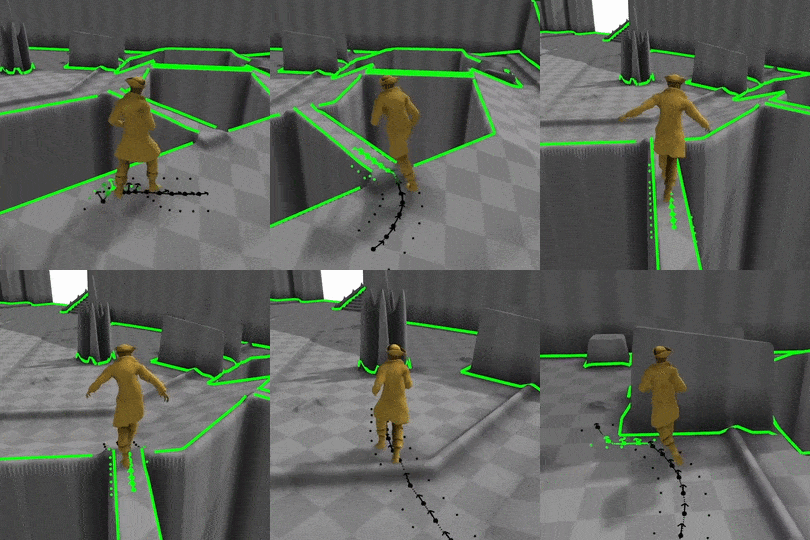
According to [Trey Smith] of the NASA Ames Research Center, Astrobee is an autonomous robot that will be able to maneuver inside the ISS in three dimensions using vectored thrust from a pair of turbines. The floating droid will navigate visually, using a camera to pick out landmarks aboard the station, including docking ports that let it interface with power and data. A simple arm allows Astrobee to grab onto any of the hand rails inside the ISS to provide a stable point for viewing astronaut activities or helping out with the science.

As cool as Astrobee is, we’re intrigued by how the team at Ames is testing it. The droid is mounted on a stand that floats over an enormous and perfectly flat granite slab using low-friction CO₂ gas bearings, giving it freedom to move in two dimensions. We can’t help but wonder why they didn’t suspend the Astrobee from a gantry using a counterweight to add that third dimension in. Maybe that’s next.

From the sound of it, Astrobee is slated to be flight ready by the end of 2017, so we’ll be watching to see how it does. But if they find themselves with a little free time in the schedule, perhaps adding a few 3D-printed cosmetics would allow them to enter the Hackaday Sci-Fi Contest.

Building A Replica Of An Ultraluxury Watch

In the world of late-stage capitalism, unchecked redistribution of wealth to the upper classes has led to the development of so-called ultraluxury watches. Free from any reasonable constraints on material or R&D cost, manufacturers are free to explore the outer limits of the horological art. [Karel] is an aspiring engineer and watch enthusiast, and has a taste for the creations of Urwerk. They decided to see if they could create a replica of the UR202 watch with nothing more than the marketing materials as a guide.

[Karel]’s first job was to create a model of the watch in CAD. For a regular watch this might be simple enough, but the UR202 is no run-of-the-mill timepiece. It features a highly irregular mechanism, full of things like a turbine regulated winding mechanism, telescoping rods instead of minute hands, and tumbling rotors to indicate the hours. The official product sheet bears some of these features out. Through careful analysis of photos and watching videos frame-by-frame, they managed to recreate what they believe to be a functioning mechanical model within their CAD software.

It was then time to try and build the timepiece for real. It was then that [Karel] started hitting some serious stumbling blocks. As a humble engineering student, it’s not often possible to purchase an entire machine shop capable of turning out the tiny, precision parts necessary to make even a basic watch mechanism. Your basic 3D printer squirting hot plastic isn’t going to cut it here. Farming out machining wasn’t an option as the cost would be astronomical. [Karel] instead decided on combining a Miyota movement with a machined aluminum base plate and parts 3D printed using a process known as “Multijet Modelling” which essentially is an inkjet printhead spitting out UV curable polymer.

In the end, [Karel] was able to get just the tumbling hour indicator working. The telescoping minute hand, compressed air turbine winding system, and other features didn’t make it into the build. However, the process of simulating these features within a CAD package, as well as manufacturing a semi-functional replica of the watch, was clearly a powerful learning experience. [Karel] used their passion to pursue a project that ended up giving them a strong grasp of some valuable skills, and that is something that is incredibly rewarding.

We’ve seen others trying to fabricate parts of a wristwatch at home. Keep your horological tips coming in!

[Thanks to Str Alorman for the tip!]

A Lightweight Two Metre Carbon Fibre Yagi Antenna

If you’ve ever cast your eye towards the rooftops, you’ll be familiar with the Yagi antenna. A dipole radiator with a reflector and a series of passive director elements in front of it, you’ll find them in all fields of radio including in a lot of cases the TV antenna on your rooftop.

In the world of amateur radio they are used extensively, both in fixed and portable situations. One of their most portable uses comes from the amateur satellite community, who at the most basic level use handheld Yagi antennas to manually track passing satellites. As you can imagine, holding up an antenna for the pass of a satellite can be a test for your muscles, so a lot of effort has gone into making Yagis for this application that are as lightweight as possible.

[Tysonpower] has a contribution to the world of lightweight Yagis, he’s taken a conventional design with a PVC boom and updated it with a stronger and lighter boom made from carbon fibre composite pipe. The elements are copper-coated steel welding rods, some inexpensive aluminium clamps came from AliExpress, and all is held together by some 3D-printed parts. As a result the whole unit comes in at a claimed bargain price of under 20 Euros.

This antenna is for the 2 M (144 MHz) amateur band, but since it’s based on the [WB0CMT] “7 dB for 7 bucks”  (PDF) design it should be easily modified for other frequencies. The 3D printed parts can be found on Thingiverse,  and he’s also posted a couple of videos in German. We’ve posted the one showing the build below the break, you can find the other showing the antenna being tested at the link above.

Continue reading “A Lightweight Two Metre Carbon Fibre Yagi Antenna”

Vintage Laptop Keyboard Types Again Through USB

Have you ever had a laptop you just wish you didn’t have to retire when its specification becomes to aged for your needs? Wouldn’t it be great if you could upgrade it and keep using the physical hardware!

[Alpinedelta] has a vintage Toshiba T1000 laptop, roughly a PC-XT clone from the late 1980s. Its 80C88 processor, CGA display, and 512k of memory make it a museum-piece, but he has plans to modernise it using a LattePanda Intel Atom based single board computer.

To make that happen, he has to ensure all the Toshiba’s peripherals will talk to a modern host. Unfortunately back in the 1980s many PC clones were clones in a rather loose sense, and especially so in the laptop arena. Thus there are no handy standard PC interfaces and since USB was several years away at the time, nothing the LattePanda can talk to directly. His solution for the keyboard is to wire its matrix directly to a Teensy microcontroller that then provides a USB interface, and he’s put up a useful step-by-step Instructables guide.

There is no standard for a laptop keyboard matrix, so the first and most tedious task is to unpick its layout.This he did by identifying each trace and assigning a different rainbow colour to it, before noting down which keys appeared on it and collating the results in a spreadsheet. The different colours of wire could then be assigned to the colours of a piece of rainbow ribbon cable, and wired in sequence to the Teensy’s I/O pins. There then follows a step in the software in which he assigns the pin mappings to the lines in his spreadsheet, then the sketch can be compiled and uploaded to the Teensy. Result: a vintage keyboard now talking USB.

Using a Teensy to present a USB keyboard to the world is a well-worn path, we’ve seen it with both newer keyboards and other relics like this one from a DEC VT100.

Thanks [Brent] for the tip.

It’s A Synthesizer. It’s A Violin. It’s A Modulin

It sounds a little like a Theremin and looks a lot like the contents of your scrap bin. But it’s a unique musical instrument called a modulin, and after a few teasers we finally have some details on how it was built.

Making music with marbles is how we first heard of [Martin] of the Swedish music group Wintergatan. He seems as passionate about making his own instruments as he is about the music itself, and we like that. The last time we saw one of his builds was this concert-ready music box, which he accompanied with an instrument he called a modulin. That video gave only a tantalizing look at this hacked together instrument, but the video below details it.

“Modulin” comes from the modular synthesizer units that create the waveforms and pressure-sensitive ribbon controller on the violin-like neck. The instrument has 10 Doepfer synthesizer modules mounted to a hacked-together frame of wood and connected by a forest of patch cables. [Martin]’s tour of the instrument is a good primer on how synthesizers synthesize – VCOs, VCAs, envelope generators, filters – it’s all there. We’re treated to a sample of the sounds a synthesizer can make, plus majestic and appropriately sci-fi sounding versions of Also sprach Zarathustra and the theme from Jurassic Park. And be sure to check out the other video for another possibly familiar tune.

This might be old hat to musicians, but for those of us to whom music is a mystery, such builds hold extra sway. Not only is [Martin] making music, he’s making the means to make music. We’re looking forward to hearing what’s next.

Continue reading “It’s A Synthesizer. It’s A Violin. It’s A Modulin”

Dummies Guide To Reverse Engineering

[Juan Carlos Jiménez] has reverse engineered a router — specifically, a Huawei HG533. While that in itself may not sound substantial, what he has done is write a series of blog posts which can act as a great tutorial for anyone wanting to get started with sniffing hardware. Over the five part series, he walks through the details of identifying the hardware serial ports which open up the doors to the firmware and looking at what’s going on under the hood.

The first part deals with finding the one or several debug ports on the hardware and identifying the three important pins – Rx, Tx and GND. That’s when he shows novices his first trick – shining a flashlight from under the PCB to find the pins that have trace connections (most likely Rx and Tx), those that don’t have any connections (most likely CTS and DTR) and those that have connections to the copper pour planes (most likely VCC and GND). The Tx signal will be pulled up and transmitting data when the device is powered up, while the Rx signal will be floating, making it easy to identify them. Finding the Baud rate, though, will require either a logic analyser, or you’ll have to play a bit of a guessing game.

Once you have access to the serial port and know its baud rate, it’s time to hook it up to your computer and use any one of the several ways of looking at what’s coming out of there — minicom, PuTTY or TeraTerm, for example. With access to the devices CLI, and some luck with finding credentials to log in if required, things start getting interesting.

Over the next part, he discusses how to follow the data paths, in this case, looking at the SPI signals between the main processor and the flash memory, and explaining how to use the logic analyser effectively and decode the information it captures. Moving further, he shows how you can hook up a USB to SPI bridge, connect it to the flash memory, take a memory dump of the firmware and read the extracted data. He wraps it up by digging in to the firmware and trying to glean some useful information.

It’s a great series and the detailed analysis he does of this particular piece of hardware, along with providing a lot of general tips, makes it a perfect starting point for those who need some help when getting started on debugging hardware.

Thanks, [gnif] for posting this tip.

Continue reading “Dummies Guide To Reverse Engineering”