Building A Rather Rudimentary Arduino Tank Bot

building-an-arduino-tankbot

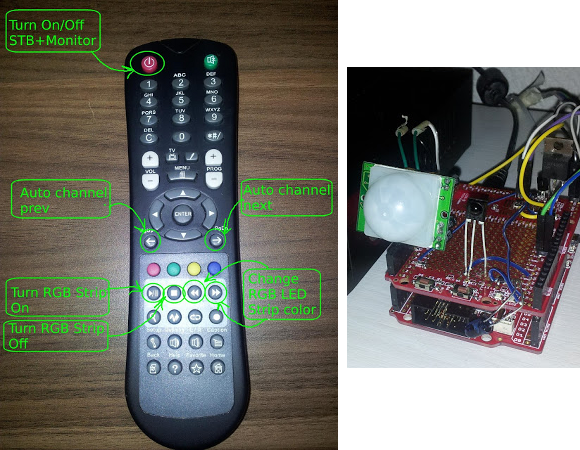
The tank robot builds that we see are often quite complex. This lets them do great things, but makes the platform scary for beginners. Here’s a tank build that would be a great first project, especially if you’re more interested in the programming side of robotics than you are in the hardware itself. [Paul Bleisch] combined several different commercially available products to fabricate this Arduino-powered tank robot base.

Locomotion is provided by a double geared-motor module. This unit, the plastic wheels and treads, as well as the wooden mounting platform are all made by Tamiya. They cost very little and are already designed to work with one another. To this base he adds the Arduino and a motor shield which makes the connections dead simple. The black case on one end of the chassis holds four AA batteries which provide power for everything.

These components are all that’s really needed to start, but they provide no interactivity. So [Paul] picked up a used wireless PlayStation 2 controller. There’s a library (written by regular reader [Bill Porter]) that allows him to connect the receiver to the Arduino in order to pick up commands from the controller. He also plans to add an ultrasonic range finder to the build sometime in the future.

If you’re don’t need to do things the easy way you should consider fabricating your own tank treads.

OCR Automatically Reads A Power Meter

ocr-used-to-read-a-power-meter

[Chris] tried his hand at using Optical Character Recognition in his server power monitoring rig. The image above is what the IP camera used in the setup sees. He’s included a bright light to ensure that the contrast is as great as possible. After applying a threshold filter to the captured still, he is able to process the image to test all seven segments of every digit.

He uses Mathematica for the processing. We’re not familiar with the particulars of the language, but it’s easy enough to see the main parts of the program. Line six of his source code applies the image filters and then the program loops through the assigned location of each digit, testing segment combinations to ascertain what number is shown. Things get hairy when it comes to the decimal point. We gather that the meter can show varying degrees of precision based on the total number of digits needed (like a Digital Multimeter). But [Chris’] setup has a difficult time reliably detecting that decimal point because of its size. He uses a shortcut to get around this, knowing that his server never pulls less than 300W so he corrects the output (by multiplying it by ten) if the reading is below that benchmark.

Of course it would be easier to crack open the monitor and glean data electronically (that’s how the Tweet-A-Watt does it) but then [Chris] wouldn’t have had the fun of playing with OCR.

Tie Tack Sends Morse Code Seasons Greetings

morse-code-tie-tack

For [Davide Gironi] made a holiday tie tack this year. It’s not made to look like Santa Claus, Frosty, or a Christmas tree. He simply wishes you a Merry Christmas (‘Buon Natale’ in Italian) by flashing the message in Morse code.

Two LEDs have been added to a plain tie tack. It is tethered to the logic circuitry that provides power and drives the red and blue lights accordingly. As you can see in the video after the break, red signifies the end of a letter, and long or short blue flashes correspond to dashes or dots. This doesn’t require much horsepower so he’s gone with an 8-pin ATtiny13 microcontroller (you might be able to find one of these in a light bulb if you look hard enough). The rest of the equipment includes a few resistors, a push button, and a coin cell for power. [Davide] uses a byte-packing technique he learned from a different project to store each letter as an 8-bit packet which means there’s plenty of room to store your message in the chip’s memory.

Continue reading “Tie Tack Sends Morse Code Seasons Greetings”

Web-based TI Graphing Calculator Emulator

You can leave the TI graphing calculator at home thanks to this web-based TI-83 and TI-84 emulator. As with pretty much all emulators, this depends on a ROM image from the actual hardware to work. But if you have one of the supported calculators (TI-83+, TI-83+ SE, TI-84+, or TI-84+SE) you can dump the image yourself and this should work like a charm.

[Christopher Mitchell] calls the project jsTIfied because he wrote it in JavaScript and HTML5 (that’s where the js comes from) and it’s based on the Texas Instruments line of hardware (hence the capital TI). After agreeing that you’re not getting any ROMs from his site you can choose the file to load on your browser. The image of the calculator has working buttons and will show the boot screen just like the real thing. You can use it like normal but you can load load up programs for the environment. See this demonstrated after the break.

We’ve seen some arguments online about the price of the TI line over the years. Prices haven’t dropped much over the decades even though they’re making pretty much the same hardware. It’s cool to see someone figure out how to emulate the hardware — and on a web interface to boot! But we’re left wondering why TI isn’t selling an equivalent app for iOS and Android or at least leveraging what must be millions in each production run for a lower retail price?

Continue reading “Web-based TI Graphing Calculator Emulator”

Sump Pump Monitor Emails And Raises Alarm If Water Rises

sump_pump_overview

[Matt] literally finds himself in a sticky situation. There’s an oil slick in his sump well. These wells work in conjunction with drain tiles to pump water away from the foundation of a house. Unfortunately the tar that was used to waterproof the outside of his foundation is also washing into the sump and gumming up the works. The system he built will sound an audio alarm and send an email if something goes wrong with the sump pump.

He’s monitoring for two different issues. One technique uses a float valve to sense if the water is too high, signalling that the mechanism controlling the pump has malfunctioned. The other is a current monitor that senses if the sump pump has been running too long (caused by the sump’s water sensor getting stuck in the on position). The one thing he didn’t want to do is control the pump directly as a bug in his code will easily result in a flooded basement. We have the same concerns when considering building a DIY thermostat (an error there could mean frozen water pipes leading to flooding).

Solar Powered Wifi Radiation Sensor

Solar Radiation Detector

[Manish] packed lots of functionality into this radiation sensor module. The device is completely solar powered and weatherproof, so it can be mounted anywhere. It uses a Geiger Muller tube to monitor radiation and connects to the internet using wifi network to report the readings.

The design uses an Arduino Pro Mini to perform the monitoring and reporting. Wifi connectivity is provided by a RN-XV wifi module. A solar panel, Adafruit’s solar charger, and a LiPo battery are used to provide power to the device. It’s enclosed in Adafruit’s IP-66 rated weatherproof enclosure.

A custom Geiger Muller tube interface is used to interface with the tube. The interface is simple and cheap. It provides the high voltage required to drive the tube, and circuitry needed to detect the ionization events.

Once the device is connected to the internet, it uploads data directly to Cosm. This service lets the data be shared using Twitter, or accessed using an API. The project shows how to build a wireless networked sensor that directly connects to the internet for about $100.

An Absurdly Clever Thermal Imaging Camera

Thermal imaging cameras, cameras able to measure the temperature of an object while taking a picture, are amazingly expensive. For the price of a new car, you can pick up one of these infrared cameras and check out where the drafts are in your house. [Max Justicz] thought he could do better than even professional-level thermal imaging cameras and came up with an absurdly clever DIY infrared camera.

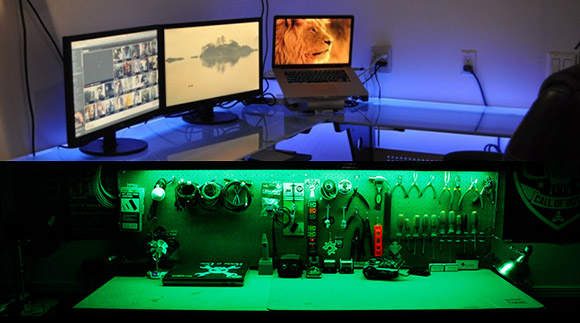
While thermal imaging cameras – even inexpensive homebrew ones – have an infrared sensor that works a lot like a camera CCD, there is a cheaper alternative. Non-contact infrared thermometers can be had for $20, the only downside being they measure a single point and not multiple areas like their more expensive brethren. [Max] had the idea of using one of these thermometers along with a few RGB LEDs to paint different colors of light around a scene in response to the temperature detected by an infrared thermometer sensor.

To turn his idea into a usable tool, [Max] picked up an LED flashlight and saved the existing LED array for another day. After stuffing the guts of the flashlight with a few RGB LEDs, he added the infrared thermometer sensor and an Arduino to change the color of the LED in response to the temperature given by the sensor.

After that, it’s a simple matter of light painting. [Max] took a camera, left the shutter open, and used his RGB thermometer flashlight to paint a scene with multicolor LEDs representing the temperature sensed by the infrared thermometer. It’s an amazingly clever hack, and an implementation so simple we’re surprised we haven’t seen before.