WiFi Networks Turned Targets In This Pocket Game

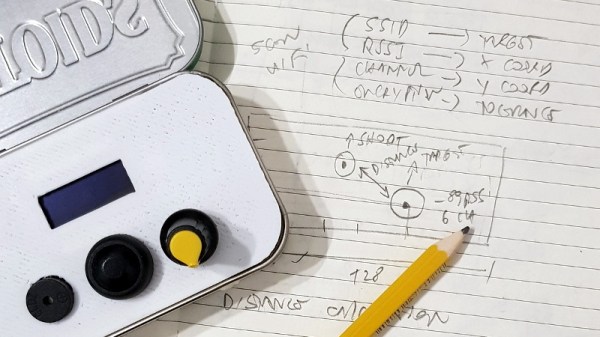
Looking for a way to make his warwalking sessions a bit more interactive, [Roni Bandini] has come up with an interesting way to gamify the discovery of new WiFi networks. Using a Heltec WiFi Kit 8, which integrates an OLED screen and ESP8266, this pocket-sized device picks up wireless networks and uses their signal strength and encryption type as elements of the game.

After selecting which network they want to play against, a target is placed on the screen. The distance between the target and the player is determined by signal strength, and how much damage the target can take correlates to how strong its encryption is. As you can see in the video after the break, gameplay is a bit reminiscent of Scorched Earth, where the player needs to adjust the angle of their artillery to hit distant targets.

The Heltec board is attached to a 3D printed front panel, which fits neatly into an Altoids tin. The controls consist of a button and a potentiometer, and with the addition of a battery pack salvaged from an old cell phone, this little device is ready to do battle wherever you roam.

While this is just a fun diversion for the time being, [Roni] says it wouldn’t take much to actual log networks to a file and generate some statistics about their strength and encryption type. If the idea of a portable WiFi scanning companion seems interesting, you should definitely check out the Pwnagotchi project.

Continue reading “WiFi Networks Turned Targets In This Pocket Game”

Virtual Pinball Cabinet Provides Real Thrills

Being a fan of pinball is bittersweet these days. In the go-go 1990s, you could still find pins in places like coffeehouses and the odd gas station here and there as the commercial arcade began to fade into the past. Things were looking up once booze-fueled b-arcades became a thing, but the pandemic economy may come for them soon enough.

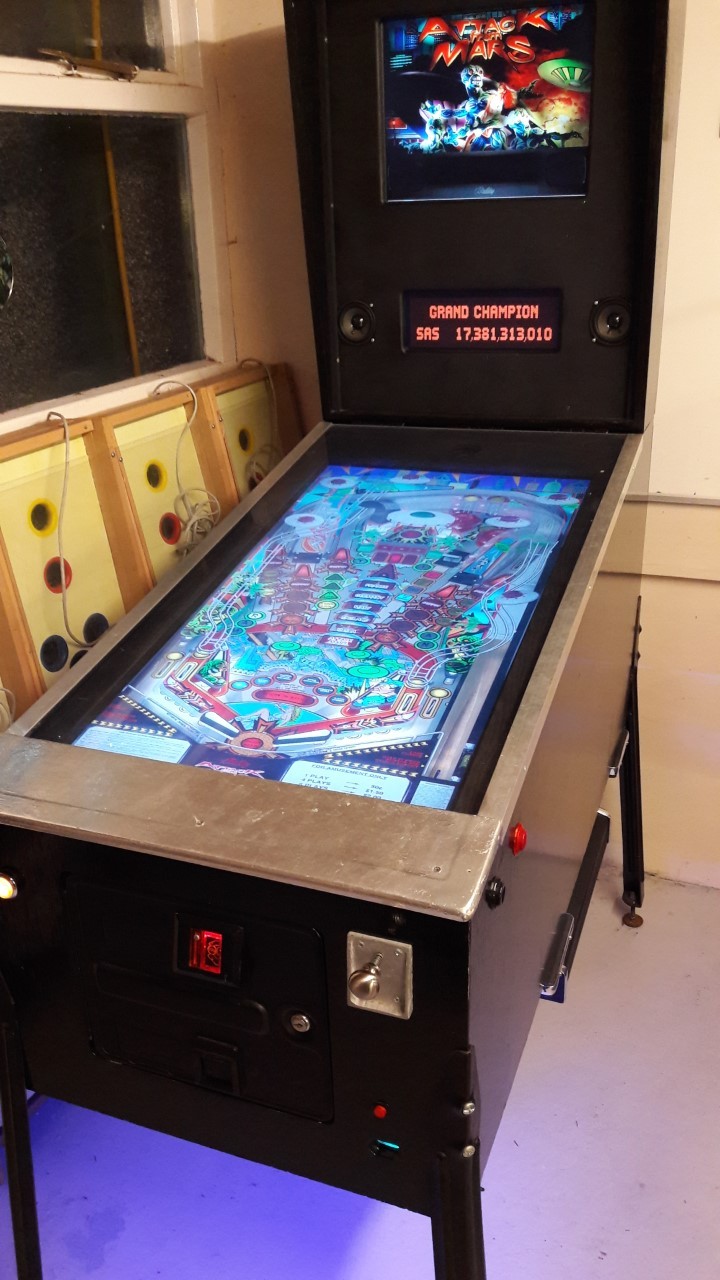
Poor [smithsa3] doesn’t have a table around for hundreds of miles. Instead of settling for an older table or agonizing over the average price of newer tables, [smithsa3] found a happy medium and built a full-size virtual pinball cabinet to play pretty much any table there is. The only non-negotiable game was Addams Family, which you can see in the demo after the break.

Inside is a PC running PinballX, along with a 37″ TV for the playfield and two 17″ monitors that make up the backboard. Between the physical inputs and the faithful recreations of current and classic pinball games that are out there, this really is the best of both worlds.

We love that [smithsa3] combined stock and DIY hardware to pull this together. The cabinet uses standard legs and arcade buttons, but [smithsa3] built the plunger, interfaced it with an old keyboard controller, and made a coin slot mechanism that rejects everything but 10p coins.

Spend enough time playing pinball, and you’ll no doubt begin to fantasize about building your own. We’ve seen one or two of those, but not too many that can play themselves.

Continue reading “Virtual Pinball Cabinet Provides Real Thrills”

64-bit And A Display: Minecraft Computers 10 Years Later

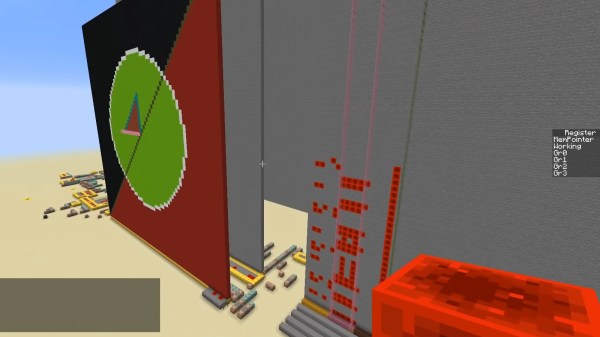
Some people build their own computer to play games, while others play games to build their own computer. Minecraft is the prime candidate for the latter, and while you can certainly arrange the blocks to make them look like a computer, we’re of course talking about replicating the actual functionality of a CPU or parts thereof, and/or external components within the game. Many such creations have spawned in the decade since the first Minecraft-built ALU surfaced, and [Rockfarmor] built a 64-bit specimen to add to that list — and made a video to showcase it.

Instead of emulating a common architecture, [Rockfarmor] went for a more home-made approach, and re-used the architecture from an old school assignment (in Swedish) as basis. The result is a simple yet fully functional 64-bit CPU with 32 registers, 32kB main memory and a separate 16kB stack. The instruction set mostly contains ALU and branching operations, but also a few special opcodes to control an additional 64×64 pixel blocks, 64-color display — including drawing circles, lines, and color fills.

More details on the architecture can be found in its documentation and in an older video (with subpar audio circumstances unfortunately). An additional time-lapse video of the initial build is also available, and you will find all of them after break. To simplify development, [Rockfarmor] also wrote a desktop app to program the computer in assembly and upload it straight to the Minecraft version.

As with all computers built in Minecraft, the driving force is redstone, which essentially allows circuit design within the game, and [Rockfarmor]’s is no difference here. He also uses command blocks to avoid the laboriously and slow “wiring” required otherwise, turning it more into a “wireless redstone” circuit.

No doubt, purists will consider this cheating, but another angle would be to see it as Moore’s Law applied to Minecraft computers, considering the computer’s size and speed compared to the first Minecraft ALU. Or maybe as the equivalent of microcode in real-world CPUs? Or then, maybe we should just accept and embrace different options and preferences.

Continue reading “64-bit And A Display: Minecraft Computers 10 Years Later”

Tic-Tac-Toe Implemented In Single Call To Printf()

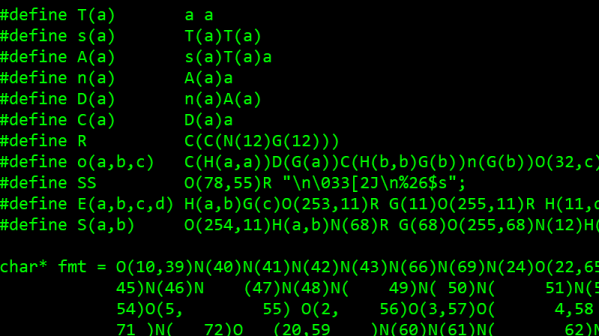
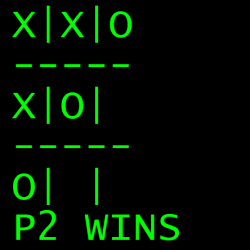
[Nicholas Carlini] programmed a C implementation of two-player Tic Tac Toe, and he did it in a single call to printf(). The arguments for that single function call get mind-bendingly complex, so it may come as no surprise that it was written for The International Obfuscated C Code Contest (IOCCC).

Most of us are aware that printf() is one of those functions that is considerably more complex under the hood, and capable of far more, than it may appear to be. But did you know that it is capable of Turing-complete computation?

[Nicholas] clearly steps through the theory, so give it a read. In short, a maze of arguments handles the logic of the game while an embedded scanf() reads user input, and printing the game board is always preceded by an escape code to clear the screen.

[Nicholas] is certainly no stranger to in-depth understandings; we’ve seen his work before in demonstrating how to fool speech recognition with hidden commands, including a powerful example showing how two virtually identical-sounding audio files transcribe entirely differently.

Original Xbox Gets The Steam Overhaul

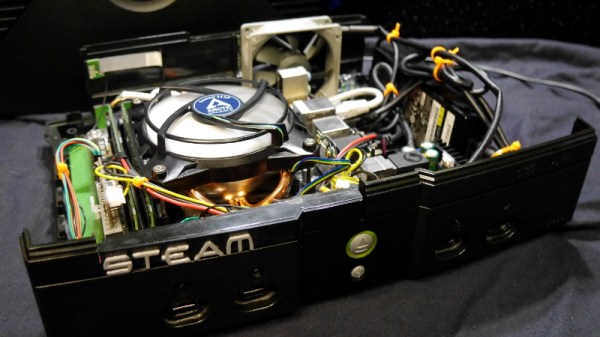
When Microsoft released the original Xbox, it deviated from the design of traditional game consoles in that it used several off-the-shelf computer components. The fact that Microsoft would want their game console to resemble a PC isn’t particularly surprising in hindsight, but we doubt anyone at Redmond ever imagined folks like [Ryan Walmsley] would be cramming in full-fledged computers nearly 20 years later.

[Ryan] tells us he was looking for a way to play some older games from the early 2000s, and thought it was a good opportunity to put together a quiet set-top computer. The final hardware is more than capable of running older titles, and can even be used with Steam Link to stream newer content from his primary gaming computer.

Even with a diminutive Gigabyte GA-H81N Mini ITX motherboard, things are pretty tight inside the Xbox. Fairly tight wire management was required to prevent any airflow obstructions, especially since [Ryan] decided to put the system’s 80 watt laptop-style power supply inside the case. While this made the build a bit more complicated, it does make the final product a lot cleaner and makes it feel just that much more like a proper game console.

Benchmarks show the machine has decent performance, all things considered. [Ryan] says there are some potential upgrades down the line, but as with most gaming PC builds, cost is the limiting factor. Until he’s ready to spend the cash on revamping the internals, he says that streaming newer games over the the network has been working great.

For those looking for a slightly more modern alternative to this project, we’ve also seen a gaming PC shoehorned into an Xbox 360 with similarly impressive results.

Toilet Paper Chase And Indoor Cycling Race With Unity And Arduino

While we’re still far away from returning to a pre-Corona everyday life, people seem to have accepted that toilet paper will neither magically cease to exist, nor become our new global currency. But back at the height of its madness, like most of us, [Jelle Vermandere] found himself in front of empty shelves, and the solution seemed obvious to him: creating a lifelike toilet paper chasing game in hopes to distract the competition.

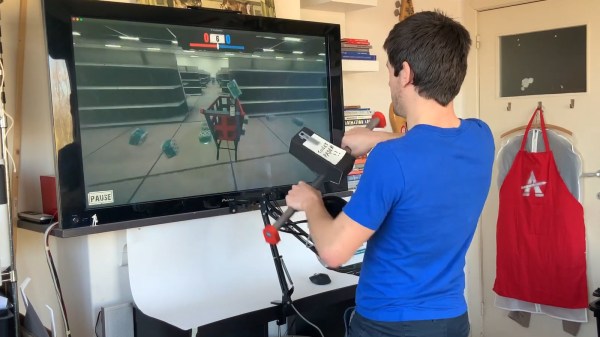
Using Unity, [Jelle] created a game world of an empty supermarket, with the goal to chase after distribution tubes and collect toilet paper packs into a virtual cart. Inspired by the Wii Wheel, he imitated a shopping cart handle built from — as it appears — a sunshade pole that holds an Arduino and accelerometer in a 3D-printed case as game controller. For an even more realistic feel, he added a sound sensor to the controller, and competing carts to the game, which can be pushed out of the way by simply yelling loud enough. You can witness all of this delightful absurdity in his build video after the break.

From racing shopping carts to racing bicycles

But that’s not all. With the toilet paper situation sorted out, [Jelle] found himself in a different dilemma: a cloud foiled his plans of going for a bicycle ride. In the same manner, he ended up building a cycling racing game, once again with Unity and Arduino. From a 3D-scanned model of himself and his bicycle, to automatically generating tracks on the fly and teaching an AI to ride a bike, [Jelle] clearly doesn’t joke around while he’s joking around.

However, the best part about the game has to be the controller, which is his actual bicycle. Using a magnetic door sensor to detect the speed, and a potentiometer mounted with an obscure Lego construction to the handlebar, it’s at least on par with the shopping cart handle — but judge for yourself in another build video, also attached after the break. The only thing missing now is to level up the difficulty by powering the Arduino with the bicycle itself.

Continue reading “Toilet Paper Chase And Indoor Cycling Race With Unity And Arduino”

Slaying Dragons In Notepad

We all have our favorite text editor, and are willing to defend its superiority above all other editors by any means necessary. And then there’s Notepad. But what Notepad may lack in text manipulation features, it compensates with its inconspicuous qualities as a gaming platform. Yes, you read that correctly, and [Sheepolution] delivers the proof with a text-based adventure game running within Notepad.

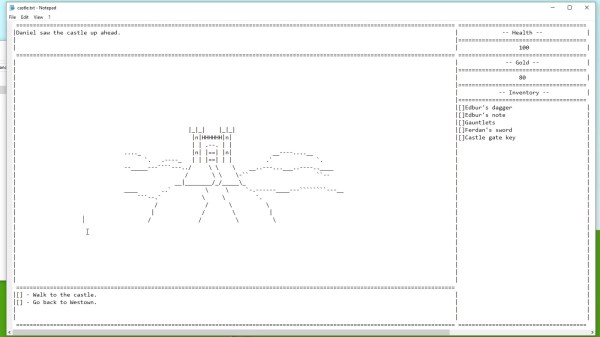
What started out with [Sheepolution] jokingly wondering what such a game may look like, ended up as an actual implementation as answer to it. Behind the scenes, a script written in Lua using the LÖVE framework — for which he also created an extensive tutorial — monitors the state of several text files that make up the game world. Each location is a separate text file to open in Notepad, showing the current state of the game, telling the story with text and ASCII art, and offering choices to the player. The game is played by modifying and saving those text files, which the script then processes to push the gameplay forward by simply updating the content of those files with the new state. Check out the game’s trailer after the break to get a feel of what that looks like.

Unfortunately, Notepad itself doesn’t automatically reload the file when its content changes, so to provide a smoother gaming experience, [Sheepolution] modified the open source implementation Notepad2 to work around this, and bundled it as part of the game’s executable. Initially, he even added animations to the ASCII graphics, but in the end decided against most of them to avoid constant disk writes and race conditions caused by them.

Sure, this is no Game Boy emulator in a text editor, and it may not be as groundbreaking as Notepad’s latest feature, but it’s always amusing to see alternative uses for well-established tools.

Continue reading “Slaying Dragons In Notepad”