Translate Your CP/M Code To 8086, And Leave The 1970s Behind!

“Bring our home computing out of the 1970s and into the 1980s and beyond” is the irresistible promise made by the creator of 8088ify, a piece of software which translates CP/M executables from their 8080-based originals to assembler code that should run on an 8088 under MS/DOS. How can we resist such a futuristic promise here in 2021, even though the code wasn’t written to the sound of Donna Summer or the Village People back in the day but here in 2021 for PCjam, a celebration of the original IBM PC’s 40th anniversary.

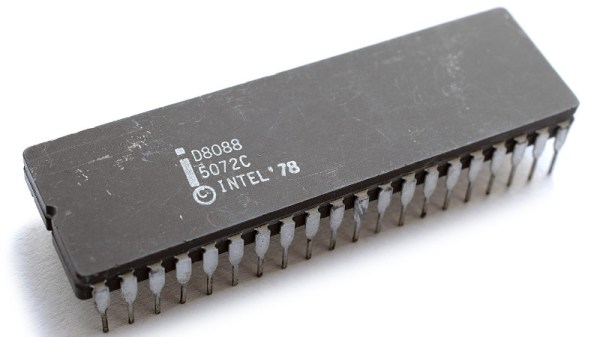
As the writer of this code [ibara] points out that Intel intended the 8088 to be a ready upgrade path for the 8080, and designed its instruction set while not directly compatible, to make translation between the two a straightforward process. There was commercial software for the task at the time, but to this day there remained nothing with an open-source licence. It’s written in ANSI C for portability across platforms and compilers, and can even be compiled under CP/M itself.

PCjam is well worth a look, and if any of you fancy a go at writing for the earliest MS-DOS machines we’d like to suggest you create something for it. Meanwhile if you’d like to explore CP/M, you can run a bare metal emulator on the Raspberry Pi.

Header: Thomas Nguyen, CC BY-SA 4.0.
A Dual Monitor Setup For The C64, And Yes, It’s VGA Compatible

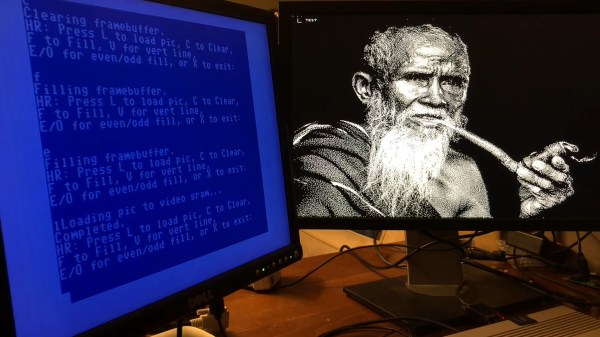
Few in the 1980s were too fussed about their home computer only supporting a single monitor; indeed, most were satisfied enough by the brand new capabilities on offer at the time. That said, it’s many decades hence, and we really do deserve more. Fear not, for [Ryan Brooks] is here to help with his VG64 VGA Card for the Commodore 64.

The card sits in the cartridge slot of the Commodore 64, and packs a Xilinx CPLD which is responsible for generating the video output signals. It’s hooked up to an SRAM chip which acts as a frame buffer for the video output. Programs can then be loaded on the Commodore 64 which write to the frame buffer, that can then be sent out to an attached VGA monitor hooked up to the cartridge.

It’s not the most useful cart at the moment, as it’s only capable of working with software designed specifically for the hardware. Additionally, it could prove difficult to shift enough data to it to do any kind of fast animation or updates. With that said, it’s an awesome example of just what can be achieved in terms of expanding the Commodore 64, and we’d love to see how far work in this space can go. We’ve seen similar work before, too, albeit with a somewhat smaller 16×2 character LCD. Video after the break.

Continue reading “A Dual Monitor Setup For The C64, And Yes, It’s VGA Compatible”

Cerberus 2080 — Three-Headed Retro Computing Project

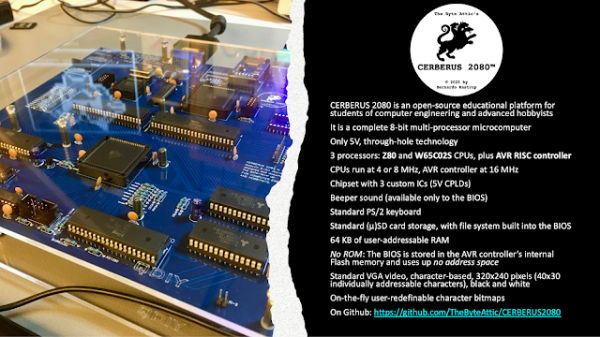
For seven months, [Bernardo Kastrup] at [TheByteAttic] has been realizing his childhood dream of building his own computer. It was this dream that steered him into the field of computer design at the age of 17. After thirty years in the industry, he finally has some time to design the computer he dreamt about as a kid. His requirements are ambitious: fully open design, gate-level details, thru-hole or PLCC for easy hacking, well-established processors with existing tool chains, low-cost development tools for CPLDs, no FPGA, standard ITX case compatible, and so on. He quite reasonably decides to use more modern electronics for video (VGA), keyboard (PS/2), and program storage (flash drive). Along the way, he chooses to put three processors on the board instead of one:

  • Zilog Z84C0010 (Z80)
  • WDC W65C0256 (6502)
  • AVR ATMEGA328 (RISC Controller)

When coming up with the concept and requirements, [Bernardo] had a fictitious alternate history in mind — one where there were follow-ups to the ZX80, PET/CBM, or TRS-80 from the late 1970s that were extensions to the original systems. But he also wanted a clean design, without cost-cutting gimmicks, in order to make it easier for learners to focus on computing itself — a didactic architecture, as he describes it. Turn the crank for seven long months, and we have the Cerberus 2080. [Bernardo] has put the design on GitHub, and made a video series out of the whole process, of which the introduction video is below the break. There’s even an online emulator developed by retro hacker  [Andy Toone].

We wrote about the 6502-based ERIC-1 project back in 2014 which shared the bus with an ATMEGA simulating ROM. The Minty Z80 project from 2019 also uses a similar technique. Thanks to [Frédéric] for sending us the tip.

Continue reading “Cerberus 2080 — Three-Headed Retro Computing Project”

An ALU As A Desktop Calculator Has Stunning Style From Days Gone By

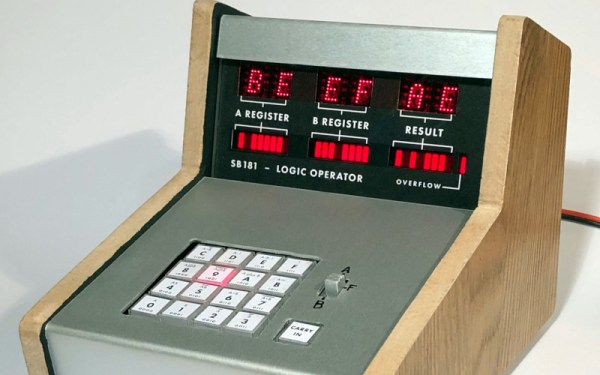
Those of you with an interest in microcomputer history will know that there is a strong crossover between the path of electronic calculator evolution and the genesis of the integrated CPU. Intel’s 4000 was famously designed for a calculator, and for a while in the 1970s these mathematical helpers were seen as the wonder of the age. [Simon Boak]’s calculator is a curious throwback to that era, as it’s not a decimal calculator as we’d know it but a hexadecimal device that simply computes using the functions of the famous 74181 ALU chip.

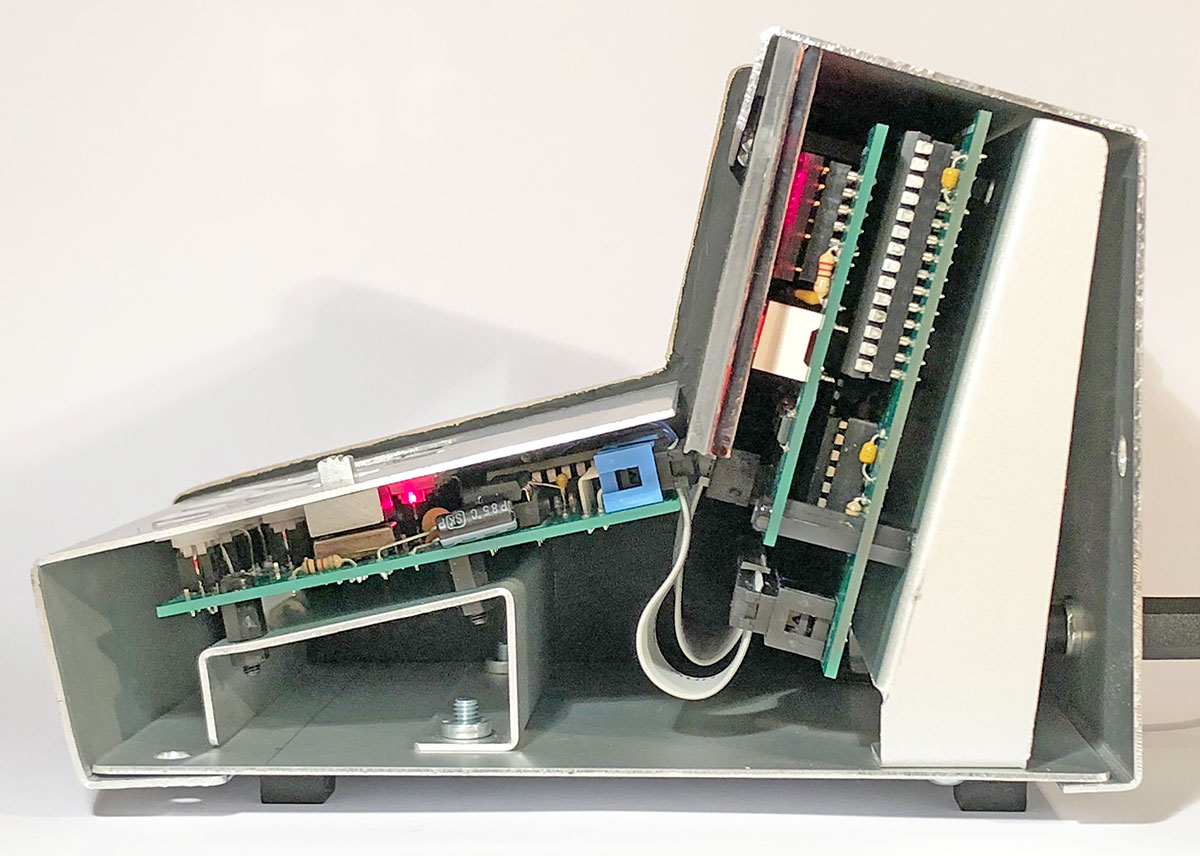
An ALU, or to give it its full name an Arithmetic Logic Unit, is a component of a CPU with two inputs and one output that can perform any of a range of binary functions upon the two inputs and return the result on the output. This calculator has two of them for eight bits of raw adding power, with a hexadecimal keypad for setting the inputs and a set of 7-segment displays for showing the results. It’s housed in an achingly retro folded sheet metal console case with wooden end pieces that would have graced any engineer’s desk with pride back in about 1975. We may not need one, but we really want one!

If the 74181 is a mystery to you then fear not, because chip master [Ken Shirriff] has produced some handy explanation work on its operation.

Thanks [Ted Yapo] for the tip.

A Commodore 64 As You Have Never Seen One Before: Game Boy Form Factor!

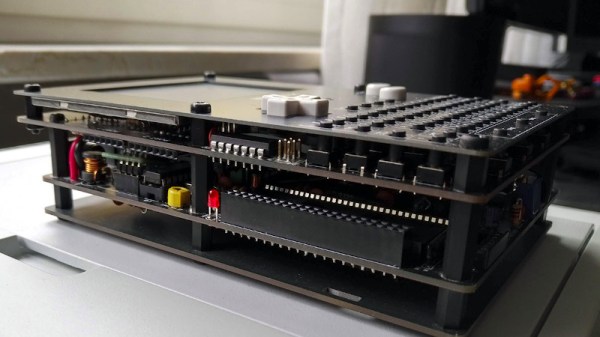
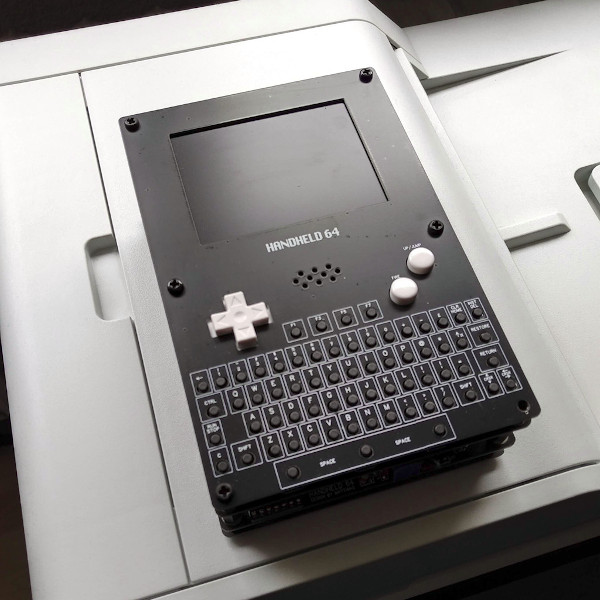
It’s now nearly four decades since the iconic Commodore 64 8-bit computer saw the light of day, and the vintage format shows no sign of dying. Enthusiasts have produced all kinds of new takes on the platform, but it’s fair to say that most of them have concentrated on the original style keyboard console form factors. A completely different take on a Commodore 64 comes from [UNI64] in the form of the Handheld 64, a complete Commodore 64 in a Game Boy style form factor that uses the original 64 chipset.

It achieves this improbable feat by sandwiching together several PCBs, with a tactile switch keyboard and LCD display at the top. It appears to bring the 64 ports out to headers, and the ROM cartridge port to an edge connector socket at the top of the device. A departure from the 1980s comes in using a Raspberry Pi Zero to emulate a 1541 floppy drive though.

Sadly unlike a Game Boy there’s no onboard battery, but don’t let that take away from the quality of this feat. A forum post from [3D-vice] has a set of decent-quality pictures, and even if you don’t have a handy 64 chipset lying about we’re sure you’ll still appreciate them. If home made 64s are your thing, take a look at how you can build one without Commodore parts.

Thanks [pbuyle] for the tip!

Build A New ZX81

[Retro Shack’s] ZX81 died, and while he tried to figure out the fix, he decided to build a new one. Of course, building a circa-1980-something computer from new parts is a bit daunting. Unless you start with an existing design that has it all ready to put together.

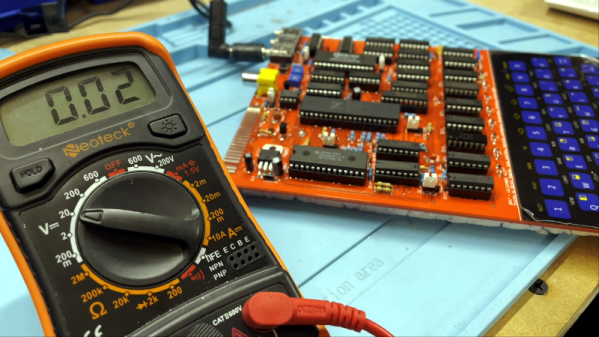
The PCB looks great and we like that the silkscreen shows acknowledgments of projects that helped the designer, [Alejandro Sebastian]. The case is, of course, 3D printed. At first, the power LED didn’t work, but voltages looked correct and the board powered up.

Continue reading “Build A New ZX81”

Reading Floppies With An Oscilloscope

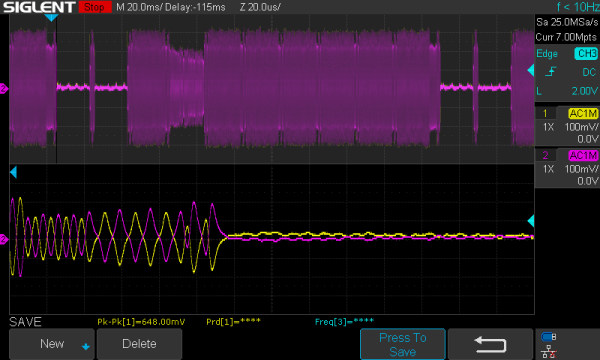
There’s a lot of data on magnetic media that will soon be lost forever, as floppies weren’t really made to sit in attics and basements for decades and still work. [Chris Evans] and [Phil Pemberton] needed to read some disks that reportedly contained source code for several BBC Micro games, including Repton 3. They turned to Greaseweazle, an interface board that can dump just about any kind of floppy disk if it is attached to the right drive. The problem is that Greaseweazle couldn’t read the disks due to CRC errors. Time to break out the oscilloscope and read the disk manually, which is what they did.

Greaseweazle provides a nice display of read sectors and shows timing coming from the floppy read head. The disk in question looked good with reasonably clean timing clocks except in the area of one sector. At that point, the clocks degenerated into noise. Looking on the disk, it was easy to see why. The actual media had a small dent in it.

Continue reading “Reading Floppies With An Oscilloscope”