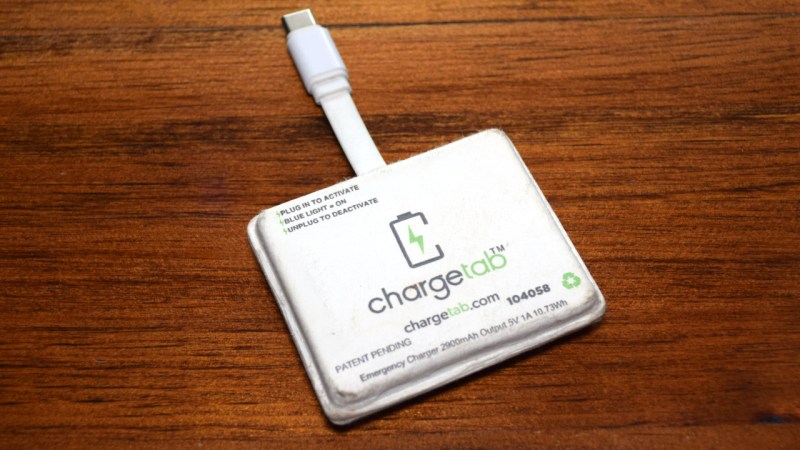
Teardown: ChargeTab Emergency Phone Charger

If you own a modern smartphone, there’s an excellent chance that its battery has run dangerously low on you at least a few times. Murphy’s Law dictates that this will naturally occur at the worst possible moment, say when you need to make an important phone call or when you’re lost and need to navigate home.
With this in mind, it’s not hard to see how a product like the ChargeTab would have a certain appeal. A small $10 USD device that you can keep in the car or pack in a bag that’s always available to charge your phone in an emergency.

Because it’s not meant to be used regularly — indeed it may never get used at all — it’s not completely unreasonable that such a device would only be good for one or two charges before its spent and must be replaced. It’s a bit like keeping a road flare in the car; it’s unlikely you’ll ever use the thing, but if you do, it only needs to work once.

But then what? According to ChargeTab, once the gadget has depleted its internal ~3,000 mAh battery it cannot be recharged and is no longer usable. Now to be fair, they specifically tell you to not throw it in the trash. They’ll send you a free return label to ship it back to them, at which point it will be refurbished and put back into circulation. The company argues that this recycling program, combined with the fact that the batteries inside the ChargeTabs were supposedly diverted from landfills in the first place, makes their entire operation eco-friendly.

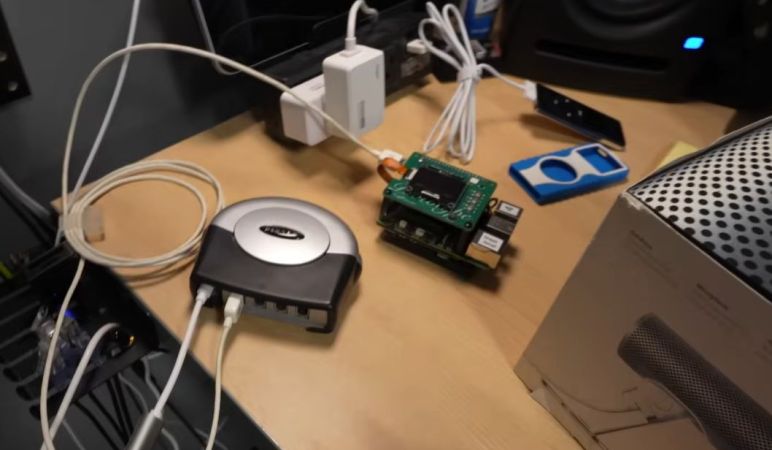
Yet here we have a pair of ChargeTabs that were thrown in the regular garbage and would have taken a one-way trip to the local landfill if it wasn’t for the fact that I habitually dig through garbage cans like a raccoon. So let’s take a look at what’s inside one of these emergency phone chargers and if the idea is as green as the company claims.

Continue reading “Teardown: ChargeTab Emergency Phone Charger”

Trying To Fix A GoPro Hero 10 With A No Camera Input Issue

In the search for more exciting broken electronics to repair, [Hugh Jeffreys] bought a GoPro Hero 10 for US$100 with an apparently rather common issue of no camera input, along with a cracked display. This particular camera issue is rather obvious, with just darkness where the camera’s input should appear on the display. Since [Hugh] already needed a spare display, he figured that he might as well get an even more broken GoPro Hero 10 for parts.

Another US$40 later, [Hugh] found himself the proud owner of a second GoPro, this one being water damaged and no longer turning on. Getting to the internals requires removing the glued-in display, which is even trickier than with a smartphone. By inserting a thin blade, adding solvents and not prying, you can slowly work it loose.

With two disassembled GoPros it was now possible to swap modules. After a factory reset and firmware update had failed to fix the first GoPro, the camera module from the donor unit was inserted, but this made no difference. Amusingly, after cleaning the water-damaged unit’s PCBs, it was found to be in good working condition, so ultimately the second GoPro was repaired, leaving the ‘no camera input’ issue undiagnosed.

It’s possible that a board-level repair on the first unit can address the original issue, but without schematics this would likely entail a lot of blindly poking around, in the hope of finding a damaged MLCC or other obvious fault. There is also the possibility that this is a firmware issue, with some reporting luck mashing the record button, but others disagree.

Since [Hugh] did do the firmware reset and updating steps, and even inserted a whole new working camera module, it would seem to narrow the problem down to a board-level issue. Whatever the case may be, it’s a frustrating issue with a rather expensive device.

Continue reading “Trying To Fix A GoPro Hero 10 With A No Camera Input Issue”

Teardown Of A Shahed-136 Gimbaled Camera

The remains of a gimbal camera after its drone was shot down. (Credit: Le labo de Michel, YouTube)

The Iranian Shahed-136’s basic design has seen many changes and additions since Russia began using them, with some featuring interesting payloads such as cameras in a gimbal, making these drones useful for tasks like surveillance. Recently [Michel] got his hands one one such camera that was recovered from a shot-down drone in Ukraine, providing the opportunity for an in-depth look at what hardware is in these cameras.

The teardown thus covers the gimbal mechanism itself as well as the electronics and camera. First up is an Artix-7 FPGA-based board, followed by the range finder assembly. Unsurprisingly the camera feed handling is performed by an Hi3519 SoC, as this appears to be the off-the-shelf option you find all over on AliExpress and similar sites. There’s also an Artix-7 FPGA-based board here, which presumably performs some machine vision tasks or similar.

Continuing the ‘bought off AliExpress’ vibe, the power supply board (pictured above) is quite literally just that. A relay board follows the same pattern, with apparently the entire contents of the camera consisting of off-the-shelf development boards and modules that are readily found for sale online.

For the camera there is a thermal camera presumably for night operations, as most of these drone swarms are launched towards Ukraine at night. Looking at the gimbal assembly it similarly feels like it was sourced off AliExpress, featuring mostly Western components, sometimes with the typical lasered-off component markings and such.

This makes one wonder how much has changed here since nearly two years ago we saw an air data computer from a similar drone that could have been sourced off AliExpress, while the Russian missile teardowns show significantly more custom hardware, presumably because those are harder to source off AliExpress.

Continue reading “Teardown Of A Shahed-136 Gimbaled Camera”

Cooking A Raspberry Pi FireWire HAT With Backfeeding

Recently [Jeff Geerling] has been tinkering with FireWire in order to use some older gear, which includes the use of a Raspberry Pi HAT called the Firehat. This provides a 6-pin FireWire port courtesy of the VIA VT6315N PCIe-to-FireWire chipset. As is typical with USB gear today as well, some FireWire gear requires more power than a port can provide, requiring the use of a powered hub. Unfortunately the use of a powered FireWire hub caused a bit of a conflagration event on [Jeff]’s desk.

Part of the issue appears to be that this Firehat board was designed as a companion to the Equip-1 DV capture device, with no attention paid to the idea that someone might be backfeeding power from an attached hub. As a result the VIA chip cried uncle and let out the magic smoke.

With this Firehat board taking its name clearly a bit too literal, [Jeff] will be reporting his findings to the developers, in the hope that perhaps some diodes or another solution against backfeeding can be added to the final design. Fortunately he was sent this board for testing prior to public release, so this definitely shows a clear flaw that can now be corrected.

We hope that [Jeff] has a good HEPA air filtration setup in his office to get rid of the acrid magic smoke, as it’s not meant to be enjoyed for long periods.

Continue reading “Cooking A Raspberry Pi FireWire HAT With Backfeeding”

Reverse-Engineering An Amazon Blink Gen 3 Camera

After some water intrusion apparently killed one of [electronupdate]’s Amazon Blink Gen 3 cameras he took this opportunity to do a full teardown and analysis of all the major components. Spread across its three PCBs there are no fewer than two wireless ICs and a custom ASIC for all the major processing. There’s also a blog post with easy-to-ogle pictures.

The most basic PCB is effectively just a PCB antenna for the Silicon Labs EZR32 IC on the main PCB, using which the ~915 MHz connection with the central hub is maintained. The other smaller PCB is a bit surprising in that it contains a Cypress CYW43438 W-Fi b/g/n and BT 5.1 chip. This would seem to be used for the setup process, but considering that it also uses a central hub it is a bit of a mystery as to what it is used for exactly.

Finally, the main PCB contains all the major parts, with the custom Amazon Immedia ASIC that’s an integral part of this very low-power camera. Given that two AA cells being enough to run the camera for about two years, using off-the-shelf parts probably wasn’t good enough without some serious customization.

As for why this outdoors-rated camera failed after a few years in the outdoors, the reason appears to be water intrusion via the speaker opening. As for why a camera needs a speaker and not just the microphone is left as an exercise to the reader, but maybe it could be useful for yelling at the local kids to get off your darn lawn?

Continue reading “Reverse-Engineering An Amazon Blink Gen 3 Camera”

Heathkit Tuner Saved From Junk Pile

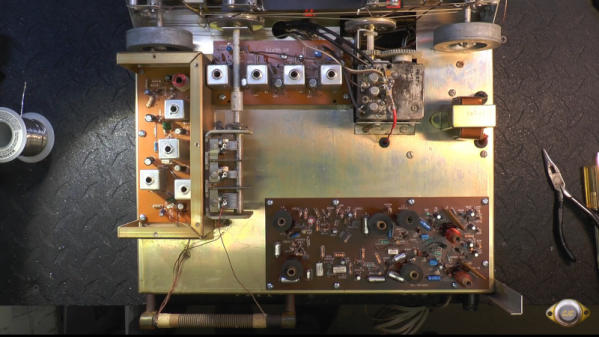
We miss the old Heathkit. You could build equipment that rivaled or even surpassed commercial devices. The cost was usually reasonable and, even if you could get by with less, the satisfaction of using gear you built yourself was worth a lot. Not to mention the knowledge you’d gain and your confidence in troubleshooting should the need arise. So we were jealous of [RCD66] when he found a Heathkit AJ-43C stereo tuner in the recycle bin.

As you can see in the video below, it needed a lot of love to get back to its former self. The device dates from around 1965, when the kit cost $130. In 1965, that was a lot of money. Back then, that would have bought you about four ounces of gold and would have been a great down payment on a $1,500 VW bug.

Things were a bit of a mess, so he removed all the parts and replaced most of them. Unsurprisingly, the electrolytic capacitors all tested bad. The transistors were all germanium, but if they tested good, his plan was to reuse them. There were several PCBs inside, and he made some changes, such as replacing the zener diode power supply with something more modern.

How did it sound? Watch the video and see for yourself. We usually like troubleshooting specific problems on gear like this, but in this case, it was probably smart to just do a total rework.

Heathkit had quite an origin story. This isn’t the first time we’ve seen someone strip and rebuild a Heathkit.

Continue reading “Heathkit Tuner Saved From Junk Pile”

Reverse-Engineering A Handheld Car Tire Pressure Gauge

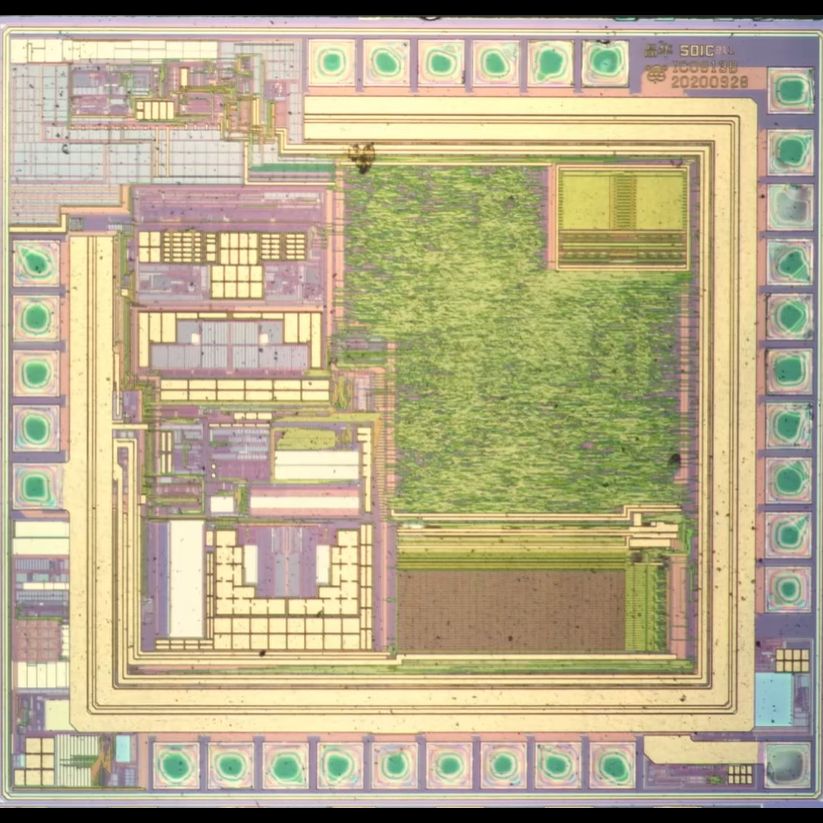
The SDIC 8-bit MCU. (Credit: electronupdate, YouTube)

In this wonderful world of MEMS technology, sensor technology has been downsized and reduced in cost to the point where you can buy a car tire pressure sensor for less than $3 USD on a site like AliExpress. Recently [electronupdate] got his mittens on one of these items to take a look inside, and compare it against his trusty old mechanical tire pressure gauge.

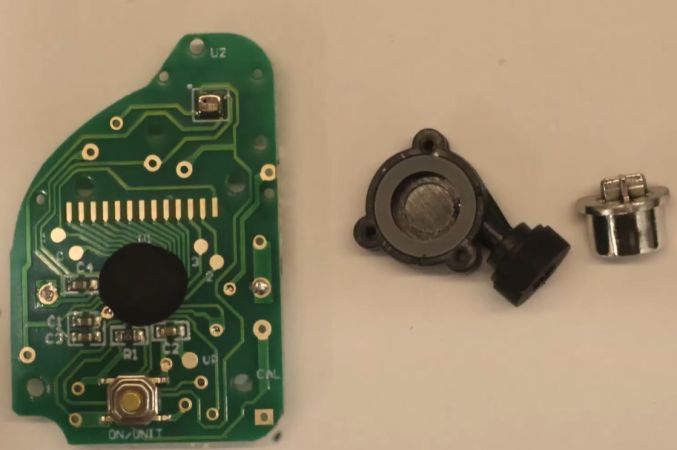
Perhaps unsurprisingly, there isn’t a whole lot inside these devices once you pop them open to reveal the PCB. The MEMS device is a tiny device at the top, which has the pressurized air from the tire guided to it. The small hole inside the metal can leads to the internals that consist of a thin diaphragm with four piezoresistors that enable measurements on said diaphragm from which pressure can be determined.

Handling these measurements and displaying results on the small zebra connector-connected LCD is an 8-bit MCU manufactured by Chinese company SDIC. Although the part number on the die doesn’t lead to any specific part on the SDIC site, similar SDIC parts have about 256 bytes of SRAM and a few kB of one-time programmable ROM.

This MCU also integrates the clock oscillator, thus requiring virtually no external parts to work. Finally, its sigma-delta ADC interacts with the MEMS device, rounding out a very simple device that’s nevertheless more than accurate enough for a spot check as well as quite portable.

Continue reading “Reverse-Engineering A Handheld Car Tire Pressure Gauge”