In our search for the unusual or interesting among the world of operating systems, it might seem unexpected that today’s choice for a Daily Driver is the latest version of Microsoft Windows. Aside from Hackaday perhaps having a larger than average percentage of viewers using Linux based operating systems and generally catering to open source enthusiasts, there’s hardly anything special about Windows, is there?
Oddly for me there is — because while it’s a common enough OS for the masses, the last time I had a Windows computer it ran XP. That venerable OS is a world away from today’s Windows 11, and thus as someone who’s exclusively sat in front of a GNOME desktop for much of the last two decades, it’s an entirely new operating system.
There’s no doubt that it will make a Daily Driver, because of course I’ll be able to do my work on it. Where the interest lies is in seeing what Windows has become. Is it still a useful general purpose operating system, or has it become the locked-down walled garden of crapware that its detractors warn you about? Time to dive in.
While a punch card is perhaps the lowest-density storage medium available, it has some distinct advantages. As [Bitroller] points out in the write-up of his punch card project, if he was using stainless steel instead of PLA his 3D printed punch cards would likely outlast everything he owns, and survive a five-alarm fire to boot. If you have 16 bytes you really, really don’t want to forget — or are willing to store your private key in a shoe box — this project might be of interest.
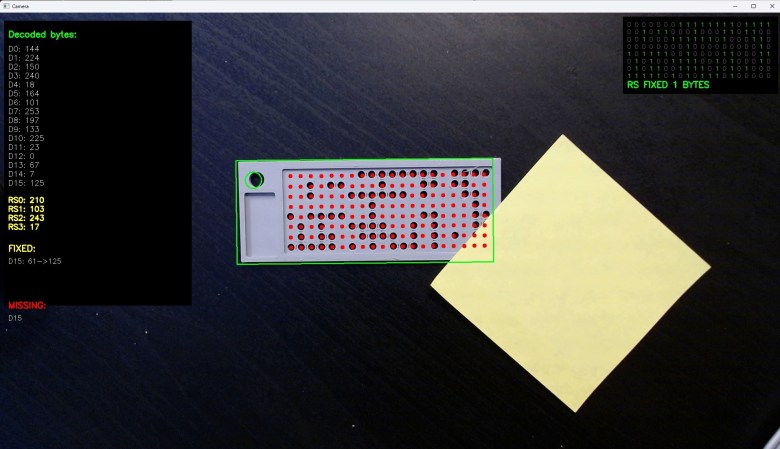
The nice part is that he’s built a handy Python script to generate printable files for the punch cards, which encode 16 bytes of information and 4 bytes of error correction using the Reed-Solomon algorithm. That’s just enough for a password and the error correction means up to two bytes can be recovered in the case of read failure.
The reading is where this gets interesting — again, [Bitroller] provides a handy script, but this one uses OpenCV to read the entire punch card at once from a webcam image, using the contrast between a black table and the light-colored PLA cards. It’s massively overkill and would have needed a supercomputer in the days when punch cards were common I/O, but that’s what makes this a great hack.
We only have one quibble: if you use additive manufacturing, can you still call it a punch card? Nothing was punched out, after all.
If you think punch cards are totally irrelevant in the modern day, well, you might be right– but that doesn’t stop us from playing with them. If punch cards make you think of Big Iron in the early days of computing, maybe think further back– they were used for everything from Jacquard looms to the original MIDI.
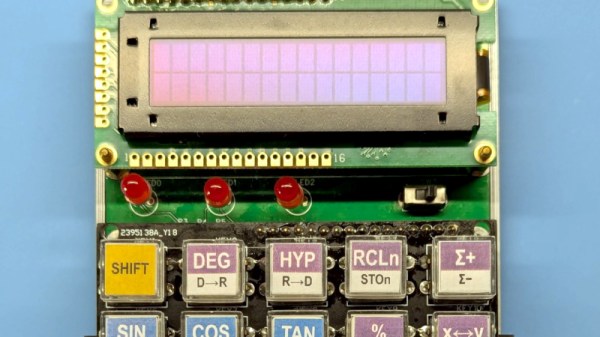
It’s possible that among Hackaday readers are the largest community of people who have designed their own CPU in the world. We have featured many here, but it’s possible that not so many of them have gone on to power an everyday project. Step forward [Baltazar Studios] then, with a scientific calculator sporting a self-designed CPU on an FPGA.
The calculator itself is nice enough, with a smart 3D printed case, an OLED display which almost evokes a VFD, and very well made buttons. But it’s the CPU which is of most interest, because while it follows a conventional Harvard architecture with a 12-bit instruction set, it works with 4-bit nibbles. This choice follows one used by HP in their calculator designs, seemingly because it can be optimised for the binary coded decimal which the calculator uses.
With calculators being yet another app on our spartphones or comnputers, there seems to be less use of calculators outside of education in 2026. But if you are a calculator user there’s nothing like a calculator you made yourself, and with a CPU of your own design it has few equals. We like this project almost as much as we like the Flapulator!
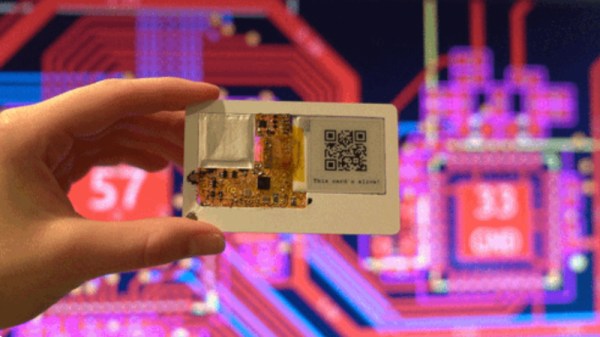
A computer the size of a credit card is nothing new. There have been many single-board computers following the familiar dimensions. [Krauseler]’s credit card computer is different, though. It packs an ESP32-C3, e-paper display, NFC reader, and, incredibly, a Li-Po battery into a credit card form factor in three dimensions rather than two. That’s right, this computer is only 1mm thick.
To ensure perfect compliance with the form factor, the enclosure, if that’s what it can be called, is a real NFC card with the middle cut out to take the electronics. The PCB is flexible, and the battery is the thinnest available. The e-paper display is an ultra-thin, flexible variant. A display connector would have been too thick, so a very fine wire-and-solder job was required.
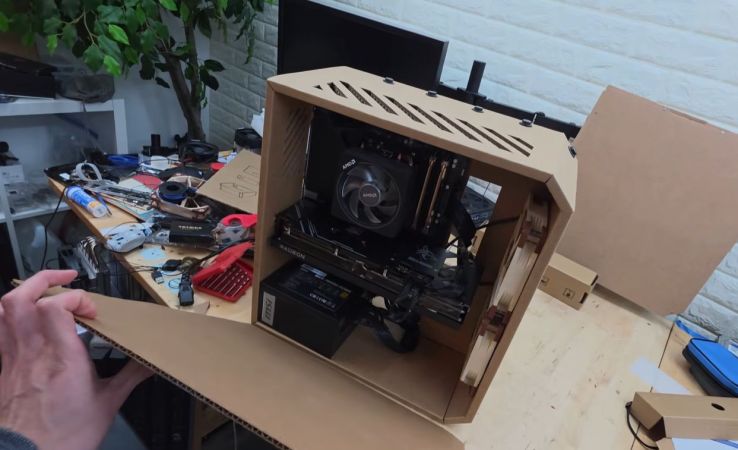
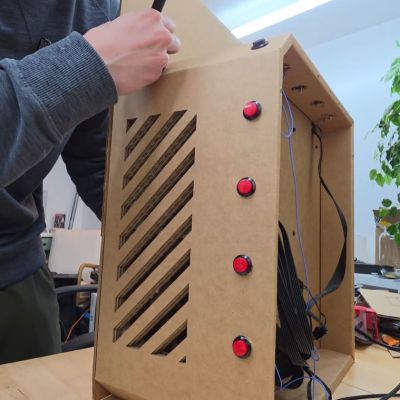
The idea of using cardboard for a sloppy PC case isn’t new; it’s a time-honored tradition dating back to at least the 1990s. That said, with today’s CNC cutters and other advanced tooling available to hobbyists, you might be curious to see how far you can push the concept. As demonstrated in a recent video by [mryeester], the answer appears to be that good planning and a solid understanding of cardboard’s limitations are as essential as ever.
After having the PC case drawn up in CAD and cut on a professional CNC cutter by a buddy who makes commercial cardboard displays, the installation procedure for the PC components showed where a bit of foresight could have saved a lot of time and effort.
If you’ve been thinking of getting into self-hosting generative AI, but don’t have a big budget for hardware, you might want to check out [Hardware Haven]’s latest video on an unusually cheap GPU option — but you’ll have to do so quickly, before the market realizes the chance for arbitrage and prices rise accordingly.
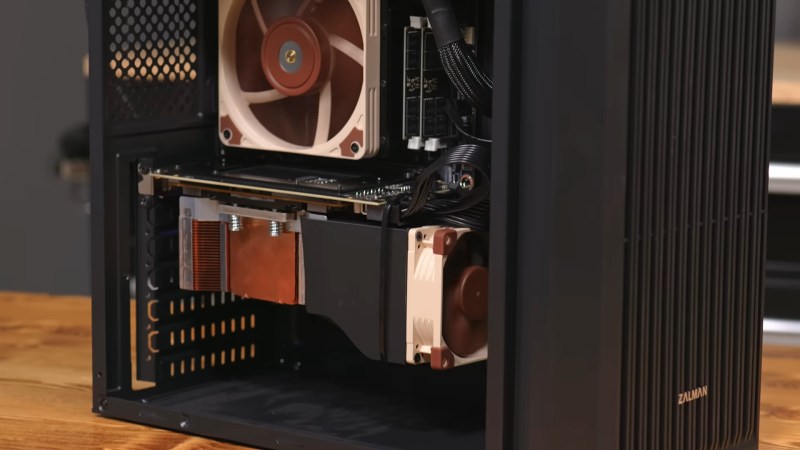
He’s gotten a hold of a 16 GB NVidia V100 card for only about a hundred bucks, mostly because it’s not easy to plug in, being on an SXM2 socket rather than the PCIe bus. SXM is a server architecture, and not something you’re likely to get on your motherboard. Another hundred got him an adapter board to fit this enterprise GPU on a consumer motherboard. That’s still a lot less than the PCIe version of the same card, which will likely set you back a thousand or more unless you get very lucky on eBay.
It’s not the newest card, dating back from 2017, but that doesn’t mean it can’t run the latest open models. After 3D printing a fan shroud for the thing so it didn’t cook itself, adding very slightly to the build cost, [Hardware Haven] set to work seeing what it could do. Going head-to-head against an RTX 3060 12 GB, the older V100 delivered more tokens per second at a slightly higher efficiency — but much higher idle power.
We’re used to seeing technologies move with the times, and it’s likely among Hackaday readers are the group who spend the most time doing that and are most aware of it. There’s one which we’ll all be aware of which has quietly slipped away for most of us almost without a word, I speak of course of 32-bit computing. For most of us that means 32-bit computing on x86 machines, and since the 64-bit x86 instruction set we all now use has been around for nearly a quarter century, its 32-bit ancestor is now ancient history.
In the world of software that means we’re now in an era of operating systems and browsers dropping 32-bit support, so increasingly keeping a 32-bit machine up to date will become a challenge. That sounds like something just painful and difficult enough to subject to a Daily Drivers piece, so just how practical is it to use a 32-bit machine for my daily work in 2026?
2005 Just Gave Me A Computer
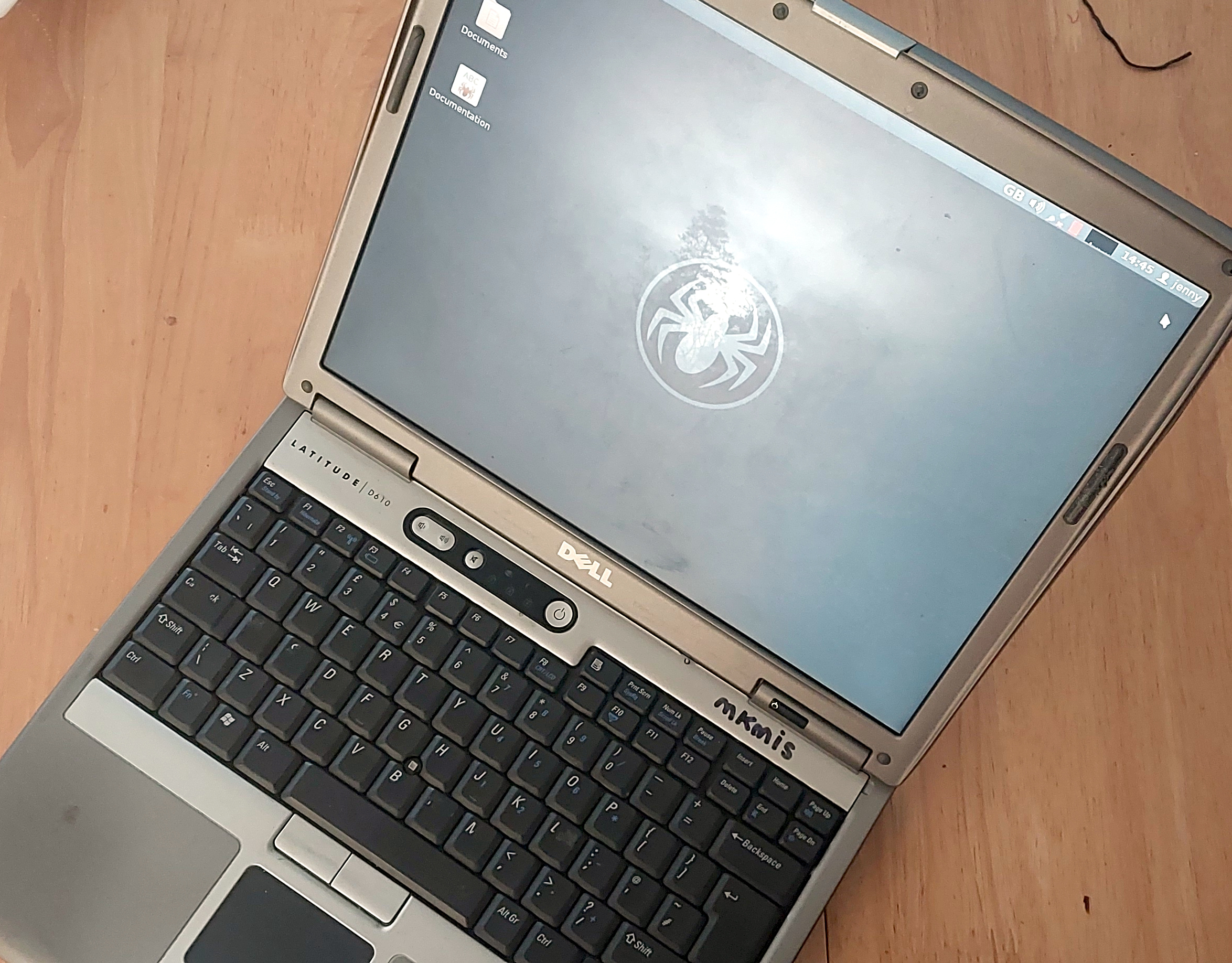
Not looking too bad for a 21 year old laptop.
On my desk I have a Dell Latitude D610. It was made in about 2005 in the days when Dells were solidly made, and with its 1.6GHz Pentium M and 2Gb of memory it represents roughly the final throw of the dice for a 32-bit Intel laptop. Just over a year later it would have been replaced by one of the Intel Core series with the 64-bit instructions grudgingly adopted from AMD, but at the time it was a respectably useful machine.
It came into my possession about eight years ago when I used it to test the Revbank bar tab software for my hackerspace, and for the past six years it’s languished unloved in my box there. It’s got an ancient Ubuntu distro on it, so my first task is to pick a 32-bit replacement from 2026. That’s now a dwindling selection, so it’s time to start digging though some minimalist distros. With the supply of those based on mainstream distros drying up as they drop 32-bit support, it’s time to look into more esoteric offerings. This fits well with the ethos of this series, we’re all about the unusual here.
Cutting out the mainstream based distros certainly narrows the field, and out of the promising contenders in the minimalist field, I went for SliTaz. It uses Busybox and the Openbox desktop, that runs from RAM. I was looking for good application support in the repos, and this distro has the things I need. Download it, stick it on a USB stick, and let’s see what it can do. I know one thing, I wouldn’t have been able to download that ISO in five seconds with the internet connection I had in 2005. Continue reading “Jenny’s Daily Drivers: Going 32-Bit With SliTaz In 2026”→


 The idea of using cardboard for a sloppy PC case isn’t new; it’s a time-honored tradition dating back to at least the 1990s. That said, with today’s CNC cutters and other advanced tooling available to hobbyists, you might be curious to see how far you can push the concept. As