Simulating Empires With Procedurally Generated History

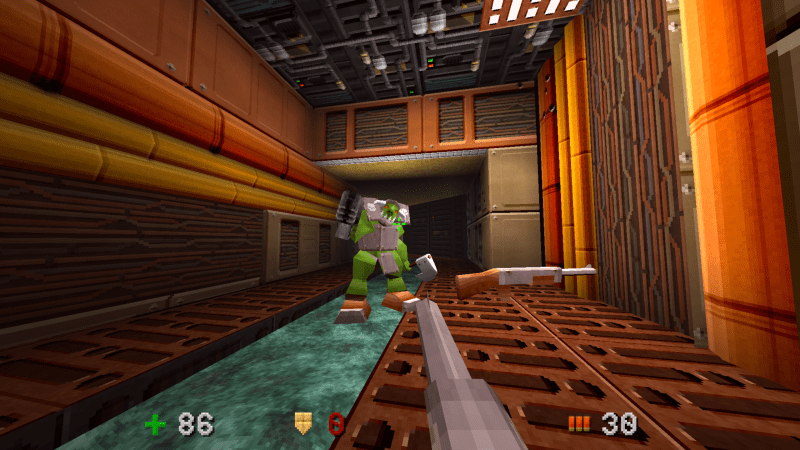
Procedural generation is a big part of game design these days. Usually you generate your map, and [Fractal Philosophy] has decided to go one step further: using a procedurally-generated world from an older video, he is procedurally generating history by simulating the rise and fall of empires on that map in a video embedded below.

Now, lacking a proper theory of Psychohistory, [Fractal Philosophy] has chosen to go with what he admits is the simplest model he could find, one centered on the concept of “solidarity” and based on the work of [Peter Turchin], a Russian-American thinker. “Solidarity” in the population holds the Empire together; external pressures increase it, and internal pressures decrease it. This leads to an obvious cellular automation type system (like Conway’s Game of Life), where cells are evaluated based on their nearest neighbors: the number of nearest neighbors in the empire goes into a function that gives the probability of increasing or decreasing the solidarity score each “turn”. (Probability, in order to preserve some randomness.) The “strength” of the Empire is given by the sum of the solidarity scores in every cell. Continue reading “Simulating Empires With Procedurally Generated History”

A map of the United States showing a series of interconnected lines in white, red, orange, yellow, and green to denote fiber optic and electrical transmission lines. Dots of white, orange, and yellow denote the location of the data centers relative to nearby metropolitan centers.

NREL Maps Out US Data Infrastructure

Spending time as wee hackers perusing the family atlas taught us an appreciation for a good map, and [Billy Roberts], a cartographer at NREL, has served up a doozy with a map of the data center infrastructure in the United States. [via LinkedIn]

Fiber optic lines, electrical transmission capacity, and the data centers themselves are all here. Each data center is a dot with its size indicating how power hungry it is and its approximate location relative to nearby metropolitan areas. Color coding of these dots also helps us understand if the data center is already in operation (yellow), under construction (orange), or proposed (white).

Also of interest to renewable energy nerds would be the presence of some high voltage DC transmission lines on the map which may be the future of electrical transmission. As the exact location of fiber optic lines and other data making up the map are either proprietary, sensitive, or both, the map is only available as a static image.

If you’re itching to learn more about maps, how about exploring why they don’t quite match reality, how to bring OpenStreetMap data into Minecraft, or see how the live map in a 1960s airliner worked.

Building A Custom Paper Tape Punch Machine

The solenoid and punch side of the machine. {Credit: Simon Boak)

Although [Simon Boak] had no use for an automatic paper tape punch, this was one of those intrusive project thoughts that had to be put to rest. With not a lot of DIY projects to look at, the first step was to prototype a punch mechanism that would work reliably. This involved the machining of a block of aluminium with holes at the right locations for the punch (HSS rods) to push through and create holes into the paper without distortions. Next was to automate this process.

To drive the punches, 12V solenoids were selected, but using leverage to not require the solenoids to provide all the force directly. On the electronics side this then left designing a PCB with the solenoid drivers and an Arduino Nano-style board as the brains, all of which including the Arduino source can be found on GitHub. Much like with commercial tape punch machines, this unit receives the data stream via the serial port (and optional parallel port), with the pattern punched into the 1″ paper tape.

One issue was finding blank paper tape, for which [Simon] cut up rolls of thermal paper using a 3D-printed rig with appropriately installed sharp blades. This paper tape seems to work quite well so far, albeit with the compromise that due to the current drawn by each solenoid (~1.7A) only one solenoid gets activated at any time. This makes it slower than commercial punch machines.

Thanks to [Tim] for the tip.

Tektronix TDS8000 banner

Repairing An Old Tektronix TDS8000 Scope

Over on his YouTube channel our hacker [CircuitValley] repairs an old TDS8000 scope.

The TDS8000 was manufactured by Tektronix circa 2001 and was also marketed as the CSA8000 Communications Signal Analyzer as well as the TDS8000 Digital Sampling Oscilloscope. Tektronix is no longer manufacturing and selling these scopes but the documentation is still available from their website, including the User Manual (268 page PDF), the Service Manual (198 page PDF), and some basic specs (in HTML).

You can do a lot of things with a TDS8000 scope but particularly its use case was Time-Domain Reflectometry (TDR). A TDR scope is the time-domain equivalent of a Vector Network Analyzer (VNA) which operates in the frequency-domain.

Continue reading “Repairing An Old Tektronix TDS8000 Scope”

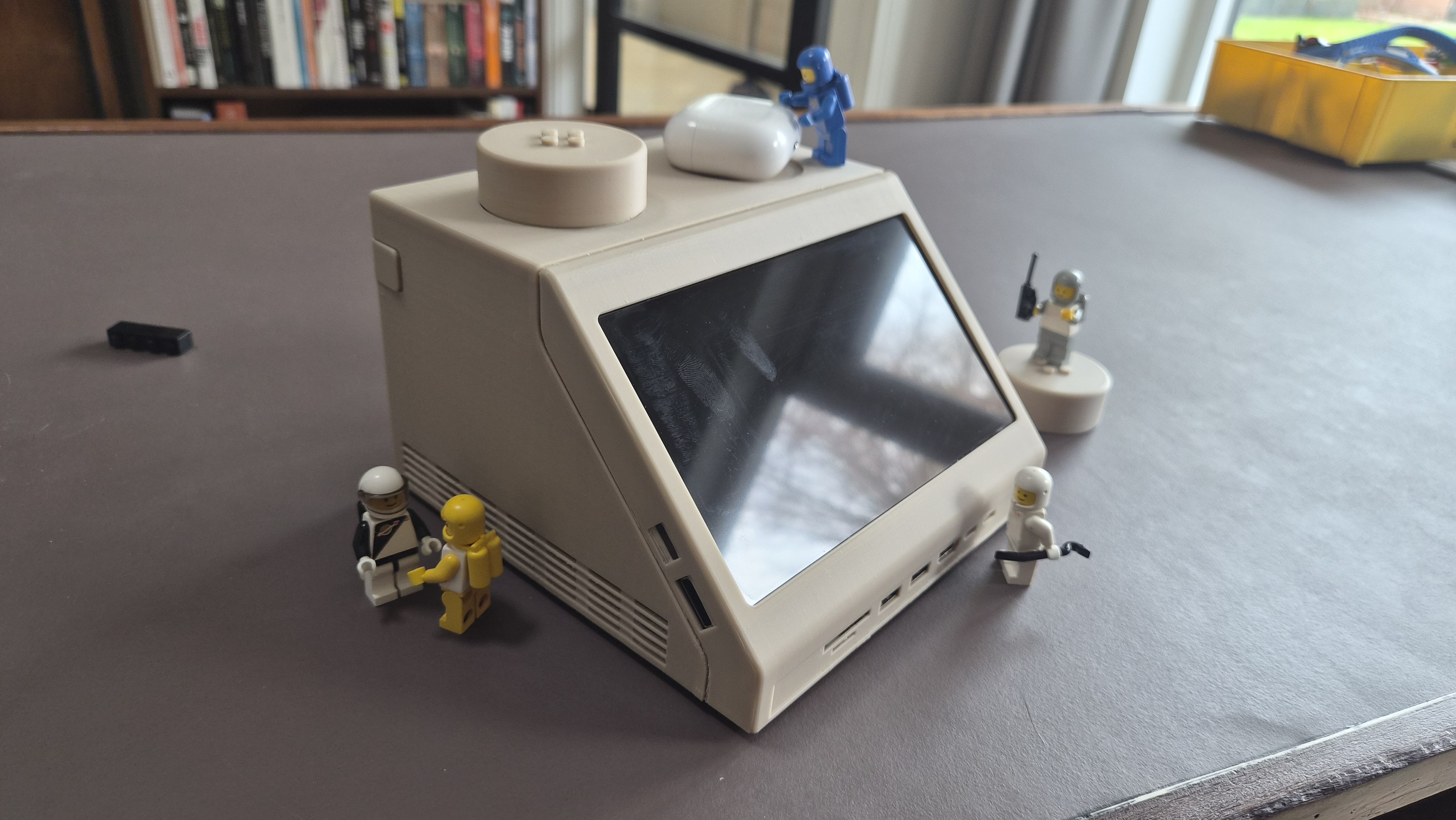
Bento Is An All-In-One Computer Designed To Be Useful

All-in-one computers in which the mainboard lurked beneath a keyboard were once the default in home computing, but more recently they have been relegated to interesting niche devices such as the Raspberry Pi 400 and 500.

The Bento is another take on the idea, coming at it not with the aim of replacing a desktop machine, instead as a computer for use with wearable display glasses. The thinking goes that when your display is head mounted, why carry around a screen with your laptop.

On top it’s a keyboard, but underneath it’s a compartmentalized space similar to the Japanese lunchboxes which lend the project its name. The computing power comes courtesy of a Steam Deck so it has a USB-C-for-everything approach to plugging in a desktop, though there’s a stated goal to produce versions for other boards such as the Raspberry Pi. There’s even an empty compartment for storage of peripherals.

We like this computer, both for being a cyberdeck and for being without a screen so not quite like the other cyberdecks. It’s polished enough that we could almost imagine it as a commercial product. It’s certainly not the first Steam Deck based cyberdeck we’ve seen.

Mac SE Restomod Has A Floppy Surprise

If he’s anything like us [Duncan Hall] was probably equal parts excited and disgusted when he found a 1987 Macintosh SE case at a garage sale. Excited, because not every day do vintage computers show up at these things. Disgusted, because it had been gutted and coated in house paint; the previous owner apparently wanted to make an aquarium. [Duncan] wanted to make a computer, and after 15 years, he finally did, calling it the PhoeNIX SE.

Note the small hole in the top floppy bay for the laptop webcam.

The NIX part of the name might make you suspect he’s running Linux on it, which yes, he absolutely is. The guts of this restomod were donated from a Dell XPS laptop, whose Core i7 CPU and motherboard power the project. A 9.7″ LCD serves in place of the original monochrome CRT, held in place by 3D printed hardware. While a purist might complain, it’s not like anyone makes replacement CRTs anymore, and once that’s gone? You might as well go full modern. (The analog board, on the other hand, is available. So is the logic board, if you were wondering. Lacking a CRT, some might have chosen e-ink instead, but the LCD looks good here.)

All ports are on the rear, as Steve would have wanted. That original sticker survived under latex paint is a spot of luck.

Having gone full modern, well, there’s no need for the M5011’s dual floppies, so one of them holds a webcam and monitor for a modern experience. A zoom call from that case would be a bit surreal, but we really appreciate the use of the empty floppy bay to keep the clean lines of the Macintosh SE unaltered. The other floppy bay (this is a dual-floppy unit) appears empty; we might have put an SD-card reader or something in there, but we absolutely agree with [Duncan]’s choice to 3D Print a new back panel and keep all I/O on the rear of the case, as God and Steve Jobs intended.

However you feel about restomodding retrocomputers (and we’re aware it’s a controversial practice), I think we can all agree this is a much better fate for the old Mac than becoming an aquarium. Thanks to [Loddington] for the tip.

If you’re on the side of the aisle that prefers to see restorations than restomods, the tips line is waiting for some quality restorations.

Adaptive Keyboards & Writing Technologies For One-Handed Users

After having been involved in an accident, [Kurt Kohlstedt] suffered peripheral neuropathy due to severe damage to his right brachial plexus — the network of nerves that ultimately control the shoulder, arm, and hand. This resulted in numbness and paralysis in his right shoulder and arm, with the prognosis being a partial recovery at best. As a writer, this meant facing the most visceral fear possible of writing long-form content no longer being possible. While searching for solutions, [Kurt] looked at various options, including speech-to-text (STT), before focusing on single-handed keyboard options. Continue reading “Adaptive Keyboards & Writing Technologies For One-Handed Users”