Node-RED Laser Shooting Gallery Goes Anywhere

When you think of a shooting gallery, you might envision a line of tin cans set up along a split-rail fence, or a few rows of ducks or bottles lined up at a carnival. But what do these have in common? You, standing in one spot, and shooting in the same general direction. You’re exposed! If those targets could shoot back, you’d be dead within seconds. Wouldn’t it be more fun if the targets were all around you in 360°? We think so, too.

So how could you possibly set up a shooting gallery this way? [Another Maker] already solved that problem for you with ESP32s and Node-RED (YouTube). Each target has an ESP32, a laser sensor, and an LED that lights up when the target is ready, and turns off once it’s been hit. They all make an enticing ‘shoot me’ sound that goes with their graphics, and a second mp3 plays upon direct hit.

The PVC gun houses an ESP8266, a laser module at the end of the barrel, and runs on a cylindrical USB battery slipped down in the secondary grip. [Another Maker] can spread the targets out far and wide, as long as they all stay in range of the localized WiFi access point.

The best part is that the Node-RED system is target-agnostic — it doesn’t care how many you have or how they’re made, and it can juggle up to 250 of them. Because of the way the target objects are programmed, it would be quite easy to add actuators that make them drop down or fall backward when hit. You could also implement [Another Maker]’s fantastic suggestion of hitting arcade buttons with NERF darts instead. Charge those lasers and fire at the break button to see the demo and walk-through video.

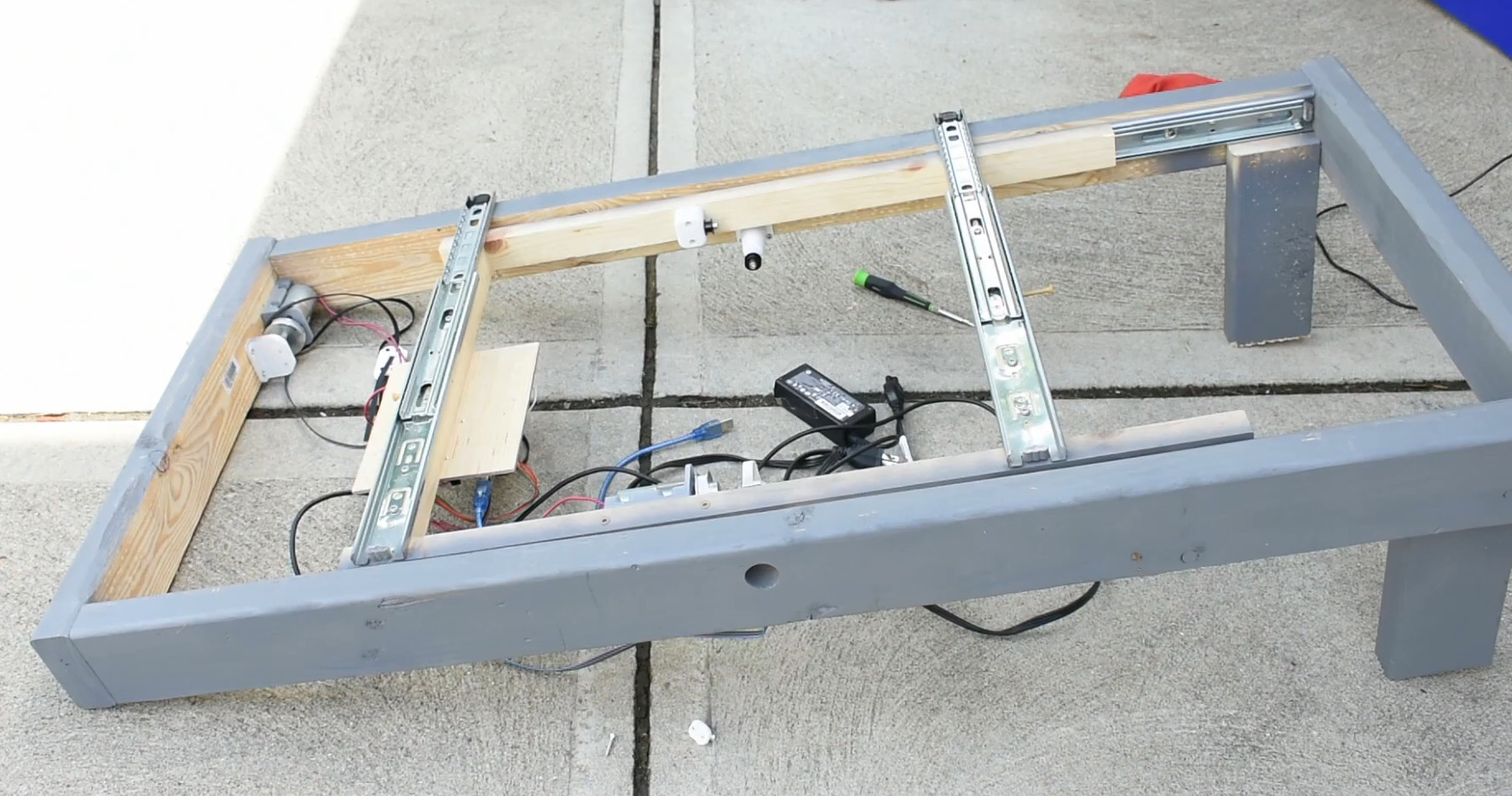
If you plan to knock the targets down or over in your implementation, you’ll want an easy way to reset them. Here’s a scrap-built shooting gallery that uses a windshield wiper motor to set ’em back up.

3DBuzz Closes With A Final Gift

If you wanted to learn about creating modern computer games, 3DBuzz had some of the best tutorials around. In fact, some of the tutorials about C#, C++, Android, and math would be useful for anyone, while the ones about game art and modeling in Maya are probably mostly for game developers. While these were once available only by subscription, the company — now defunct — has left them available for download via this BitTorrent file.

We don’t know enough about things like Blender and Maya to evaluate the material, but it is well regarded and the ones we do know something about seem very high quality. There are, for example, many videos about C++ and C# that are very professional and cover quite a few topics.

Continue reading “3DBuzz Closes With A Final Gift”

3D Printable Stick Shift For Your Racing Simulator

If you don’t get enough driving in your real life, you can top it off with some virtual driving and even build yourself a cockpit. To this end [Noctiluxx] created a very nice 3D printable stick shifter you can build yourself.

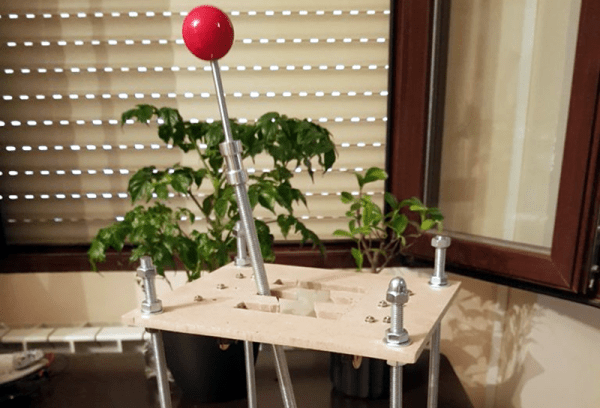
The design is adapted for 3D printing from an older aluminium version by [Willynovi] over on the X-Simulator forums. Every version uses an off-the-shelf ball joint for the main pivot, below which is a guide plate with the desired shift pattern.  Each position has a microswitch, which can be connected to a USB encoder from eBay which acts as a HID. The position is held in the Y-axis position by a clever spring-loaded cam mechanism above the ball joint, while the X-position is held by the bottom guide plate. The gear knob can be either 3D printed or the real deal of your choice.

This design is the perfect example of the power of the internet and open source. The original aluminium design is almost a decade old, but has been built and modified by a number of people over the years to get us to the easy to build version we see today. [amstudio] created an excellent video tutorial  on how to built your own, see it after the break.

For more awesome cockpits check out this one to fly an actual (FPV) aircraft, and this dazzling array of 3D printable components for your own Garmin G1000 avionics glass cockpit. Continue reading “3D Printable Stick Shift For Your Racing Simulator”

Poking Around Inside A Pair Of Classic Gaming Gifts

Retro gaming is huge right now, and like probably millions of other people, [wrongbaud] found himself taking possession of a couple faux-classic gaming gadgets over the holidays. But unlike most people, who are now using said devices to replay games from their youth, he decided to tear into his new toys to see how they work.

The first to get pulled apart is a handheld The Oregon Trail game, which Hackaday readers may recall from a teardown we did back when it was first released. His work continues right where our teardown left off, by pulling the game’s two EEPROM chips out and dumping their contents. As expected, [wrongbaud] found that the I2C connected chip contained the game save information, and the SPI flash chip stored the actual game files.

Next up was an HDMI “stick” from Bandai Namco that allows the user to play a selection of NES games. Here again [wrongbaud] liberates the flash chip and dumps it for examination, this time using an ESP32 tool of his own creation. Inside the firmware image he’s able to identify several elements with the help of binwalk, such as splash screen graphics and text strings.

But perhaps most interestingly, he found that binwalk was able to automatically extract the NES ROMs themselves. After verifying they were standard ROMs with an NES emulator, he theorizes that repacking the firmware with different ROMs should be possible should anyone feel so inclined.

Both of these hacks are fantastic examples of how you can reverse engineer a device’s firmware with low cost hardware, open source tools, and a healthy dose of patience. Even if you aren’t interested in fiddling with The Oregon Trail or swapping out the Mappy ROM for Contra, this write-up is an invaluable resource for anyone looking to do their own firmware analysis.

This isn’t the first time [wrongbaud] has hacked around inside these extremely popular retro games, either. Just last month we covered some of his previous exploits with the re-released versions of Rampage and Mortal Kombat.

Guitar Hero Controller Gets A New Musical Life

Guitar Hero was a big deal, right up until it wasn’t. The best efforts of the video game industry couldn’t resurrect the once-off rush of enthusiasm for rhythm gaming, and thrift stores around the globe are now littered with little plastic instruments. [Analog Sketchbook] decided to give one of these guitars for the Wii a new life, repurposing it as a synth controller.

The build is a straightforward one, thanks to the prevalence of modern maker solutions to electronic problems. Hooking up to the guitar is a solved problem, with an Adafruit Nunchucky breakout board allowing the Guitar Hero controller to be connected via jumper wires to the Raspberry Pi’s IO pins.

Communication is via I2C, and is easy to work with in Pure Data, running on the Pi. [Analog Sketchbook] created a patch that runs a synthesizer, controlled by the buttons and controls on the guitar itself. With this setup, you could create any number of different routines to allow the guitar to be played differently. We’d love to see a chiptune-esque arpeggio patch, or something that plays fat FM synth tones a la the Genesis, but that’s just our opinion. The sky really is the limit here, with plenty of grunt on the Pi for various forms of synthesis.

It’s a fun build that gives new life to an otherwise forgotten gaming accessory. We’ve seen them repurposed before too, as far back as 2010. Video after the break.

Continue reading “Guitar Hero Controller Gets A New Musical Life”

HoloLens Brings Video Game Kart Racing To Life

There aren’t a lot of video game experiences we can easily recreate in the physical realm. You’ll quickly find that jumping on mushrooms in the real world doesn’t have nearly the same appeal as it does in Super Mario, and we won’t even get into the dangers of trying to recreate Frogger on your local multi-lane. But video game style go-kart racing? We have all the technology to pull that off, somebody just has to put all the pieces together.

Which is precisely what [Ian Charnas] is trying to do with his latest project. Using Microsoft’s HoloLens augmented reality headset, electric go-karts, 433 MHz wireless transceivers, and some Arduinos sprinkled in, he’s created the closest thing to Mario Kart that us flesh and blood mortals are likely to experience anytime soon.

The HoloLens headset worn by each driver overlays the necessary graphical elements like pickups and weapon effects, as well as puts over-the-top cartoon heads on the other racers. But of course, that’s only half of the story. Seeing the pickups and gadgets doesn’t do you any good if they don’t have any effect on the actual race.

To that end, [Ian] has come up with a way to control the performance of the go-karts using an electronic “backpack” that mounts to each kart. So speed boosting pickups actually make the kart go faster, and if a driver gets hit with a weapon fired at them, they get slowed down.

That’s the high-level version, anyway. There’s obviously a lot going on behind the scenes, some of which are detailed on the Hackaday.io page. One of the interesting notes is that the HoloLens needs visual markers to orient itself, which in the video after the break can be seen as black and white posters dotting the walls alongside the track. As the project progresses, [Ian] is hoping that these can be camouflaged in creative ways (such as being made to look like audience members or checkered flags) to make the overall experience more immersive.

According to [Ian], the next step is to find partners who want to help elevate this from a one-off project to something that you might actually see at an amusement park. We wish him luck, if for no other reason than we really want to play the thing ourselves. In the meantime, we’ll have to settle for racing hacked Power Wheels.

Continue reading “HoloLens Brings Video Game Kart Racing To Life”

Explore This 3D World Rendered In ASCII Art

Pixelated RPGs are pretty standard in games like Legend of Zelda and Pokemon, but have you ever seen anything like ASCIICKER? It’s a full-color three-dimensional world rendered with ASCII art and playable in your browser.

For the time being, the game exists as an experiment. There’s no storyline or goals other than exploring the world, although you can meet up with (or follow) others exploring the game — although all of the sprites look the same, so it may be difficult to have interactions. The game was created by [Gumix] and built entirely in JavaScript without using any other game engines.

All of the previous iterations have also been published online and are accessible by adding X1 up to X13 to the end of the URL. With game development beginning in 2017, it has since been through a considerable amount of change. There’s an entire subreddit dedicated to the game with regular updates from the creator on the development of an open-source dev tool for building new levels and features for the environment. The current engine is capable of rendering objects as thin as fences as well as reflections in bodies of water.

You can try out the game for yourself and see what you think!

Continue reading “Explore This 3D World Rendered In ASCII Art”