Mini “Gaming PC” Nails The Look, Streams The Games

To have a proper gaming “rig”, you need more than a powerful GPU and heaps of RAM. You’ve also got to install a clear side-panel so lesser mortals can ogle your wiring, and plenty of multicolored LEDs to make sure it’s never actually dark when you’re up playing at 2 AM. Or at least, that’s what the Internet has led us to believe.

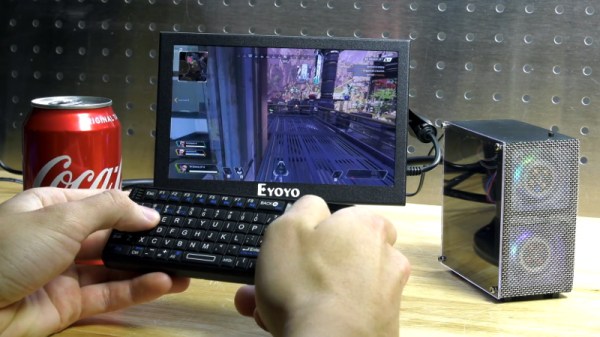
The latest project from [Michael Pick] certainly isn’t doing anything to dispel that stereotype. In fact, it’s absolutely reveling in it. The goal was to recreate the look of a high-end custom gaming PC on a much smaller scale, with a Raspberry Pi standing in for the “motherboard”. Assuming you’re OK with streaming them from a more powerful machine on the network, this diminutive system is even capable of playing modern titles.

But really, the case is the star of the show here. Starting with a 3D printed frame, [Michael] really went all in on the details. We especially liked the little touches such as the fiber optics used to bring the Pi’s status and power LEDs out to the top of the case, and the tiny and totally unnecessary power button. There’s even a fake graphics card inside, with its own functional fan.

Even if you’re not interested in constructing custom enclosures for your Raspberry Pi, there are plenty of tips and tricks in the video after the break that are more than worthy of filing away for future use. For example, [Michael] shows how he fixed the fairly significant warping on his 3D printed case with a liberal application of Bondo and a straight-edge to compare it to.

This isn’t the first time we’ve seen a Raspberry Pi masquerade as a high-end computer, but it’s surely the most effort we’ve ever seen put into the gag.

Continue reading “Mini “Gaming PC” Nails The Look, Streams The Games”
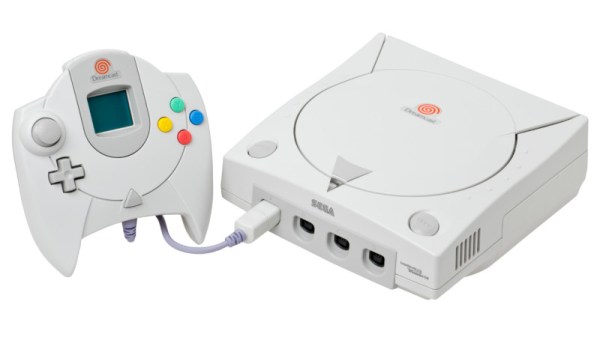
Double The RAM Of A Dreamcast Console For A Cool 32 MB

The Sega Dreamcast is the forgotten orphan of the console wars, an extremely capable machine never able to escape the shadow of its PlayStation rivals and because it marked the end of Sega’s console line, never redeemed in reputation by a more popular successor. It retains a significant following a couple of decades after its heyday though, and still sees hardware hacks such as [Tsowell]’s doubling of its available RAM to 32 MB.

The console shipped with 16 MB of memory in two banks, but while the SH4 processor can address twice that figure the designers at Sega never brought the required address line out from under the BGA. So it should be impossible to give it a memory expansion, but when hardware hackers are at work nothing should be ruled out. The hack involves manipulation of the bank switching addressing, and took several careful readings for us to fully understand. The new RAM chips have two address lines tied together and wired to another, a job for some fine but ultimately not impossible soldering. To take advantage of the extra RAM there are a set of patched BIOS images.

So, if you either have a spare Dreamcast you care little enough about to risk, or you consider your console hacking skills to be so advanced that it will be a piece of cake, you can now double the platform’s RAM. Extra points if you also make it portable.

Thanks [John Little] for the tip.

Header: Evan-Amos / CC BY-SA 3.0

Custom Portable N64 Embraces Modern Making

In the beginning, there was hot glue. Plus some tape, and a not inconsiderable amount of Bondo. In general, building custom portable game consoles a decade or so in the past was just a bit…messier than it is today. But with all the incredible tools and techniques the individual hardware hacker now has at their disposal, modern examples are pushing the boundaries of DIY.

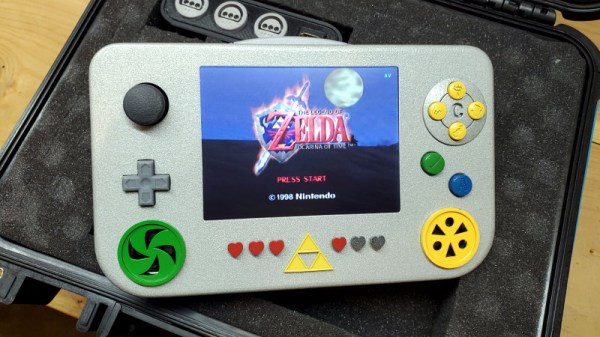
This Zelda: Ocarina of Time themed portable N64 by [Chris Downing] is a perfect example. While the device is using a legitimate N64 motherboard, nearly every other component has been designed and manufactured specifically for this application. The case has been FDM 3D printed on a Prusa i3, the highly-detailed buttons were printed in resin on a Form 3, and several support PCBs and interface components made the leap from digital designs to physical objects thanks to the services of OSH Park.

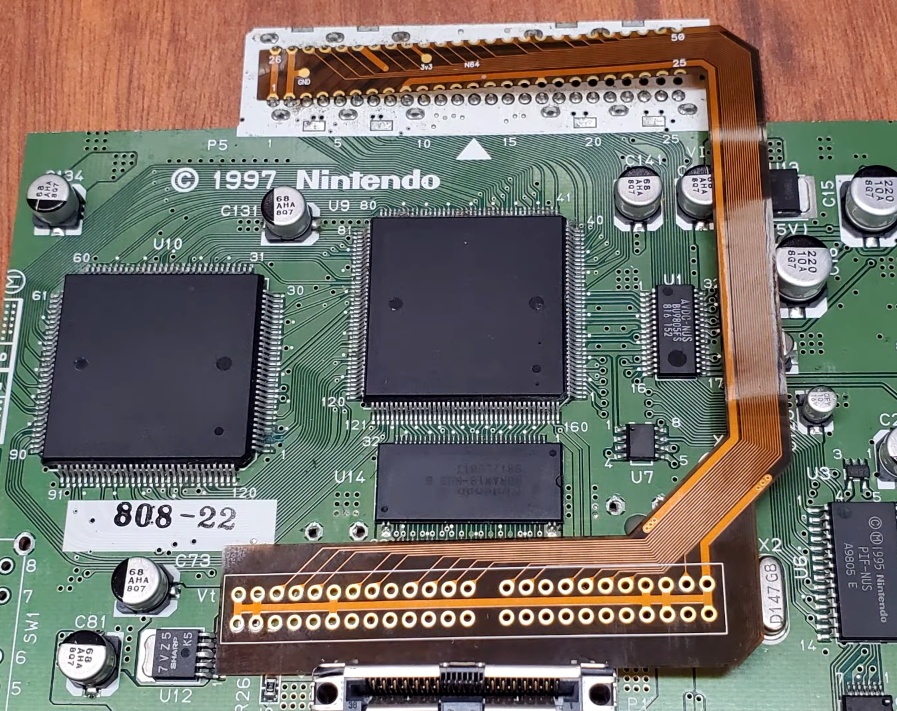
A custom made FFC to relocate the cartridge port.

Today, those details are becoming increasingly commonplace in the projects we see. But that’s sort of the point. In the video after the break, [Chris] breaks down the evolution of his portable consoles from hacked and glued together monstrosities (we mean that in the nicest way possible) to the sleek and professional examples like his latest N64 commission. But this isn’t a story of one maker’s personal journey through the ranks, it’s about the sort of techniques that have become available to the individual over the last decade.

Case in point, custom flexible flat cables (FFC). As [Chris] explains, when you wanted to relocate the cartridge slot on a portable console in the past, it usually involved tedious point-to-point wiring. Now, with the low-volume production capabilities offered by companies like OSH Park, you can have your own flexible cables made that are neater, faster to install, and far more reliable.

Projects like this one, along with other incredible creations from leaders in the community such as [GMan] are changing our perceptions of what a dedicated individual is capable of. There’s no way to be sure what the state-of-the-art will look like in another 5 or 10 years, but we’re certainly excited to find out.

Continue reading “Custom Portable N64 Embraces Modern Making”

Score Big Against Boredom With Tabletop Bowling

Bowling has been around since ancient Egypt and continues to entertain people of all ages, especially once they roll out the fog machine and hit the blacklights. But why pay all that money to don used shoes and drink watered-down beer? Just build a tabletop bowling alley in your spare time and you can bowl barefoot if you want.

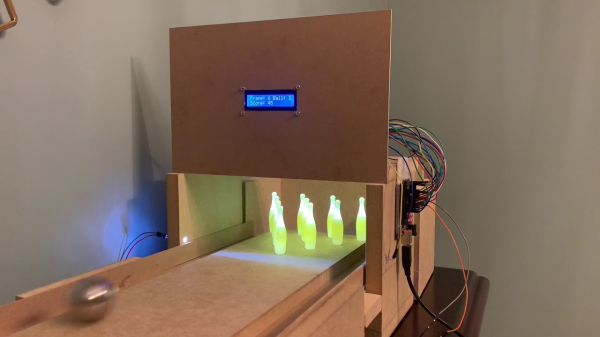
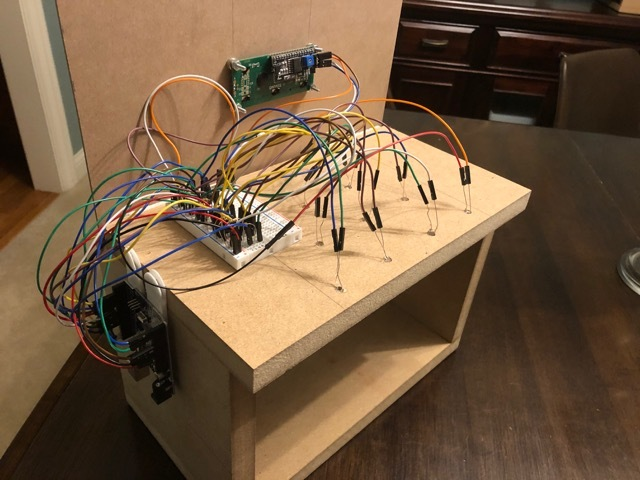
Those glowing pins aren’t just for looks — the LEDs underneath them are part of the scoring system. Whenever a pin is knocked out of its countersunk hole, the LED underneath is exposed and shines its light on a corresponding light-dependent resistor positioned overhead. An Arduino Uno keeps track of of the frame, ball number, and score, and displays it on an LCD.

The lane is nearly six feet long, so this is more like medium-format bowling or maybe even skee-bowling. There are probably a number of things one could use for balls, but [lainealison] is using large ball bearings. Roll past the break to see it in action, but don’t go over the line!

Can’t keep your balls out of the gutter? Build a magic ball and make all wishful leaning more meaningful as you steer it down the lane with your body.

Continue reading “Score Big Against Boredom With Tabletop Bowling”

WiFi Networks Turned Targets In This Pocket Game

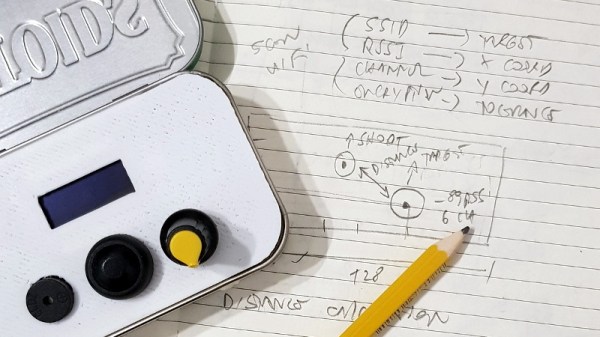
Looking for a way to make his warwalking sessions a bit more interactive, [Roni Bandini] has come up with an interesting way to gamify the discovery of new WiFi networks. Using a Heltec WiFi Kit 8, which integrates an OLED screen and ESP8266, this pocket-sized device picks up wireless networks and uses their signal strength and encryption type as elements of the game.

After selecting which network they want to play against, a target is placed on the screen. The distance between the target and the player is determined by signal strength, and how much damage the target can take correlates to how strong its encryption is. As you can see in the video after the break, gameplay is a bit reminiscent of Scorched Earth, where the player needs to adjust the angle of their artillery to hit distant targets.

The Heltec board is attached to a 3D printed front panel, which fits neatly into an Altoids tin. The controls consist of a button and a potentiometer, and with the addition of a battery pack salvaged from an old cell phone, this little device is ready to do battle wherever you roam.

While this is just a fun diversion for the time being, [Roni] says it wouldn’t take much to actual log networks to a file and generate some statistics about their strength and encryption type. If the idea of a portable WiFi scanning companion seems interesting, you should definitely check out the Pwnagotchi project.

Continue reading “WiFi Networks Turned Targets In This Pocket Game”

Virtual Pinball Cabinet Provides Real Thrills

Being a fan of pinball is bittersweet these days. In the go-go 1990s, you could still find pins in places like coffeehouses and the odd gas station here and there as the commercial arcade began to fade into the past. Things were looking up once booze-fueled b-arcades became a thing, but the pandemic economy may come for them soon enough.

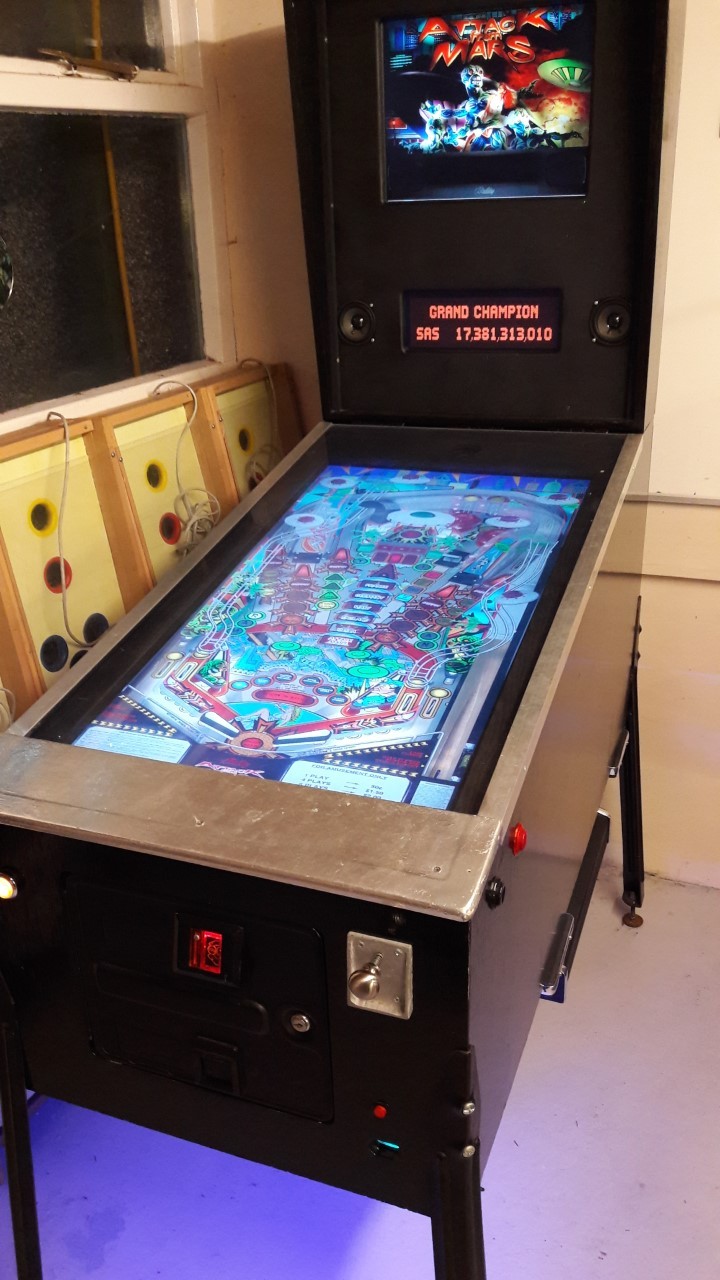
Poor [smithsa3] doesn’t have a table around for hundreds of miles. Instead of settling for an older table or agonizing over the average price of newer tables, [smithsa3] found a happy medium and built a full-size virtual pinball cabinet to play pretty much any table there is. The only non-negotiable game was Addams Family, which you can see in the demo after the break.

Inside is a PC running PinballX, along with a 37″ TV for the playfield and two 17″ monitors that make up the backboard. Between the physical inputs and the faithful recreations of current and classic pinball games that are out there, this really is the best of both worlds.

We love that [smithsa3] combined stock and DIY hardware to pull this together. The cabinet uses standard legs and arcade buttons, but [smithsa3] built the plunger, interfaced it with an old keyboard controller, and made a coin slot mechanism that rejects everything but 10p coins.

Spend enough time playing pinball, and you’ll no doubt begin to fantasize about building your own. We’ve seen one or two of those, but not too many that can play themselves.

Continue reading “Virtual Pinball Cabinet Provides Real Thrills”

64-bit And A Display: Minecraft Computers 10 Years Later

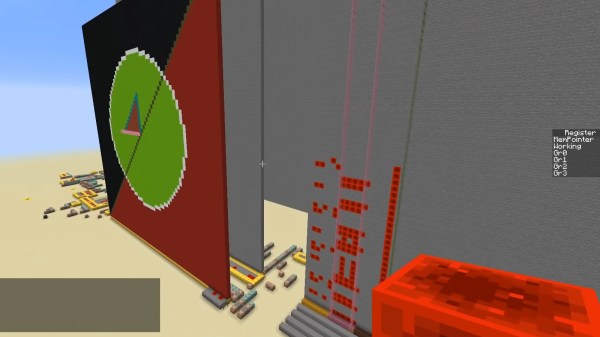
Some people build their own computer to play games, while others play games to build their own computer. Minecraft is the prime candidate for the latter, and while you can certainly arrange the blocks to make them look like a computer, we’re of course talking about replicating the actual functionality of a CPU or parts thereof, and/or external components within the game. Many such creations have spawned in the decade since the first Minecraft-built ALU surfaced, and [Rockfarmor] built a 64-bit specimen to add to that list — and made a video to showcase it.

Instead of emulating a common architecture, [Rockfarmor] went for a more home-made approach, and re-used the architecture from an old school assignment (in Swedish) as basis. The result is a simple yet fully functional 64-bit CPU with 32 registers, 32kB main memory and a separate 16kB stack. The instruction set mostly contains ALU and branching operations, but also a few special opcodes to control an additional 64×64 pixel blocks, 64-color display — including drawing circles, lines, and color fills.

More details on the architecture can be found in its documentation and in an older video (with subpar audio circumstances unfortunately). An additional time-lapse video of the initial build is also available, and you will find all of them after break. To simplify development, [Rockfarmor] also wrote a desktop app to program the computer in assembly and upload it straight to the Minecraft version.

As with all computers built in Minecraft, the driving force is redstone, which essentially allows circuit design within the game, and [Rockfarmor]’s is no difference here. He also uses command blocks to avoid the laboriously and slow “wiring” required otherwise, turning it more into a “wireless redstone” circuit.

No doubt, purists will consider this cheating, but another angle would be to see it as Moore’s Law applied to Minecraft computers, considering the computer’s size and speed compared to the first Minecraft ALU. Or maybe as the equivalent of microcode in real-world CPUs? Or then, maybe we should just accept and embrace different options and preferences.

Continue reading “64-bit And A Display: Minecraft Computers 10 Years Later”