Scott Shawcroft Is Programming Game Boys With CircuitPython

Some people like to do things the hard way. Maybe they drive a manual transmission, or they bust out the wire wrap tool instead of a soldering iron, or they code in assembly to stay close to the machine. Doing things the hard way certainly has its merits, and we are not here to argue about that. Scott Shawcroft — project lead for CircuitPython — on the other hand, makes a great case for doing things the easy way in his talk at the 2019 Hackaday Superconference.

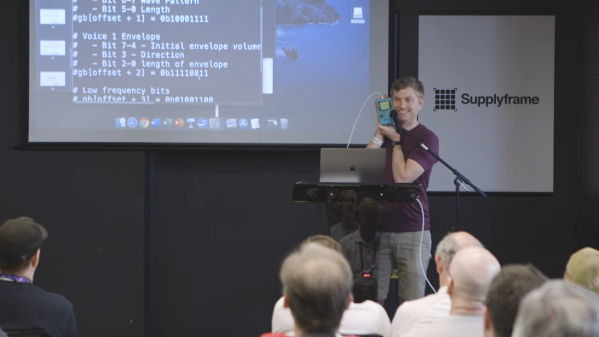
In fact, he proved how easy it is right off the bat. There he stood at the podium, presenting in front of a room full of people, poised at an unfamiliar laptop with only the stock text editor. Yet with a single keystroke and a file save operation, Scott was able make the LEDs on his Adafruit Edge Badge — one of the other pieces of hackable hardware in the Supercon swag bag — go from off to battery-draining bright.

Code + Community

As Scott explains, CircuitPython prides itself on being equal parts code and community. In other words, it’s friendly and inviting all the way around. Developing in CircuitPython is easy because the entire environment — the code, toolchain, and the devices — are all extremely portable. Interacting with sensors and other doodads is easy because of the import and library mechanics Python is known for, both of which are growing within the CircuitPython ecosystem all the time.

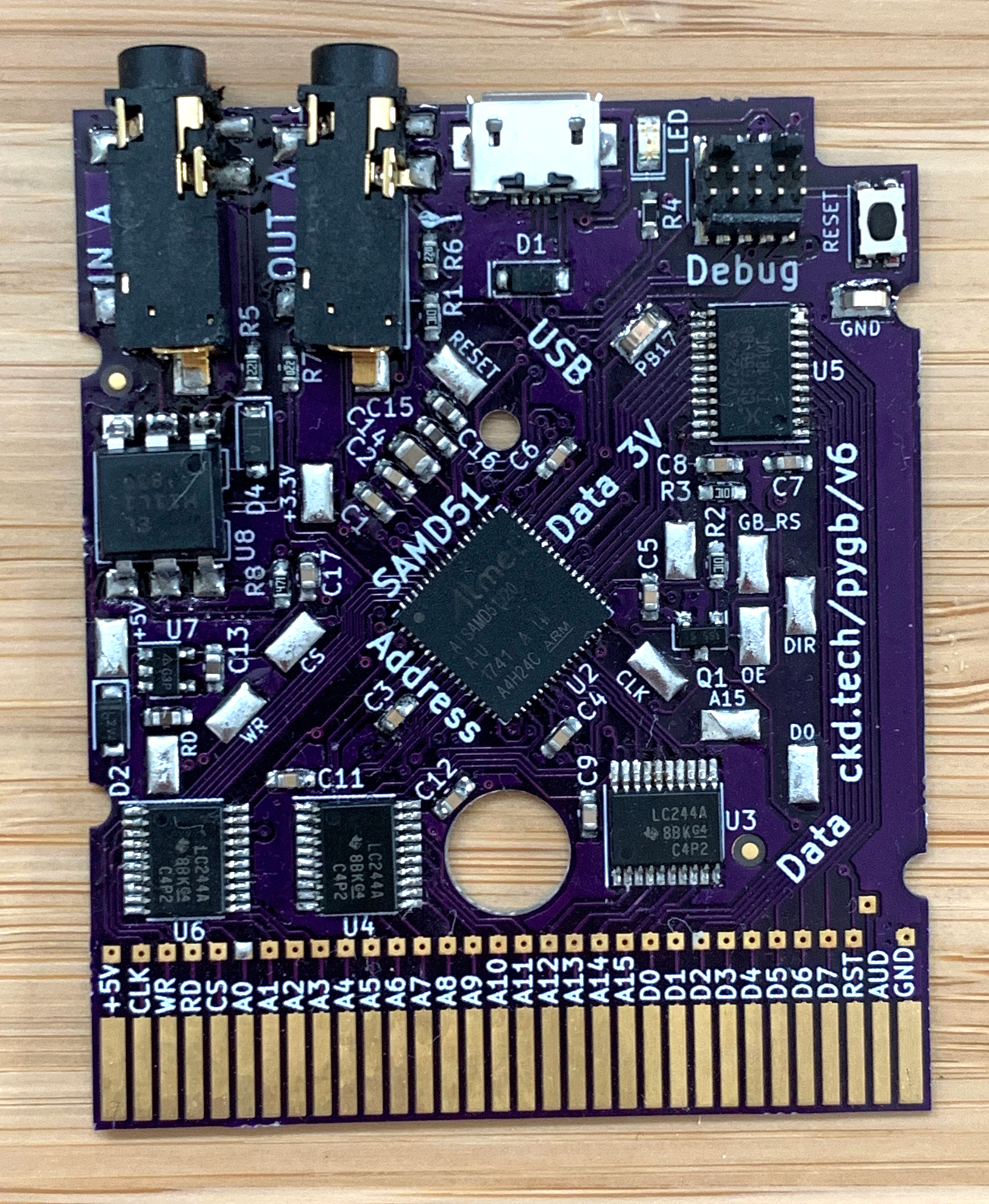
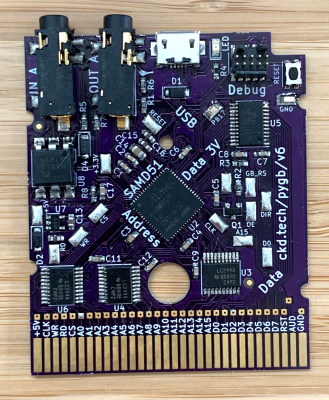
CircuitPython is so friendly that it can even talk to old hardware relatively easily without devolving into a generational battle. To demonstrate this point, Scott whipped out an original Nintendo Game Boy and a custom cartridge, which he can use to play fun sounds via the Game Boy’s CPU.
Now You’re Playing With Python

It’s interesting to see the platforms on which Scott has used the power of CircuitPython. The Game Boy brings the hardware for sound and pixel generation along with some logic, but he says it’s the code on the cartridge that does the interesting stuff.

The CPU communicates with carts at a rate of 1MHz. As long as you can keep this rate up and the CPU understands your instructions, you can get it to do anything you want.

Scott’s custom cart has a 120MHz SAMD51. He spends a second explaining how he gets from Python libraries down to the wire that goes to the Game Boy’s brain — basically, the C code underneath CircuitPython accesses direct structs defined within the SAMD to do Direct Memory Access (DMA), which allows for jitter-free communication at 1MHz.

He’s using the chip’s lookup tables to generate a 1MHz signal out of clock, read, and A15 in order to send music-playing instructions to the sound register of the Game Boy’s CPU. It sounds like a lot of work, but CircuitPython helps to smooth over the dirty details, leaving behind a simpler interface.

If you want easy access to hardware no matter how new or nostalgic, the message is clear: snake your way in there with CircuitPython.

Continue reading “Scott Shawcroft Is Programming Game Boys With CircuitPython”
Casual Tetris Comes In At $9

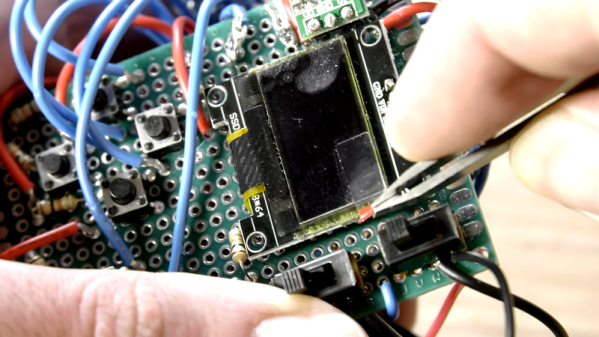
[Michael Pick] calls himself the casual engineer, though we don’t know whether he is referring to his work clothes or his laid back attitude. However, he does like to show quick and easy projects. His latest? A little portable Tetris game for $9 worth of parts. There is an Arduino Pro Mini and a tiny display along with a few switches and things on a prototyping PC board. [Michael] claims it is a one day build, and we imagine it wouldn’t even be that much.

Our only complaint is that there isn’t a clear bill of material or the code. However, we think you could figure out the parts pretty easy and there are bound to be plenty of games including Tetris that you could adapt to the hardware.

Continue reading “Casual Tetris Comes In At $9”

A Tetris To Be Proud Of, With Only A Nano

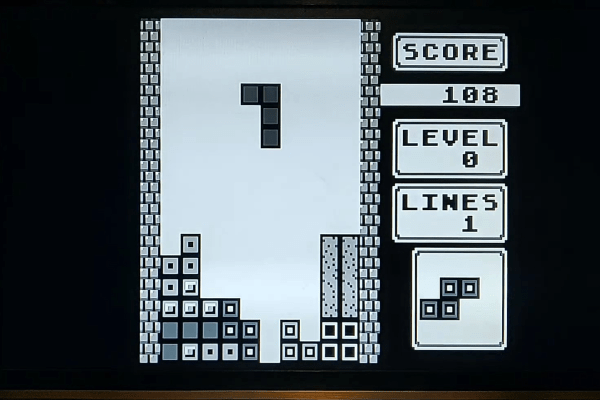
Tetris may have first arrived in the West on machines such as the PC and Amiga, but its genesis at the hands of [Alexey Pajitnov] was on an Electronika 60, a Soviet clone of an early-1970s DEC PDP-11. Thus those tumbling blocks are hardly demanding in terms of processor power, and a game can be implemented on the humblest of hardware. Relatively modern silicon such as the Atmega328 in [c0pperdragon]’s Arduino Nano Tetris console should then have no problems, but to make that assumption is to miss the quality of the achievement.

In a typical home or desktop computer of the 1980s the processor would have been assisted by plenty of dedicated hardware, but since the Arduino has none of that the feat of creating the game with a 288p video signal having four gray scales and with four-channel music is an extremely impressive one. Beside the Nano there are only a few passive components, there are no CRT controllers or sound chips to be seen.

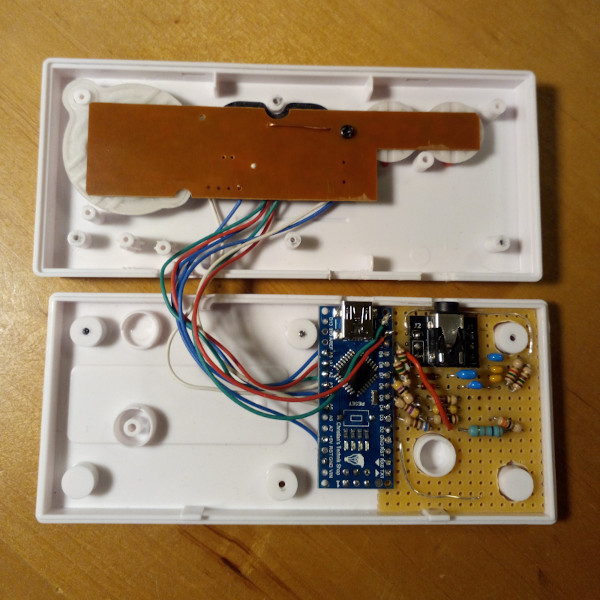
The entire device is packaged within a clone of a NES controller, with the passives on a piece of stripboard beside the Nano. There is a rudimentary resistor DAC to produce the grey scales, and the audio is not the direct PWM you might expect but a very simple DAC created by charging and discharging a capacitor at the video line frequency. The results can be seen and heard in the video below the break, and though we’re sure we’ve heard something like that tune before, it looks to be a very playable little game.

Continue reading “A Tetris To Be Proud Of, With Only A Nano”

DJ Hero Controller Gets A New Gig

Fans of the Guitar Hero etc. franchise may be interested to hear about Spin Rhythm XD, a similar rhythm game which uses a jog wheel for much of the chase-down-the-notes action. Although it can be played with a keyboard and mouse, the ideal input is a professional DJ MIDI controller — imagine two capacitive “turntables” the size of 45s, and a lot of buttons, knobs, and sliders.

Like most of us, [Dave] doesn’t have one of those. But what he does have is an old DJ Hero controller made for the Wii. It’s a lot like the big boy version of a DJ MIDI controller as far as the inputs go, except that the turntable isn’t capacitive.

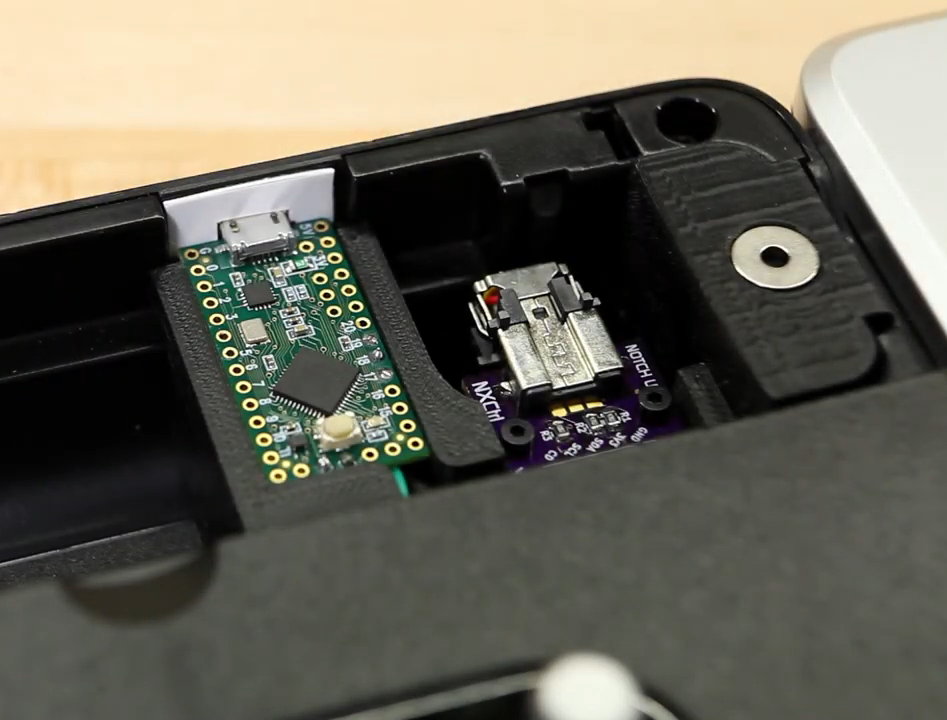
Since the Wii brain is just sending I²C over a funny-looking connector, [Dave] was able to replace the Wiimote with a Teensy LC, and write new firmware for the controller inputs using a breakout board built for another project.

[Dave] tried to use as many of the DJ Hero controller’s inputs as he could, so in addition to mapping the wheel and wheel buttons to the main game controls, he wired up the joystick, effects knob, and buttons to navigate through the game menus. The game’s designers had the forethought to map these to keyboard keys, so it was pretty easy to do. He can even use dual turntables and mix or isolate them with the crossfader. Slide past the break to check out the build video, and stick around for a full-length song demo.

Are these games a little too frantic for you? Turn those ‘tables into an Etch-A-Sketch instead.

Continue reading “DJ Hero Controller Gets A New Gig”

Counter-Strike Gets The RGB LED Treatment

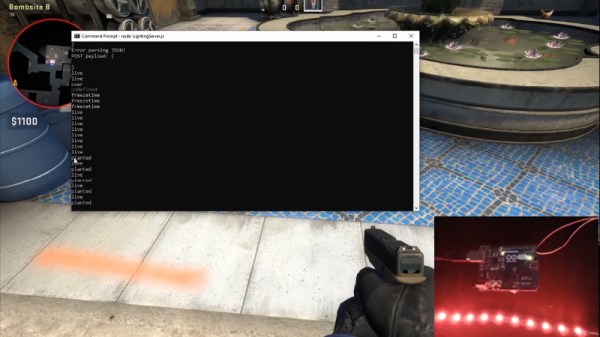
Inspired by the over-the-top stage lighting and pyrotechnics used during e-sport events, [Hans Peter] set out to develop a scaled-down version (minus the flames) for his personal Counter-Strike: Global Offensive sessions. It might seem like pulling something like this off would involve hacking the game engine, but as it turns out, Valve was kind enough to implement a game state API that made it relatively easy.

According to the documentation, the CS:GO client can be configured to send out state information to a HTTP server at regular intervals. It even provided example code for implementing a simple state server in Node.js, which [Hans] adapted for this project by adding some conditional statements that analyze the status of the current game.

These functions fire off serial commands to the attached Arduino, which in turn controls the WS2812B LEDs. The Arduino code takes the information provided by the HTTP server and breaks that down into various lighting routines for different conditions such as wins and losses. But things really kick into gear when a bomb is active.

[Hans] wanted to synchronize the flashing LEDs with the beeping sound the bomb makes in the game, but the API doesn’t provide granular enough data. So he recorded the audio of the bomb arming sequence, used Audacity to precisely time the beeps, and implemented the sequence in his Arduino code. In the video after the break you can see that the synchronization isn’t perfect, but it’s certainly close enough to get the point across in the heat of battle.

With the special place that Counter-Strike occupies in the hearts of hackers and gamers alike, it’s little surprise people are still finding unique ways to experience the game.

Continue reading “Counter-Strike Gets The RGB LED Treatment”

Sherbet Custom Game Pad Is Smooth And Sweet

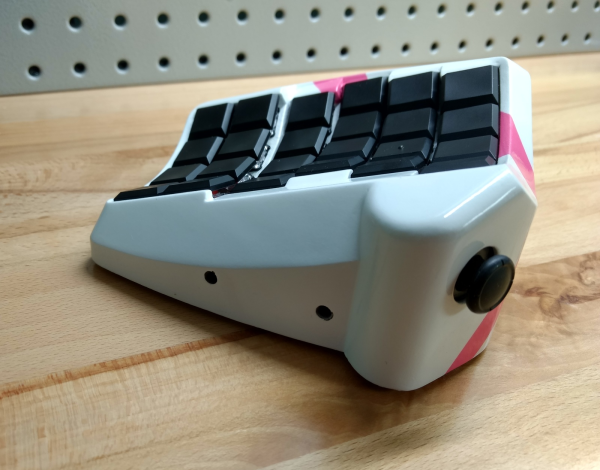
When [Billiam]’s beloved Logitech G13 game pad went to that great spectate room in the sky, he decided to pay homage by designing a custom, more ergonomic replacement from the desk up. Grab a spoon and dig into the story of [Billiam]’s journey toward Sherbet, because it’s a sweet ride.

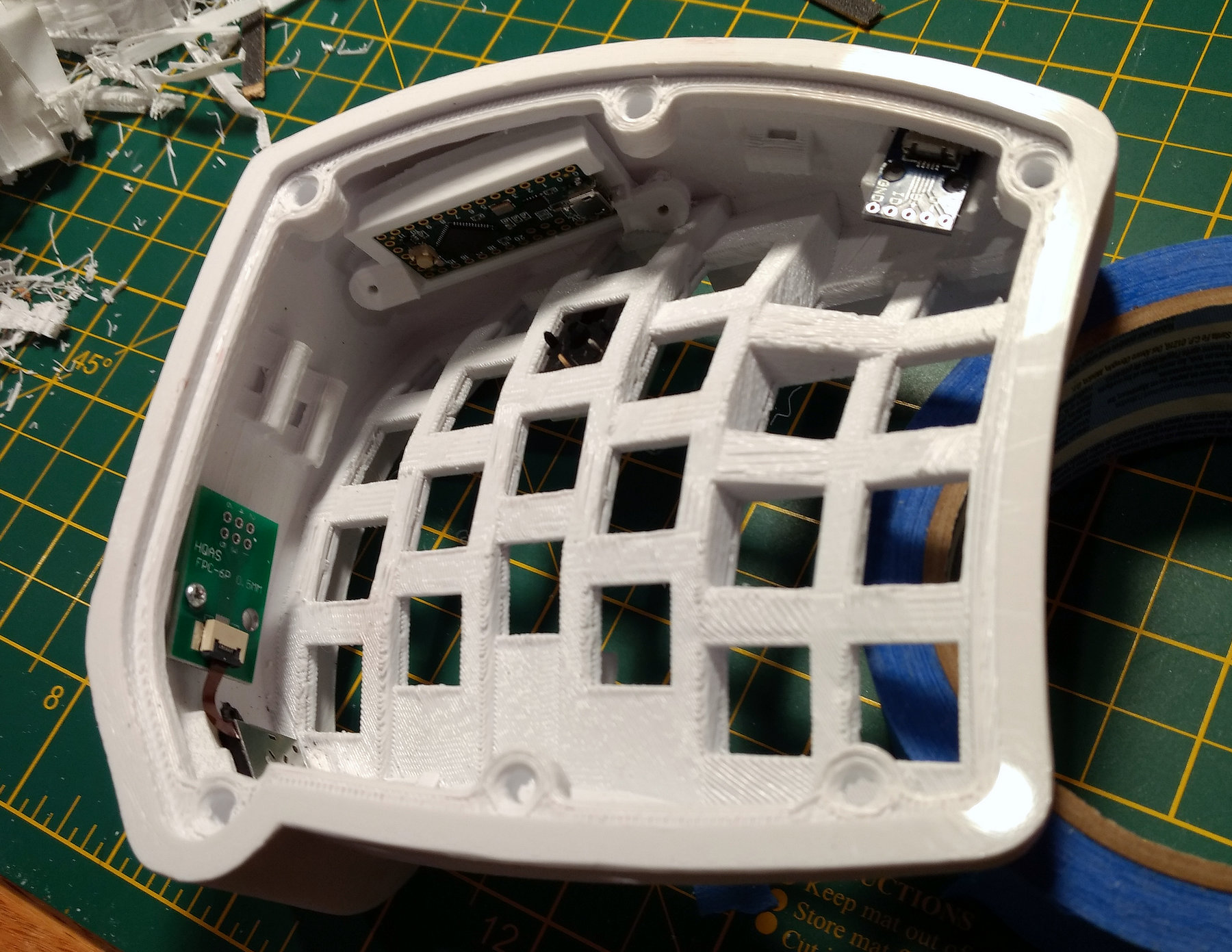
Here’s the scoop: like a lot of DIY game pads and keyboards, Sherbet is based on the Teensy. We often see the micro USB coming straight off the Teensy, especially in clear acrylic builds, but [Billiam] added a USB breakout board so there’s no direct stress on the Teensy itself.

One of [Billiam]’s design challenges comes from the game pad placement — he has a tall desk and uses a keyboard tray, so it has to fit the space and leave enough room for his hand. Fortunately, there are low-profile mechanical switches out there, although the keycap options are strongly limited. We love that [Billiam] embedded a tiny ceramic bearing into one of them to use as a homing bump, because that’s a great idea.

If you want to take a crack at this project, [Billiam] has all the goodies laid out. [Billiam] wanted to use QMK firmware, but they didn’t have joystick support yet, so he’s got an Arduino sketch running in the meantime.

We love a good custom game pad around here, especially if they can reprogram themselves.

Why Settle For The Standard Catan Board?

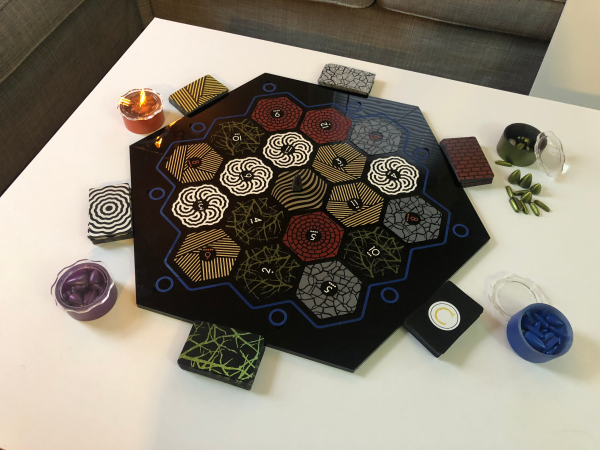
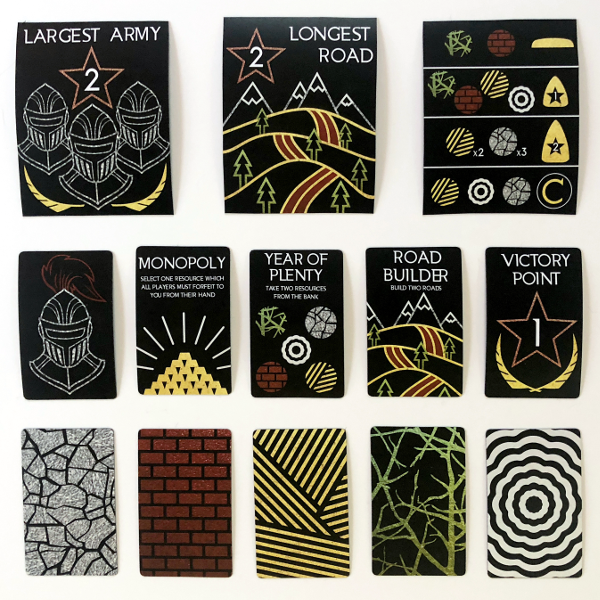
Let’s face it, game night can get downright rowdy. Whether your game nights involve wine and cats, beer and dogs, or vodka and bear cubs, things happen. Maybe the robber gets batted irretrievably far under the couch, or someone gesticulates wildly and spills wine all over your sheep. [EEEEEEEEEDEN]’s gatherings were getting way out of hand, and it was time to design a custom Catan board.

But she didn’t stop with the board tiles — this is Catan redesigned from the ground up, including the pieces, the resource cards, and a custom storage box. [EEEEEEEEEDEN] even planned for player expansion by designing a leaf to drop in the middle. There are a few hundred magnets built into the frame, so there shouldn’t be any more lost pieces. And as far as liquor-proofing all the cardboard goes, [EEEEEEEEEDEN] designed new board tiles and cards, laser cut them from acrylic, and painstakingly painted them all with Plasti-Dip spray.

We think it’s gorgeous, but understand that maybe this minimalist style isn’t for everyone. If you want to go custom, it’s hard to argue against the beauty of 3D Catan.

Thanks to [Johannes] for the tip! via /r/DIY