A FreeCAD sticker, a FreeCAD pencil, a Hackaday Jolly Wrencher SAO PCB and the board-to-be-encased next to each other

FreeCAD Foray: Shells For All Our PCBs

Are you the kind of hacker who tries to pick up FreeCAD, but doesn’t want to go through a tutorial and instead pokes around the interface, trying to transfer the skills from a CAD suite you’ve been using before? I’ve been there too, and in my experience, FreeCAD doesn’t treat such forays lightly. It’s a huge package that enables everything from architecture to robotics design, so if you just want a 3D-printed case for a PCB project, the hill can be steep. So let’s take that first simple project as an example, and see if it helps you learn a little bit of FreeCAD.

This board needs a case – badly.

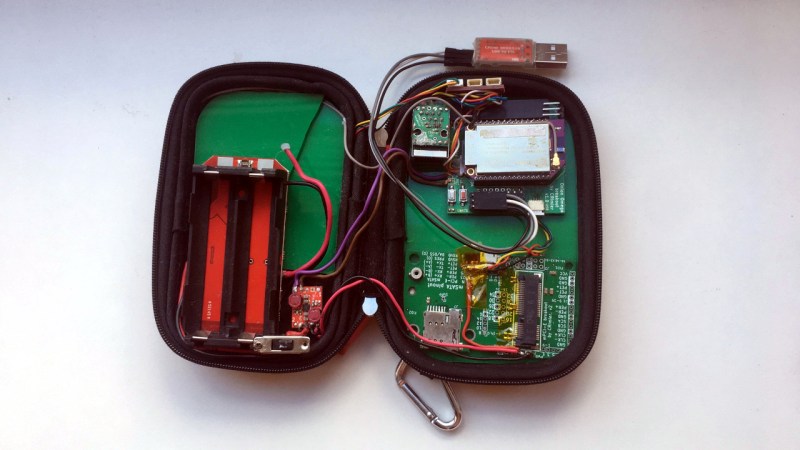
As motivation, I recently built a USB-C PSU board that uses a DC PSU and does the USB-C handshaking to provide 20 V to a laptop. It is currently my only 100 W USB-C PSU, and my 60 W PSU just died, which is why I now use this board 24/7. I have brought it on two different conferences so far, which has highlighted a problem – it’s a board with tons of exposed contacts, which means that it isn’t perfectly travel-friendly, and neither it is airport-friendly – not that I won’t try and bring it anyway. So, currently, I have to watch that nothing shorts out – given the board has 3.3 V close to 20 V at 9 A, it’s a bit of a worry.

This means I have to design some sort of case for it. I was taught SolidWorks in the half a year that I spent in a university, and honestly, I’m tired of the licensing and proprietary format stuff. When it comes to more hobbyist-accepted tools like Fusion360, I just don’t feel like exchanging one proprietary software for another. So, FreeCAD is the obvious choice – apart from OpenSCAD, which I know and love, but I don’t always want to think up fifteen variable names for every silly little feature. That, and I also want to fillet corners every now and then.

For a full-open-source workflow, today’s PCB is designed with KiCad, too. Let’s see about installing FreeCAD, and the few things you need to import a KiCad board file into FreeCAD.

Continue reading “FreeCAD Foray: Shells For All Our PCBs”

Hackaday Links Column Banner

Hackaday Links: June 30, 2024

A couple of weeks back we featured a story (third item) about a chunk of space jetsam that tried to peacefully return to Earth, only to find a Florida family’s roof rudely in the way. The 700-gram cylinder of Inconel was all that was left of a 2,360-kg battery pack that was tossed overboard from the ISS back in 2021, the rest presumably turning into air pollution just as NASA had planned. But the surviving bit was a “Golden BB” that managed to slam through the roof and do a fair amount of damage. At the time it happened, the Otero family was just looking for NASA to cover the cost of repairs, but now they’re looking for a little more consideration. A lawsuit filed by their attorney seeks $80,000 to cover the cost of repairs as well as compensation for the “stress and impact” of the event. This also seems to be about setting a precedent, since the Space Liability Convention, an agreement to which the USA is party, would require the space agency to cover damages if the debris had done damage in another country. The Oteros think the SLC should apply to US properties as well, and while we can see their point, we’d advise them not to hold their breath. We suppose something like this had to happen eventually, and somehow we’re not surprised to see “Florida Man” in the headlines.

Continue reading “Hackaday Links: June 30, 2024”

Danger Is My Middle Name

Last week, [Al Williams] wrote up a his experience with a book that provided almost too much detailed information on how to build a DIY x-ray machine for his (then) young soul to bear. He almost had to build it! Where the “almost” is probably both a bummer because he didn’t have an x-ray machine as a kid, but also a great good because it was a super dangerous build, of a typical sort for the 1950s in which it was published.

Part of me really loves the matter-of-factness with which “A Boy’s First Book of Linear Accelerators” tells you how you (yes you!) can build a 500 kV van der Graff generator. But at the same time, modern me does find the lack of safety precautions in many of these mid-century books to be a little bit spooky. Contrast this with modern books where sometimes I get the feeling that the publisher’s legal team won’t let us read about folding paper airplanes for fear of getting cut.

A number of us have built dangerous projects in our lives, and many of us have gotten away with it. Part of the reason that many of us are still here is that we understood the dangers, but I would be lying if I said that I always fully understood them. But thinking about the dangers is still our first and best line of defense. Humility about how well you understand all of the dangers of a certain project is also very healthy – if you go into it keeping an eye out for the unknown unknowns, you’re in better shape.

Safety isn’t avoiding danger, but rather minimizing it. When we publish dangerous hacks, we really try to at least highlight the most important hazards so that you know what to look out for. And over the years, I’ve learned a ton of interesting safety tricks from the comments and fellow hackers alike. My ideal, then, is the spirit of the 1950s x-ray book, which encourages you to get the hack built, but modernized so that it tells you where the dangers lie and how to handle them. If you’re shooting electrons, shouldn’t the book also tell you how to stay out of the way?

Hackaday Podcast Episode 277: Edible Robots, A Personal Eclipse, And DIY PCBs To Die For

This week on the Podcast, it’s Kristina’s turn to ramble on alongside Editor-in-Chief Elliot Williams. First up in the news: Paul Allen’s Living Computers Museum + Labs is being liquidated at auction after just 12 years of being open to the public. In Hackaday news, the 2024 Business Card Challenge ends next Tuesday, July 2nd, so this is your weekend to shine! Also, you’ve got about two weeks to get your talk proposals in for this year’s Supercon. (Can you believe it’s only four months away?)

Then it’s on to What’s That Sound, at which Kristina made a couple of close-but-no-cigar guesses. Can you get it? Can you figure it out? Can you guess what’s making that sound? If you can, and your number comes up, you get a special Hackaday Podcast t-shirt.

Then it’s on to the hacks, beginning with a $3 smartwatch that can run Python, and a completely DIY analog tape recording solution. We’ll talk about making your wireless keyboard truly low power, all the steps you can take to produce perfect PCBs at home, and AI in a font. Finally, we talk about the dangers of a curious childhood, and talk about a dotcom hardware solution that could have gone far, given the right business model.

Check out the links below if you want to follow along, and as always, tell us what you think about this episode in the comments!

Download and savor at your leisure.

Continue reading “Hackaday Podcast Episode 277: Edible Robots, A Personal Eclipse, And DIY PCBs To Die For”

This Week In Security: Kaspersky Ban, Project Naptime, And More

The hot news this week is that Kaspersky is banned in the USA. More specifically, Kaspersky products will be banned from sale in the US starting on September 29. This ban will extend to blocking software updates, though it’s unclear how that will actually be accomplished. It’s reasonable to assume that payment processors will block payments to Kaspersky, but will ISPs be required to block traffic that could contain antivirus updates?

WordPress Plugin Backdoor

A Quartet of WordPress plugins have been found to have recently included backdoor code. It’s a collection of five Open Source plugins, seemingly developed by unrelated people. Malicious updates first showed up on June 21st, and it appears that all five plugins are shipping the same malicious code.

Rabbit AI API

The Rabbit R1 was released to less than thunderous applause. The idea is a personal AI device, but the execution has been disappointing, to the point of reviewers suggesting some of the earlier claims were fabricated. Now it seems there’s a serious security issue, in the form of exposed API keys that have *way* too many privileges.

The research seems to be done by the rabbitude group, who found the keys back in May. Of the things allowed by access to the API keys, the most worrying for user privacy was access to every text-to-speech call. Rabbitude states in their June 25 post, that “rabbit inc has known that we have had their elevenlabs (tts) api key for a month, but they have taken no action to rotate the api keys.” On the other hand, rabbit pushed a statement on the 26th, claiming they were just then made aware of the issue, and made the needed key rotations right away.

Continue reading “This Week In Security: Kaspersky Ban, Project Naptime, And More”

FLOSS Weekly Episode 789: You Can’t Eat The Boards

This week Jonathan Bennett and Doc Searls chat with Igor Pecovnik and Ricardo Pardini about Armbian, the Debian-based distro tailor made for single-board computers. There’s more than just Raspberry Pi to talk about, with the crew griping about ancient vendor kernels, the less-than-easy ARM boot process, and more!

Continue reading “FLOSS Weekly Episode 789: You Can’t Eat The Boards”

Art of 3D printer in the middle of printing a Hackaday Jolly Wrencher logo

3D Printering: Adaptive Bed Leveling

Have you ever read about something and thought, “Gee whiz! Why did I never think about that?” That was my reaction to reading about a feature commonly associated with Klipper called adaptive bed leveling or adaptive mesh leveling. Too bad I don’t typically use Klipper, but it all worked out, and I’ll show you how it might work for you.

What Is It?

Time to tram your bed!

Once a luxury, most 3D printers now come with some kind of bed level sensor. The idea is that the printer can probe the bed to determine the shape of the build plate and then adjust the build plate accordingly. So if a particular spot on the bed is 0.5 mm too high, the nozzle can rise 0.5 mm when it is in that area. There are several techniques Marlin firmware uses, including what I usually use: UBL. Some people scan the bed once and hope it won’t change much. Others will do a time-consuming scan before each print.

However, adaptive bed leveling is a bit different. The idea is that the printer only probes the area where the part is going to print. If your print bed is 235 mm x 235 mm but your part is 50 mm square, you could just probe the points under the 50 mm square.

This does several things. For a given number of points, there is less motion, so it should be faster. Also, for the same number of points, you will have a much denser mesh and, thus, a better idea of what the bed is at any given point. You could even reduce the number of points based on the size of the part you are printing.

When you think about it, it is a dead simple idea. What’s not to love? For most print jobs, you’ll have less work for the printer, faster prints, and a denser mesh. But how do you do it?

Continue reading “3D Printering: Adaptive Bed Leveling”