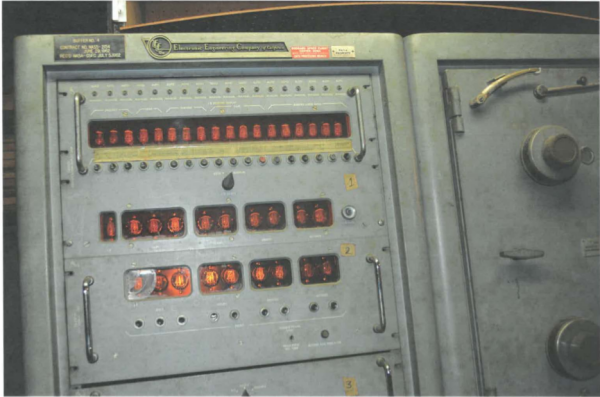
Two hulking computers — likely necessitating the use of a crane to move them — and hundreds of tape reels were discovered in the basement of a former IBM engineer by their heir and a scrap dealer cleaning out the deceased’s home. Labels are scarce, and those that are marked are mostly from the late 1960s through the mid 1970s, including data from the Pioneer 8 to 11 missions, as well as the Helios missions.
What’s cooler than a door that irises open and closed? Not much. They add a nice science-fictiony detail to any entryway. [Zposner]’s dad wanted an automatic door for his chicken coop, so [zposner] took some time and came up with a nice door for him with an iris mechanism. You’ll need to watch the video.
[Zposner] used a combination of laser cutting and a CNC router to cut the pieces, then sanded and painted the wood. After assembly, [zposner] started work on the control mechanism. He’s controlling the door with an Arduino and a motor shield; to let the Arduino know to stop the motor, [zposner] used limit switches which get hit as the mechanism rotates. Once the switches were in the right place and the code written, it was time to finish assembly and install the door on the coop. To keep the Arduino that safe, it was installed in a plastic container with a screw lid, and then hot-glued to beside the iris.
Unfortunately, chickens don’t necessarily care how cool something is, and in this case, they didn’t realize that the iris was a door – they refused to exit the coop through it. [Zposner] tried a few things before settling on putting the chicken on the edge of the door – then the chicken would realize that it could go through it.
[Zposner]’s dad now has a snazzy door that opens with a switch. It was a great project for [zposner] and his dad to work on and, even if the chickens seem unimpressed, they did a great job. Check out the iris porthole that a Detroit Hackerspace built into its door, or, if you really want to build an iris mechanism, but don’t have access to a CNC router, a laser cutter, or, you know, wood, you could build this out of bits you have lying around.
Recently, the voice push to talk circuit in [Ryan]’s BITX40 radio was keyed down for a very long time. Blue smoke was released, a MOSFET was burnt out, and [Ryan] needed a new IRF510 N-channel MOSFET. Not a problem; this is a $1 in quantity one, but shipping from Mouser or Digikey will always kill you if you only buy one part at a time. Instead, [Ryan] found a supplier for five of these MOSFETs for $6 shipped. This was a good deal and a bad move because those new parts were fakes. Now we have an opportunity to play spot the fake MOSFET and learn that it’s all about the supply chain.
Spot the fake
To be fair to the counterfeit MOSFET [Ryan] acquired, it probably would have worked just fine if he were using his radio for SSB voice. [Ryan] is using this radio for digital, and that means the duty cycle for this MOSFET was 100% for two minutes straight. The fake got hot, and the magic blue smoke was released.
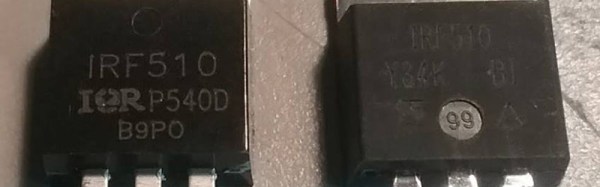
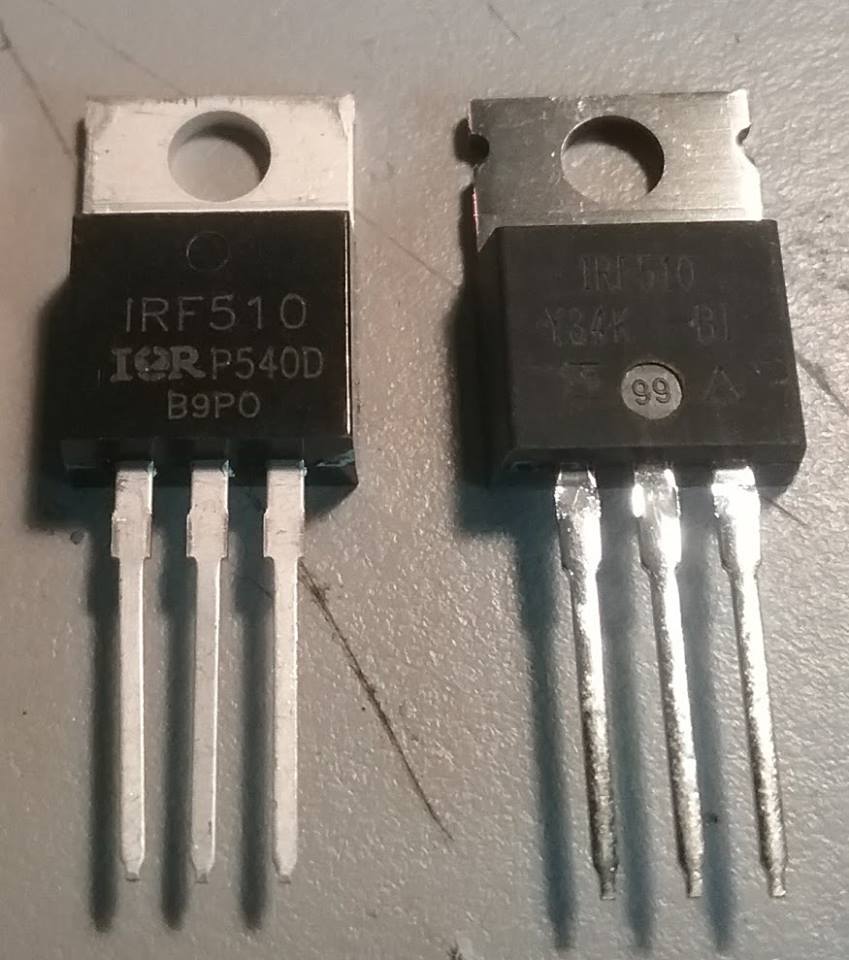
Through an industry contact, [Ryan] got a new, genuine IRF510 direct from Vishay Semiconductors. This is a fantastic opportunity to do a side-by-side comparison of real and counterfeit semiconductors, shown at right. Take a look: the MOSFET on the left has clear lettering, the one on the right has tinned leads and a notched heatsink. [Ryan] posed the question to a few Facebook groups, and there was a clear consensus: out of 37 votes, 21 people chose the MOSFET on the left to be genuine.
The majority of people were wrong. The real chip looked ugly, had tinned leads, and a thinner heatsink. The real chip looked like a poor imitation of the counterfeit chip.
What’s the takeaway here? Even ‘experts’ — i.e. people who think they know what they’re talking about on the Internet — sometimes don’t have a clue when it comes to counterfeit components. How can you keep yourself from being burned by counterfeit components? Stick to reputable resellers (Mouser, Digikey, etc) and assume that too good to be true is too good to be true.
If you need a sensor to detect gasses of some sort, you’ll probably be looking at the MQ series of gas sensors. These small metal cylinders contain a heater and some electrochemical sensor. Wire the heater up to a voltage, and connect one end of the resistor to an ADC, and you have a sensor for alcohol vapors, hydrogen sulfide, carbon monoxide, or ozone, depending on which model of sensor you’ve picked up.
There’s a difference between accuracy and precision, and if you want to calibrate gas sensors, you’ll need to calibrate them against something. Instead of digging out a gas sensor of known precision, [Davide] took the easy way out: he graphed the curves on the datasheets for these sensors. It’s brilliant in its simplicity.
These numbers were thrown into R, and with a bit of work, [Davide] had a look up table of various concentrations of gasses plotted against certain resistances. In testing these sensors, he found a higher correlation between humidity and temperature and gas concentrations, which one would expect.
The files for these sensors are available on [Davide]’s website, and he included a neat little video showing everyone what went into these calculations. You can check that out below.
People who know about bearings go through a phase of bemusement with regards to fidget spinners. We say something like, “man, I got a whole box of bearings in the basement.” Then we go through a “OK, I’ll make one” phase and print one out of PLA.
[fishpepper] took that sentiment a step further. After being forced to print spinners for his kids, he got jealous and decided to make his own—but his spinner would be a version for engineers. [fishpepper]’s ginormous spinner consists of five bearings superglued inside each other, with the grease cleaned out of the insides to make them spin faster. The inner two sets are doubled up bearings, 6 mm x 17 mm x 6 mm and 17 mm x 30 mm x 7 mm. The middle bearing measures 30 mm x 55 mm x 13 mm, and the fourth bearing 55 mm x 90 mm x 18 mm.
If you want to stop here, it’s a good size, around two inches across. However, [fishpepper] took it a step further, adding a fifth bearing, a 90 mm x 140 mm x 24 mm monster weighing in at 1 kg by itself. The total weight comes to 1.588 kg with the 3D-printed hub included. If you want to make one yourself, check out [fishpepper’s] bearing-in-bearing spinner tutorial which guides you through the various steps.
There are almost as many ways to reflow a surface-mount circuit board as there are hackers. Today, we add another method to the list. [Dasaki] converted a halogen floodlight into an SMT oven, and did so with all the bells and whistles. Check the video below the break.
We’ve actually seen the low-tech version of this hack before, but it’s nothing we would want to use on a daily basis. [Dasaki] needed to get 100 boards done, so it was worth the effort to get it right.
[Sebastian Foerster] hasn’t been at his blog in a while. He and his wife just had twins, so he’s been busy standing waiting for formula or milk to warm up. Being a technical kind of guy, he took a look at the tools currently on the market to do this, analyzed them, and decided instead to do it himself.
[Sebastian] looked to his Nespresso Aeroccino – a milk frother designed to give you hot or cold frothy milk for the top of whatever beverage you decide to put it on top of. It made the milk a bit too hot, 60°C, but once it got to the temperature, it would shut off, so if [Sebastian] could get it to shut off at a lower temperature, he had found the solution!
After taking the Aeroccino apart and going over the circuit, it seemed like a simple design relying on a resistor and NTC (negative temperature coefficient) thermistor connected to an ATTiny44 microcontroller. [Sebastian] didn’t want to have to reprogram the ATTiny, so he looked at the resistor and NTC. The resistor and thermistor create a voltage divider and that voltage is read in by the microcontroller through an analog pin. After looking up some info on the thermistor and replacing the resistor with a potentiometer, [Sebastian] could adjust the shut-off temperature while measuring with a thermometer. When he got the temperature he liked, he reads the value of the potentiometer and then replaces it with a couple of resistors in series.
Now [Sebastian] gets the babies’ bottles ready from fridge to temperature in about 25 seconds. He doesn’t have to worry about keeping an eye on the bottles as they heat up. We’re sure that getting two bottles ready in under a minute is much better on the nerves of new parents than waiting around for ten minutes. For more fun with thermistors, check out our article on resistors controlled by the environment or check out this bluetooth bbq thermometer!