Cloning The Echo Show With A Fabric Wrapped Pi

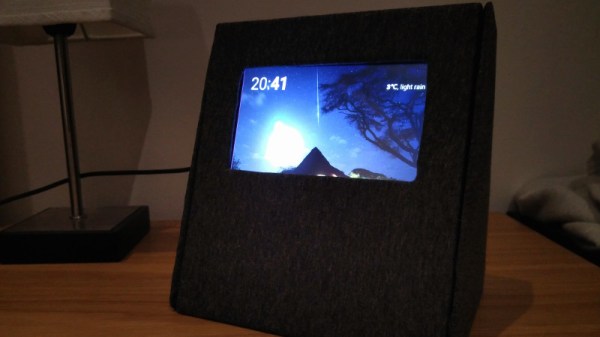
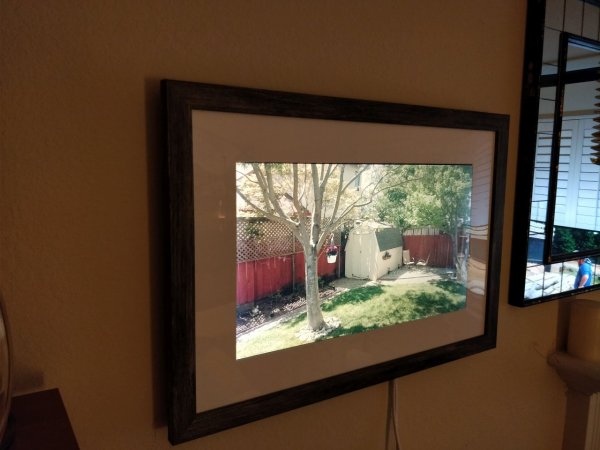
After seeing an Echo Show in the flesh plastic, [anonteapot] was inspired to create his own take on Amazon’s latest on-ramp to their ecosystem. He had the Raspberry Pi and a touch screen, but not much else. He doesn’t even have a dedicated work area at home, much less something as exotic as a 3D printer to run off a custom case. For this decidedly low-tech build, all that was required tool-wise was a razor blade knife and a screwdriver.

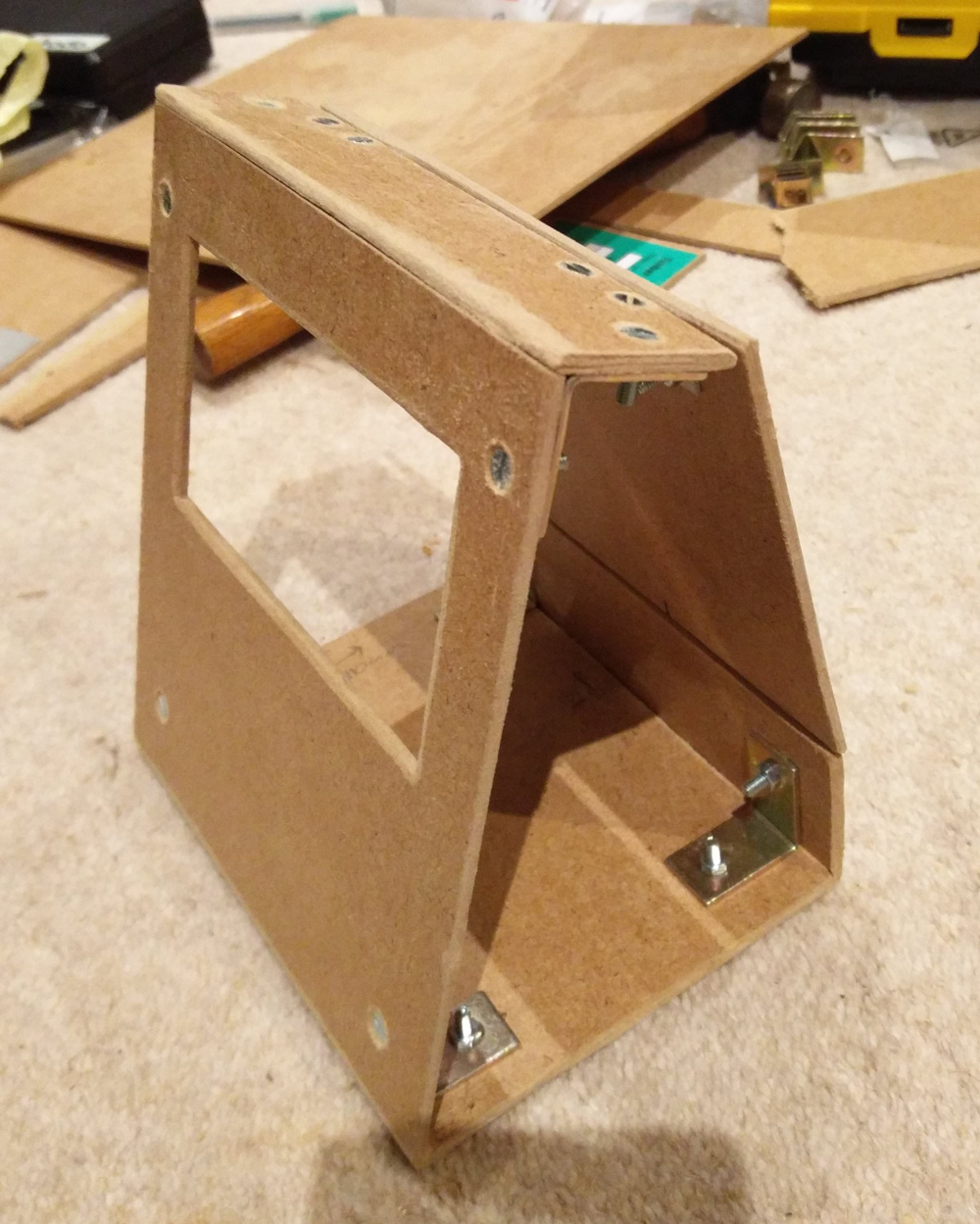
The majority of the device, which he refers to as the PiShow, is made of hand-cut pieces of MDF. In fact, the whole build relied on his ability to neatly cut pieces of MDF with hand tools on his bedroom floor. We wouldn’t suggest such a setup as a general rule, but respect for pushing ahead without so much as a table to work on.

To connect the pieces of MDF, he used angle brackets from the hardware store. These were originally 90 degrees, but he bent them by hand to achieve the angles seen in the final device. He notes that there was no specific angles he was aiming for when putting the box together; he simply wanted something that looked cool and was large enough internally to hold his electronics.

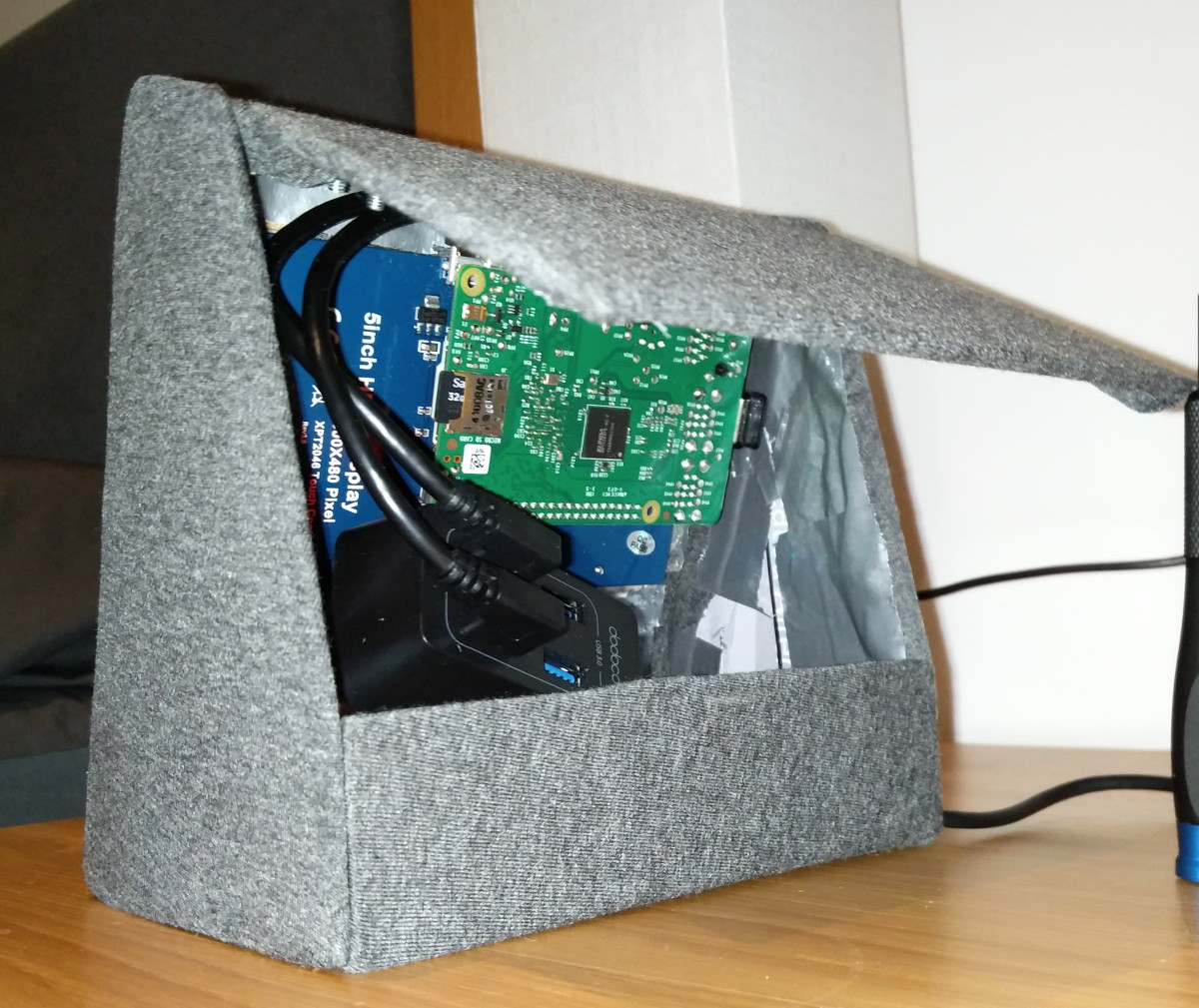
Covering the PiShow is some jersey material that [anonteapot] bought at a local fabric store. It has a little stretch to it so he was able to pull it tight over the MDF frame and keep the wrinkles out. As a general rule we don’t see many projects here at Hackaday that are wrapped in fabric, but we’ve got to admit, it makes for a nice final look.

The trickiest part of the build ended up being the side panels. While the rest of the frame was relatively simple, the sides needed to precisely conform to some fairly complex geometry. Luckily the side panels aren’t actually holding any weight, so he decided to just cut them out of cardboard. There’s a bit of a gap at the top, but he’s going to try and rectify that with a visit from his glue gun soon.

Internally things are sort of just hanging around inside the case, but since this device is never going to move off of the nightstand, it probably doesn’t need to be terribly secure. In truth, getting all the hardware mounted up cleanly with the construction methods available to [anonteapot] would have been a bit tricky anyway.

This is the first time we’ve seen somebody take a swing at replicating the Echo Show, usually we just see people trying to cram the Echo Dot into something else. If the software side is more your thing, be sure to check out this excellent guide on Alexa Skills development by our very own [Al Williams].

Curing A Parrot’s Amnesia With BLEAH

[Dandu] recently wrote in to tell us how he managed to revive his Parrot Flower Power after the manufacturer told him it couldn’t be repaired. To save you the trouble of opening Google in another tab, the Parrot Flower Power is a Bluetooth Low Energy (BLE) “smart” device for your flower pot. Because of course that’s a thing.

A healthy Flower Power connected

When [Dandu] noticed his Flower Power was no longer being detected by his iOS devices, he contacted support who told him that sadly this was a hardware failure and that he should just throw it away. But he had his doubts about this diagnosis as other devices such as his Raspberry Pi could still communicate with it. Upon closer inspection, he realized that the Flower Power didn’t have a name, and could only be contacted by its MAC address directly. Reasoning the lack of a name might be upsetting the “It Just Works” sensibility of his iGadget, [Dandu] started researching if there was some way to get the device to take a new name remotely.

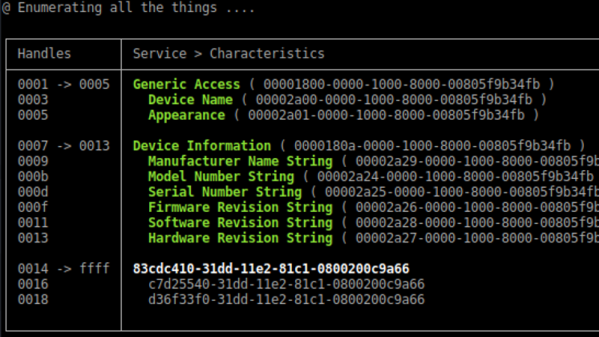
Luckily for our hero, BLE is kind of broken. Searching for a solution to his problem brought him to a blog post by the creator of BLEAH which demonstrated exactly what [Dandu] was looking to do. Following along, it took only a single command to push a new name to the Flower Power’s BLE configuration. With that, his “broken” device was brought back to life. Why the device lost its name, or how to prevent it from happening in the future are questions for another day. [Dandu] will take the win.

If you’re interested in the popular new technology that’s compromising our security in the name of convenience and improved battery life, the rabbit hole starts here.

Alexa Controls This Projector Thanks To ESP8266

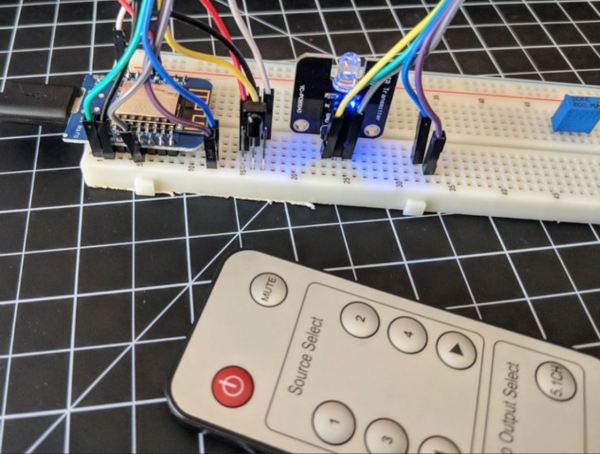
[jfessard] doesn’t have extra-sensory perception, but does have an ESP8266. The little board seems to pop up in every hack these days. Inspired by not wanting to get up from the bean-bag chair or leave the electronics-housing cabinet wide open to use an HDMI switcher, [jfessard] hacked together an Alexa-compatible projector control via the ESP8266!

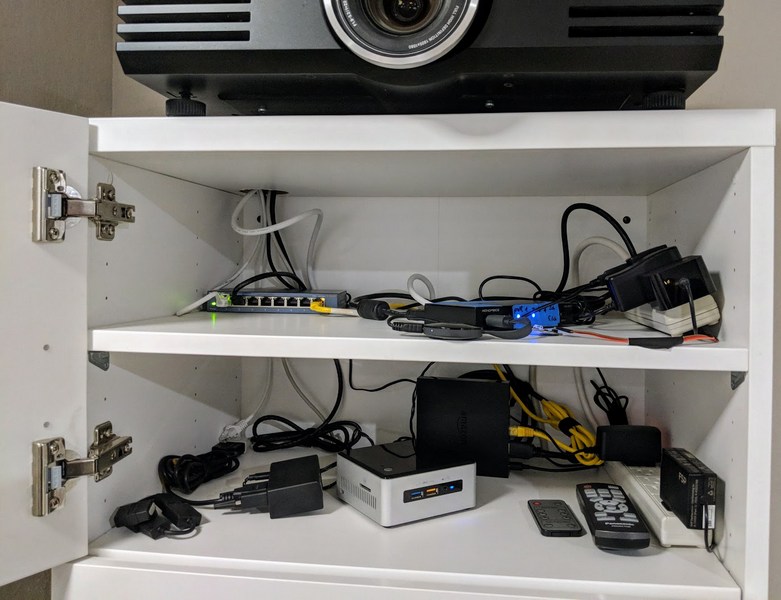
The core functionality here is the ability to turn the projector on and off, and to switch the HDMI source. [jfessard] connected the Panasonic PT-AE3000U projector to a Monoprice HDX-401TA 4×1 HDMI switcher. Tucked away in the cabinet below the projector, it is controlled using a IR LED transmitter breakout board sitting at the end of a fairly long set of jumper wire. The projector control itself is through a RS232 interface.

To make this easy to use with Amazon’s Alexa, [jfessard] turned to some libraries for the ESP8266 D1 Mini. The fauxmoesp library makes it look like a WeMo device, and the IRemoteESP8266 library made remote control code cloning a snap. One really frustrating part of this hack was the MAX232-style breakout board; getting a board to work when it’s labelled backwards takes a bit of head-scratching to figure out.

If the the projector ever gets too noisy, we suggest this hack that shushes the machine. For the moment, we’d rather take another look at this laser projector that mimics a cool ‘laser sky’ effect.

IoT Doorman: Eye-Controlled Door For A Girl With Cerebral Palsy

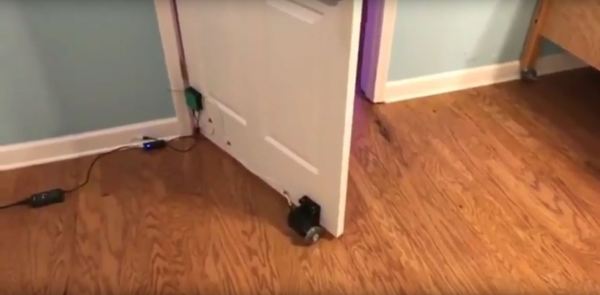
Kyleigh has an eye-controlled computer on her wheelchair but something as simple as her bedroom door was still beyond her reach… until now! [Bill Binko], recently filmed a demo of an automatic, IoT door opener built for the young girl with cerebral palsy. [Bill] is a co-founder of ATMakers, an organization that enables makers interested in assistive technologies to collaborate with users to improve quality of life.

Using her eye tracking tablet (PRC Device), Kyleigh has two new icons that make the relevant call to a website, pushing a simple command to either open or close her bedroom door. The device attached to the door uses an Adafruit M0 WiFi Feather board, a DC stepper motor and wheel, a UBEC buck converter, and a potentiometer.

Since other family members are also going to be opening and closing the door, there’s potentiometer which measures the door position for proper operation next time Kyleigh wishes to use the door. The installation also maintains a fairly inconspicuous profile for the assistance it gives — the ‘brain’ is enclosed in a small box on the door, with the motor only slightly larger on the door’s base.

[Bill] believes the project has a few quibbles and wants to work out a smaller wait before the open/close process is executed and optimizing the open/close speed. You have to check out the video below to see that it works really really. We’re also excited to see Kyleigh using her gaze control to talk to an Amazon Echo. [Bill] foresee a door control improvement that links it to Alexa. And how much did it cost to improve the quality of life for this young girl? $70.

We love seeing makers help people, and cannot wait to see what 2018 will bring! If you’re looking for more inspiration, don’t miss the eye-controlled wheelchair project called Eyedrivomatic which won the 2015 Hackaday Prize. There’s also the top Assistive Technology projects from the Hackaday Prize.

Continue reading “IoT Doorman: Eye-Controlled Door For A Girl With Cerebral Palsy”

Auto-Tracking Sentry Gun Gives Deer A Super Soaking

Things rarely go well when humans mix with wildlife. The problems are exacerbated in the suburbs, where bears dine on bird feeders and garbage cans, raccoons take up residence in attics, and coyotes make off with the family cat. And in the suburbs, nuisance wildlife can be an intractable problem because the options for dealing with it are so limited.

Not to be dissuaded in the battle to protect his roses, [dlf.myyta] built this motion-activated sentry gun to apply some watery aversion therapy to marauding deer. Shown in action below against a bipedal co-conspirator, the sentry gun has pretty much what you’d expect under the hood — Raspberry Pi, NoIR camera, a servo for aiming and a solenoid valve to control the water. OpenCV takes care of locating the intruders and swiveling the nozzle to center mass; since the deer are somewhat constrained by a fence, there’s no need to control the nozzle’s elevation. Everything is housed nicely in a plastic ammo can for portability and waterproofing. Any target that stands still for more than three seconds gets a hosing; we assume this is effective, but alas, no snuff films were provided.

We’re not sure if [dlf.myyta]’s code can discern friend from foe, and in this litigious world, hosing the neighbor’s kid could be a catastrophe. Perhaps version 2.0 can include image recognition for target verification.

Continue reading “Auto-Tracking Sentry Gun Gives Deer A Super Soaking”

An Indoor Garden? That’s Arduino-licious

Gardening is a rewarding endeavour, and easily automated for the maker with a green thumb. With simplicity at its focus,  Hackaday.io user [MEGA DAS] has whipped up a automated planter to provide the things plants crave: water, air, and light.

[MEGA DAS] is using a TE215 moisture sensor to keep an eye on how thirsty the plant may be, a DHT11 temperature and humidity sensor to check the airflow around the plant, and a BH1750FVI light sensor for its obvious purpose. To deliver on these needs, a 12V DC water pump and a small reservoir will keep things right as rain, a pair of 12V DC fans mimic a gentle breeze, and a row of white LEDs supplement natural light when required.

The custom board is an Arduino Nano platform, with an ESP01 to enable WiFi capacity and a Bluetooth module to monitor the plant’s status while at home or away. Voltage regulators, MOSFETs, resistors, capacitors, fuses — can’t be too careful — screw header connectors, and a few other assorted parts round out the circuit. The planter is made of laser cut pieces with plenty of space to mount the various components and hide away the rest. You can check out [MEGA DAS]’ tutorial video after the break!

Continue reading “An Indoor Garden? That’s Arduino-licious”

3D Printed Desk Harnesses The Power Of Fusion 360 And McMaster-Carr

Black pipe furniture is all the rage now, and for good reason — it has a nice industrial aesthetic, it’s sturdy, and the threaded fittings make it a snap to put together. But if you’ve priced out the fittings lately, you know that it’s far from cheap, so being able to 3D-print your own black pipe fittings can make desks and tables a lot more affordable.

Cheapness comes at a price, of course, and [Vladimir Mariano] takes pains to point out that his desk is a light-duty piece that would likely not stand up to heavy use. But since the flange fittings used to connect the plywood top to the legs and as feet would cost about $64 all by themselves from the local home center, printing them made sense. Together with custom pieces to mount stretchers between the legs, the 3D-printed parts made for a decently sturdy base.

But the end product isn’t the main point of the video below. Thanks to the ability to browse the McMaster-Carr catalog from within Fusion 360, [Mariano] was able to seamlessly import the CAD model of a suitable iron flange and quickly modify it to his needs. The power of this feature is hard to overstate; you can literally browse through a catalog of engineered parts and print usable replicas instantly. Sure, it’s not made of metal, but it’s a huge boon to designers to be able to see how the final product would look, especially in the prototyping phase of a project.

Not familiar with McMaster-Carr? It’s an engineer’s online playground, and we covered the ins and outs of doing business with McMaster a while back.

Continue reading “3D Printed Desk Harnesses The Power Of Fusion 360 And McMaster-Carr”