Toilet And Figlet

toilet_and_figlet

We thought [Kristofer’s] Tech Tip about using figlet with scripts was kind of fun. It’s a throwback to the days of logging onto a BBS and being greeted by a vertically scrolling ASCII art image that had been meticulously hand crafted (although a lot of the coolest stuff was actually ANSI art). No hand crafting here, just feed (or pipe) your text to figlet and it outputs the message in ASCII style letters.

When we went to try install this in Ubuntu, the toilet package was suggested. This one’s worth checking out too. It works in much the same way as figlet but uses extended characters and has a lot more color and font settings:

hackaday_toilet

Give these packages a try and make character art cool again!

Jolicloud OS Seeks To Move Past Browsers

jolicloud_apps

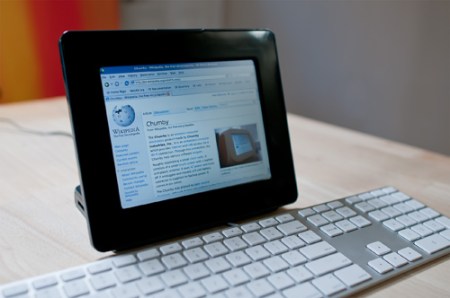
Jolicloud is a new Linux based operating system aimed at netbooks. The developers were nice enough to let us get our hands on their closed development version of the new OS. This distribution is built off of Ubuntu Netbook Remix(9.04 Jaunty Jackalope). At first glance it looks like nothing more than Ubuntu with a new skin, but the difference is deeper. Jolicloud added an App Store type program that offers installation of web applications along with traditional desktop apps. Using Mozilla Prism, web based applications like Facebook, Gmail, and Wikipedia are installed, get their own icon in the launcher, and run without the aid of a browser. Continue reading “Jolicloud OS Seeks To Move Past Browsers”

How To Write Udev Rules

Since the adoption of Kernel 2.6, Linux has used the udev system to handle devices such as USB connected peripherals. If you want to change the behavior when you plug something into a USB port, this section is for you. As an example, we will use a USB thumb drive but these methods should translate to any device handled by udev. As a goal for this exercise we decided to create a symlink and execute a script when a specific thumb drive was loaded. The operating system we used for this exercise is Ubuntu 9.04 Jaunty Jackalope. Continue reading “How To Write Udev Rules”

Arduino Command Interpreter Shell

F77LQEPFYTCLILR.MEDIUM

A lot of people like fancy GUIs and nice graphics, but some of us just feel more at home in a command prompt. [nevdull] is one of those people. Instead of just using the Arduino dev tools that are available for download, he wanted the ability to shell into his Arduino, so he created AVR Shell. AVR Shell is a UNIX-like shell that allows you to “log in” to your Arduino/AVR and see what’s really going on; letting you read registers, scale the CPU speed, create/edit/delete variables, and even set up timers. The shell is even user-customizable! Those of you interested in Arduino shells might also check out bitlash, another open source CLI. Someone ought to hook this up to the Internet enabled Furby and get Flite compiled on there, letting us shell into a Furby from miles away to make it talk.

[Thanks Leesam]

Xmarks Helps Polish Chrome

xmarks

The guys over at Xmarks are working hard to bring their bookmark synchronization service to all browsers and platforms. They’ve recently begun a closed alpha test for their Google Chrome/Chromium extension. We got an invite and decided to give it a test run. Since extensions aren’t yet fully supported, and still a bit buggy you’ll need to use the latest build in the dev channel of Chrome, which means at least version 3.0.196.0 or newer. We tested it on version 4.0.207.0 for Ubuntu with great success. The extension is still pretty basic since it’s still at an alpha stage, but works very well with synchronizing bookmarks across different platforms and browsers. Some of the things left out from the Firefox version are profiles, smarter search, site info and suggested tags. For an alpha release, it’s very well done and functions great, and we’re certainly looking forward to this extension as it develops further.

Linux (via ILoader) Out For Nano 2G

Iloader

[Linux4Nano] over at the [Gna! repositories] have just finalized a breakthrough for their bootloaderproject.  Because the iPod Nano 2G has a hardware encryption chip, it could previously not be flashed with a custom firmware. By digging around in some assembly code (and working their magic) the team was able to get Linux onto the 2G, develop drivers for its peripherals (screen, clickwheel and serial interface are a few), and put all of that code into a package convenient to install by the end user. If you’ve ever considered installing uClinux (the ported distro) on your Nano, the [Linux4Nano] team have made the iLoader an easy place to start.

Update: Closer inspection yields that the iLoader is not yet able to load uClinux onto a 2G because it has not been ported. However, it can reload it with other custom firmware which is still a solid breakthrough.

Take Command Of Your BASH Prompt

color_bash_prompt

[Joshua] has put together a list of BASH prompt customizations. The command prompt is used in a command-line interface to show that the system is ready for the next command. Often times this is nothing more than a user name, host name, and working directory:

mike@krusty:~$

[Joshua’s] customization examples can be used to color code the information in your prompt, change what information is displayed, and make the prompt respond differently when an invalid command is typed. A BASH prompt reference is helpful in deciphering what each of these commands do. The easiest simplification is to understand that non-printing characters (such as color codes) are surrounded in escaped square brackets. For example, line 1 is the sequence for Red, line 2 is the sequence for Dark Grey, and line 3 sets a simple prompt to display in Red and all text after that to be in Dark Grey:

\[\e[0;31m\]
\[\e[1;33m\]
PS1="\[\e[0;31m\]\u@\h:\w\$ \[\e[1;30m\]"

Continue reading “Take Command Of Your BASH Prompt”