Returning Digital Watches To The Analog Age: Enter The Charliewatch

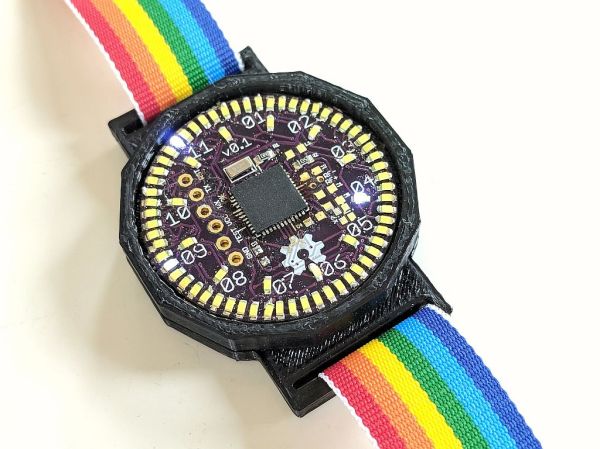
The Charliewatch by [Trammell Hudson] is one of those projects which is beautiful in both design and simplicity. After seeing [Travis Goodspeed]’s GoodWatch21 digital watch project based around a Texas Instruments MSP430-based SoC, [Trammell] decided that it’d be neat if it was more analog. This is accomplished using the CC430F5137IRGZR (a simpler member of the MSP430 family) and a whole bunch of 0603 SMD LEDs which are driven using Charlieplexing.
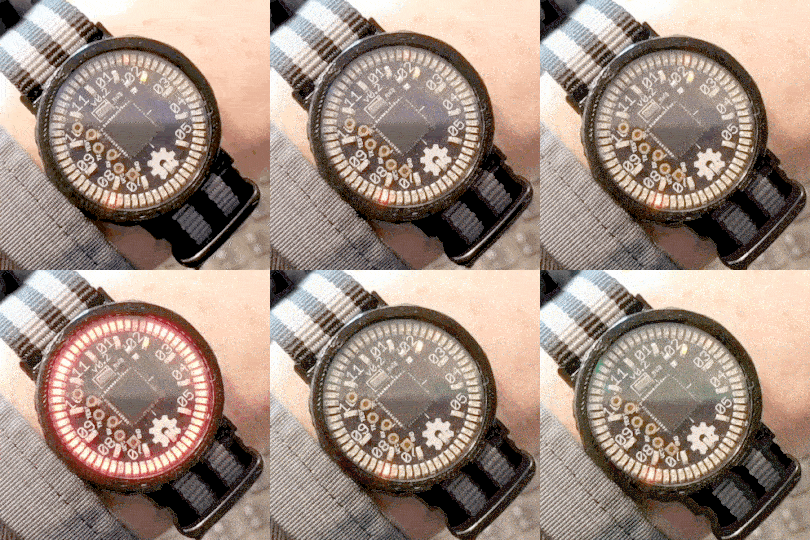
This time-honored method of using very few I/O pins to control many LEDs makes it possible to control 72 LEDs without dedicating 72 pins. The density makes animations look stunning and the digital nature melts away leaving a distinct analog charm.

A traditional sapphire crystal was sourced from a watchmaker for around 14€ as was the watch band itself. The rest is original work, with multiple iterations of the 3D printed case settling in on a perfect fit of the crystal, PCB, and CR2032 coin cell stackup. The watch band itself hold the components securely in the housing, and timekeeping is handled by a 32.768 kHz clock crystal and the microcontroller’s RTC peripheral.

The LEDs can be seen in both daylight and darkness. The nature of Charlieplexing means that only a few of the LEDs are ever illuminated at the same time, which does wonders for battery life. [Trammell] tells us that it can run for around six months before the coin cell needs replacing.

It’s completely open source, with project files available on the project’s Github page. We hope to see an army of these watches making appearances at all upcoming electronics-oriented events. Just make sure you lay off the caffeine as the process of hand-placing all those LEDs looks daunting.
A Friendly Reminder That You Might Be In Danger

Product recalls are one of those things that most people don’t pay attention to until things get really bad. If it’s serious enough for somebody to get hurt or even die, then the media will pick it up, but most of the time they simply pass by in silence. In fact, there’s a decent chance that you own a recalled product and don’t even know it. After all, it’s not like anyone is actually watching the latest product recalls in real-time.

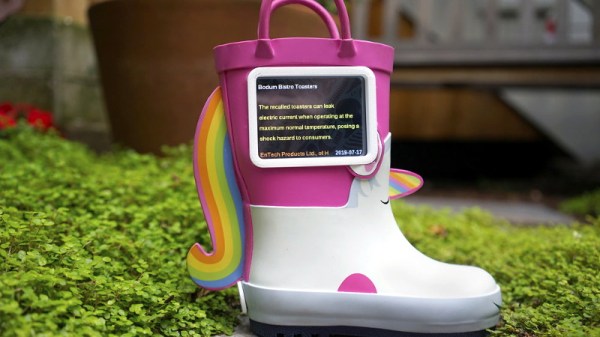
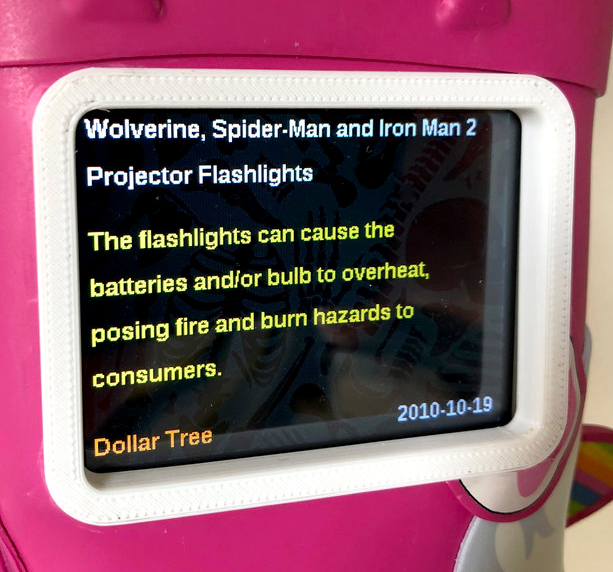
Well actually, there might be one guy. [Andrew Kleindolph] has created a cute and cuddly gadget using CircuitPython on the Adafruit PyPortal to display the latest release from the United States Consumer Product Safety Commission (USCPSC). In a wonderfully ironic touch, the child’s unicorn boot that the device lives in is itself a recalled product; apparently kids could pull off the “horn” and choke on it.

The PyPortal is basically built for this kind of thing, allowing you to easily whip up a display that will scrape data from whatever online source you’re willing to write the code for. All [Andrew] had to do was pair it with a battery so the boot could go mobile occasionally (we’re told they’re made for walkin’), and design some 3D printed accoutrements such as a screen bezel and charging port.

As these recalls (thankfully) don’t come out quite so fast that you need it to update more than once or twice a week, it seems like this could also be an excellent application for an Internet-connected e-ink display.

DIY Geiger Counter Is Sure To Generate Clicks

On the outside, a Geiger counter seems like a complicated thing. And you might think a device that detects a dangerous, mostly invisible threat like radiation should be complicated. But they’re actually pretty simple. The Geiger-Muller tube does most of the work, which boils down to detecting brief moments of conductivity caused by chain reactions of charged particles in radioactive materials.

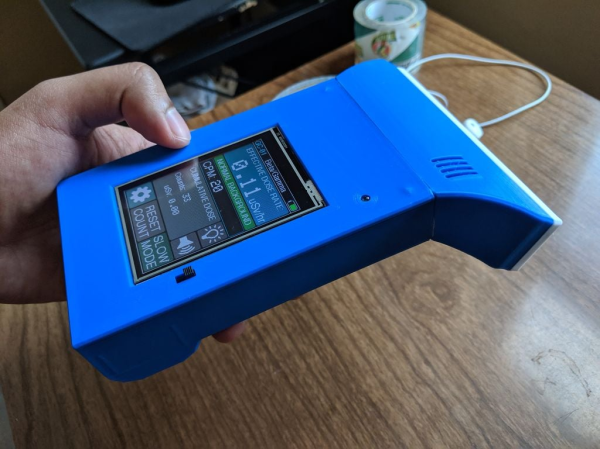
[Prabhat_] wanted to build a unique-looking Geiger counter, and we’d say that this slick, Star Trek-esque result succeeds. A well-organized display shows the effective dose rate, counts per minute, and cumulative dose, which can be displayed in either microsieverts or millirems. We dig the 3D printed case design, because we like to see form follow function.

The counter is powered by an 18650 cell that’s DC-to-DC boosted to 400+ volts. A NodeMCU processes the signal coming in from the G-M tube and expresses it in both clicks and LED blinks, both of which can be toggled on or off from the home screen. The alert threshold can be customized in the settings, which means the point at which green changes to red.

Click-click-click past the break for [prabhat_]’s great walk-through video, where he tests it with uranium ore and a thoriated gas lantern mantle.

If you want to take the opposite approach and get to clicking ASAP, well, fire up your hot glue gun and dump out your scrap bin.

Continue reading “DIY Geiger Counter Is Sure To Generate Clicks” →

Spain’s First Open Source Satellite

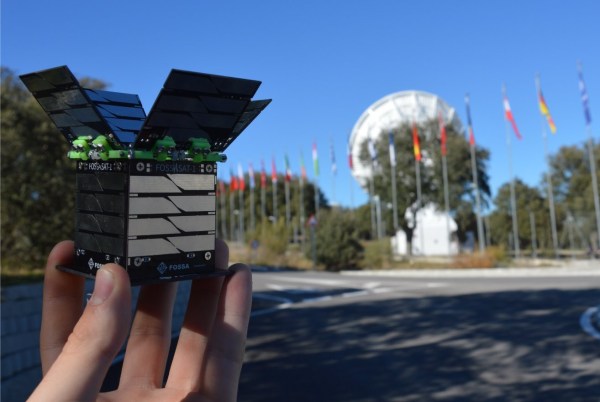
[Fossa Systems], a non-profit youth association based out of Madrid, is developing an open-source satellite set to launch in October 2019. The FossaSat-1 is sized at 5x5x5 cm, weighs 250g, and will provide free IoT connectivity by communicating LoRa RTTY signals through low-power RF-based LoRa modules. The satellite is powered by 28% efficient gallium arsenide TrisolX triple junction solar cells.

The satellite’s development and launch cost under EUR 30000, which is pretty remarkable for a cubesat — or a picosatellite, as the project is being dubbed. It has been working in the UHF Amateur Satellite band (435-438 MHz) and recently received an IARU frequency spectrum allocation for LoRa of 125kHz.

The satellite’s specs are almost as remarkable as the acronyms used to describe them. The design includes an onboard computer (OBC) based on an ATmega328P-AU microcontroller, an SX1278 transceiver for telecommunications, and an electric power system (EPS) based on three SPV1040 MPPT chips and the TC1262 LDO. The satellite also uses a TMP100 temperature sensor, an INA226 current and voltage sensor, a MAX6369 watchdog for single-event upset (SEU) protection, a TPS2553 for single-event latch-up (SEL) protection and various MOSFETs for the deployment of solar panels and antennas.

Up until this point the group has been tracking adoption of LoRa through the use of weather balloons. The cubesat project plans to test the new LoRa spread spectrum modulation using less than $5 worth of receivers. Ultimately with the goal of democratizing telecommunications worldwide.

The satellite is being built in a cleanroom at Rey Juan Carlos University and has undergone thermovacuum and vibration testing at the facility. The group has since developed an educational satellite development kit, which offers three main 40×40 mm boards that allow the addition of modifications. As their mission states, the group is looking to develop an open source project, so the code for the satellite is freely available on their GitHub.

Continue reading “Spain’s First Open Source Satellite” →

Millenium Falcon HID: Get Unity To Talk To Teensy

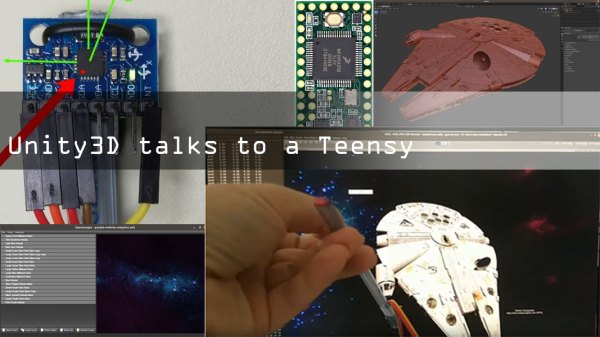
Here’s one that proves a hardware project can go beyond blinking LEDs and dumping massive chunks of data onto a serial console. Those practices are fine for some, but [dimtass] has found a more elegant hack for a more civilized age. His 3D Millennium Falcon model gets orientation data from his IMU as an an HID device.

The hardware involved is an MPU6050 6-axis sensor that is interfaced with a Teensy 3.2 board. [dimtass] documents his approach to calibrating the IMU going a bit further by using a Python script to generate offsets. We’ve advocated using Jupyter notebooks in the past and this is a good example of Jupyter plotting the data and visualizing the effect of the offsets in a second pass.

When in action, the Teensy reads IMU data and sends it over a USB RAW HID interface. For the uninitiated, HID transfers are more reliable than USB CDC transfers (virtual serial port) because they use smaller data chunks per event/transaction and usually don’t require special drivers.  On the computer side, [dimtass] has written a small application that gets the IMU values over the RAW HID and then provides it to the visualization application.

A 3D Millennium Falcon model is rendered in Unity, the popular open source game development engine. Even though Unity has an API, this particular approach is more OS specific using a shared-memory technique. The HID application writes to a file (/tmp/hid-shared-buffer) which is then read by Unity to make orientation changes to the rendered model.

[dimtass] provides lots of details on the tools used to bring his project to life and it can be a great starting point for more projects that need interfacing sensors with a visualization system. We have seen ways to turn a person’s head into a joystick and if you need a deeper dive into Unity, look no further.

Continue reading “Millenium Falcon HID: Get Unity To Talk To Teensy” →

PaperLedger: An E-Ink Cryptocurrency Ticker

For a long time it seemed like e-ink displays were outside the reach of us lowly hackers, as beyond the handful of repurposed Kindles that graced these pages, we saw precious few projects utilizing this relatively exotic display. But that’s changed over the last couple of years, and we’re thrilled to start seeing hackers bend this incredible technology to their will.

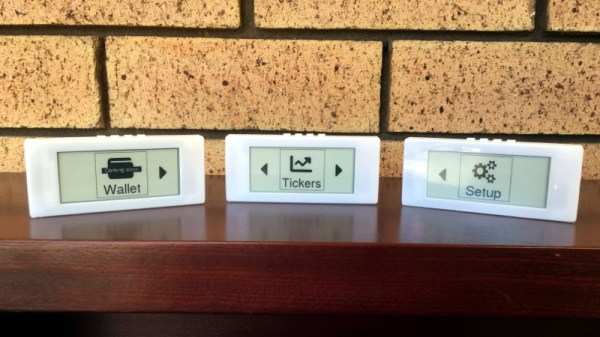
A perfect example is PaperLedger, an entry into the 2019 Hackaday Prize by [AIFanatic]. This wireless device is designed to display the current price of various cryptocurrencies on its 2.9-inch e-ink screen and provide audible price alerts with its built-in speaker. It even has a web portal where users can configure the hardware or view more in-depth price information.

The PaperLedger is based on the TTGO T5 V2.2 ESP32, but it looks like [AIFanatic] is in the process of spinning up a new board for the MIT licensed project to address some nagging issues for this particular application. Unfortunately, it doesn’t look like there are any pictures of the new board yet, but a description of the changes on the Hackaday.IO page shows that most of the work seems to be going into improving support for running on batteries.

Even if you’re not interested in cryptocurrency, the PaperLedger looks like a fantastic little e-ink monitor for pretty much anything else you’d like to keep a close eye on. The GPLv3 licensed firmware is available on the project’s GitHub page, so expanding or completely changing the device’s functionality shouldn’t be too tricky for anyone with a desire to do so and a working knowledge of C++.

We’ve seen several projects using the various TTGO boards that mate an ESP32 with a display at this point, and it looks like a great platform to check out if you want to push some data to a little WiFi screen with the minimum amount of hassle.

3D Printing Makes Modular Payload For Model Rocket

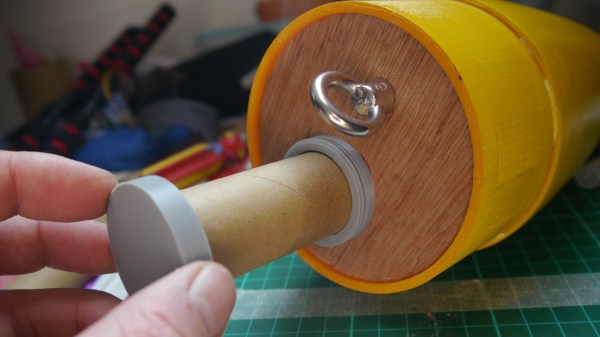
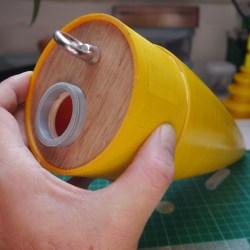
Putting payloads into model rockets can be more complex than simply shoving stuff into an open spot, so [concretedog] put some work into making a modular payload tube for his current rocket. The nose cone for his rocket is quite large, so he opted to give it a secure payload area that doesn’t compromise or interfere with any of the structural or operational bits such as the parachute.

The payload container is a hollow tube with a 3D printed threaded adaptor attached to one end. Payload goes into the tube, and the tube inserts into a hole in the bulkhead, screwing down securely. The result is an easy way to send up something like a GPS tracker, possibly with a LoRa module attached to it. That combination is a popular one with high-altitude balloons, which, like rockets, also require people to retrieve them after not-entirely-predictable landings. LoRa wireless communications have very long range, but that doesn’t help if there’s an obstruction like a hill between you and the transmitter. In those cases, a simple LoRa repeater attached to a kite, long pole, or drone can save the day.

We’ve seen [concretedog]’s work before, when he designed stackable PCBs intended to easily fit inside model rocket bodies, allowing for easy integration of microcontroller-driven functions like delayed ignitions or altimeter triggers. Better development tools, hardware, and 3D printing has really helped make smarter rocketry more accessible to hobbyists.