When Worlds Collide: 68008 Bootstrapped By An Arduino Uno

68008-ardu

[Peter Bjornx] brings classic microprocessors and modern microcontrollers together with his Arduino bootstrapped 68008 computer. The Motorola 68008 is the 8-bit external bus version of the well-known 68000 (or 68k) microprocessor. A friend gave [Peter] one of these chips, so he built a simple computer around it.

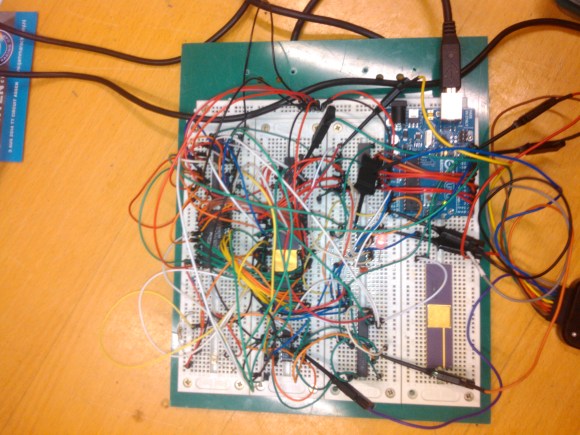
This isn’t one of those clean retrocomputers with every connection carefully planned out and wire wrapped. [Peter’s] created a true hack – a working 68k system on a breadboard created with whatever he had on hand at the time. The real gem of this system is the ROM. [Peter] replaced an EPROM chip with an Arduino.

In the not-so-good-old-days, microprocessors (and many microcontrollers) ran from an external ROM chip. This often was a UV-erasable EPROM. Carefully compiled code was burned into the EPROM with a device programmer. If the code wasn’t perfect, the EPROM had to be pulled and placed under a UV lamp for 20 minutes or so to erase it before it was time to try again. EPROM emulators were available, but they were way too expensive for the hobbyist.

Thankfully those days are far behind us now with the advent of EEPROM and then Flash. [Peter] didn’t want to revisit the past either, so he wrote a simple Arduino sketch which allowed it to act as an EPROM emulator, including address logging via the serial port.

The design still caused [Peter] some headaches, though. His major problem was a classic 68k issue, /DTACK timing. /DTACK or Data Transfer Acknowledge is one of several bus control signals used by the 68k. When the 68k performs a read from the data bus, it waits for /DTACK before it transfers data. The Arduino was too slow to release /DTACK in this case, which caused the 68k to think every read was immediately completed. There is a much clearer explanation of the 68k bus cycles on this Big Mess O Wires page. [Peter’s] solution was simple – a D flip-flop connected to the address strobe took care of the timing issues.

It took quite a bit of tinkering, but the system eventually worked. Peter was able to run the 68008 from its reset vector into a simple loop using the Arduino. It’s only fitting that the 68k program loaded by the Arduino was an LED blinker, everyone’s favorite hardware Hello World.

Thanks [Robert!]
The Most Basic BASIC Computer

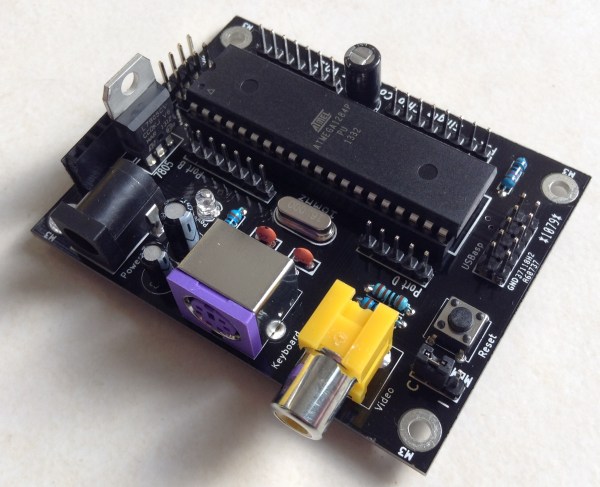
AVR microcontrollers can do pretty much anything nowadays. Blinking LEDs, handling sensor inputs, engine control modules, and now, thanks to [Dan], a small single chip BASIC computer with only ten parts (and four of them are capacitors).

[Dan]’s homebrew computer has it all. The ATmega 1284P microcontroller outputs a composite video signal and handles inputs from a PS/2 keyboard. The microcontroller runs at 16 MHz, has 7 kB of memory for programs, and can use a separate EEPROM to store data. It also has an array of GPIO pins for interacting with the physical world.

For software, the microcontroller runs a version of BASIC called Tiny BASIC plus, which is a stripped-down language that can fit in 3 kB of memory. This is crucial if you’re in the 1970s or if you’re programming on an AVR microcontroller in the 21st century.

We’ve seen other Arduinos and AVR-type microcontrollers that can run BASIC, but this one has a great form factor and clean look. It’s also a great way to get familiar with homebrew computing and the BASIC programming language!

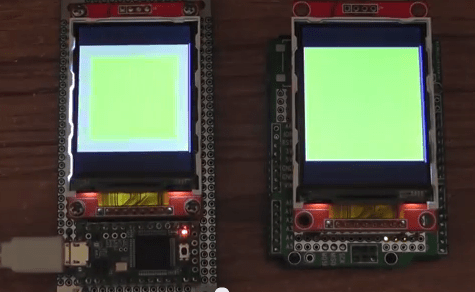
TFT LCDs Hit Warp Speed With Teensy 3.1

[Paul Stoffregen], known as father of the Teensy, has leveraged the Teensy 3.1’s hardware to obtain some serious speed gains with SPI driven TFT LCDs. Low cost serial TFT LCDs have become commonplace these days. Many of us have used Adafruit’s TFT LCD library  to drive these displays on an Arduino. The Adafruit library gives us a simple API to work with these LCDs, and saves us from having to learn the intricacies of various driver chips.

[Paul] has turbocharged the library by using hardware available on Teensy 3.1’s 32 Freescale Kinetis K20 microcontroller. The first bump is raw speed. The Arduino’s ATmega328 can drive the SPI bus at 8MHz, while the Teensy’s Kinetis can ramp things up to 24MHz.

Speed isn’t everything though. [Paul] also used the Freescale’s 4 level FIFO to buffer transfers. By using a “Write first, then block until the FIFO isn’t full” algorithm, [Paul] ensured that new data always gets to the LCD as fast as possible.

Another huge bump was SPI chip select. The Kinetis can drive up to 5 SPI chip select pins from hardware. The ATmega328 doesn’t support chip selects. so they must be implemented with GPIO pins, which takes even more time.

The final result is rather impressive. Click past the break to see the ATmega based Arduno race against the Kinetis K20 powered Teensy 3.1.

Paul’s library is open source and available on Github.

Continue reading “TFT LCDs Hit Warp Speed With Teensy 3.1” →

An Open Source 1MHz Arbitrary Waveform Generator With An Awesome UI

1MHZ DDS


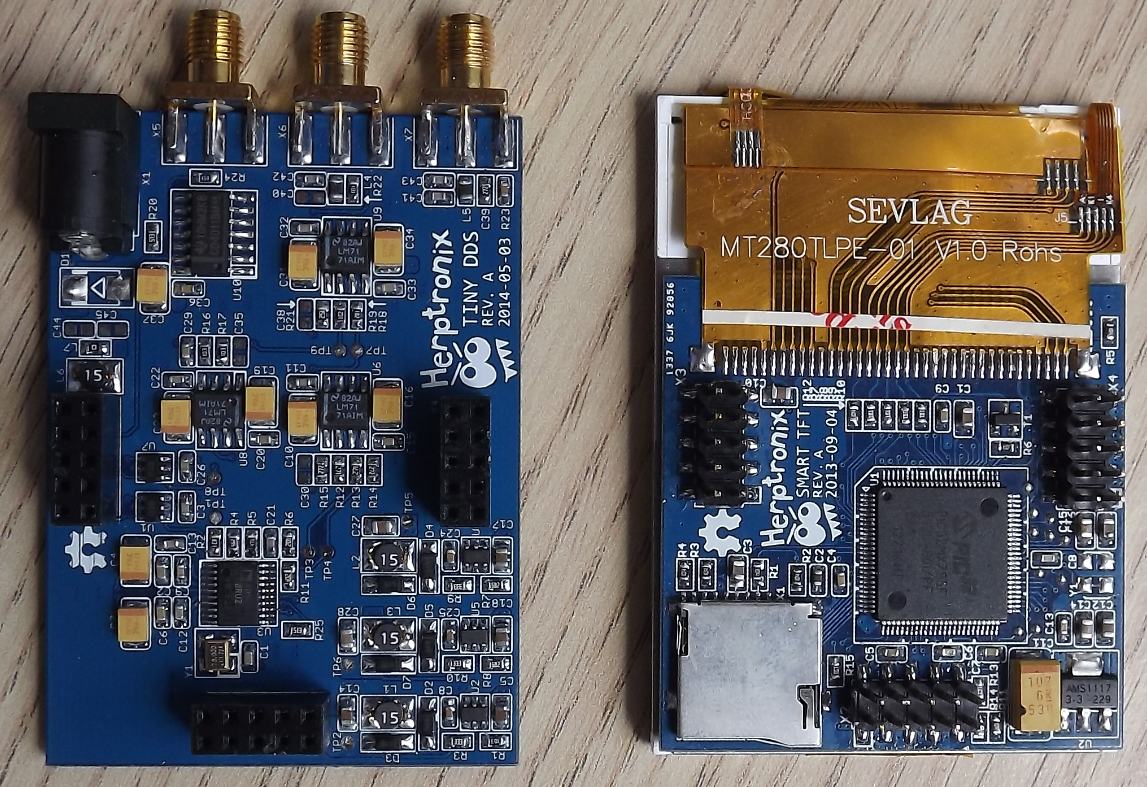
[Herp] just shared a nice 1MHz Arbitrary Waveform Generator (right click -> translate to English as google translation links don’t work) with a well designed user interface. His platform is based around a PIC32, a TFT module with its touchscreen and the 75MHz AD9834 Direct Digital Synthesizer (DDS). Of course the latter could generate signals with frequencies up to 37.5MHz… but that’s only if two output points are good enough for you.

As you can see in the video embedded below, the ‘tiny dds’ can generate many different kinds of periodic signals and even ones that are directly drawn on the touchscreen. The offset and signal amplitude can be adjusted using several operational amplifiers after the DDS ouput and a separate SMA TTL output is available to use a PIC32 PWM signal. The platform can read WAV audio files stored on microSD cards and also has an analog input for signal monitoring. Follow us after the break for the video.

Continue reading “An Open Source 1MHz Arbitrary Waveform Generator With An Awesome UI” →

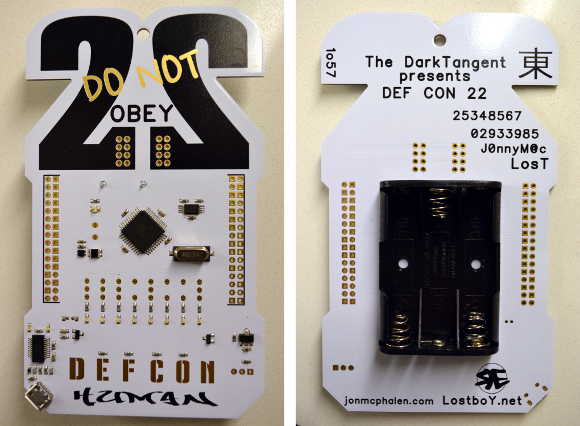
view of front and back

Hands-On DEFCON 22 Badge

It took a measly 2-hours in line to score myself entry to DEFCON and this nifty badge. I spent the rest of the afternoon running into people, and I took in the RFIDler talk. But now I’m back in my room with a USB cord to see what might be done with this badge.

First the hardware; I need a magnifying glass but I’ll tell you what I can. Tere are huge images available after the break.

  • Parallax P8X32A-Q44
  • Crystal marked A050D4C
  • Looks like an EEPROM to the upper right of the processor? (412W8 K411)
  • Something interesting to the left. It’s a 4-pin package with a shiny black top that has a slightly smaller iridesent square to it. Light sensor?
  • Tiny dfn8 package next to that has numbers (3336 412)
  • Bottom left there is an FTDI chip (can’t read numbers)
  • The DEFCON letters are capacitive touch. They affect the four LEDs above the central letters.

I fired up minicom and played around with the settings. When I hit on 57600 8N1 I get “COME AND PLAY A GAME WITH ME”.

Not sure where I’m going from here. I don’t have a programmer with me so not sure how I can make a firmware dump. If you have suggestions please let me know in the comments!

Continue reading “Hands-On DEFCON 22 Badge” →

Parallax Propeller 1 Goes Open Source

OpenPropellerProjectOpenSourceProp1Banner

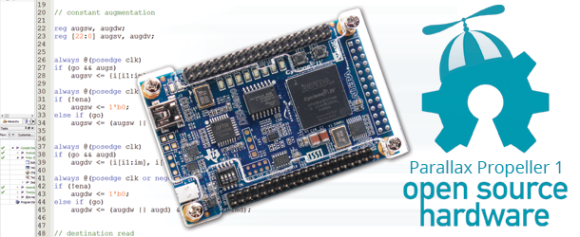
Parallax has embraced open source hardware by releasing the source code to its Propeller 1 processor (P8X32A). Designed by [Chip Gracey] and released in 2006, the 32-bit octal core Propeller has built up a loyal fan base. Many of those fans have created development tools for the Propeller, from libraries to language ports. [Ken, Chip], and the entire Parallax team have decided to pay it forward by releasing the entire source to the Propeller.

The source code is in Verilog and released under GNU General Public License v3.0. Parallax has done much more than drop 8-year-old files out in the wild.  All the configuration files necessary to implement the design on an Altera Cyclone IV using either of two different target boards have also been included. The DE0-Nano is the low-cost option. The Altera DE2-115 dev board is more expensive, but it also can run the upcoming Propeller 2 design.

The release also includes sources for the mask ROM used for booting, running cogs, and the SPIN interpreter. [Chip] originally released this code in  2008. The files contain references to PNut, the Propeller’s original code name.

We’re excited to see Parallax taking this step, and can’t wait to see what sort of modifications the community comes up with. Not an Altera fan? No problem – just grab the source code, your favorite FPGA tools, and go for it! Starved for memory? Just add some more. 8 cogs not enough? Bump it up to 16.  The only limits are the your imagination and the resources of your target device.

Interested in hacking on a real Propeller? If you’re in Las Vegas, you’re in luck. A Propeller is included on each of the nearly 14,000 badges going to DEFCON 22 attendees. While you’re there, keep an eye out for Mike and The Hackaday Hat!

Control This Pedestrian Walk Signal Online!

Capture

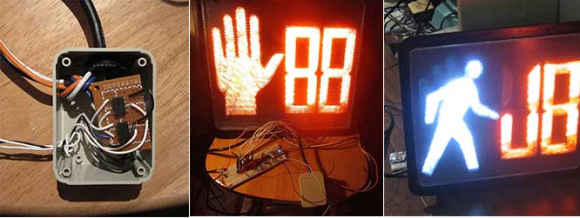
[Jon Bennett] is an electrical engineer who specializes in embedded systems software. He was the first employee of Pebble Technology and the lead developer of the inPulse Smart Watch. He has studied at the University of Waterloo during which he completed several interesting internships, including working on Bluetooth and WiFi embedded software for the iPhone (Apple, 2007). Now, he has hooked up this pedestrian walk signal — picked up at an electronics surplus store — to the internet.

The web-enable project utilizes a Spark Core Wifi Module, which is an Arduino-like micro-controller with more power, to wirelessly connect to the device. With the click of a button, the hand signal can be flashed. The walking illuminated man can be triggered with another press. Messages can be sent scrolling across the LED’s flashing by in sets of two simply by hitting enter.

All the source code has been posted on Github in case anyone wants to create their own.

Capture

[Jon]’s previous work can be found in a few of our featured articles from a couple of years ago. There’s the Thrift Shop Wifi Router Robot he made that could be controlled through the internet. He also built this interactive bubble music visualizer, and this programmable RC car that can be driven by a computer.

What will he think of next??