Kino Wheels Gives You A Hand Learning Camera Operation

Have you ever watched a movie or a video and really noticed the quality of the camera work? If you have, chances are the camera operator wasn’t very skilled, since the whole point of the job is to not be noticed. And getting to that point requires a lot of practice, especially since the handwheel controls for professional cameras can be a little tricky to master.

Getting the hang of camera controls is the idea behind [Cadrage]’s Kino Wheels open-source handwheels. The business end of Kino Wheels is a pair of DIN 950 140mm spoked handwheels — because of course there’s a DIN standard for handwheels. The handwheels are supported by sturdy pillow block bearings and attached to 600 pulse/rev rotary encoders, which are read by an Arduino Mega 2560. The handwheels are mounted orthogonal to each other in a suitable enclosure; the Pelican-style case shown in the build instructions seems like a perfect choice, but it really could be just about anything.

To use Kino Wheels, [Cadrage] offers a free camera simulator for Windows. Connected over USB, the wheels control the pan and tilt axes of a simulated camera in an animated scene. The operator-in-training uses the wheels to keep the scene composed properly while following the action. A little bit of the simulation is shown in the brief video below, along with some of the build details.

While getting camera practice is the point of the project, that’s not to say Kino Wheels couldn’t be retasked. With a little work, these could be used to actually control at least a couple of axes of a motion control rig, or maybe even to play Quake.

Continue reading “Kino Wheels Gives You A Hand Learning Camera Operation”

A cardboard wind tunnel

Optimize Your Paper Planes With This Cardboard Wind Tunnel

We at Hackaday are great fans of hands-on classroom projects promoting science, technology, engineering and math (STEM) subjects – after all, inspiring kids with technology at a young age will help ensure a new generation of hardware hackers in the future. If you’re looking for an interesting project to keep a full classroom busy, have a look at [drdonh]’s latest project: a fully-functional wind tunnel made from simple materials.

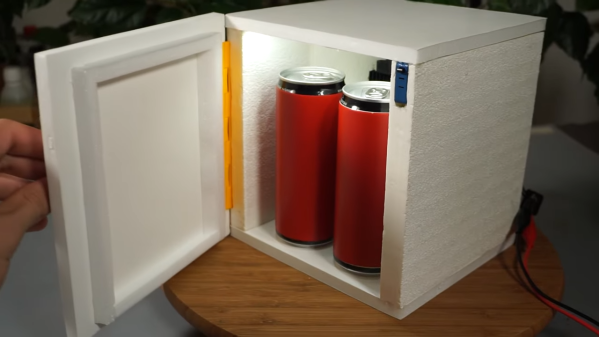
A styrofoam car model in a cardboard wind tunnelBuilt from cardboard, it has all the same components you’d find in a full-size aerodynamics lab: a fan to generate a decent stream of air, an inlet with channels to stabilize the flow, and a platform to mount experiments on. There’s even some basic instrumentation included that can be used to measure drag and lift, allowing the students to evaluate the drag coefficients of different car designs or the lift-generating properties of various airfoils. Continue reading “Optimize Your Paper Planes With This Cardboard Wind Tunnel”

Annoying Cicada Magnet Is Nonetheless Authentic

We’ve all heard of those chirper devices that randomly make annoying noises for no other reason than sending people insane. This project from [Kousuke Saito] brings altogether more art to this idea, while still being quite annoying indeed.

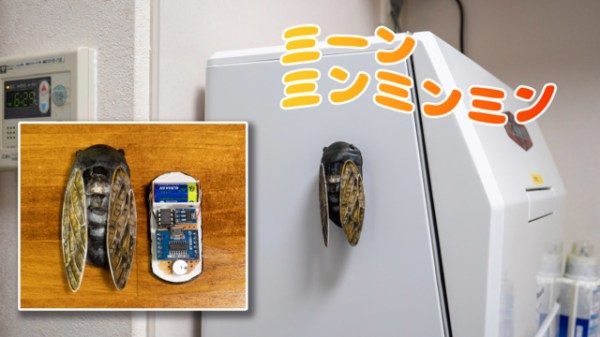
The build is essentially a replica cicada. [Saito] was inspired to build the device as the sounds of the insect remind him fondly of the summer. His design consists of a 3D-printed housing that roughly approximates something like a cicada, with two wings attached to a central body. In this case, the layer lines of the 3D print actually added to the realism of the ersatz insect The housing is nicely painted to serve as an adequate simulacra to those who aren’t up on their entomology.

Inside, there’s an ATTiny 85 paired with an MP3 playback module and a small speaker. It’s charged with reproducing the noise of various cicadas. It’s setup with an ingenious mechanism to switch it on. There are magnets installed in the base which allow it to stick to metallic objects. There’s also a switch in the bottom of the device. When it magnetically attaches to a surface, that switch is depressed, and the cicada starts playing, well… cicada noises. [Saito] notes that a patent has been secured for the idea.

We’ve seen other cicada-themed projects before, astoundingly. Video after the break.

Continue reading “Annoying Cicada Magnet Is Nonetheless Authentic”
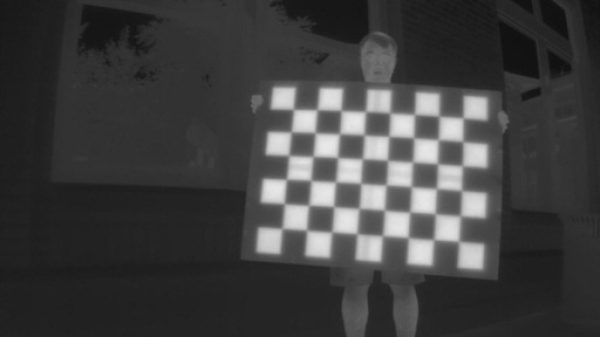
Calibrating Thermal Cameras With Hot Patterned Objects

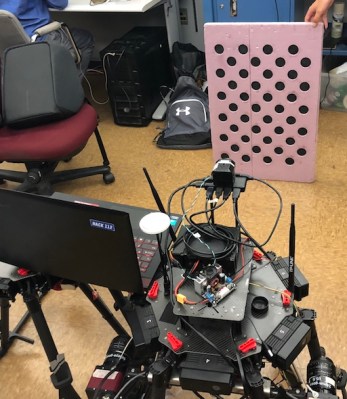
Thermal cameras are great if you want to get an idea of what’s hot and what’s not. If you want to use a thermal camera for certain machine vision tasks, though, you generally need to do a geometric calibration to understand what the camera is seeing and correct for lens distortion. [Henry Zhang] has shared various methods of doing just that.

It’s all about generating a geometrically-regular thermal pattern.

To calibrate a thermal camera, first you need a thermal pattern. This is like typical test image for a camera or screen, but with temperatures instead of colors. [Henry] explains several methods for doing this. One involves using a grid of nichrome wires to create a thermal pattern for calibration purposes. Another uses discs of cold aluminium inserted into a foam board. Even a simple checkerboard can work, with the black spaces heating up more from ambient sunlight than their neighbouring white spots. [Henry] then explains the mathematical techniques used for calibrating based on these patterns.

It’s a useful primer on the topic if you’re working with thermal camera systems. We’ve looked at some other interesting machine vision topics before, too. If you’ve got any great thermal imaging tips of your own, don’t hesitate to drop us a line!


A solar-powered device with a small LCD screen

Low Power Challenge: LCD Solar Creatures Live On Sunlight, Sleep At Night

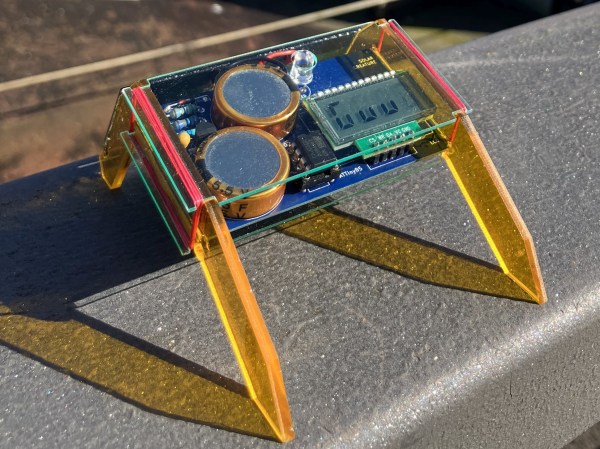
With all those e-paper based projects doing the rounds these days, including in our Low Power Challenge, you’d almost forget that monochrome LCDs were the original ultra-low-power display. Without them, we wouldn’t have had watches, calculators and handheld games operating off button cell batteries or tiny solar panels back in the ’80s and ’90s. [Gabor] decided to build a set of gadgets with a 1990s LCD aesthetic, called LCD Solar Creatures. These cute little beasts live on nothing but solar power and provide some amusing animations on a classic seven-segment LCD screen.

The Creatures’ activity depends entirely on the amount of power that’s available to them. If their supercapacitors dip below 3.3 V, their micros enter a deep sleep state and do nothing except briefly flash an LED every now and then as a sign of life. When light hits the solar panel, the supercaps are charged up and the Creatures come to life and display a few basic stats. Once the caps hit 4.1 V, they really start their day and run a few programs, including a Game of Life-style simulation and an animation of Euclidean rhythms. Continue reading “Low Power Challenge: LCD Solar Creatures Live On Sunlight, Sleep At Night”

Quick And Dirty Microscope Motion Control For Focus Stacking

If you’ve spent much time looking through a microscope, you know that their narrow depth of field can be a bit challenging to deal with. Most microscopes are designed to only have a very thin slice of the specimen in focus, so looking at anything above or below that plane requires a focus adjustment. It’s tedious and fussy, and that makes it a perfect target for automation.

The goal behind [ItMightBeWorse]’s microscope mods is “focus stacking,” a technique where multiple images of the same sample taken at different focal planes can be stitched together so that everything appears to be in focus. Rather than twist knobs and take pictures manually, he built a simpler Arduino-based rig to do the job for him. Focus control is through a small stepper motor connected to the fine focus knob of the scope, while the DSLR camera shutter is triggered through a simple relay board. There’s also lighting control, with an RGB LED ring light that can change both the light level on the sample as well as the tint.

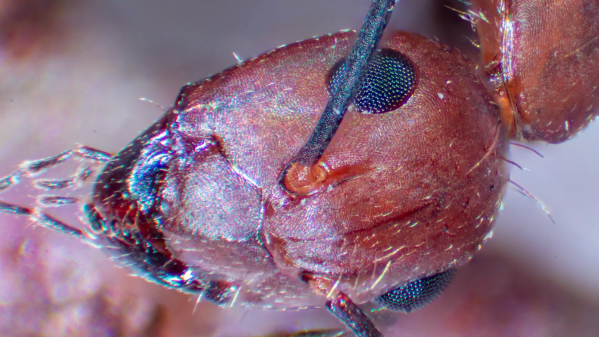
The code is very simple, and the setup is quite temporary looking, but the results are pretty impressive. We could do without the extreme closeup of that tick — nasty little arachnids — but the ant at the end of the video below has some interesting details. [ItMightBeWorse] doesn’t mention how the actual stacking is being done, but this CNC-based focus stacking project mentions a few utilities that take help with the post-processing.

Continue reading “Quick And Dirty Microscope Motion Control For Focus Stacking”

Bode Plot Un-Lecture

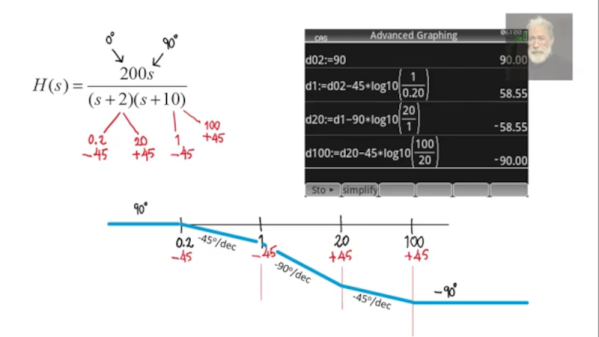
[Rolinychupetin] insists that his recent video is not a lecture but actually a “recitation” about Bode plots. That may be, but it is still worth a watch if you want to learn more about the topic. You can see the video below.

If you haven’t run into Bode plots before, they are simple plots of magnitude or phase vs. frequency, usually plotted on a log scale. Named after Bell Lab’s [Hendrik Wade Bode], they are useful for understanding filters or anything with a frequency response.

Continue reading “Bode Plot Un-Lecture”