Over the years, we’ve seen a steady stream of updates for the Raspberry Pi Foundation’s flagship single-board computer (SBC), with each new release representing a significant boost in processing power and capability. But the slim Raspberry Pi Zero, released all the way back in 2015, hasn’t been quite so fortunate. Beyond the “W” revision that added WiFi and Bluetooth in 2017, the specs of the diminutive board have remained unchanged since its release.
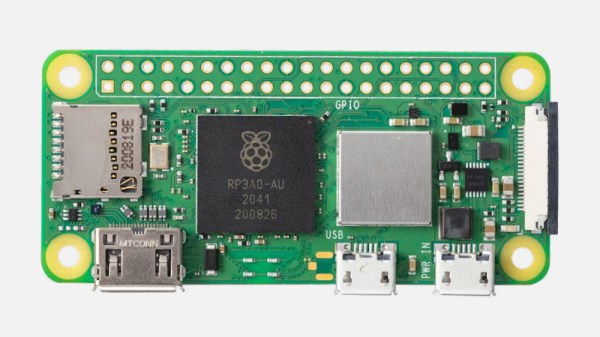
That is, until now. With the introduction of the $15 USD Raspberry Pi Zero 2 W, the ultra-compact Linux board gets a much-needed performance bump thanks to the new RP3A0 system-in-package, which combines a Broadcom BCM2710A1 die with 512 MB of LPDDR2 SDRAM and a quad-core 64-bit ARM Cortex-A53 CPU clocked at 1 GHz. In practical terms, the Raspberry Pi Foundation says the new Zero 2 is five times as fast as its predecessor with multi-threaded workloads, and offers a healthy 40% improvement in single-threaded performance. That puts it about on par with the Raspberry Pi 3, though with only half the RAM.
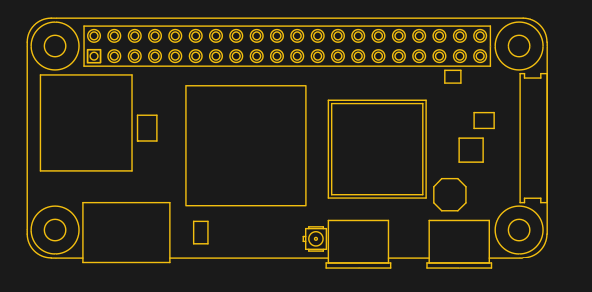
Otherwise, the new Zero 2 isn’t much different from the original. It’s the same size and shape, meaning existing cases or mounts should work fine. You’ll also find the micro SD slot, CSI camera connector, dual micro USB ports, and mini HDMI port in the same places they were in 2015.
Frankly we’re a little surprised they didn’t switch over to USB-C (at least for the power port) and micro HDMI to bring it in line with the Pi 4, but of course, they presumably didn’t want to break compatibility with existing Zero projects. At least we won’t have to wait for a second edition to add wireless, as the Zero 2 W offers 2.4 GHz 802.11 b/g/n WiFi and Bluetooth 4.2 out of the box.
We’ll have samples of the new Zero 2 W in hand shortly, so keep an eye out for a detailed overview of this highly anticipated new member of the Pi family. In the meantime, let us know what you think about the new hardware in the comments. Is it a worthy successor to the original $5 Pi Zero?
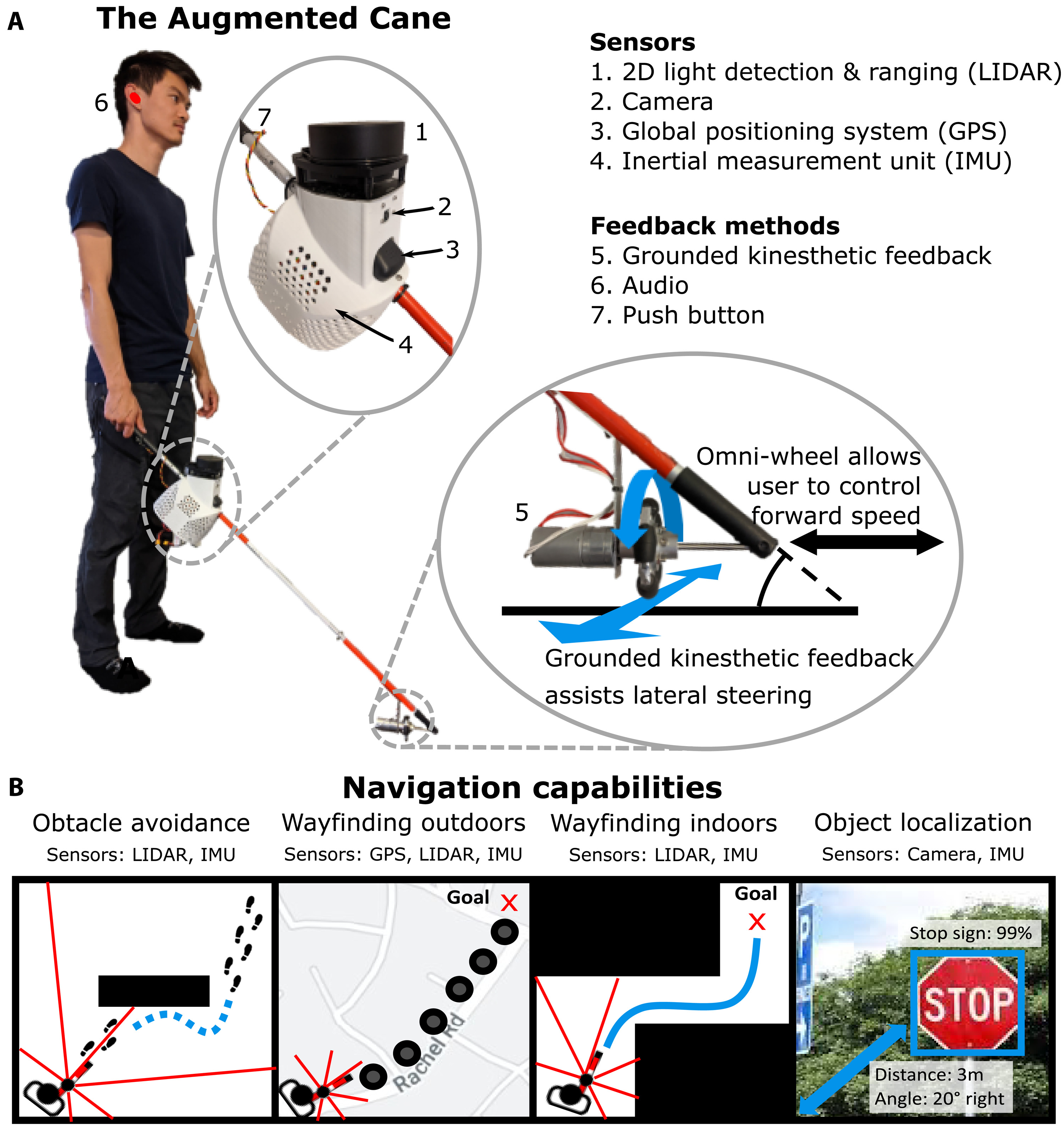
Sure, there are smart canes out there, commercial and otherwise. We’ve seen more than a few over the years. But a group of students at Stanford University have managed to bring something novel to the augmented cane.
Tied for best part of this build is the fact that they made the project with open hardware and published all the gory details in a repo, so anyone can replicate it for about $400.
The cane uses a Raspi 4 with camera to detect objects, and a 2-D LIDAR to measure the distance to those objects. There’s a GPS and a 9-DOF IMU to find the position and orientation of the user. Their paper is open, too, and it comes with a BOM and build instructions. Be sure to check it out in action after the break.
As most anyone in this community knows, there’s an excellent chance that any consumer product on the market that’s advertised as “smart” these days probably has some form of Linux running under the hood. We’re also keenly aware that getting companies to hold up their end of the bargain when it comes to using Linux and other GPL licensed software in their products, namely releasing their modified source, isn’t always as cut and dried as it should be.
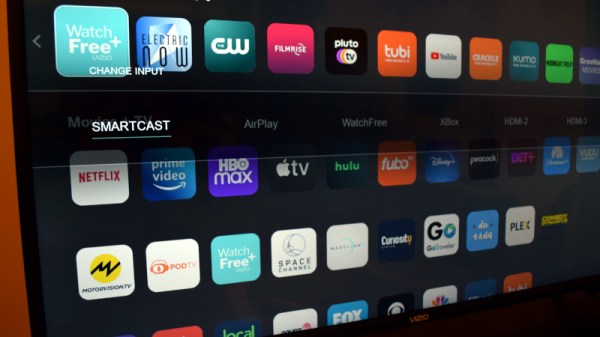
Occasionally these non-compliant companies will get somebody so aggravated that they actually try to do something about it, which is where smart TV manufacturer Vizio currently finds itself. The Software Freedom Conservancy (SFC) recently announced they’re taking the Irvine, California based company to court over their repeated failures to meet the requirements of the GPL while developing their Linux-powered SmartCast TV firmware. In addition to the Linux kernel, the SFC also claims Vizio is using modified versions of various other GPL and LGPL protected works, such as U-Boot, bash, gawk, tar, glibc, and ffmpeg.
According to the SFC press release, the group isn’t looking for any monetary damages. They simply want Vizio to do what’s required of them as per the GPL and release the SmartCast source code, which they hope will allow for the development of an OpenWrt-like replacement firmware for older Vizio smart TVs. This is particularly important as older models will often stop receiving updates, and in many cases, will no longer be able to access all of the services they were advertised as being able to support. Clearly the SFC wants this case to be looked at as part of the larger Right to Repair debate, and given the terrible firmware we’ve seen some of these smart TVs ship with, we’re inclined to agree.
Now of course, we’ve seen cases like this pop up in the past. But what makes this one unique is that the SFC isn’t representing one of the developers who’s software has been found to be part of Vizio’s SmartCast, they’re actually the plaintiff. By taking the position of a consumer who has purchased a Vizio product that included GPL software, the SFC is considered a third-party beneficiary, and they are merely asking the court to be given what’s due to them under the terms of the license.
As firm believers in the open source movement, we have zero tolerance for license violators. Vizio isn’t some wide-eyed teen, randomly copying code they found from GitHub without understanding the implications. This is a multi-billion dollar company that absolutely should know better, and we’ll be happy to see them twist in the wind a bit before they’re ultimately forced to play by the rules.
The government of Argentina has a national ID card system, and as a result maintains a database containing data on every citizen in the country. What could possibly go wrong? Predictably, an attacker has managed to gain access to the database, and is offering the entire dataset for sale. The Argentinian government has claimed that this wasn’t a mass breach, and only a handful of credentials were accessed. This seems to be incorrect, as the seller was able to provide the details of an arbitrary citizen to the journalists investigating the story.
Patch Tuesday
Microsoft has released their monthly round of patches for October, and there are a couple doozies. CVE-2021-40486 is an RCE in Microsoft Word, and this flaw can trigger via the preview pane. CVE-2021-38672 and CVE-2021-40461 are both RCE vulnerabilities in Hyper-V. And finally, CVE-2021-40449 is a privilege upgrade actively being used in the wild, more on that in a moment. Oh, and you thought the Print Nightmare was over? CVE-2021-36970 is yet another print spooler vulnerability. The unfortunate thing about the list of Microsoft vulnerabilities is that there is hardly any information available about them.
On the other hand, Apple just patched CVE-2021-30883, a 0-day that’s being actively exploited in iOS. With the release of the fix, [Saar Amar] has put together a very nice explanation of the bug with PoC. It’s a simple integer overflow when allocating a buffer, leading to an arbitrary memory write. This one is particularly nasty, because it’s not gated behind any permissions, and can be triggered from within app sandboxes. It’s being used in the wild already, so go update your iOS devices now.
Kaspersky brings us a report on a CVE-2021-40449 being used in the wild. It’s part of an attack they’re calling MysterySnail, and seems to originate from IronHusky out of China. The vulnerability is a use-after-free, and is triggered by making a the ResetDC API call that calls its own callback. This layer of recursive execution results in an object being freed before the outer execution has finished with it.
Since the object can now be re-allocated and controlled by the attacker code, the malformed object allows the attacker to run their code in kernel space, achieving privilege escalation. This campaign then does some data gathering and installs a Remote Access Trojan. Several Indicators of Compromise are listed as part of the write-up.
Off to the Races
Google’s Project Zero is back with a clever Linux Kernel hack, an escalation of privilege triggered by a race condition in the pseudoterminal device. Usually abbreviated PTY, this kernel device can be connected to userspace applications on both ends, making for some interesting interactions. Each end has a struct that reflects the status of the connection. The problem is that TIOCSPGRP, used to set the process group that should be associated with the terminal, doesn’t properly lock the terminal’s internal state.
As a result, calling this function on both sides at the same time is a race condition, where the reference count can be corrupted. Once the reference count is untrustworthy, the whole object can be freed, with a dangling pointer left in the kernel. From there, it’s a typical use-after-free bug. The post has some useful thoughts about hardening a system against this style of attack, and the bug was fixed December 2020.
AI vs Pseudorandom Numbers
[Mostafa Hassan] of the NCC Group is doing some particularly fascinating research, using machine learning to test pseudorandom number generators. In the first installment, he managed to break the very simple xorshift128 algorithm. Part two tackles the Mersenne Twister, which also falls to the neural network. Do note that neither of these are considered cryptographic number generators, so it isn’t too surprising that a ML model can determine their internal state. What will be most interesting is the post to come, when he tackles other algorithms thought to be secure. Watch for that one in a future article.
L0phtcrack Becomes Open Source
In a surprise to me, the L0phtcrack tool has been released as open source. L0phtcrack is the password cracking/auditing tool created by [Mudge] and company at L0pht Heavy Industries, about a billion years ago. Ownership passed to @stake, which was purchased by Symantec in 2004. Due to export regulations, Symantec stopped selling the program, and it was reacquired by the original L0pht team.
In April 2020, Terahash announced that they had purchased rights to the program, and began selling and supporting it as a part of their offerings. Terahash primarily builds GPU based cracking hardware, and has been hit exceptionally hard by the chip shortage. As a result of Terahash entering bankruptcy protection, the L0phtcrack ownership has reverted back to L0pht, and version 7.2.0 has been released as Open Source.
It’s a story that has caused consternation and mirth in equal measure amongst Brits, that the owners of a car in Surrey received a fine for driving in a bus lane miles away in Bath, when in fact the camera had been confused by the text on a sweater worn by a pedestrian. It seems the word “knitter” had been interpreted by the reader as “KN19 TER”, which as Brits will tell you follows the standard format for modern UK licence plate.
It gives us all a chance to have a good old laugh at the expense of the UK traffic authorities, but it raises some worthwhile points about the fallacy of relying on automatic cameras to dish out fines without human intervention. Except for the very oldest of cars, the British number plate follows an extremely distinctive high-contrast format of large black letters on a reflective white or yellow background, and since 2001 they have all had to use the same slightly authoritarian-named MANDATORY typeface. They are hardly the most challenging prospect for a number plate recognition system, but even when it makes mistakes the fact that ambiguous results aren’t subjected to a human checking stage before a fine is sent out seems rather chilling.
It also raise the prospect of yet more number-plate-related mischief, aside from SQL injection jokes and adversarial fashion, we can only imagine the havoc that could be caused were a protest group to launch a denial of service attack with activists sporting fake MANDATORY licence plates.
Header image, based on the work of ZElsb, CC BY-SA 4.0.
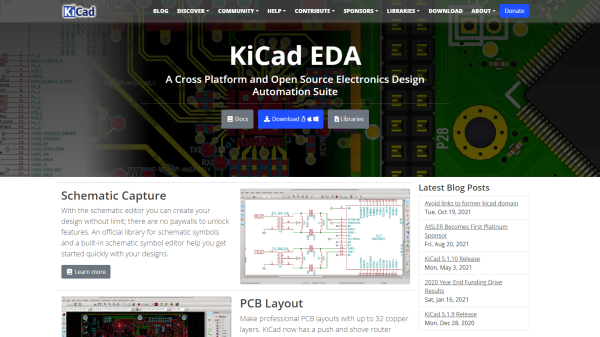
KiCad has used the domain kicad-pcb.org since 2012 as the official source for information on and downloads of their popular open-source electronics design software. Unfortunately, the original domain name was purchased before KiCad was formalized as an organization, so it was not directly under their control. This all came to head when the old domain name was unexpectedly sold to an unnamed third party that was not affiliated with the project. Currently, the old domain is just a website covered in ads, but the KiCad team fears that it may be used maliciously in the future.
With KiCad’s popularity, thousands of tutorials, articles, and project guides over the years have included links to the old KiCad domain. A Google search in October 2021 found more than 19,000 instances of the old domain spread across the internet. [Seth_h] has called upon the community to make every effort possible to update old links, reducing the chance that people stumble across the wrong website.
[Editor’s Note: We think we got ’em all, let us know if we missed any.]
Luckily, Digikey has swooped in to help save the day. They purchased a new domain, kicad.org, from squatters and donated it to the KiCad Project. (Update: Digi-key donated the KiCad.org domain back in October of 2020 after noticing fishy squatters going back to at least 2016) [Seth_h] explains in his post that a number of safeguards have been put in place to prevent this from happening in the future, including not having the domain name owned by a single person, and having all KiCad trademarks registered to the Linux Foundation.
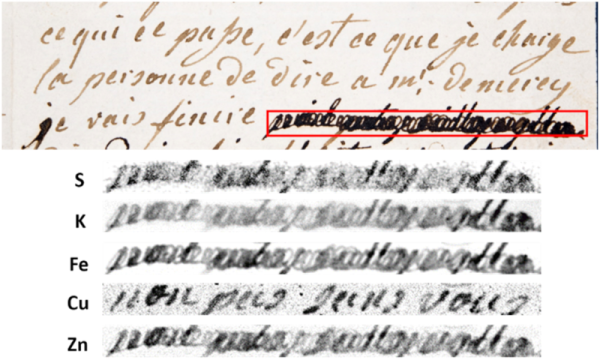
Even if you aren’t a giant history buff, you probably know that the French royal family had some difficulties in the late 1700s. The end of the story saw the King beheaded and, a bit later, his wife the famous Marie Antoinette suffered the same fate. Marie wrote many letters to her confidant, and probable lover, Swedish count Axel von Fersen. Some of those letters have survived to the present day — sort of. An unknown person saw fit to blot out parts of the surviving letters with ink, rendering them illegible. Well, that is, until now thanks to modern x-ray technology.
Anne Michelin from the French National Museum of Natural History and her colleagues were able to foil the censor and they even have a theory as to the ink blot’s origin: von Fersen, himself! The technique used may enable the recovery of other lost portions of historical documents and was published in the journal Science Advances.

 Otherwise, the new Zero 2 isn’t much different from the original. It’s the same size and shape, meaning existing cases or mounts should work fine. You’ll also find the micro SD slot, CSI camera connector, dual micro USB ports, and mini HDMI port in the same places they were in 2015.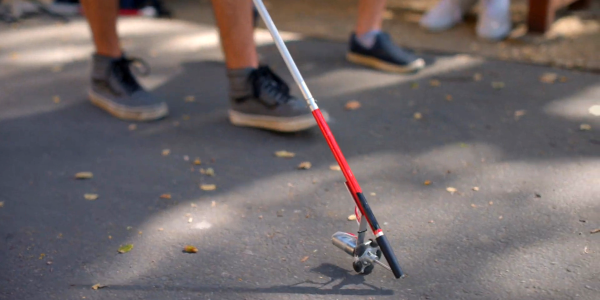



 In a surprise to me,