New Raspberry Pi 400 Is A Computer In A Keyboard For $70

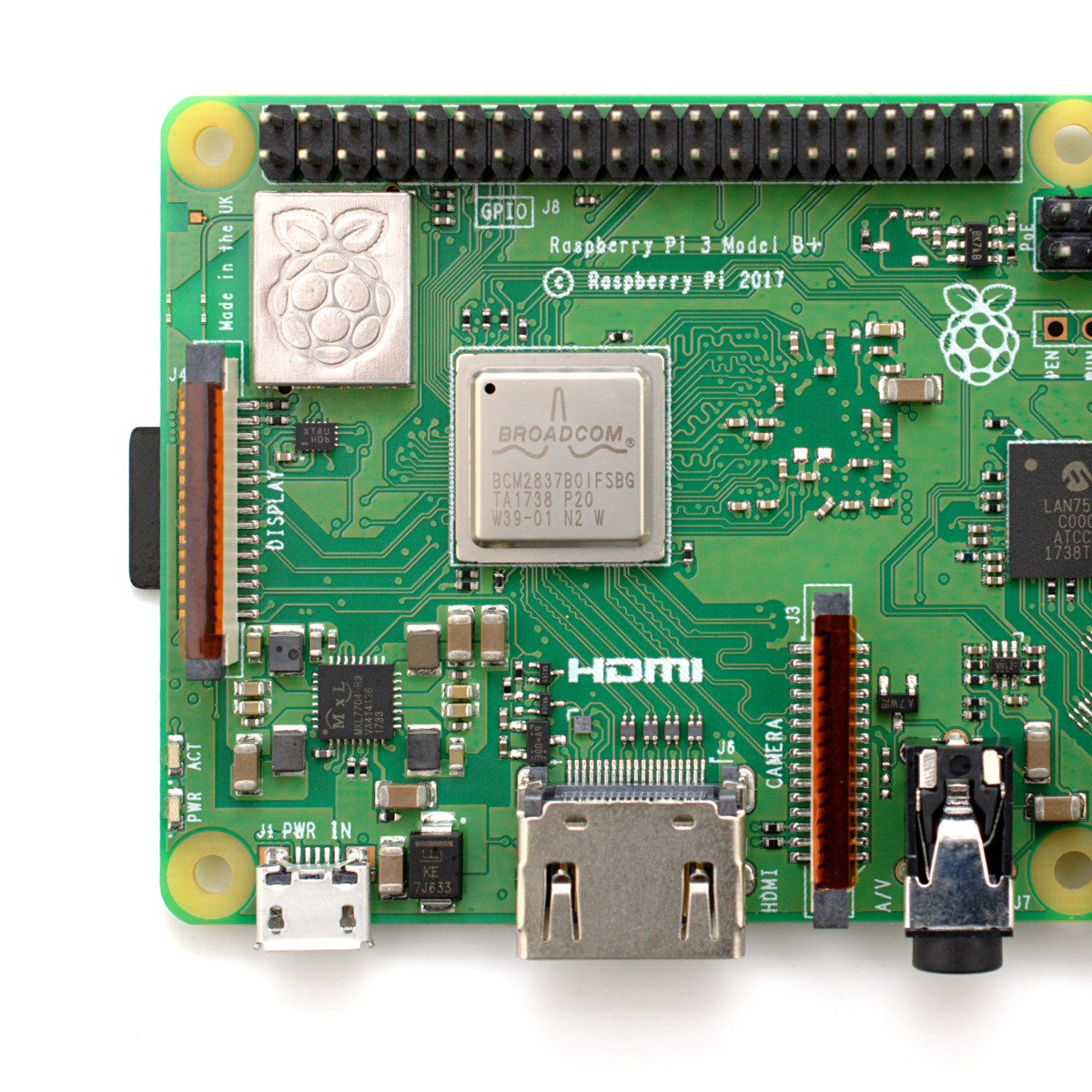
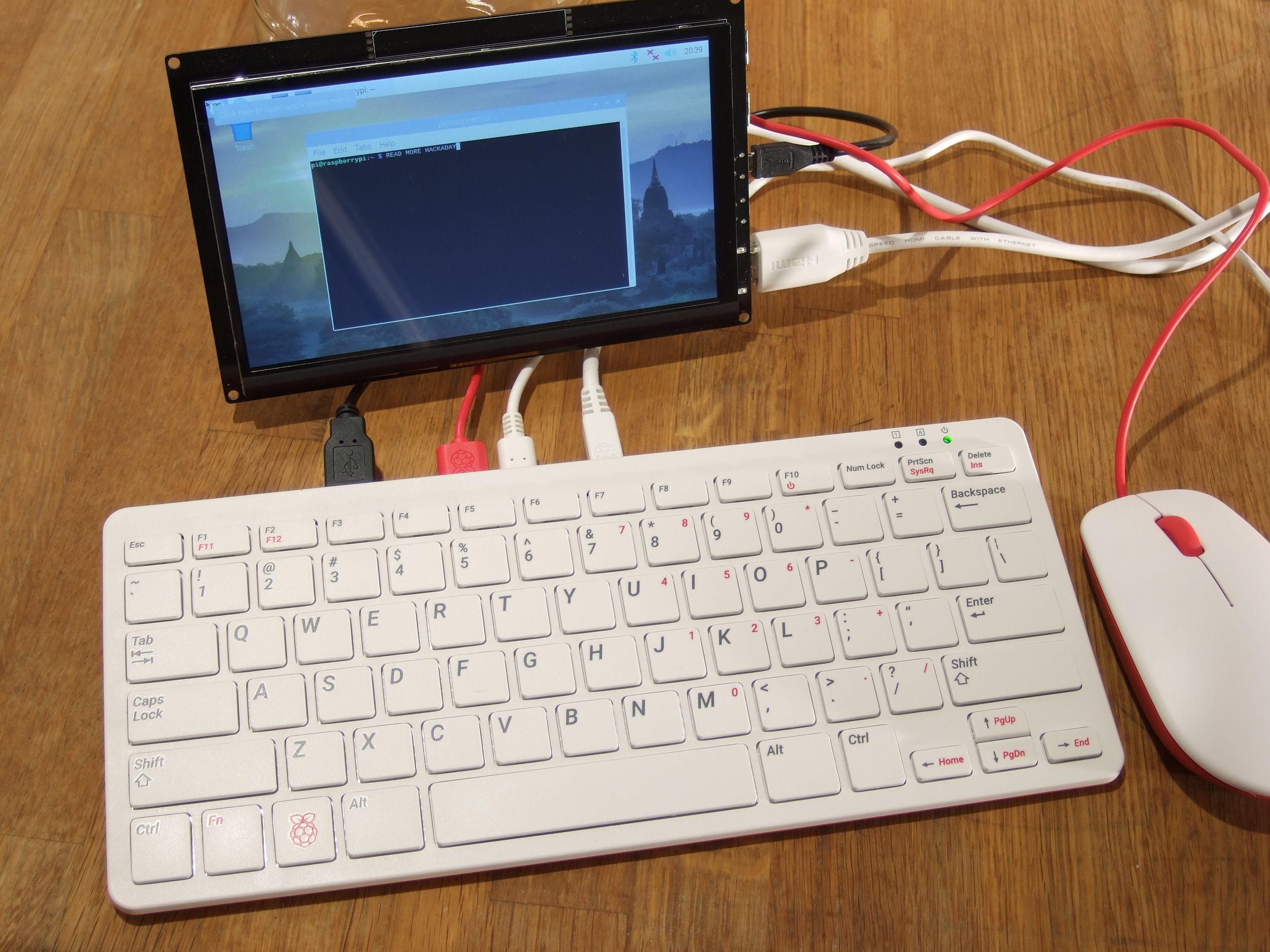
The newest Raspberry Pi 400 almost-all-in-one computer is very, very slick. Fitting in the size of a small portable keyboard, it’s got a Pi 4 processor of the 20% speedier 1.8 GHz variety, 4 GB of RAM, wireless, Ethernet, dual HDMI outputs, and even a 40-pin Raspberry Standard IDE-cable style header on the back. For $70 retail, it’s basically a steal, if it’s the kind of thing you’re looking for because it has $55 dollars worth of Raspberry Pi 4 inside.

In some sense, it’s getting dangerously close to fulfilling the Raspberry Pi Dream. (And it’s got one more trick up it’s sleeve in the form of a huge chunk of aluminum heat-sinked to the CPU that makes us think “overclocking”.)

We remember the founding dream of the Raspberry Pi as if it were just about a decade ago: to build a computer cheap enough that it would be within everyone’s reach, so that every school kid could have one, bringing us into a world of global computer literacy. That’s a damn big goal, and while they succeeded on the first count early on, putting together a $35 single-board computer, the gigantic second part of that master plan is still a work in progress. As ubiquitous as the Raspberry Pi is in our circles, it’s still got a ways to go with the general population.

By Gareth Halfacree  CC BY-SA 2.0

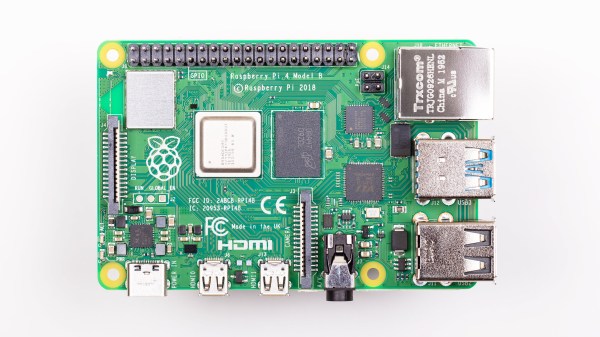
The Raspberry Pi Model B wasn’t, and isn’t, exactly something that you’d show to my father-in-law without him asking incredulously “That’s a computer?!”. It was a green PCB, and you had to rig up your own beefy 5 V power supply, figure out some kind of enclosure, scrounge up a keyboard and mouse, add in a monitor, and only then did you have a computer. We’ve asked the question a couple of times, can the newest Raspberry Pi 4B be used as a daily-driver desktop, and answered that in the affirmative, certainly in terms of it having adequate performance.

But powerful doesn’t necessarily mean accessible. If you want to build your own cyberdeck, put together an arcade box, screw a computer into the underside of your workbench, or stack together Pi Hats and mount the whole thing on your autonomous vehicle testbed, the Raspberry Pi is just the ticket. But that’s the computer for the Hackaday crowd, not the computer for everybody. It’s just a little bit too involved.

The Raspberry Pi 400, in contrast, is a sleek piece of design. Sure, you still need a power supply, monitor, and mouse, but it’s a lot more of a stand-alone computer than the Pi Model B. It’s made of high-quality plastic, with a decent keyboard. It’s small, it’s light, and frankly, it’s sexy. It’s the kind of thing that would pass the father-in-law test, and we’d suggest that might go a long way toward actually realizing the dream of cheaply available universal (open source) computing. In some sense, it’s the least Hackaday Raspberry Pi. But that’s not saying that you might not want one to slip into your toolbag.

Continue reading “New Raspberry Pi 400 Is A Computer In A Keyboard For $70”

Ubuntu (Finally) Officially Lands On The Raspberry Pi. But Will Anyone Notice?

The Raspberry Pi has been with us for over eight years now, and during that time it has seen a myriad operating system ports. It seems that almost anything can be run on the little computer, but generally the offerings have seen minority uptake in the face of the officially supported Raspbian, or as it’s now called, Raspberry Pi OS.

Maybe that could change, with the arrival of an Ubuntu release for the platform. For those of you pointing out that this is nothing new, what makes the new version 20.10 release special is that it’s the first official full Ubuntu release, rather than an unofficial port.

So Raspberry Pi 4 owners can now install the same full-fat Ubuntu they have on their PCs, and with the same official Ubuntu support. What does this really do for them that Raspberry Pi OS doesn’t? Underneath they share Debian underpinnings, and they both benefit from a huge quantity of online resources should the user find themselves in trouble. Their repositories both contain almost every reasonable piece of software that could be imagined, so the average Pi user might be forgiven for a little confusion.

We don’t expect this news to take the Pi desktop world by storm then. Ubuntu is a powerful distribution, but it’s fair to say that it is not the least bloated among distributions, and that some of its quirks such as Snap applications leave many users underwhelmed. By contrast Raspberry Pi OS is relatively lightweight, and crucially it’s optimised for the Pi. Its entire support base online is specific to the Pi hardware, so the seeker of solutions need not worry about encountering some quirk in an explanation that pertains only to PC platforms.

It’s fair to say though, that this release is almost certainly not targeted at the casual desktop user. We’d expect that instead it will be in the Ubuntu portfolio for commercial and enterprise users, and in particular for the new Raspberry Pi 4 Compute Module in which it will no doubt form the underpinnings of many products without their owners ever realising it.

[via OMG Ubuntu]

Clara Rockmore. Photo by Renato Toppo, © The Nadia Reisenberg / Clara Rockmore Foundation

The Theremin Is 100 Years Old; Celebrating The Spookiest Of Instruments

It wouldn’t be October without Halloween, and it wouldn’t be Halloween without some spooky music. There’s no instrument spookier than a Theremin, which also happens to be one of the world’s first electronic instruments.

Leon Theremin plays his namesake instrument. Image via Linda Hall Library

You’ve no doubt heard the eerie, otherworldly tones of the Theremin in various 1950s sci-fi films, or heard the instrument’s one-of-a-kind cousin, the Electro-Theremin in “Good Vibrations” by the Beach Boys. The Theremin turns 100 years old this month, so we thought we’d take a look at this strange instrument.

One hundred years ago, a young Russian physicist named Lev Sergeyevich Termen, better known as Leon Theremin, was trying to invent a device to measure the density of various gases. In addition to the standard analog needle readout, he wanted another way to indicate the density, so he devised an oscillator whistle that would change pitch based on the density.

He discovered by accident that having his hand in the field of the antenna changed the pitch of the whistle, too. Then he did what any of us would do — played around until he made a melody, then called everyone else in the lab over to check it out.

Theremin soon showed his device to Lenin, who loved it so much that he sent Lev on a world tour to show it off. While in New York, he played it for Rachmaninoff and Toscanini. In fact you can see a video recording of Leon playing the instrument, a performance that’s more hauntingly beautiful than spooky. In 1928, he patented the Theremin in the United States and worked with RCA to produce them.

Continue reading “The Theremin Is 100 Years Old; Celebrating The Spookiest Of Instruments”

This Week In Security: Discord, Chromium, And WordPress Forced Updates

[Masato Kinugawa] found a series of bugs that, when strung together, allowed remote code execution in the Discord desktop app. Discord’s desktop application is an Electron powered app, meaning it’s a web page rendered on a bundled light-weight browser. Building your desktop apps on JavaScript certainly makes life easier for developers, but it also means that you inherit all the problems from running a browser and JS. There’s a joke in there about finally achieving full-stack JavaScript.

The big security problem with Electron is that a simple Cross Site Scripting (XSS) bug is suddenly running in the context of the desktop, instead of the browser. Yes, there is a sandboxing option, but that has to be manually enabled.

And that brings us to the first bug. Neither the sandbox nor the contextIsolation options were set, and so both defaulted to false. What does this setting allow an attacker to do? Because the front-end and back-end JavaScript runs in the same context, it’s possible for an XSS attack to override JS functions. If those functions are then called by the back-end, they have full access to Node.js functions, including exec(), at which point the escape is complete.

Now that we know how to escape Electron’s web browser, what can we use for an XSS attack? The answer is automatic iframe embeds. For an example, just take a look at the exploit demo below. On the back-end, all I have to do is paste in the YouTube link, and the WordPress editor does its magic, automatically embedding the video in an iframe. Discord does the same thing for a handful of different services, one being Sketchfab.

This brings us to vulnerability #2. Sketchfab embeds have an XSS vulnerability. A specially crafted sketchfab file can run some JS whenever a user interacts with the embedded player, which can be shoehorned into discord. We’re almost there, but there is still a problem remaining. This code is running in the context of an iframe, not the primary thread, so we still can’t override functions for a full escape. To actually get a full RCE, we need to trigger a navigation to a malicious URL in the primary pageview, and not just the iframe. There’s already code to prevent an iframe from redirecting the top page, so this RCE is a bust, right?

Enter bug #3. If the top page and the iframe are on different domains, the code preventing navigation never fires. In this case, JavaScript running in an iframe can redirect the top page to a malicious site, which can then override core JS functions, leading to a full escape to RCE.

It’s a very clever chaining of vulnerabilities, from the Discord app, to an XSS in Sketchfab, to a bug within Electron itself. While this particular example required interacting with the embedded iframe, it’s quite possible that another vulnerable service has an XSS bug that doesn’t require interaction. In any case, if you use Discord on the desktop, make sure the app is up to date. And then, enjoy the demo of the attack, embedded below.

Continue reading “This Week In Security: Discord, Chromium, And WordPress Forced Updates”

Crowd Funded Jumping Cubes

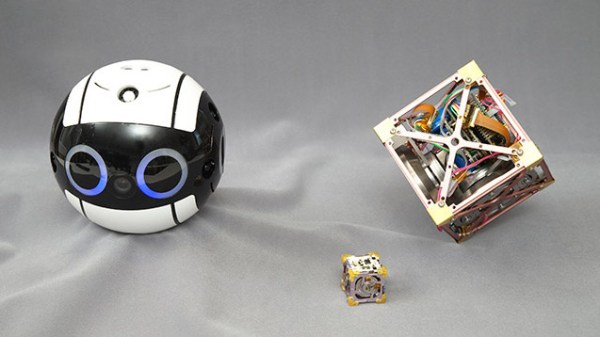
The Japan Aerospace Exploration Agency (JAXA) recently contributed their Int-Ball  technology to a Kickstarter campaign operated by the Japanese electronics manufacturer / distributor Bit Trade One (Japanese site). This technology is based on the Cubli project out of the Swiss Federal Institute of Technology in Zurich (ETH Zurich), which we covered back in 2013. The Cubli-based technology has been appearing in various projects since then, including the Nonlinear Mechatronic Cube in 2016.  Alas, the current JAXA-based “3-Axis Attitude Control Module” project doesn’t have a catchy name — yet.

One interesting application of these jumping cubes, presumably how JAXA got involved with these devices, is a floating video camera that was put to use on board the International Space Station (ISS) in 2017.  The version being offered by the Kickstarter campaign doesn’t include the cameras, and you will need to provide your own a gravity-free environment to duplicate that application.  Instead, they seem to be marketing this for educational uses.  You’d better dig deep in your wallet if you want one — a fully assembled unit requires a pledge of over $5000 ( there is a “some assembly required” kit that can save you about $1000 ).  Most of us won’t be backing this project for that reason alone, but it is nice to see the march of progress of such a cool technology:  from inception to space applications to becoming available to the general public.  Thanks to [Lincoln Uehara] for sending in this tip.

Continue reading “Crowd Funded Jumping Cubes”

DSL Is Barely Hanging On The Line As Telcos Stop Selling New Service

Are you reading this over AT&T DSL right now? If so, you might have to upgrade or go shopping for a new ISP soon. AT&T quietly stopped selling new traditional DSLs on October 1st, though they will continue to sell their upgraded fiber-to-the-node version. This leaves a gigantic digital divide, as only 28% of AT&T’s 21-state territory has been built out with full fiber to the home, and the company says they have done almost all of the fiber expansion that they intend to do. AT&T’s upgraded DSL offering is a fiber and copper hybrid, where fiber ends at the network node closest to the subscriber’s home, and the local loop is still over copper or coax.

At about the same time, a report came out written jointly by members of the Communications Workers of America union and a digital inclusion advocacy group. The report alleges that AT&T targets wealthy and non-rural areas for full fiber upgrades, leaving the rest of the country in the dark.

As the internet has been the glue holding these unprecedented times together, this news comes as a slap in the face to many rural customers who are trying to work, attend school, and see doctors over various videoconferencing services.

If you live in a big enough city, chances are you haven’t thought of DSL for about twenty years, if ever. It may surprise you to learn of the popularity of ADSL in the United Kindom. ADSL the main source of broadband in the UK until 2017, having been offset by the rise of fibre-to-the-cabinet (FTTC) connections. However, this Ofcom report shows that in 2018 ADSL still made up more than a third of all UK broadband connections.

Why do people still have it, and what are they supposed to do in the States when it dries up?

Continue reading “DSL Is Barely Hanging On The Line As Telcos Stop Selling New Service”

PyGame Celebrates 20 Years By Releasing PyGame 2.0

Python is an absolutely fantastic language for tossing bits of data around and gluing different software components together. But eventually you may find yourself looking to make a program with an output a bit more advanced than the print() statement. Once you’ve crossed into the land of graphical Python programming, you’ll quickly find that the PyGame library is often recommended as a great way to start pushing pixels even if you’re not strictly making a game.

Today, the project is celebrating an incredible milestone: 20 years of helping Python developers turn their ideas into reality. Started by [Pete Shinners] in 2000 as a way to interface with Simple DirectMedia Layer (SDL), the project was quickly picked up by the community and morphed into a portable 2D/3D graphics library that lets developers deploy their code on everything from Android phones to desktop computers.

Things haven’t always gone smoothly for the open source library, and for awhile development had stalled out. But the current team has been making great progress, and decided today’s anniversary was the perfect time to officially roll out PyGame 2.0. With more than 3,300 changes committed since the team started working on their 2.0 branch in July of 2018, it’s a bit tough to summarize what’s new. Suffice to say, the library is more capable than ever and is ready to tackle everything from simple 2D art up to 4K GPU-accelerated applications.

Rip and tear in PyGame 2.0

If you haven’t given PyGame a try in awhile, don’t worry. The team has put special effort into making the library as backwards compatible as possible, so if you’ve got an old project kicking around that you haven’t touched in a decade, it should still run against the latest and greatest version. If you’ve never used it before, the team says they’ll soon be releasing new tutorials that show you how to get the most out of this new release.

Whether you’re putting together your own implementation of Conway’s “Game of Life” or creating the graphical front-end for your own Linux distribution, PyGame is a powerful tool to have in your collection. Our sincere congratulations to all PyGame developers, past and present, for making it to this auspicious occasion. We can’t wait to see what the next decade will bring.

[Thanks to deshipu for the tip.]