Nintendo’s GBA Dev Board Could Pass For Modern DIY

When the Game Boy Advance came on the scene in 2001, it was a pretty big deal. The 32-bit handheld represented the single biggest upgrade the iconic Game Boy line had ever received, not only in terms of raw processing power, but overall design. It would set the state-of-the-art in portable gaming for years, and Nintendo was eager to get developers on board.

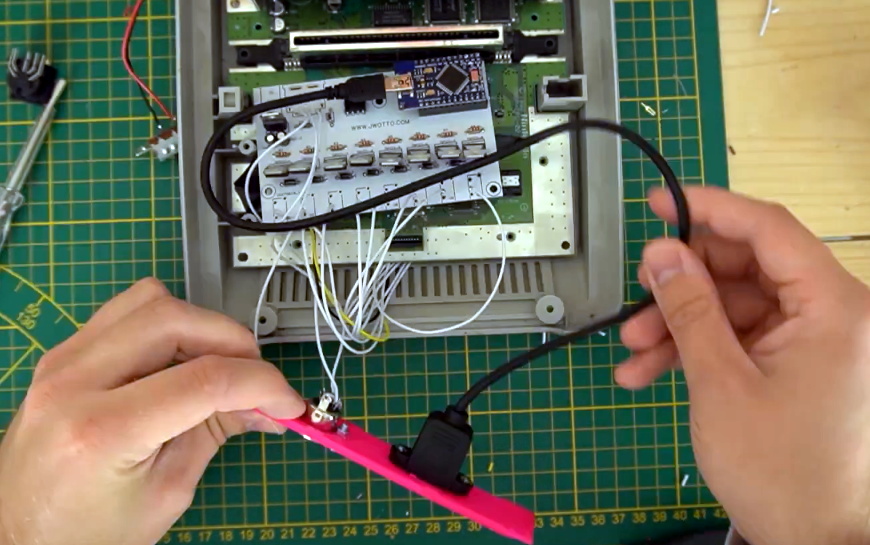
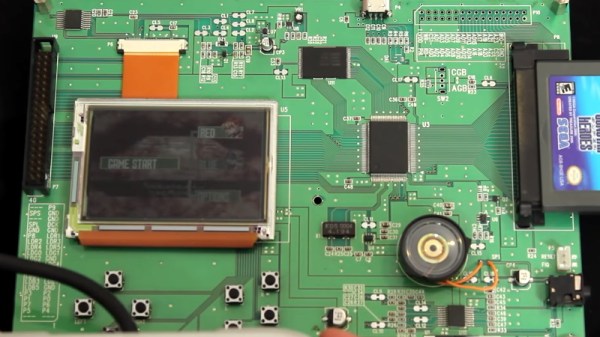
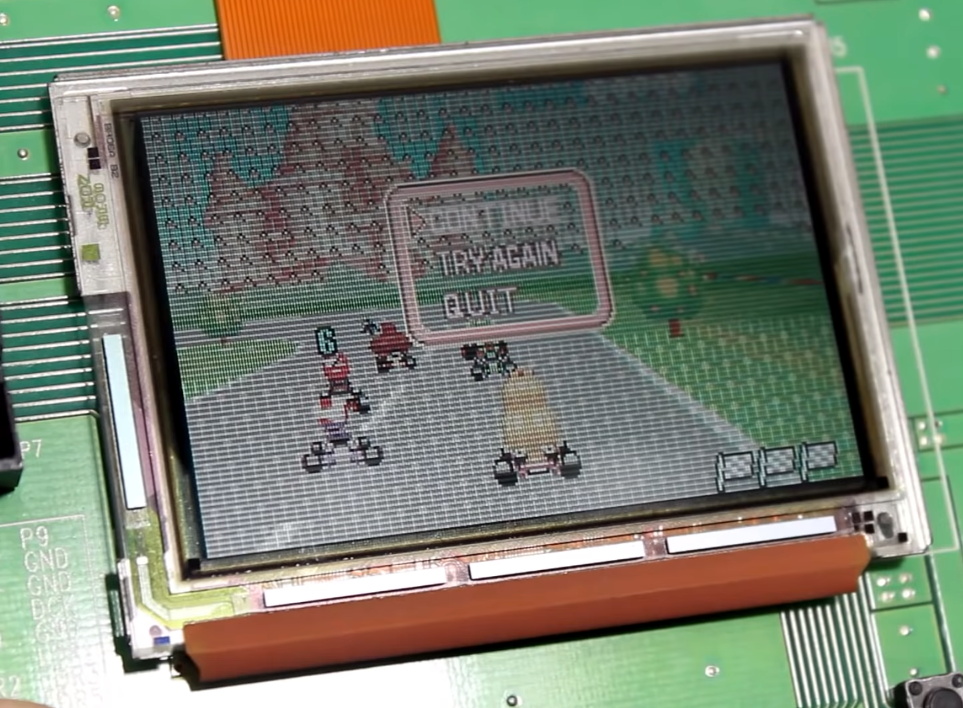
Which could explain why the official GBA development kit, recently shown off by [Hard4Games], looks like something that was built in a hackerspace. It’s pretty common for console development systems to look more like boxy 1990s computers than the sleek injection molded units that eventually take up residence under your television, but they don’t often come in the form of a bare PCB. It seems that Nintendo was in such a rush to get an early version of their latest handheld’s guts out to developers that they couldn’t even take the time to get a sheet metal case stamped out for it.

The development board doesn’t like later GBA games.

All of the principle parts of the final GBA are here, and as demonstrated in the video after the break, the board even plays commercially released games. Though [Hard4Games] did find that some titles from the later part of the handheld’s life had unusual graphical glitches; hinting that there are likely some low-level differences that don’t manifest themselves unless the developer was really digging deep to squeeze out all the performance they could.

The board also lacks support for Game Boy and Game Boy Color games, though this is not wholly surprising. When an older game was inserted into a GBA, the cartridge would physically depress a switch that enabled a special 8080-based coprocessor that existed solely for backwards compatibility. Adding that hardware to a development board would have made it more expensive and added no practical benefit. That said, [Hard4Games] does point out that there appears to be a unpopulated area of the board where the backwards compatibility switch could have been mounted.

Hackers have always been enamored with the Game Boy, so it’s fitting to see that the official development kit for the final entry into that storied line of handhelds looked a lot like something they could build themselves. If anyone feels inclined to build their own “deconstructed” GBA in this style, you know where to find us.

Continue reading “Nintendo’s GBA Dev Board Could Pass For Modern DIY”

Nintendo Switch Gets A Stylish Dock In A Broken NES

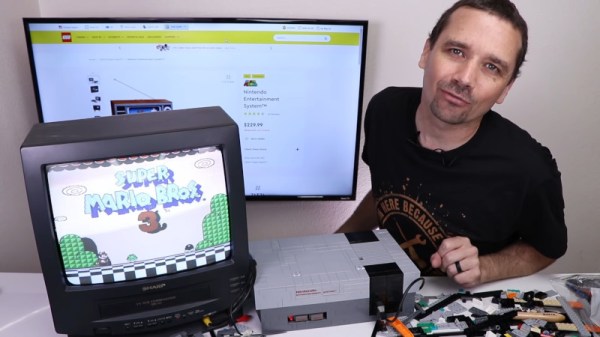
The Switch is Nintendo’s latest home console, which has forever blurred the line between handhelds and consoles you plug in to your TV. It does both! Typically, hooking up to a screen is done through the dock, but that wasn’t quite cool enough for [sturm]. He took a NES and turned it into a tidy Switch dock instead!

The build starts with an original NES shell, which is gutted of its original hardware. The PCB from the original dock is installed, and a slot cut in the top of the NES to allow the Switch to be inserted. Naturally, there’s a spring flap reminiscent of the Super NES to keep the dock looking clean when not in use. When it is installed, a series of cables and bezels break out the USB ports to the original controller ports on the NES.

It’s a tidy build that brings a touch of nostalgia to the modern console. We’re sure an official version would sell like hotcakes, too. There’s plenty of similarly inspired builds for the Switch, with the Gamecube Joycons a particular highlight!

Continue reading “Nintendo Switch Gets A Stylish Dock In A Broken NES”

Come On Baby Light My Fire Button

While the Nintendo GameCube stood deep in the shadows of the PS2 in its day, its controller remains a popular target for all sorts of modifications today — many of them involving LEDs, thanks to a translucent bottom and button option. As an avid player of the Super Smash Bros. series, [goomysmash] is of course an owner of the very same controller, which motivated him to write GoomWave, a “versatile and hackable LED library”. In an impressively detailed Instructable, he shows how to modify your own controller in two different ways to make use of the library for yourself.

Initially inspired by the Shinewave mod that lights up RGB LEDs in colors associated to pre-defined moves in Smash Bros, [goomysmash] aimed to improve on it and add more versatility from the very beginning. Its latest iteration comes in a simplified ABXY-buttons-only variety using an ATtiny85, and a full-blown all-button variety using an Arduino Nano. Both of them are powered straight from the controller board, and have different modes where they either react to controller interactions, or are just custom lights. A brief showcasing of all the different modes can be seen in the video after the break, and there a few more details also in an older version’s video, also embedded below.

Mesmerizing LED-blinking aside, we just have to admire the diligence and cleanliness [goomysmash] put into the wiring and fitting everything inside the controller. But in case light mods aren’t your thing or you’re looking for other GameCube controller modifications, how about adding Bluetooth?

Continue reading “Come On Baby Light My Fire Button”

Joy-Con Mod Gives Nintendo Switch Touchpad Control

While Valve’s Steam Controller ultimately ended up being a commercial flop, most users agreed its use of touch-sensitive pads in place of traditional analog joysticks or digital directional buttons was at least a concept worth exploring. Those same touchpad aficionados will likely be very interested in this modification by [Matteo Pisani], which replaces the analog joystick on a Nintendo Switch Joy-Con with a capacitive touch sensor.

As [Matteo] explains in his detailed write-up, the initial inspiration for this project was to create a permanent solution to joystick fatigue and drifting issues. He reasoned that if he removed the physical joystick completely, there would be no way for it to fail in the future. We’re not sure how many people would have taken the concept this far, but you can’t argue with the logic.

The original joystick is a fairly straightforward device, comprised of two analog potentiometers and a digital button. It’s connected to the Joy-Con’s main PCB with a 0.5 mm pitch flexible cable, so the first step for [Matteo] was to spin up a breakout for the cable in KiCad to make the development process a bit easier.

The board design eventually evolved to hold an Arduino Pro Mini, a digital potentiometer, and a connector for the circular touchpad. The Arduino communicates with both devices over I2C, and translates the high resolution digital output of the touch controller into an analog signal within the expected ranges of the original joystick. [Matteo] says he still has to implement the stick’s digital push button, but thanks to an impressive 63 levels of pressure sensitivity on the pad, that shouldn’t be a problem.

Now that he knows the concept works, the next step for [Matteo] is to clean it up a bit. He’s already working on a much smaller PCB that should be able to fit inside the Joy-Con, and we’re very interested in seeing the final product.

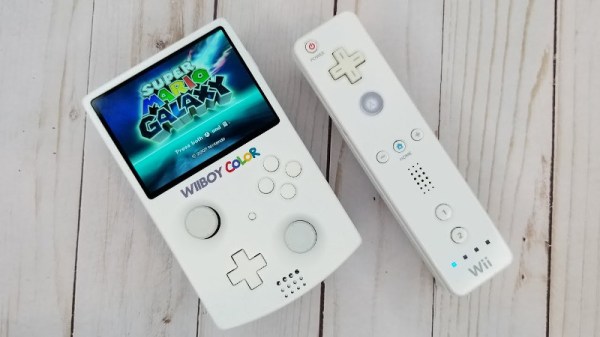
We’ve seen several interesting Joy-Con hacks since the Switch hit the market, including a somewhat less intense joystick swap. Between the Joy-Con and the legendary Wii Remote, Nintendo certainly seems to have a knack for creating input devices that catch the imagination of gamers and tinkerers alike.

Continue reading “Joy-Con Mod Gives Nintendo Switch Touchpad Control”

No, The Nintendo Leak Won’t Help Emulator Developers, And Here’s Why

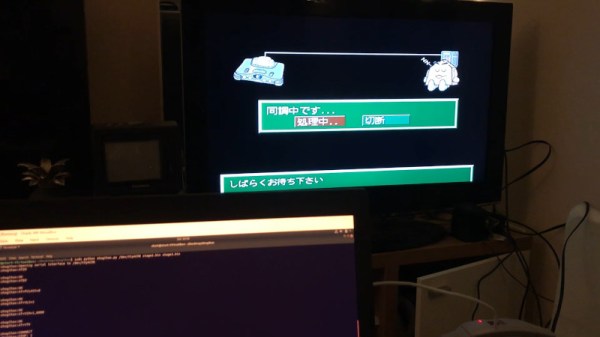
If you haven’t heard from other websites yet, earlier this year a leak of various Nintendo intellectual properties surfaced on the Internet. This included prototype software dating back to the Game Boy, as well as Verilog files for systems up to the Nintendo 64, GameCube and Wii. This leak seems to have originated from a breach in the BroadOn servers, a small hardware company Nintendo had contracted to make, among other things, the China-only iQue Player.

So, that’s the gist of it out of the way, but what does it all mean? What is the iQue Player? Surely now that a company’s goodies are out in the open, enthusiasts can make use of it and improve their projects, right? Well, no. A lot of things prevent that, and there’s more than enough precedent for it that, to the emulation scene, this was just another Tuesday.

Continue reading “No, The Nintendo Leak Won’t Help Emulator Developers, And Here’s Why”

Teardown: Generation NEX

Today if you wanted a little gadget to sit on your shelf and let you play classic games from the early console era, you’d likely reach for the Raspberry Pi. With slick emulator front-ends like RetroPie and DIY kits available on Amazon, you don’t even need to be a technical wizard or veteran penguin wrangler to set it up. If you can follow an online tutorial, you can easily cram the last few decades of gaming into a cheap and convenient package.

But things were a bit different back in 2005. There weren’t a lot of options for playing old games on the big screen, and what was out there tended to be less than ideal. You could hack an original Xbox or gut an old laptop to make an emulation box that could comfortably blend in with your DVD player, but that wasn’t exactly in everyone’s wheelhouse. Besides, what if you had the original cartridges and just wanted to play them on a slightly more modern system?

I’m willing to bet whoever wrote this owns a katana.

Enter Messiah, and their Generation NEX console. As you might have gathered from their ever-so-humble name, Messiah claimed their re-imagined version of the Nintendo Entertainment System would “Bring Gaming Back to Life” by playing the original cartridges with enhanced audio and visual clarity. It also featured integrated support for wireless controllers, which at the time was only just becoming the standard on contemporary consoles. According to the manufacturer, the Generation NEX used custom hardware based on the “NES algorithm” that offered nearly 100% game compatibility.

Unfortunately, the system was a complete bomb. Despite Messiah’s claims, the Generation NEX ended up being yet another “NES-on-a-chip” (NOAC) clone, and a pretty poor one at that. Reviewers at the time reported compatibility issues with many popular titles, despite the fact that they were listed as working on Messiah’s website. The touted audio and video improvements were nowhere to be found, and in fact many users claimed the original NES looked and sounded better in side-by-side comparisons.

It didn’t matter how slick the console looked or how convenient the wireless controllers were; if the games themselves didn’t play well, the system was doomed. Predictably the company folded not long after, leaving owners stuck with the over-priced and under-performing consoles. Realistically, most of them ended up in landfills. Today we’ll take a look inside a relatively rare survivor and see just what nostalgic gamers got for their money in 2005.

Continue reading “Teardown: Generation NEX”

Nintendo Switch Laptop Isn’t As BASIC As It Looks

Remember the days when computers booted up straight into a BASIC screen, where theoretically you could program yourself a full game without any further software needed? Well, in reality most of us were amused enough making it print “butts” over and over again, but there are those who are adept in the dark arts of making impressive things with such a limited language. [Bugtaro] is one of those people, and to help with his game development in SmileBASIC 4 on the Nintendo Switch, he built himself a dock that turns it into a laptop with an integrated keyboard.

Details on the build are scarce as it’s only outlined in his Twitter account, but there’s enough to give us an idea about what it’s composed of. The Switch slides into the top just like the official dock it comes with, and the laptop shell takes advantage of those functions. Inside it is a 5000 mAh battery to extend the portable life of the whole ensemble, plus a USB hub which gives it its built-in keyboard and allows for a mouse to be plugged in as well. The laptop also gives the Switch its docked TV output mode and can hold the Joy-cons slotted on its sides.

This project would pass for any other case mod here at Hackaday if it weren’t for the fact that [Bugtaro] is in fact a programmer that has been releasing BASIC software on Japanese magazines since the 1980s and worked on several cult classic Mega Drive games with Wolf Team and NexTech during the 1990s. His latest game is GIVERS P3D, a game programmed in SmileBASIC using a 3D engine of his own design and one of the flagship games for the platform. It would be interesting to see if more SmileBASIC programmers end up coming up with their own solutions to aid their development experience following this project.

If you’re interested in the possibilities of custom-made Switch docks like these but don’t fancy giving it a keyboard, how about this one that wraps a Gamecube controller around the screen? And if you don’t have a Switch yet and are looking for a bigger challenge, well, you can make your own from scratch.

[Via GoNintendo]