The First New Vacuum Tube Computer Design For Well Over Half A Century

In a few museums around the world, there lies the special experience of seeing some of the earliest computers. These room-filling monsters have multiple racks of vacuum tubes that are kept working by the dedication and care of their volunteer maintainers. A visit to the primordial vacuum tube computer, Colossus at Bletchley Park, UK, led [Mike] on the path towards designing an entirely new one. He thinks it’s the first to see the light of day in over five decades. ENA, the Electron tube New Automatic Computer, is the result.

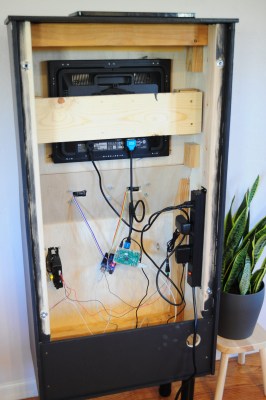
It uses 550 Soviet 6N3P double triodes, and its 8-bit Von Neumann architecture is constructed from the tubes wired up as 5-input NOR gates. ROM is a diode matrix, and RAM comes courtesy of reed relays. The whole thing is assembled as eleven PCBs on a wall-mounted frame, with a console that holds the piece de resistance, a display made from an array of LEDs. A Pong game is in development, meanwhile the machine makes an impressive room heater.

If you’d like to see some more vacuum tube computational goodness, we saw Colossus at the National Museum of Computing, back in 1996.

Zooming Through The Mandelbrot Set On An Atari

The Mandelbrot set, according to Wikipedia, is “the set of complex numbers c for which the function f_{c}(z)=z^{2}+c does not diverge.” Even if you don’t understand the mathematics behind it, you’ve likely seen the complicated fractal images generated by zooming in on the border of the Mandelbrot set. [Scott Williamson] not only got this set rendering on an Atari, but managed to create animated videos of the results. 

Emulators were key to the project’s success.

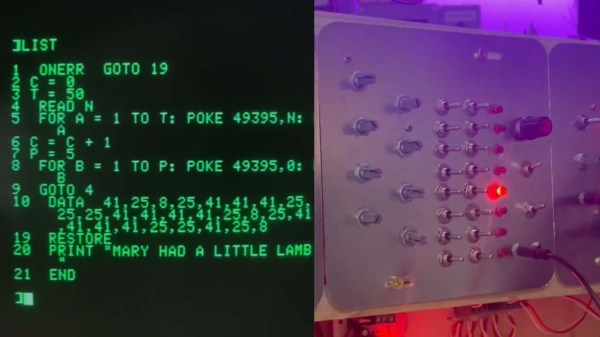
Doing the work was no mean feat. While it takes just 10 lines of Atari BASIC to render the set on an Atari 800, getting the animations made and into a modern video format took much effort. [Scott] used the Atari800Win-PLus emulator to zoom in on a variety of locations on the fractal curve and recorded the results over a weekend.

However, compositing the various frames into smooth-scrolling videos took more effort, with a Python script and ffmpeg required to stitch everything together into the results you see on YouTube. The final videos were combined with Atari chiptune music from [Adam Sporka] to help round out the presentation.

The result is reminiscent of an old-school demo, even if everything here was assembled slowly on modern computers from the raw Atari output. We’ve seen other great Mandelbrot feats before, too, like this real-time explorer built on an FPGA. Video after the break.

Continue reading “Zooming Through The Mandelbrot Set On An Atari”

C64 Demo, No C64

Never underestimate the ingenuity of the demoscene. The self-imposed limitations lead to incredible creativity, and, the range of devices they manage to get their demos running on never ceases to amaze us. But we never thought we’d see a C64 demo without one central component: the C64.

Full disclosure: [Matthias Kramm]’s demo, called “Freespin”, does need a C64 to get started. The venerable 6502-based computer runs a loader program on a 1541 disk drive.  But from then on, it’s all floppy drive. And [Matthias] has laid bare all his tricks.

The video below shows the demo in full, including a heart-stopping on-camera cable mod. By adding a single 100 Ω resistor, [Matthias] turned the serial clock and data lines into a two-bit digital-to-analog converter, good enough to generate signals for both black and white pixels and the sync pulses needed for the display.

No demo would be complete without sound, and Freespin’s tunes come from controlling the drive’s stepper motor, like a one-voice Floppotron.

Watching nothing but a floppy drive run a cool demo is pretty amazing. Yes, we know there’s a full-fledged computer inside the floppy, but the bit-banging needed to make this work was still mighty impressive. It might be cool to see what you could do with multiple drives, but we understand the minimalistic aesthetic as well. And speaking of tiny little demos:  the 256 bytes of [HellMood]’s “Memories” or [Linus Åkesson]’s “A Mind is Born” still leave us speechless.

Continue reading “C64 Demo, No C64”

Dial-a-SID Is A Glorious Chiptune Jukebox

Old-school rotary telephones aren’t particularly useful for their original intended purpose in this day and age, but they’re great fun to hack into new projects. [Linus Åkesson] has done just that, with his Dial-a-SID jukebox build. (Video, embedded below.)

The build installs a Raspberry Pi 3 inside the body of the telephone, running a SID chip emulator and loaded up with the High Voltage SID Collection. The Pi inside outputs sound to an external stereo system for playing chiptunes at a party.

The real party piece, however, is that the handset can be lifted and the telephone dialled in order to listen to and select tracks for the playlist. Tracks can be selected by individual codes, by composer, or even by year. In the event the playlist grows empty, the default behaviour can be set to keep playing random tracks in the meantime.

With over 2000 hours of SID music inside, it’s unlikely the Dial-a-SID will run out of tunes anytime soon. We’d love to see a similar interface used for a jukebox hooked up to a modern streaming service, too. If you build one, let us know! Alternatively, consider hooking up your rotary phone to your smartphone. Video after the break.

Continue reading “Dial-a-SID Is A Glorious Chiptune Jukebox”

Installing Linux Like It’s 1989

A common example of the sheer amount of computing power available to almost anyone today is comparing a smartphone to the Apollo guidance computer. This classic computer was the first to use integrated circuits so it’s fairly obvious that most modern technology would be orders of magnitude more powerful, but we don’t need to go back to the 1960s to see this disparity. Simply going back to 1989 and getting a Compaq laptop from that era running again, while using a Raspberry Pi Zero to help it along, illustrates this point well enough.

[befinitiv] was able to get a Raspberry Pi installed inside of the original computer case, and didn’t simply connect the original keyboard and display and then call it a completed build. The original 286 processor is connected to the Pi with a serial link, so both devices can communicate with each other. Booting up the computer into DOS and running a small piece of software allows the computer into a Linux terminal emulator hosted on the Raspberry Pi. The terminal can be exited and the computer will return back to its original DOS setup. This also helps to bypass the floppy disk drive for transferring files to the 286 as well, since files can be retrieved wirelessly on the Pi and then sent to the 286.

This is quite an interesting mashup of new and old technology, and with the Pi being around two orders of magnitude more powerful than the 286 and wedged into vacant space inside the original case, [befinitiv] points out that this amalgamation of computers is “borderline useful”. It’s certainly an upgrade for the Compaq, and for others attempting to get ancient hardware on the internet, don’t forget that you can always use hardware like this to access Hackaday’s retro site.

Continue reading “Installing Linux Like It’s 1989”

Just How Vulnerable To Accidental Erasure Are EPROMs Anyway?

On the scale of things worth worrying about, having to consider whether your EPROMs will be accidentally erased by some stray light in the shop is probably pretty low on the list. Still, losing irreplaceable data can make for a bad day, so it might just pay to know what your risks really are.

To address this question, [Adrian] set out to test just how susceptible to accidental erasure some common EPROM chips are. An EPROM, or “erasable programmable read-only memory”, is a non-volatile memory chip that can be programmed electrically and then erased optically, by exposing the die inside the chip to light at a specific wavelength, usually in a special chip erasing tool. But erasure can also happen in daylight (even if it takes a few weeks), so [Adrian] cooked up an experiment to see what the risk really is.

He exposed a selection of EPROMs with known contents to UV and checked their contents. Three of the chips had a simple paper or foil label applied, while one had its quartz window exposed to the UV. As expected, the unprotected chip was erased in just 30 minutes. The covered chips, though, all survived that onslaught, and much more — up to 780 minutes of continuous exposure.

So rest easy — it seems that even a simple paper label is enough to protect your precious retro EPROMs. It’s a good data point, and hats off to [Adrian] for taking a look at this. But now we can’t help but wonder: what would a little sunscreen applied to the quartz window do to erasability? Sounds like a fun experiment, too.

Continue reading “Just How Vulnerable To Accidental Erasure Are EPROMs Anyway?”

Tiny Operating System For Tiny Computer

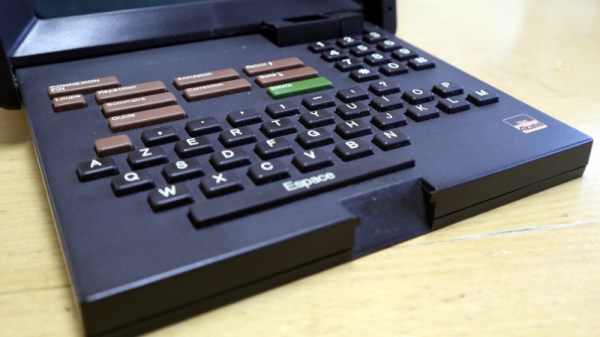
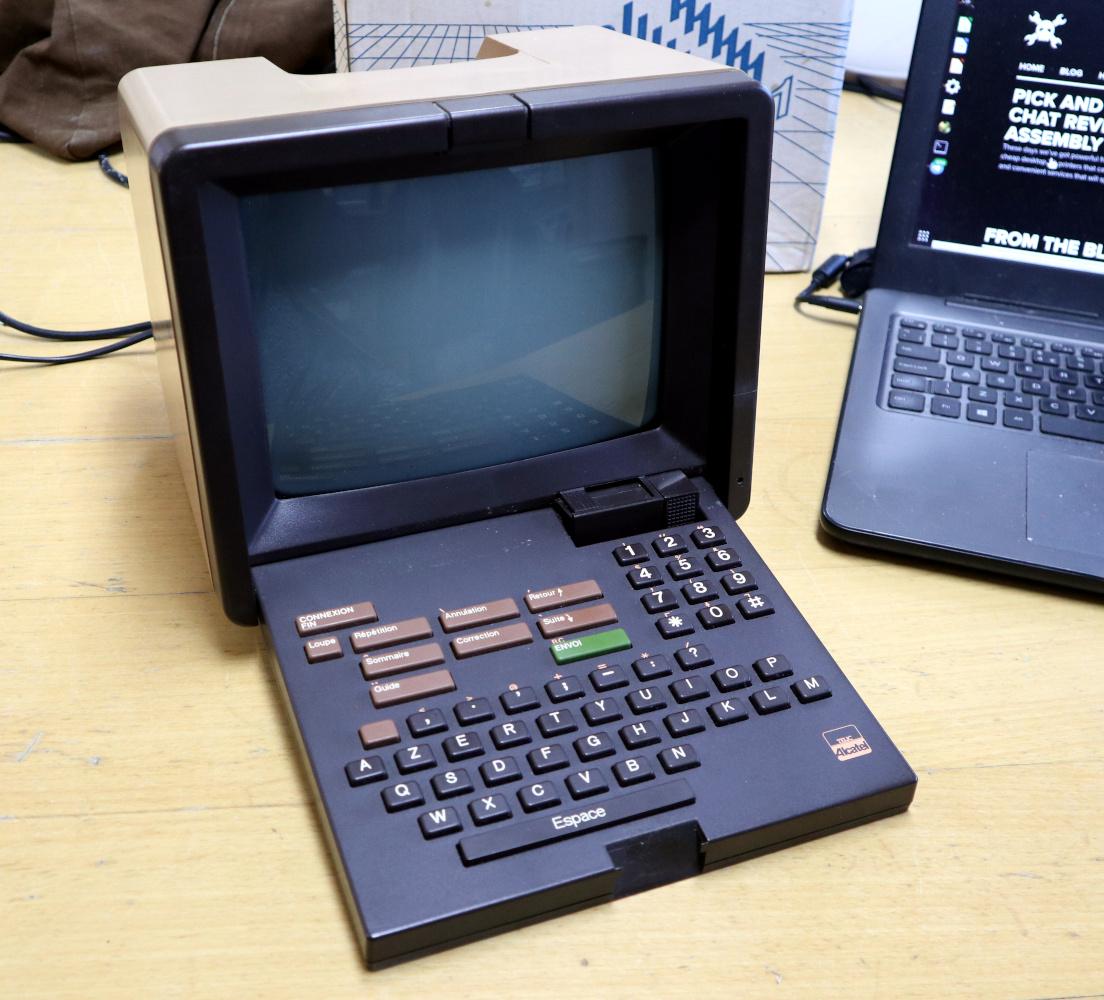
Before the World Wide Web became ubiquitous as the de facto way to access electronic information, there were many other ways of retrieving information online. One of the most successful of these was Minitel, a French videotex service that lasted from 1980 all the way until 2012. But just because the service has been deactivated doesn’t mean its hardware can’t be used for modern builds like this Arduino-based operating system. (Google Translate from French)

Called ZARDOS, the operating system is built to run on an Arduino MEGA although a smaller version is available for the Uno. The Arduino is connected by a serial cable to the Minitel terminal. It can take input from a keyboard and PS/2 mouse and displays video on the terminal screen with the same cable. There is functionality built-in for accessing data on a cartridge system based on SD cards which greatly expands the limited capabilities of the Atmel chip as well, and there is also support for a speaker and a Videotex printer.

Even though the build uses a modern microcontroller, it gives us flashbacks to pre-WWW days with its retro terminal. All of the code is available on the project site for anyone looking to build an Arduino-based operating system, although it will take a little bit of hardware hacking to build a Minitel terminal like this. Either way, it’s a great way to revive some antique French hardware similar to a build we’ve seen which converts one into a Linux terminal.

Thanks to [troisieme_type] for the tip!