When building a desktop computer, usually the budget is the limiting factor. Making sacrifices on one part in order to improve another without breaking the bank is part of the delicate balance of putting together a capable PC. If you’re lucky enough to have the sponsors that [Shank] has though, caution can be thrown to the wind with regards to price for some blisteringly fast parts. Putting them in a ’90s Hot Wheels case to build the ultimate sleeper PC, though, is just icing on the top.
This isn’t quite as simple as replacing a motherboard in a modern PC case, though. The Hot Wheels PC used a mini-ITX standard and is quite a bit smaller than most modern computers outside of something like a Mac Mini. To get the RTX 3060 GPU into the computer the shrouds needed to be removed to save space, plus an unusual 92mm form factor liquid CPU cooler needed to be installed. An equally obscure power supply was included to round out the Ryzen 9 build and after a lot of tinkering eventually all the parts were fitted into this retro case including the original, working floppy disk drive. After that some additional case modding was installed such as RGB lighting, wheels with spinning rims, a spoiler, and an exhaust pipe.
The main issue with this build was temperatures, and both the CPU and GPU were topping out at dangerously high temperatures until [Shank] installed a terrifying 11,000 RPM case fan. With a series of original CRT monitors to go along with this sleeper PC he can have up to 9 displays with surprisingly high video quality thanks to the fundamental properties of CRTs. The video is definitely worth a watch and falls right in line with some of [Shank]’s other console mods that he is famous for such as this handheld Virtual Boy.
A right-to-repair battle is being waged in courts. The results of it, we might not see for a decade. The Caps Wiki is a project tackling our repairability problem from the opposite end – making it easy to share information with anyone who wants to repair something. Started by [Shelby], it’s heavily inspired by his vintage tech repairs experience that he’s been sharing for years on the [Tech Tangents] YouTube channel.
When repairing a device, there are many unknowns. How to disassemble it? What are the safety precautions? Which replacement parts should you get? A sporadic assortment of YouTube videos, iFixit pages and forum posts might help you here, but you have to dig them up and, often, meticulously look for the specific information that you’re missing.
The Caps Wiki talks a lot about capacitor replacement repairs – but not just that. Any device, even modern ones, deserves a place on the Caps Wiki, only named like this because capacitor repairs are such a staple of vintage device repair. You could make a few notes about something you’re fixing, and have them serve as help and guideline for newcomers. With time, this won’t just become a valuable resource for quick repairs and old tech revival, but also a treasure trove of datapoints, letting us do research like “which capacitors brands or models tend to pass away prematurely”. Plus, it also talks about topics like mains-powered device repair safety or capacitor nuances!
We don’t need to tell you that these last couple of years have been a real drag for in-person events. But at long last, after a bit of a false start last summer, it seems like we can finally start peeking our heads out and getting back to doing the things we love. So why not celebrate by taking part in that most sacred of geek pastimes: poring through boxes of dusty old gear in search of some electronic treasure?
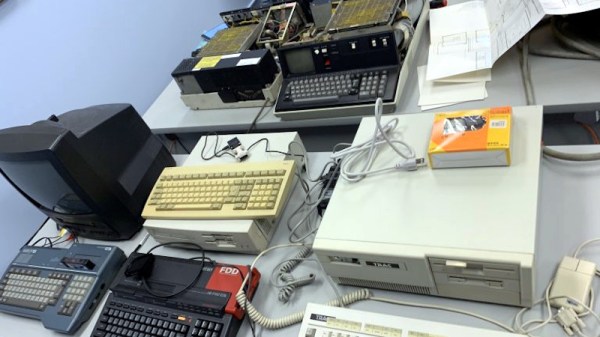
On Saturday the Vintage Computer Federation (VCF) is holding an indoor swap meet at the InfoAge Science and History Museum in New Jersey, and everyone’s invited. Vintage computers will naturally be the main attraction, but if their previous events are any indication, you should expect the tables to be filled with a healthy mix of general electronics, classic games, and amateur radio gear as well. The doors open up at 8 AM sharp and it’s free to get in, so we’d suggest showing up early for the best selection.
A little less than a year ago we visited the previous VCF swap meet, which back then had to be held outdoors due to COVID-19 concerns, and were blown away by the selection of weird and wonderful hardware up for grabs. From arcade cabinets to luggable PCs and 3D printers, there was a little something for everyone, and all at rock-bottom prices. The only real gripe we had was the lack of on-site food and beverage, which according to the VCF website, has been addressed this time around. No word on whether or not there’s an ATM handy though, so you might want to stop and get some cash before heading to the relatively remote Camp Evans site.
The fine folks of the VCF are also hard at work putting together their annual East Coast Vintage Computer Festival, which will take place at InfoAge on April 22nd to the 24th, so mark your calendars.
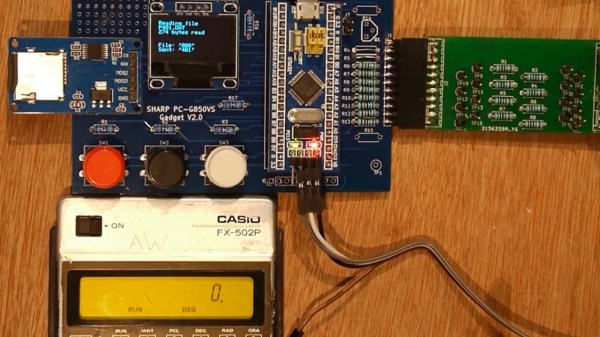
Several older Casio calculators included an expansion port for connecting cassette tape storage and printing functionality. Data on the FX-502P could be saved on cassette tape using the well-known Kansas City standard, however this signal was produced by Casio’s FA-1 calculator cradle, not the FX-502P itself. To interact with the calculator itself would require an understanding of whatever protocol Casio designed for this particular model.
It turns out that the protocol is a little quirky compared to its contemporaries, with variable length data packets and inverted data logic, (zero volts is ‘1’ and three volts is ‘0’). Once the protocol was untangled, it was ‘simply’ a matter of connecting the calculator to the GPIO interface on the STM32, and using some software wizardry to start shooting data packets back and forth.
This hack can be used to send and receive data from an SD card (via a RAM buffer), however it’s the other expansion capabilities that really make us wonder. [Andrew] has demonstrated how easy it is to add a real-time clock or thermal printer. Using the I2C capabilities of the STM32, it’s likely that all sorts of gadgets and sensors could be coupled with this vintage calculator, and many others like it.
Restoring classic hardware of any sort is a great hobby to have, whether it’s restoring vintage cars, tools, or even antique Apple or Commodore computers. Understanding older equipment can help improve one’s understanding of the typically more complicated modern equivalents, plus it’s just plain fun to get something old up and running again. Certainly we see more retro computing restorations around here, but one thing that we don’t typically see much of is the networking equipment that would have gotten those older computers onto the early Internet. [Retrocet] has a strong interest in that area, and his latest dial-up server really makes us feel like we’re back in the 90s.
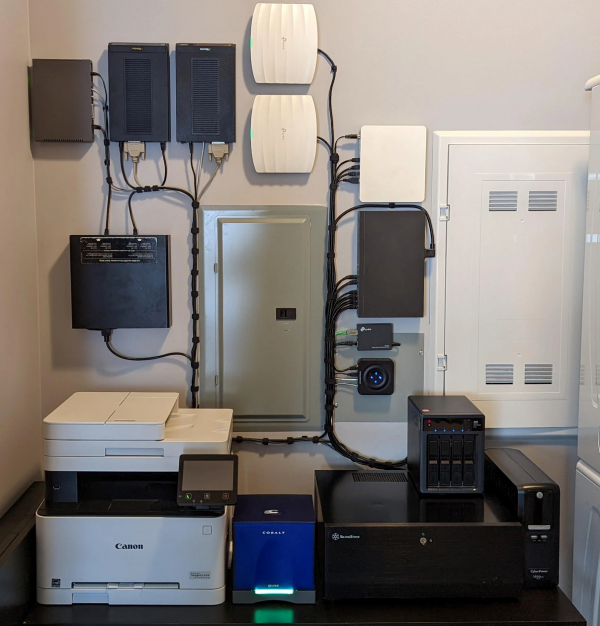
This home networking lab is built around a Cobalt Qube 2 that was restored after it was gifted to him as a wedding present. The Qube had a cutting edge 250 MHz 64-bit processor with up to 256 MB of RAM, and shipped with a customized Linux distribution as an operating system. The latest upgrade to this build sped up the modems to work at their full 56k rates which involved the addition of a DIVA T/A ISDN terminal and some additional hardware which ensures that incoming calls to the modems are digital. Keeping the connections digital instead of analog keeps the modems from lowering their speed to 33k to handle the conversions.
Until recently, [Retrocet] was running some of the software needed for this setup in a custom virtual machine, but thanks to the full restoration of the Qube and some tweaking of the Red Hat Linux install to improve the Point-to-Point Protocol capabilities of the older system, everything is now running on the antique hardware. If you are like [Retrocet] and have a bunch of this older hardware sitting around, there are still some ISPs available that can provide you with some service.
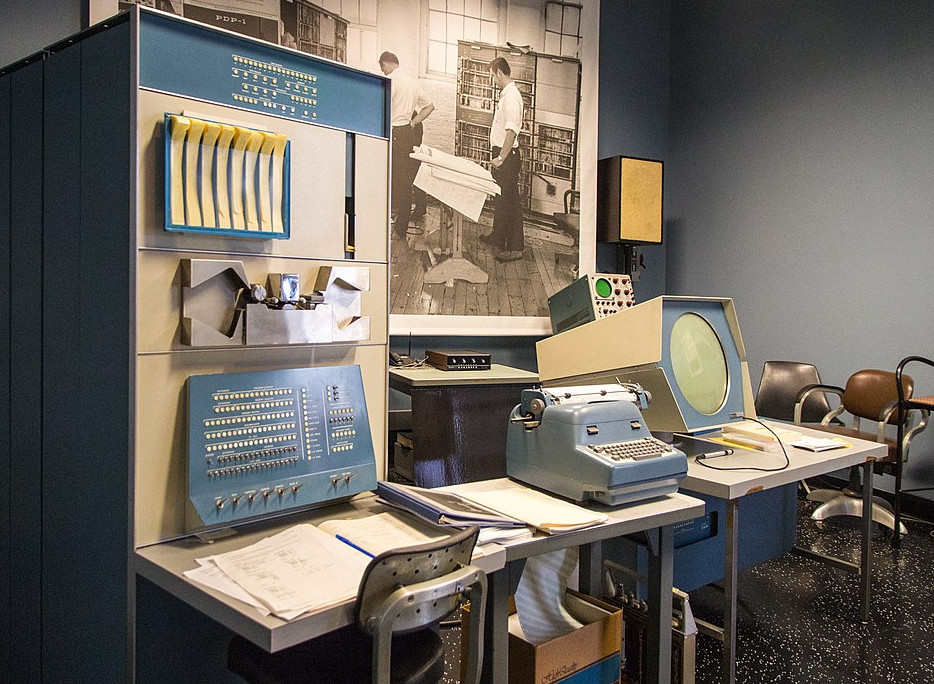
Among the many facets of modern technology, few have evolved faster or more radically than the computer. In less than a century its very nature has changed significantly: today’s smartphones easily outperform desktop computers of the past, machines which themselves were thousands of times more powerful than the room-sized behemoths that ushered in the age of digital computing. The technology has developed so rapidly that an individual who’s now making their living developing iPhone applications could very well have started their career working with stacks of punch cards.
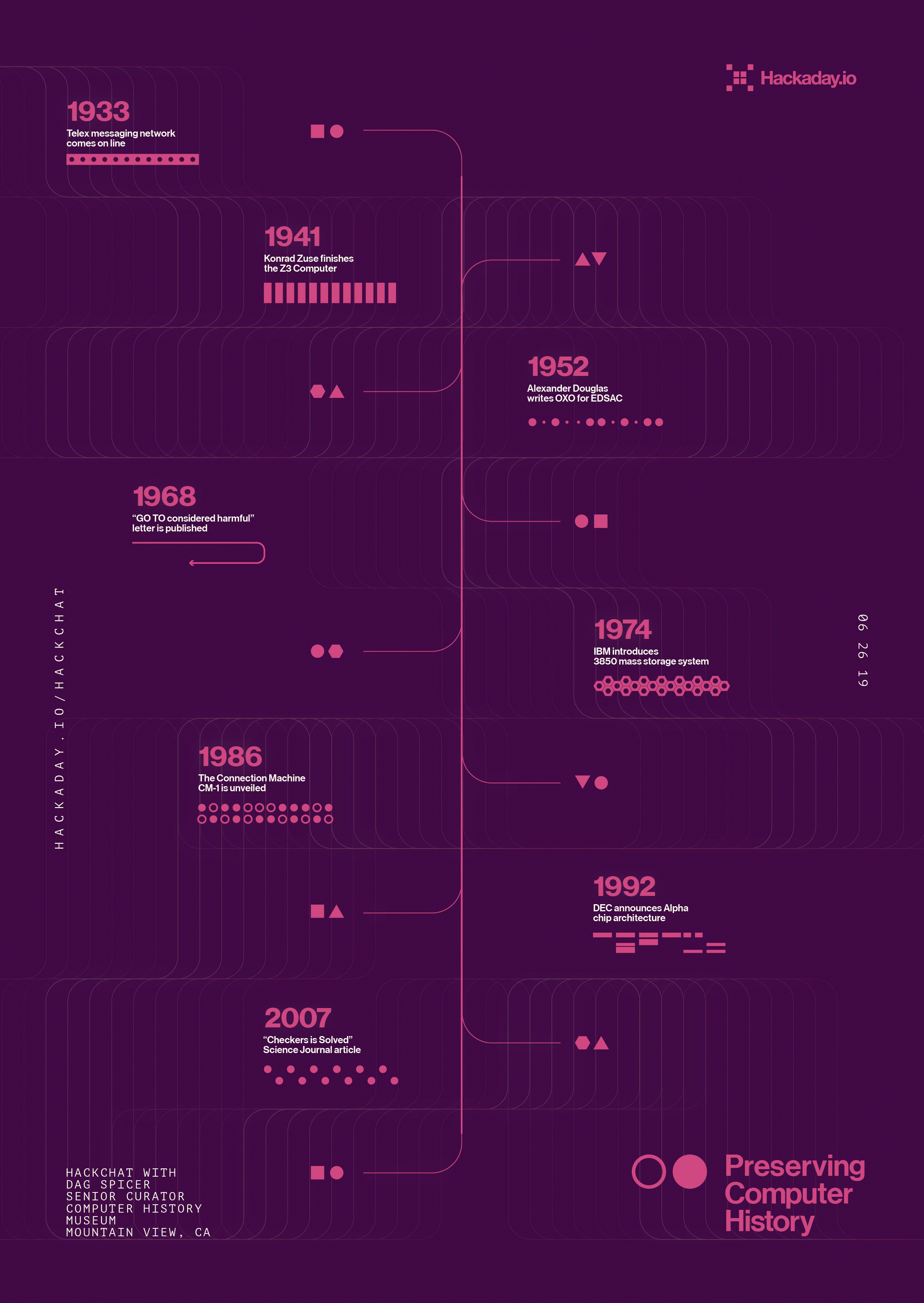
With things moving so quickly, it can be difficult to determine what’s worth holding onto from a historical perspective. Will last year’s Chromebook one day be a museum piece? What about those old Lotus 1-2-3 floppies you’ve got in the garage? Deciding what artifacts are worth preserving in such a fast moving field is just one of the challenges faced by Dag Spicer, the Senior Curator at the Computer History Museum (CHM) in Mountain View, California. Dag stopped by the Hack Chat back in June of 2019 to talk about the role of the CHM and other institutions like it in storing and protecting computing history for future generations.
To answer that most pressing question, what’s worth saving from the landfill, Dag says the CHM often follows what they call the “Ten Year Rule” before making a decision. That is to say, at least a decade should have gone by before a decision can be made about a particular artifact. They reason that’s long enough for hindsight to determine if the piece in question made a lasting impression on the computing world or not. Note that such impression doesn’t always have to be positive; pieces that the CHM deem “Interesting Failures” also find their way into the collection, as well as hardware which became important due to patent litigation.
Of course, there are times when this rule is sidestepped. Dag points to the release of the iPod and iPhone as a prime example. It was clear that one way or another Apple’s bold gambit was going to get recorded in the annals of computing history, so these gadgets were fast-tracked into the collection. Looking back on this decision in 2022, it’s clear they made the right call. When asked in the Chat if Dag had any thoughts on contemporary hardware that could have similar impact on the computing world, he pointed to Artificial Intelligence accelerators like Google’s Tensor Processing Unit.
In addition to the hardware itself, the CHM also maintains a collection of ephemera that serves to capture some of the institutional memory of the era. Notebooks from the R&D labs of Fairchild Semiconductor, or handwritten documents from Intel luminary Andrew Grove bring a human touch to a collection of big iron and beige boxes. These primary sources are especially valuable for those looking to research early semiconductor or computer development, a task that several in the Chat said staff from the Computer History Museum had personally assisted them with.
Towards the end of the Chat, a user asks why organizations like the CHM go through the considerable expense of keeping all these relics in climate controlled storage when we have the ability to photograph them in high definition, produce schematics of their internals, and emulate their functionality on far more capable systems. While Dag admits that emulation is probably the way to go if you’re only worried about the software side of things, he believes that images and diagrams simply aren’t enough to capture the true essence of these machines.
Quoting the the words of early Digital Equipment Corporation engineer Gordon Bell, Dag says these computers are “beautiful sculptures” that “reflect the times of their creation” in a way that can’t easily be replicated. They represent not just the technological state-of-the-art but also the cultural milieu in which they were developed, with each and every design decision taking into account a wide array of variables ranging from contemporary aesthetics to material availability.
While 3D scans of a computer’s case and digital facsimiles of its internal components can serve to preserve some element of the engineering that went into these computers, they will never be able to capture the experience of seeing the real thing sitting in front of you. Any school child can tell you what the Mona Lisa looks like, but that doesn’t stop millions of people from waiting in line each year to see it at the Louvre.
The Hack Chat is a weekly online chat session hosted by leading experts from all corners of the hardware hacking universe. It’s a great way for hackers connect in a fun and informal way, but if you can’t make it live, these overview posts as well as the transcripts posted to Hackaday.io make sure you don’t miss out.
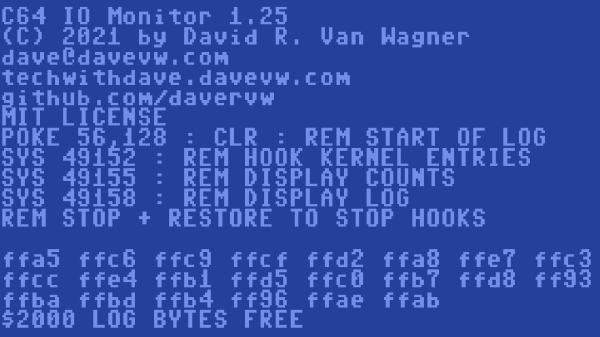
Developing for the Commodore 64 can be a rewarding retrocomputing experience, and thanks to [Dave Van Wagner], things are easier with his C64 IO_Monitor project, which opens the door to logging and tracing Kernal I/O calls for closer inspection. That’s not a typo, by the way. Kernal is what handles the C64’s low-level OS routines. Amusingly, as the story goes, it did in fact originate as a misspelling of kernel, but the name stuck.
What [Dave]’s program does is trace and log all input and output calls going through Kernal, which includes just about any function one might imagine. Things like keyboard input, screen output, and disk or tape I/O are all dutifully counted and logged, allowing one to really peek under the hood at a low level when doing any kind of development work. This kind of tool has turned out to be pretty handy given [Dave]’s penchant for porting Commodore emulators to a variety of (sometimes unusual) platforms.
Interested in giving it a spin? Head to the project’s GitHub repository for all the necessary files as well as some usage details, and enjoy making debugging and development a little less opaque than it otherwise would be.